Can't rename groups on Mac desktop app
I'm working on an up-to-date Mac with a freshly downloaded Notebook app. I'm trying to rename a group within a notebook.
Here I have, left to right, a note, a group, and a note.
I select the group.

On the top left, I select Action. On the dropdown, "Rename" is greyed out.
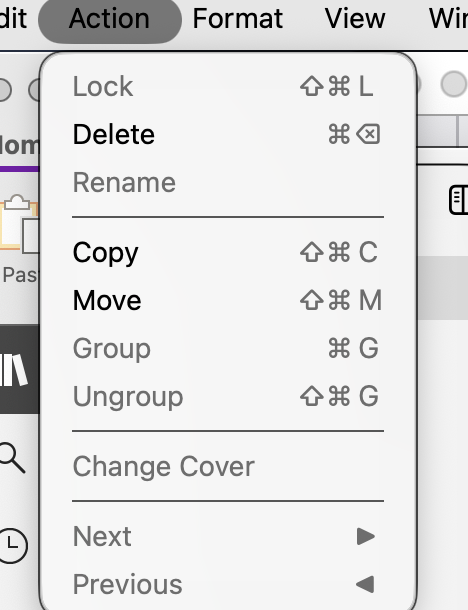
What am I doing wrong, and how do I rename my group?