Catch-All Address: A safety net for misdirected emails
Email is often the first point of contact with an organization. In many cases, a simple typo in a recipient's address can quietly turn into a missed message—a customer query never reaches support, a partner’s reply goes unnoticed, and the sender has no indication that anything went wrong.
From there, the admin (or anyone with access) can review the message, identify errors such as typos or incorrect naming formats, and forward it to the intended recipient.
For example, if a message is sent to patricia_boyle@zylkertraining.com instead of patricia.boyle@zylkertraining.com, it will be received by the catch-all mailbox.
Key use cases
Catch everyday typos: Minor errors like swapped letters, missing characters, or incorrect separators don’t result in lost emails.
Resolve naming inconsistencies: Messages still arrive even when senders are unsure of naming formats (e.g., first.last vs last.first).
Support legacy or retired addresses: Emails sent to outdated aliases or formats continue to be received instead of bouncing.
Preserve external communication: Messages from customers, partners, or vendors with slightly incorrect addresses are retained.
Prevent attackers from identifying valid addresses: Without bounce responses, attackers gain less insight into valid email addresses.
Why it matters for admins
Centralized visibility: All misdirected emails are collected in one place, making it easier to identify patterns like recurring typos.
Fewer lost messages: Critical communication is preserved, helping maintain the organization's responsiveness and trust.
Reduced support overhead: Admins can quickly reroute emails instead of handling follow-ups or re-sending missed messages.
Better control over spam activity: Eliminating bounce-backs reduces the effectiveness of brute-force address discovery attempts.
Professional reliability: Senders don’t encounter delivery failures for minor mistakes, reinforcing a dependable brand experience.
Steps to configure Catch-all Address from Zoho Mail Admin Console
To configure a Catch-all Address, you need a valid mailbox within the organization. Create a mail account or a group with the desired email address to use as a catch-all, if it does not exist already.
Log in to Zoho Mail Admin Console and navigate to Domains on the left menu.
Select the domain for which you'd like to configure a catch-all address.
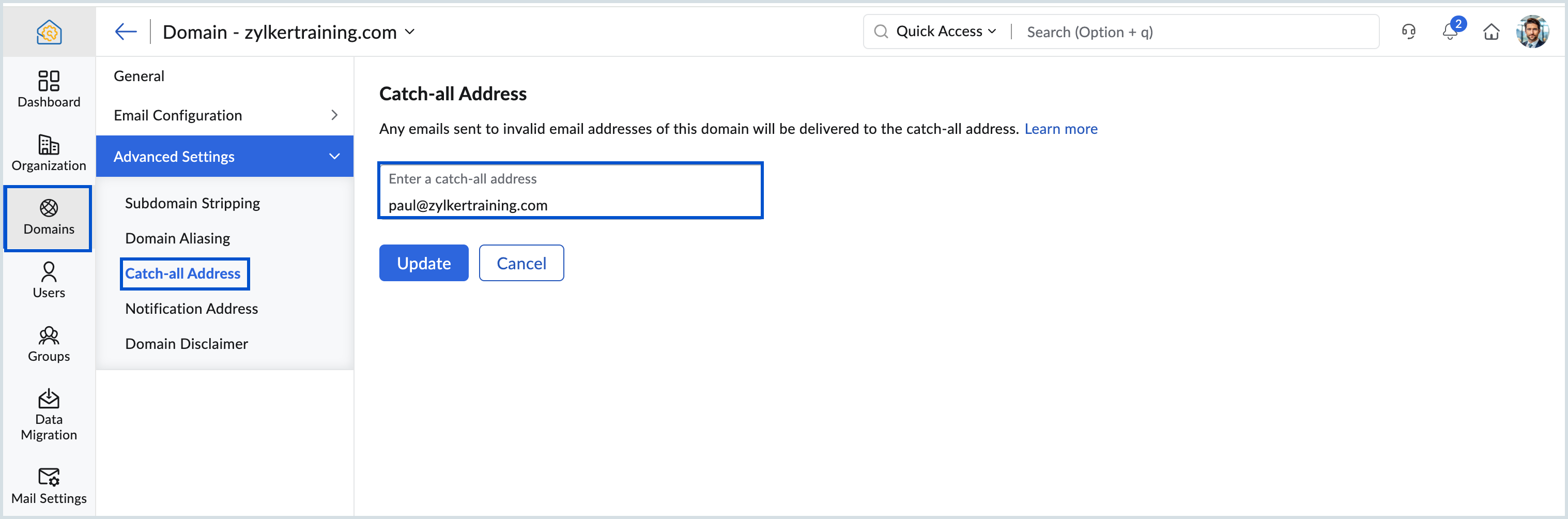
Navigate to Catch-all Address under Advanced Settings.
Enter the user's mailbox address or the group mailbox in the Enter a catch-all address field.
Select the preferred mailbox address and click Update.