Configure Zoho CRM Faster with Native Customization Agents
Configuring your CRM just got a lot faster.
We’re introducing native agents in Zoho CRM that let you configure settings using natural language. Instead of navigating through multiple screens and manually creating configurations, simply describe what you need and let the agent handle it for you.
What’s New?
This release introduces five customization agents designed to help you configure:
• Profiles
• Roles
• Data Sharing Rules
• Review Processes
• Segmentation
Each agent is built to understand the configuration options within its area and can ask relevant follow-up questions to make sure your requirements are applied accurately.
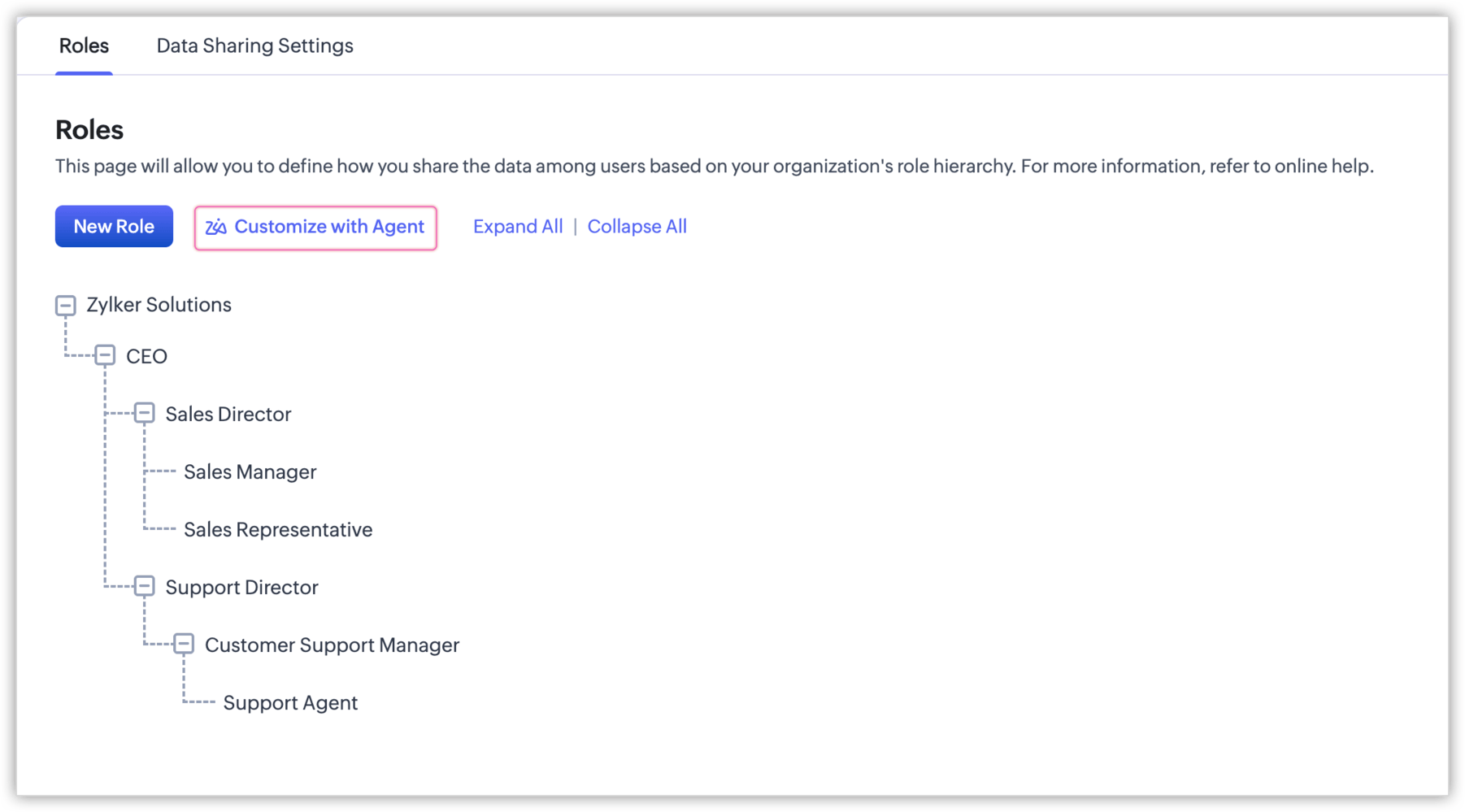
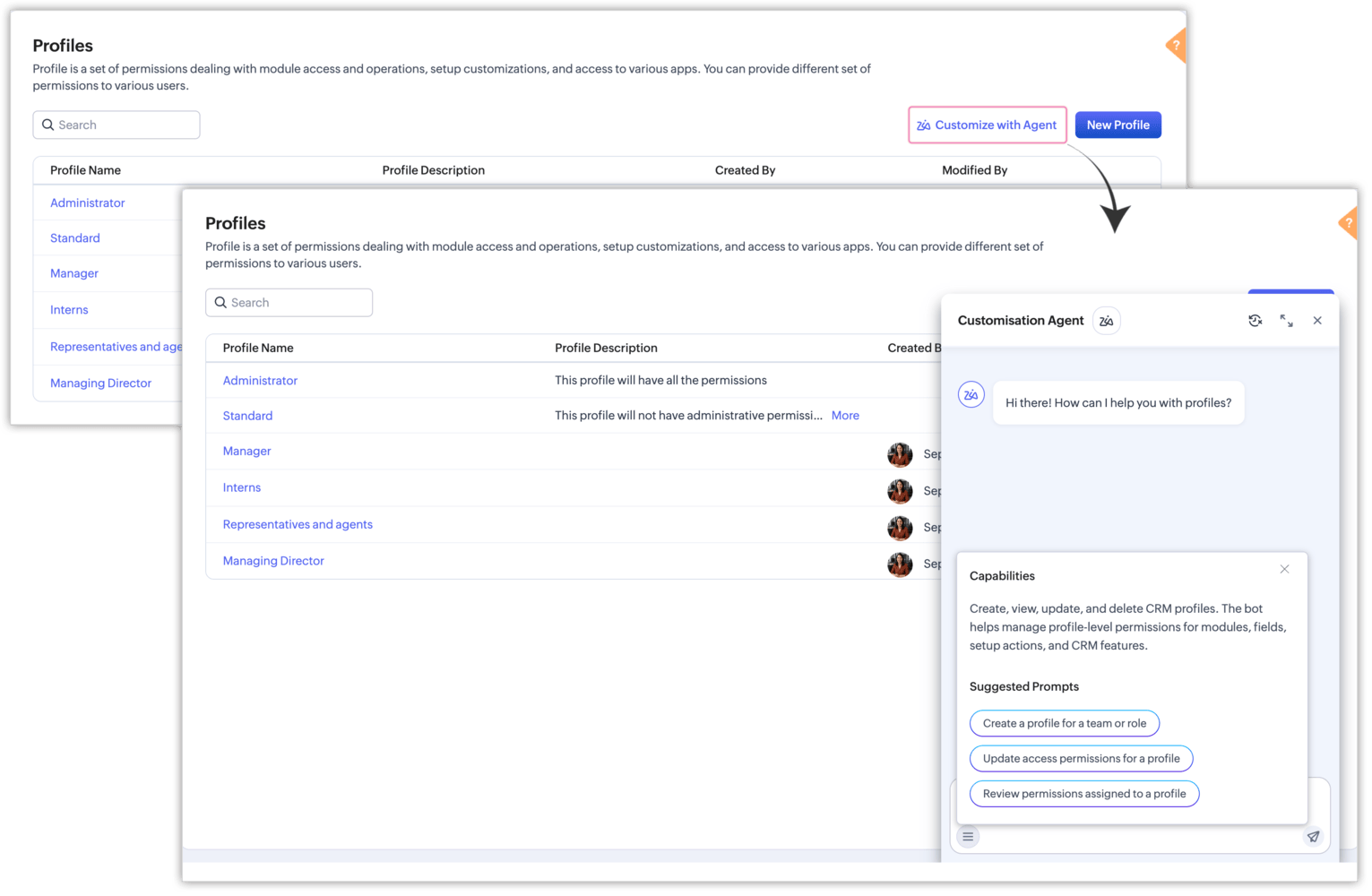
You’ll find each agent through a Customize with Agent Zia button on its respective settings page. From there, you can create, view, update, or delete configurations through a conversational experience.
A Quick Example
Let’s say a sales operations manager is restructuring their team after a hiring push and needs to create five new regional lead roles, with each role reporting to a different director.
Normally, this would require setting up each role individually and manually placing it within the appropriate hierarchy.
With the Customization Agent on the Roles page, you can simply describe the structure you need. The agent can create all five roles and establish the appropriate hierarchy in a single interaction.
All five agents provide a consistent chatbot experience.
Open the agent from its respective settings page and describe your requirements just as you would when explaining a task to a teammate.
The menu icon within the input area also provides access to Capabilities and Suggested Prompts.
• Capabilities explains what the agent can help you configure.
• Suggested Prompts provides ready to use prompts for common configuration tasks.
What Does Each Agent Do?
Profiles
Create and configure profiles based on your requirements, including permissions for modules, fields, setup actions, and other CRM features.
Roles
Create roles and role hierarchies to define reporting structures and role based access without manually configuring each role.
Data Sharing
Configure data sharing rules between roles, users, groups, and teams based on the access requirements you provide.
Review Process
Define review criteria, reviewers, and review actions so records can go through the appropriate review process before being used.
Segmentation
Create RFM based segmentation rules and manage segment labels and scores to help organize and understand customer groups.
Getting Started
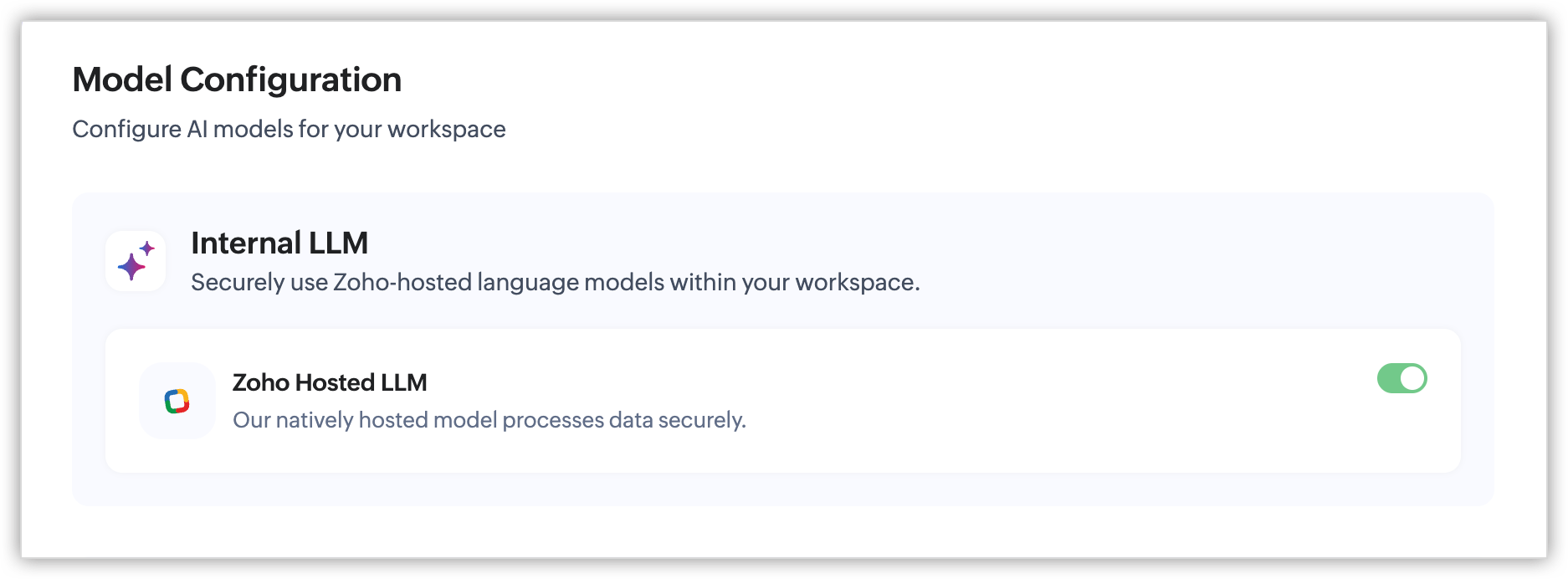
To start using native agents in Zoho CRM, enable Zoho Hosted LLM for your organization:
Setup → Zia → Models → Internal LLM
Once enabled, native agents across CRM will become available to your users.
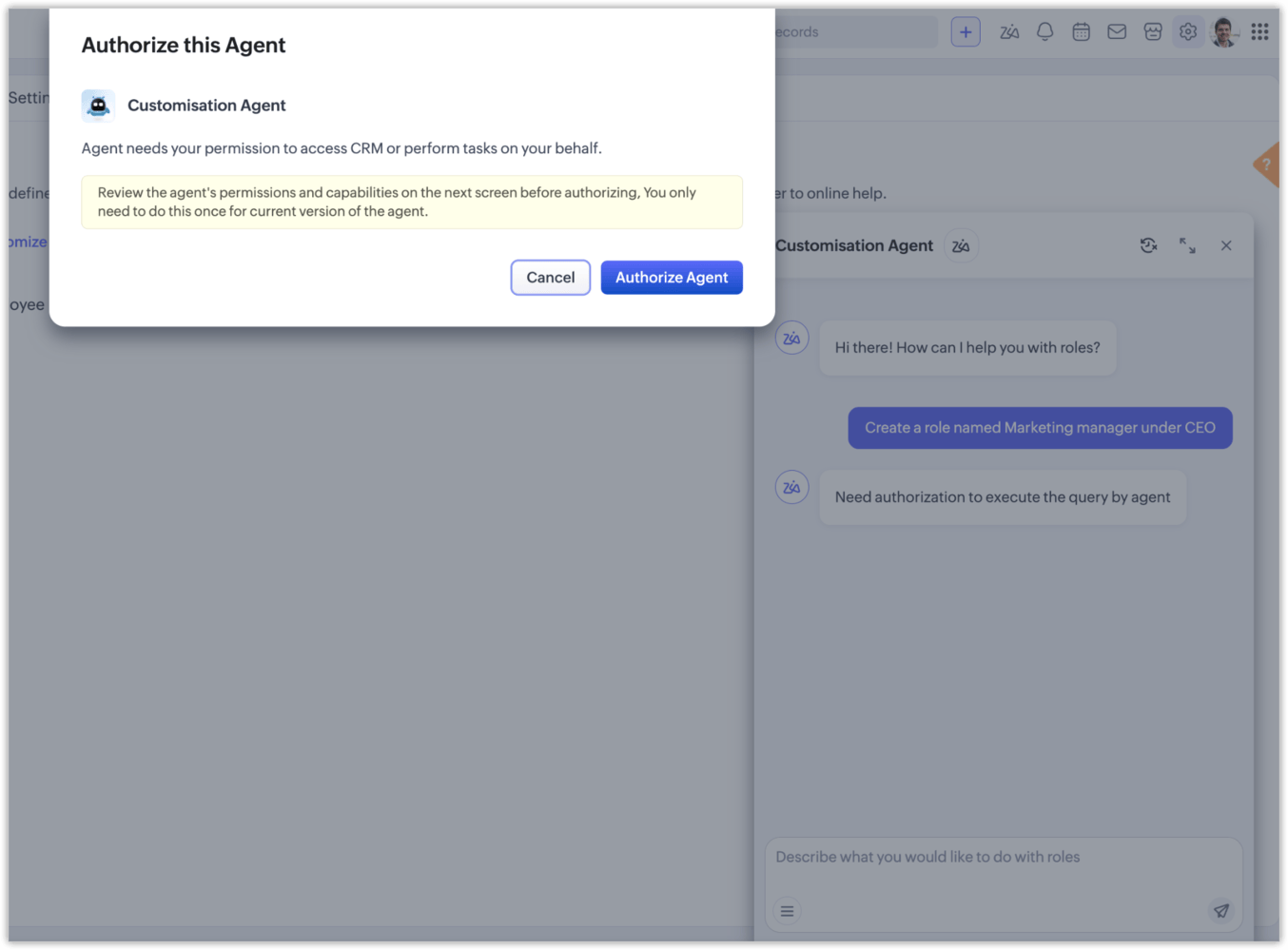
The first time a user opens an agent, they’ll see an authorization prompt outlining the agent’s permissions and capabilities. After selecting Authorize Agent, the agent will be ready to use.
Authorization is required only once per agent, and the agent will continue to operate within the user’s existing CRM permissions.
That’s it! You can now configure several areas of your CRM through natural language instead of navigating through multiple configuration screens.