Context Menu in Zoho Projects
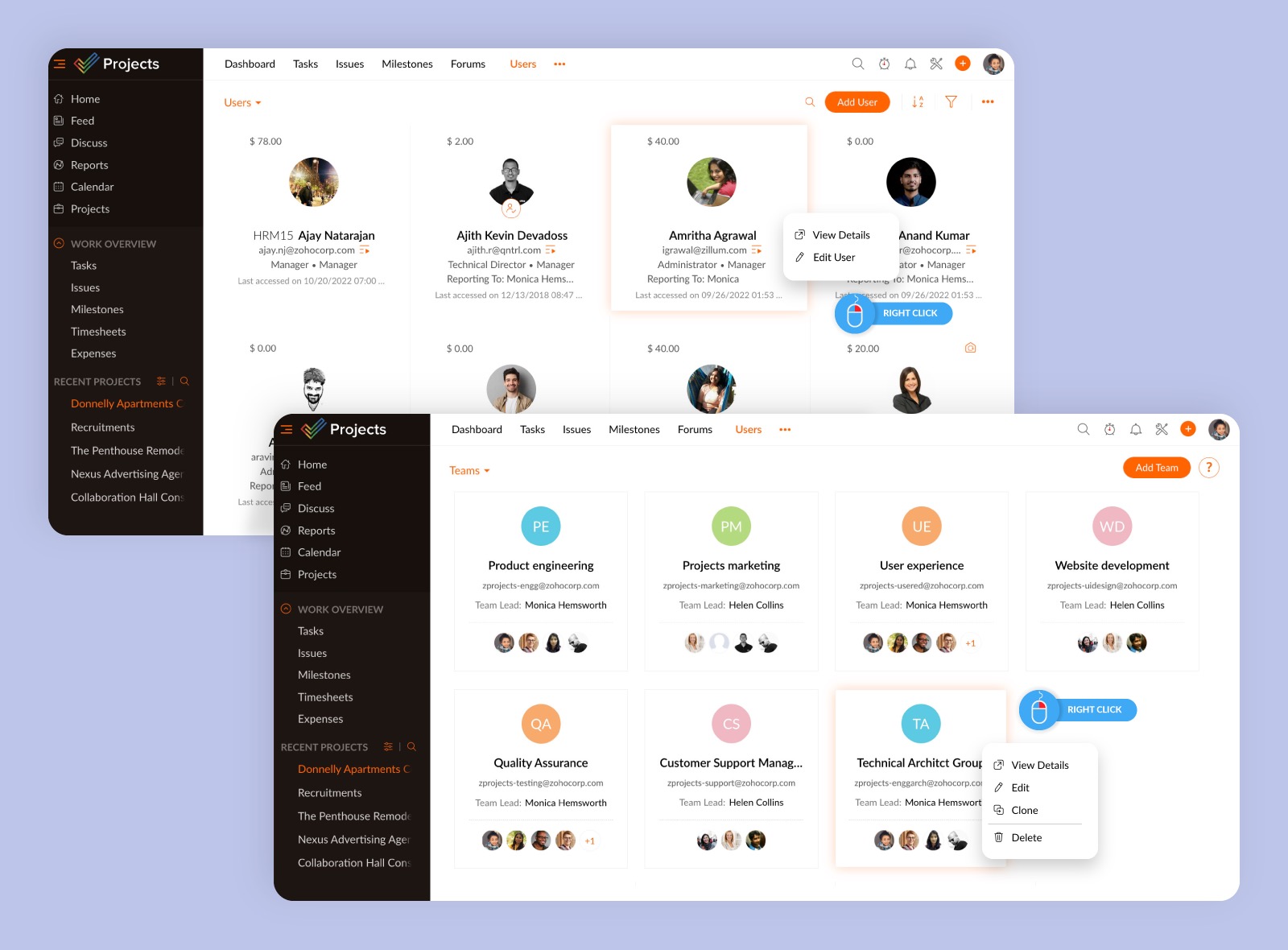
Context menus provide quick access to specific functions by a right-click on the mouse or touch-pad. Zoho Projects now supports context menus for the Users and Teams module.
Context menus, as the name suggests, provide a set of functions based on the context or interface being used and are available at both the portal and project levels. When you right-click a user, for example, you can see options to view or edit details, however when you right-click a team, you can see an additional option to clone the team.
These menus will be added to more modules in the future. Please refer to our help document for more information on Context Menus in Zoho Projects. You can also leave a comment below if you have any queries or send an email to our support team (support@eu.zohoprojects.com for the EU data center and support@zohoprojects.com for all other data centers).