Custom Button Creation from Layout Editor in Zoho CRM
Hello All,
Buttons in Zoho CRM act as triggers that perform a specific action when clicked. Zoho CRM includes a set of system buttons that help you carry out common actions with a single click. Beyond these, your organization can create custom buttons to perform actions tailored to your specific needs, such as connecting CRM with third-party applications, linking different CRM modules, or opening a contact's address in Google Maps with a single click.
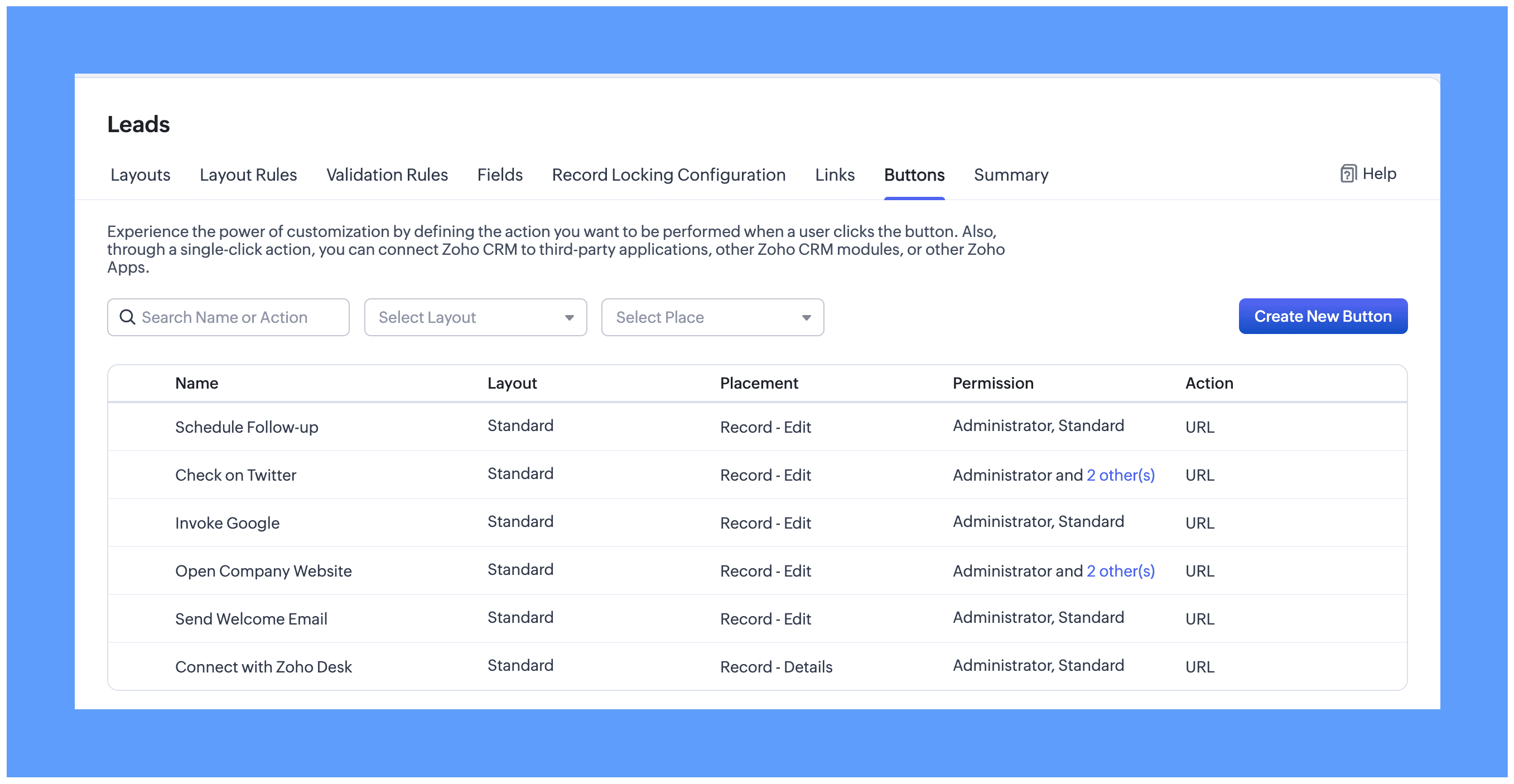
Custom buttons can be created and managed from the Buttons tab in the Module Customization page. From here, you can add a new button, define the action it performs, and edit or remove existing buttons as needed.
What's New
Custom buttons creation is now easy and contextual, letting admins manage buttons directly from the element palette in the layout editor. While customizing your module layout, you can:
- Add buttons
- Arrange them in a preferred order
- Remove buttons you don't need
- Perform other button-related customization, all from within the module builder itself.
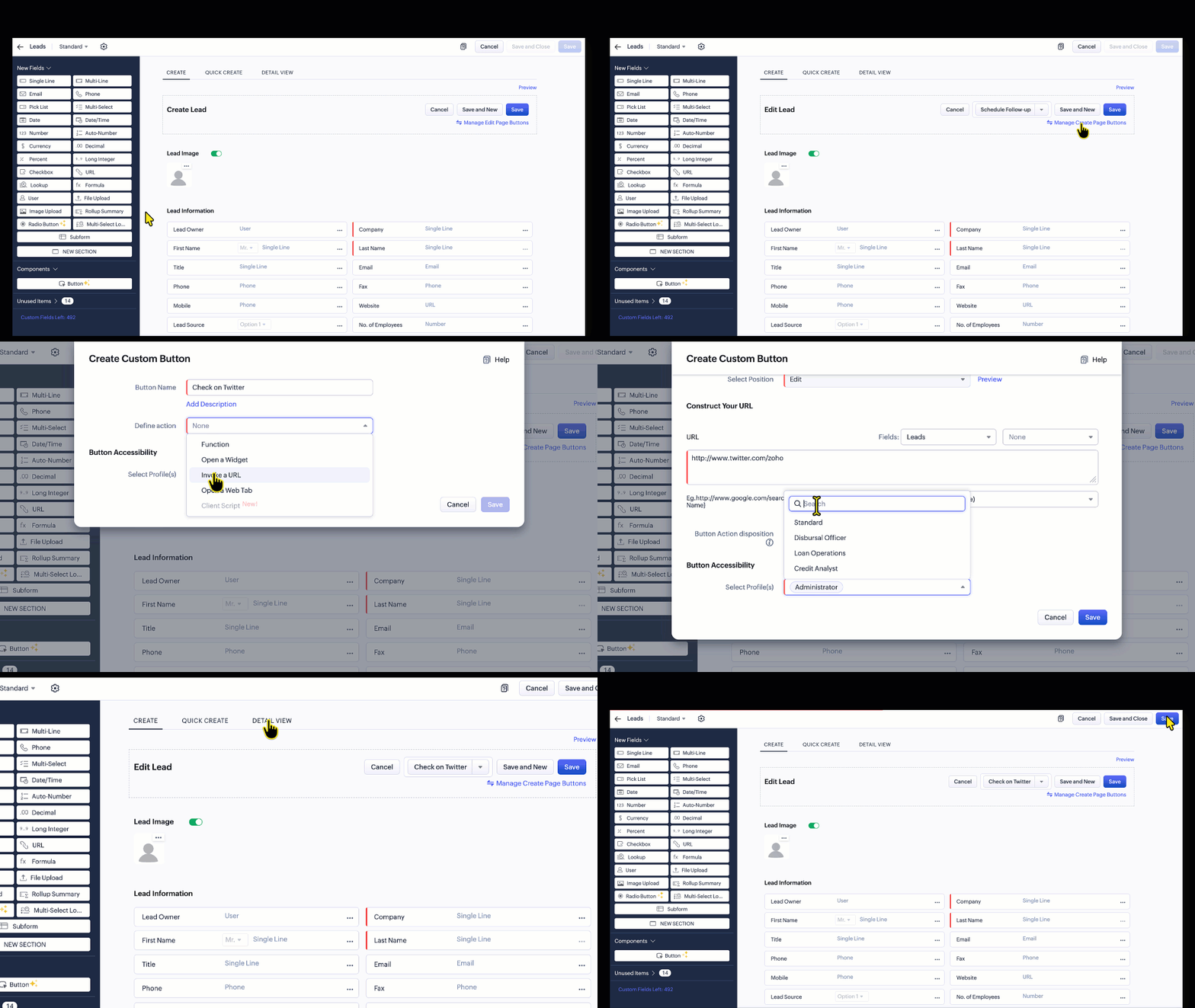
Custom buttons can be placed in several locations within a module. Inside a record, the button can appear in the top bar of the Create page, the Edit page, and the Details page.


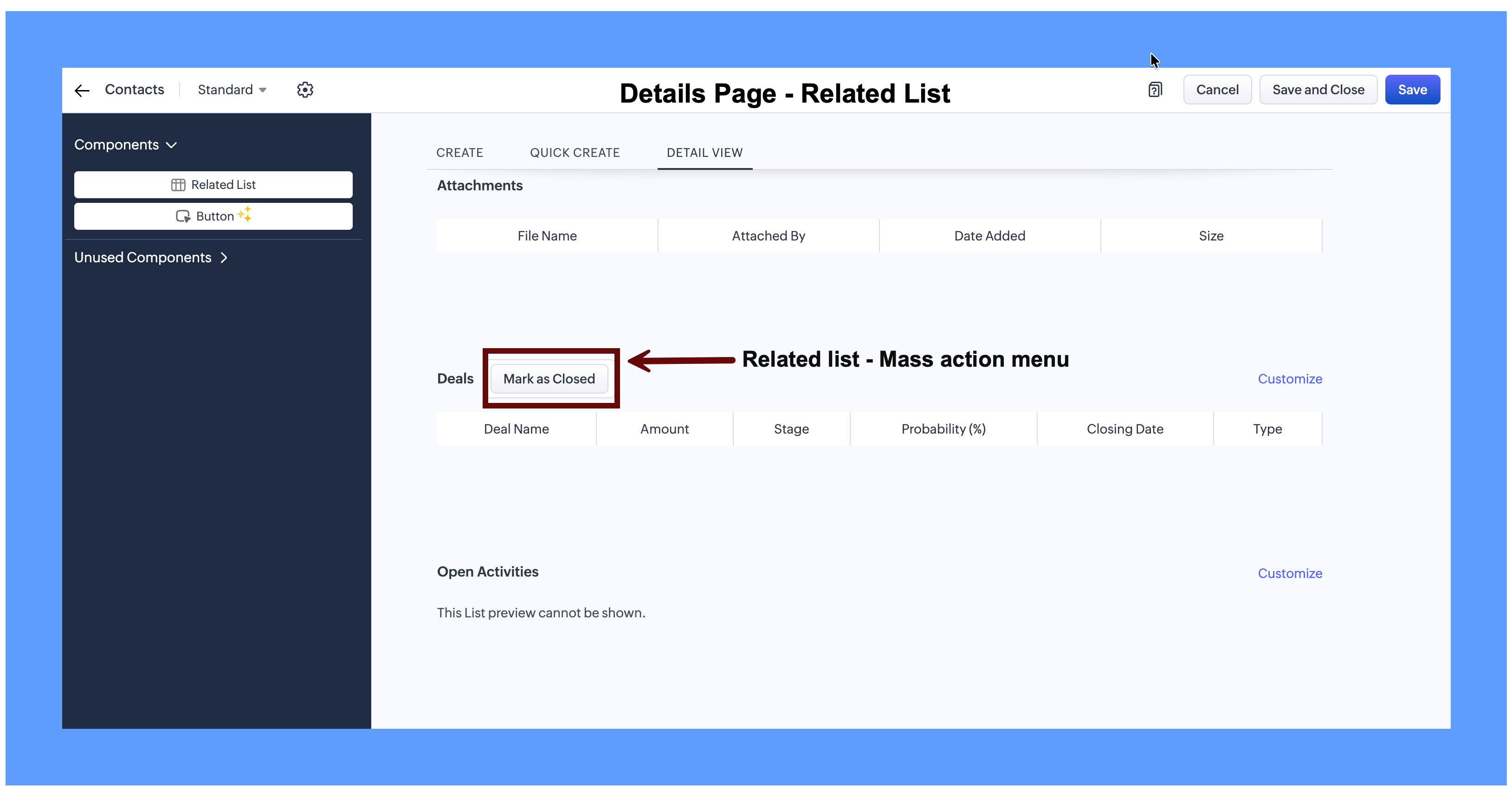
It can also be placed in the related list header, where it acts as a Mass Action button that runs on the selected records in that related list.
If a button is not available in a specific layout, it will appear under the Unused section.
Changes to how buttons appear on the Records page
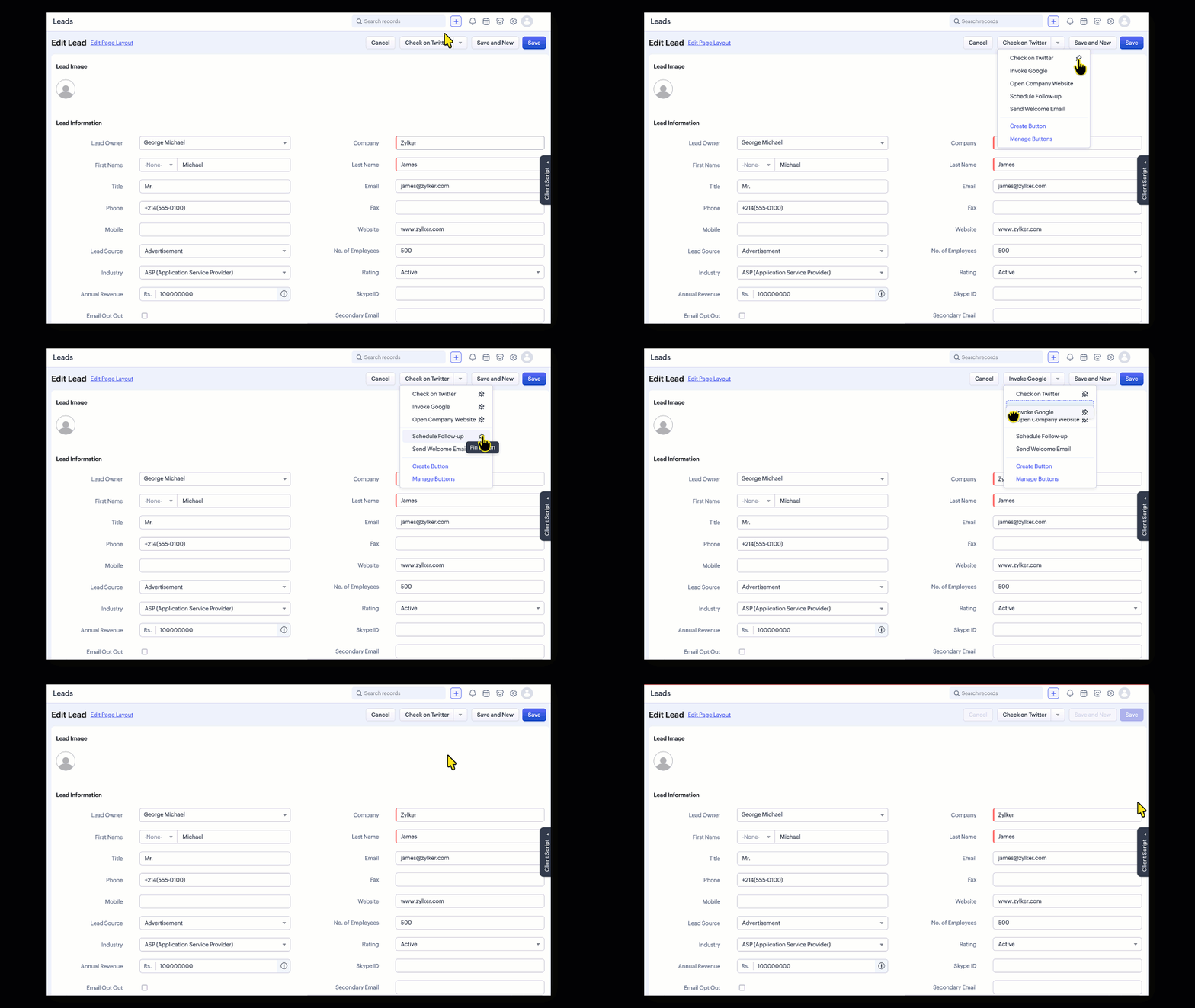
Previously, custom buttons appeared one below the other in the list, in the order they were created, and users could reorder them as needed. Now, buttons on the Records page appear in the order set in the layout editor. Users can pin buttons and sort the pinned ones according to their preference. Any custom buttons that were reordered earlier will be automatically converted to pinned buttons.
Availability:
CRM Version: Enterprise and Ultimate
Module: Available for all modules that support custom buttons
DC's: The feature is enabled for CA, JP and SA DCs. It will be enabled for other DCs in phases soon.
Module: Available for all modules that support custom buttons
DC's: The feature is enabled for CA, JP and SA DCs. It will be enabled for other DCs in phases soon.