Auto-update the Successor Task Status.
Hello folks!
We have come up with a new use case for custom function to help you automate the workflow of your tasks. Users can write their own Custom Functions using deluge and call them from a workflow.
Consider a scenario where the status of the successor task gets updated automatically once the predecessor task is marked complete. This can be done by creating a custom function in Deluge. You can add arguments using the "Task Status" field and associate it to a layout based on your preference. These arguments can be called in the function to automate your task flow.
Click here
to learn how to create a custom function.
Create a new connection
-
Navigate to the Setup icon and select Marketplace.
-
Click Connections under Marketplace and then Create Connection.
-
Click Default Services under Pick your service.
-
Select Zoho Projects.
- Enter Update Task Status as the Connection name and select the scopes ZohoProjects.tasks.READ, ZohoProjects.projects.READ, ZohoProjects.tasks.UPDATE
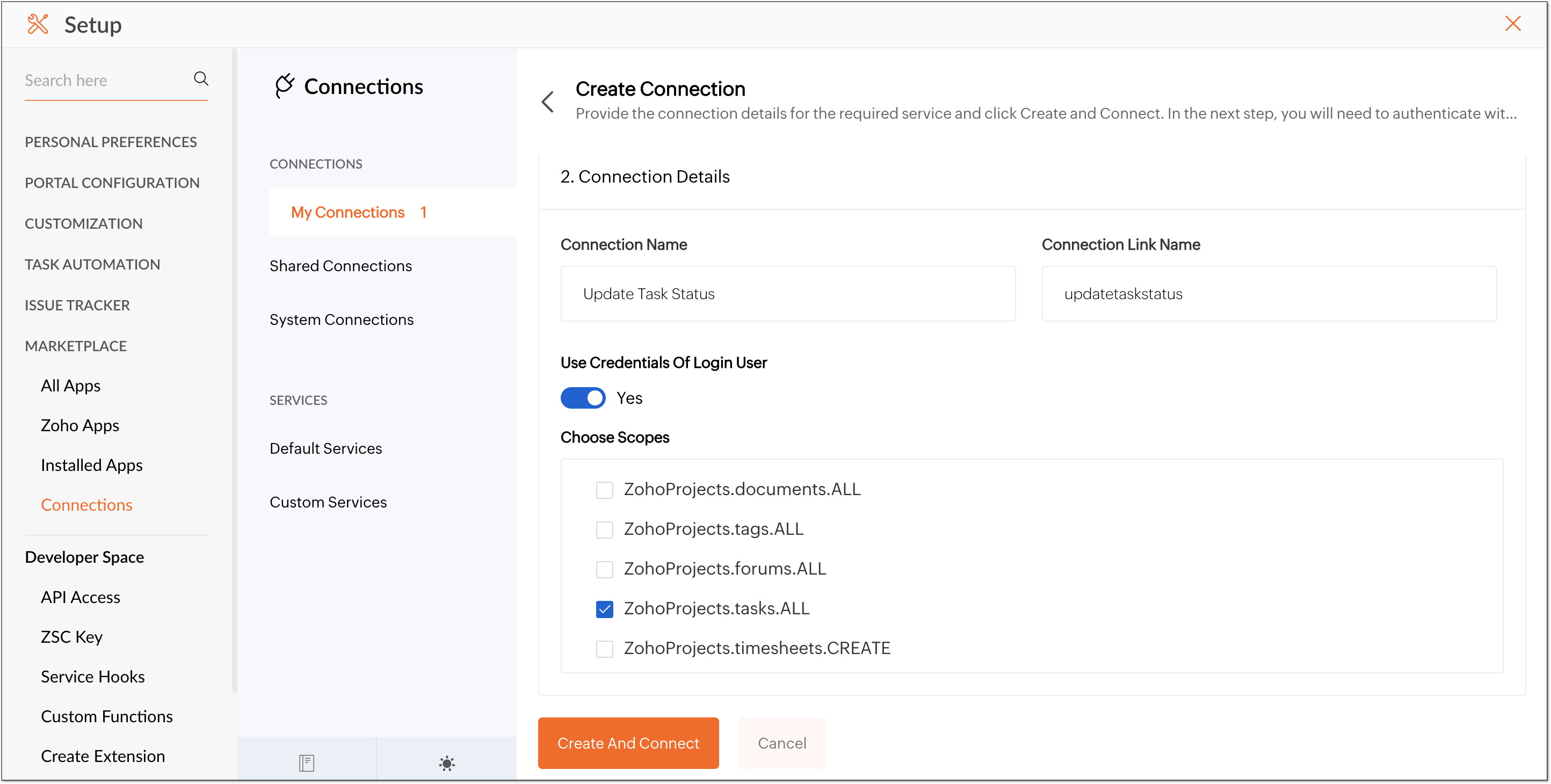
-
Click the Create and Connect button.
-
You will be prompted to connect to the newly established connection
-
Click the Proceed button.
-
The connection will be created once the accept button is clicked.
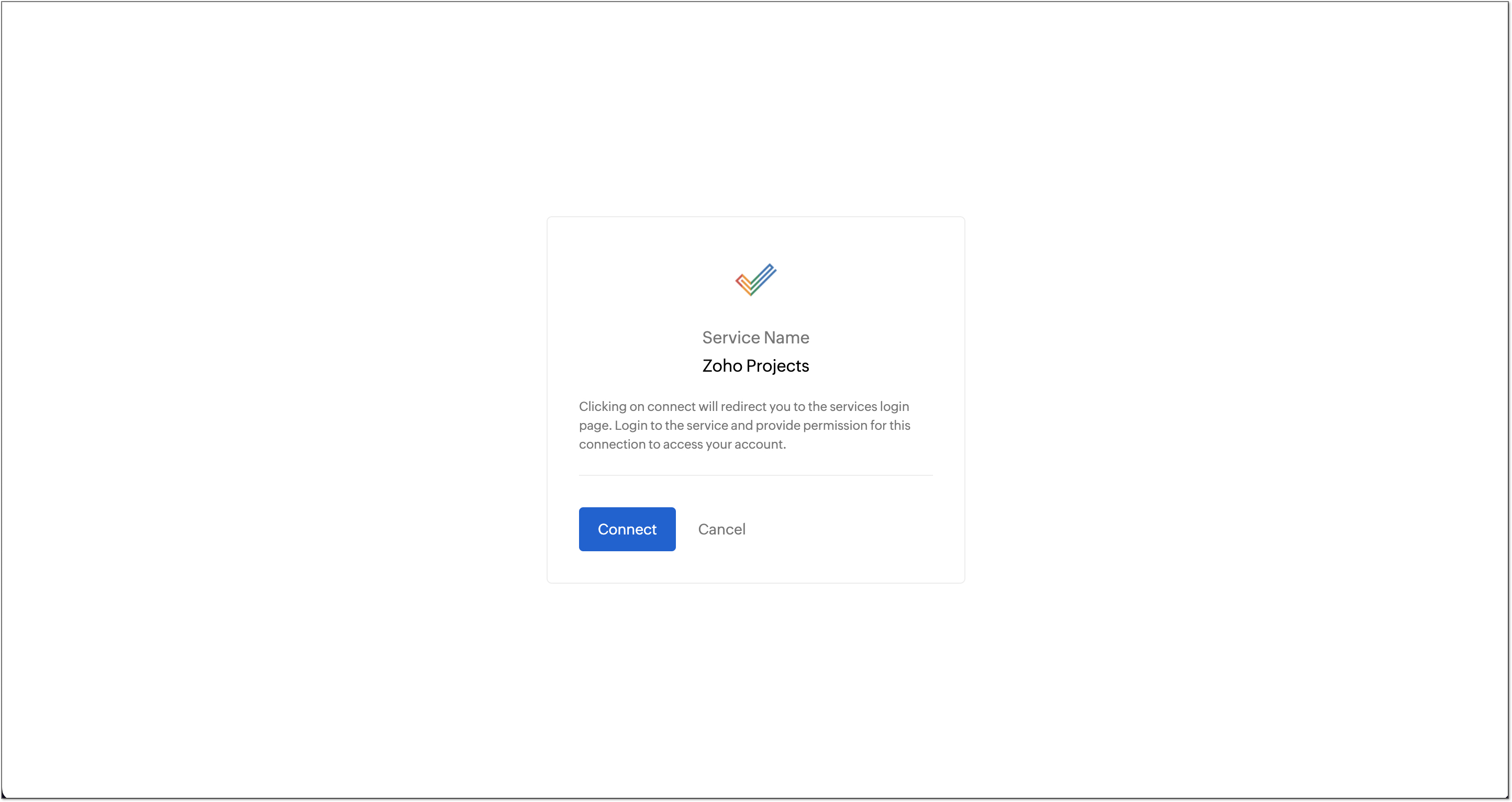
Note : Remember that 'Use Credentials of Login User' has to be switched off.
Workflow rule for automatically updating a Task
-
Click in the top navigation bar.
-
Navigate to Task Automation and click
Workflow Rules
.
-
Click New Workflow Rule.
-
Enter the workflow name, description, and select the required layout.
-
Under Execute on, choose 'Update' then Choose 'Field Specific and Select 'Status' from drop down menu.
-
Click Next.
Create and associate the custom function to the workflow
-
Now, create a custom function and associate it with the workflow rule.
-
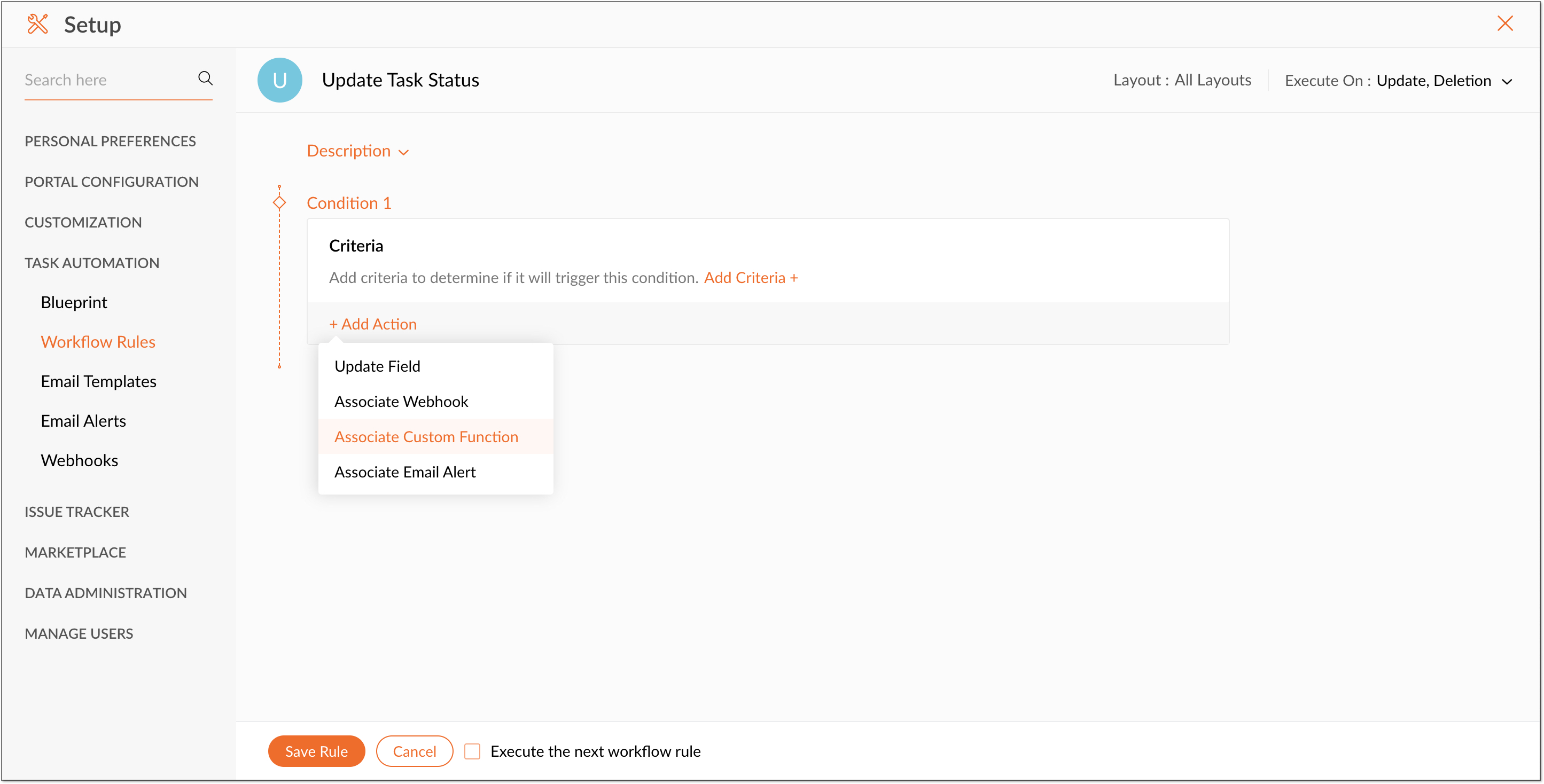
Click on Add Action and then select Associate Custom Function.
-
Click Create Custom Function in the Associate Custom Function page.
-
In the Create Custom Function page type in the function name as Update Task Status.
-
Add Arguments for project id, portal id, and milestone id as shown in the image below.
-
Use this as the Sample Code and click Save.
-
Associate the created Custom Function.
-
Click Save Rule.
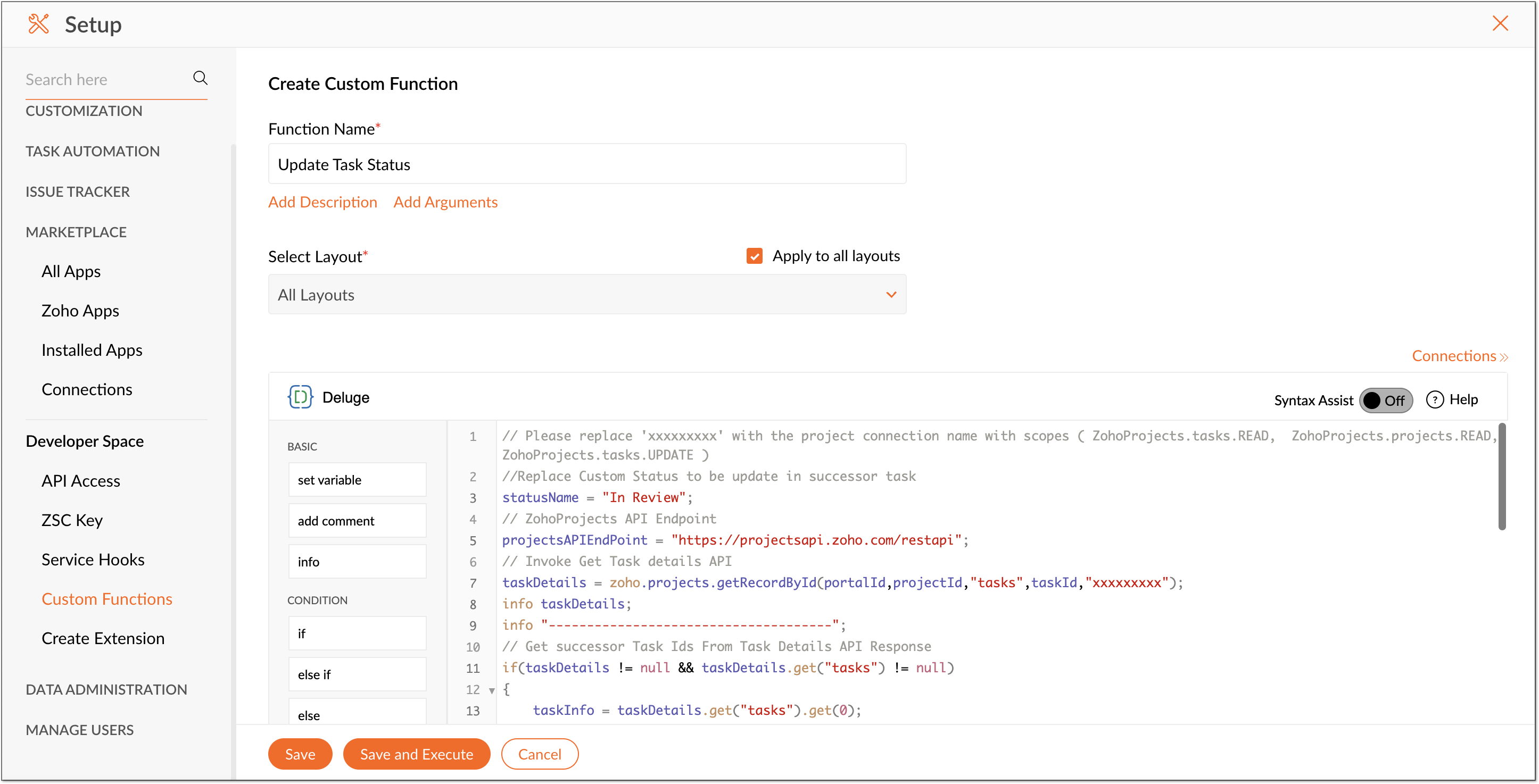
Sample Code:
- // Please replace 'xxxxxxxxx' with the project connection name with scopes ( ZohoProjects.tasks.READ, ZohoProjects.projects.READ, ZohoProjects.tasks.UPDATE )
- //Replace Custom Status to be update in successor task
- statusName = "In Review";
- // ZohoProjects API Endpoint
- projectsAPIEndPoint = " https://projectsapi.zoho.com/restapi";
- // Invoke Get Task details API
- taskDetails = zoho.projects.getRecordById(portalId,projectId,"tasks",taskId,"xxxxxxxxx");
- info taskDetails;
- info "-------------------------------------";
- // Get successor Task Ids From Task Details API Response
- if(taskDetails != null && taskDetails.get("tasks") != null)
- {
- taskInfo = taskDetails.get("tasks").get(0);
- currentTaskStatus = "";
- if(taskInfo != null && taskInfo.get("status") != null && taskInfo.get("status").get("name") != null)
- {
- currentTaskStatus = taskInfo.get("status").get("name");
- }
- info "Current Status " + currentTaskStatus;
- info "-------------------------------------";
- //Check task status is completed.
- if(currentTaskStatus == "completed" && taskInfo != null && taskInfo.contains("dependency") && taskInfo.get("dependency").contains("successor"))
- {
- taskSuccessor = taskInfo.get("dependency").get("successor");
- dependencyInfo = taskInfo.get("dependency").get("dependencyDetails");
- info taskSuccessor;
- info "-------------------------------------";
- if(taskSuccessor.size() > 0)
- {
- // Get Task Layout Details For Getting Status Ids
- taskLayoutDetails = invokeurl
- [
- url :projectsAPIEndPoint + "/portal/" + portalId + "/projects/" + projectId + "/tasklayouts"
- type :GET
- connection:"xxxxxxxxx"
- ];
- info taskLayoutDetails;
- info "-------------------------------------";
- statusNamevsIdMap = Map();
- // Get Task Status Id from task layout Response
- if(taskLayoutDetails != null && taskLayoutDetails.get("status_details") != null)
- {
- statusDetails = taskLayoutDetails.get("status_details");
- for each status in statusDetails
- {
- statusNamevsIdMap.put(status.get("name"),status.get("id"));
- }
- }
- }
- info "Status NamevsId Map: " + statusNamevsIdMap;
- // update status id to all successor tasks
- for each successorTaskId in taskSuccessor
- {
- if(statusNamevsIdMap.containKey(statusName) && dependencyInfo.containKey(successorTaskId))
- {
- successorTaskDetails = dependencyInfo.get(successorTaskId);
- successorProjectId = successorTaskDetails.get("PROJECTID");
- updateTaskParameter = Map();
- updateTaskParameter.put("custom_status",statusNamevsIdMap.get(statusName));
- info "updateTaskParameter: " + updateTaskParameter;
- //Invoke Update Task API
- taskDetails = zoho.projects.update(portalId,successorProjectId,"Tasks",successorTaskId,updateTaskParameter,"xxxxxxxxx");
- info "taskDetails: " + taskDetails;
- }
- }
- }
-
}
-
return "success"; - // Please replace 'xxxxxxxxx' with the project connection name with scopes ( ZohoProjects.tasks.READ, ZohoProjects.projects.READ, ZohoProjects.tasks.UPDATE )
If you would like us to help you will a new use case, leave it as a comment below or mail us at:
support@zohoprojects.com
.