Customize user data collection with User Layouts
Users denote the people in your organization who work on agile projects using Zoho Sprints. You can add them to your workspace and associate them with required projects.
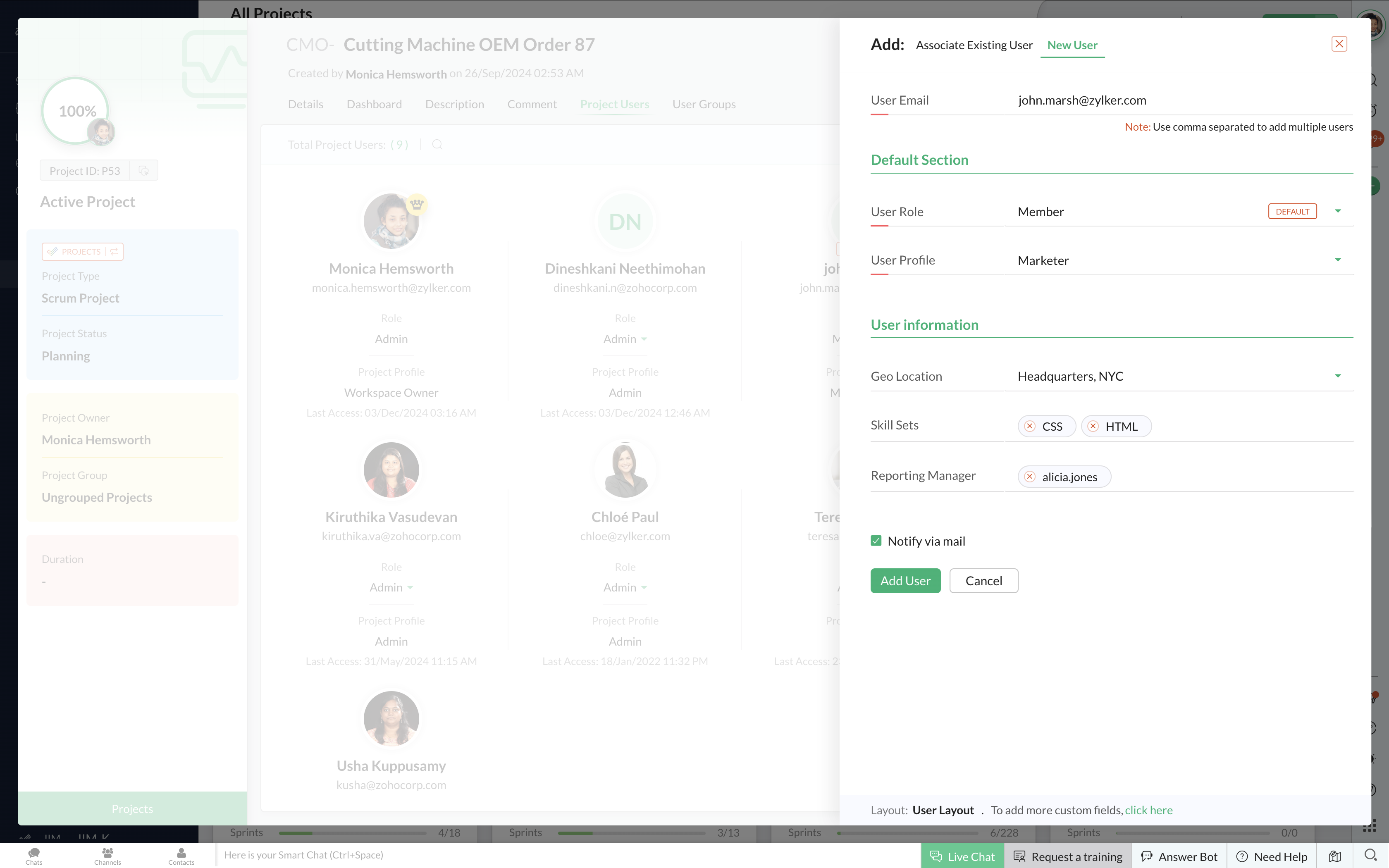
Organizations have distinct requirements in collecting user data. Apart from the generic user email, role, and profile data, they might want to acquire additional details like the demographic information, contact details, skill sets of the employee, and more. To provision this, Zoho Sprints allows you to customize user layouts to fetch the required data right when they are added to the workspace.
Here's a list of sample fields that you can add:
- Employee ID or unique number: The Auto Number field assists you to automatically generate a number series with a prefix and/or a suffix, that helps you assign unique number IDs to your users. Learn how to add an auto number field.
- Geographical location: If your organization is based on multiple locations, you can add each location as a value in the Pick List field. This field is helpful for remote work tracking.
- Skill sets: Track the user’s skillset by adding a Multi Select field. This field displays a list of values to the user as a dropdown, from which multiple options can be selected.
- Reporting manager: When a user is added, their reporting manager can also be mapped to them by creating a User Pick List field. You can add all the managers of your organization to this list and choose from them.
Apart from workspace users, you can also add client and vendor users, who need not be a part of your organization but work closely with the projects. You can customize layouts for client and vendor users too. Learn in detail about client and vendor users.
We hope this update is helpful. Take a look at our detailed help document on customizing layout for users. If you have any suggestions or questions, leave a comment below or reach us at support@zohosprints.com.