Data Import: New interface, improved field mapping, and more
Hello everyone!
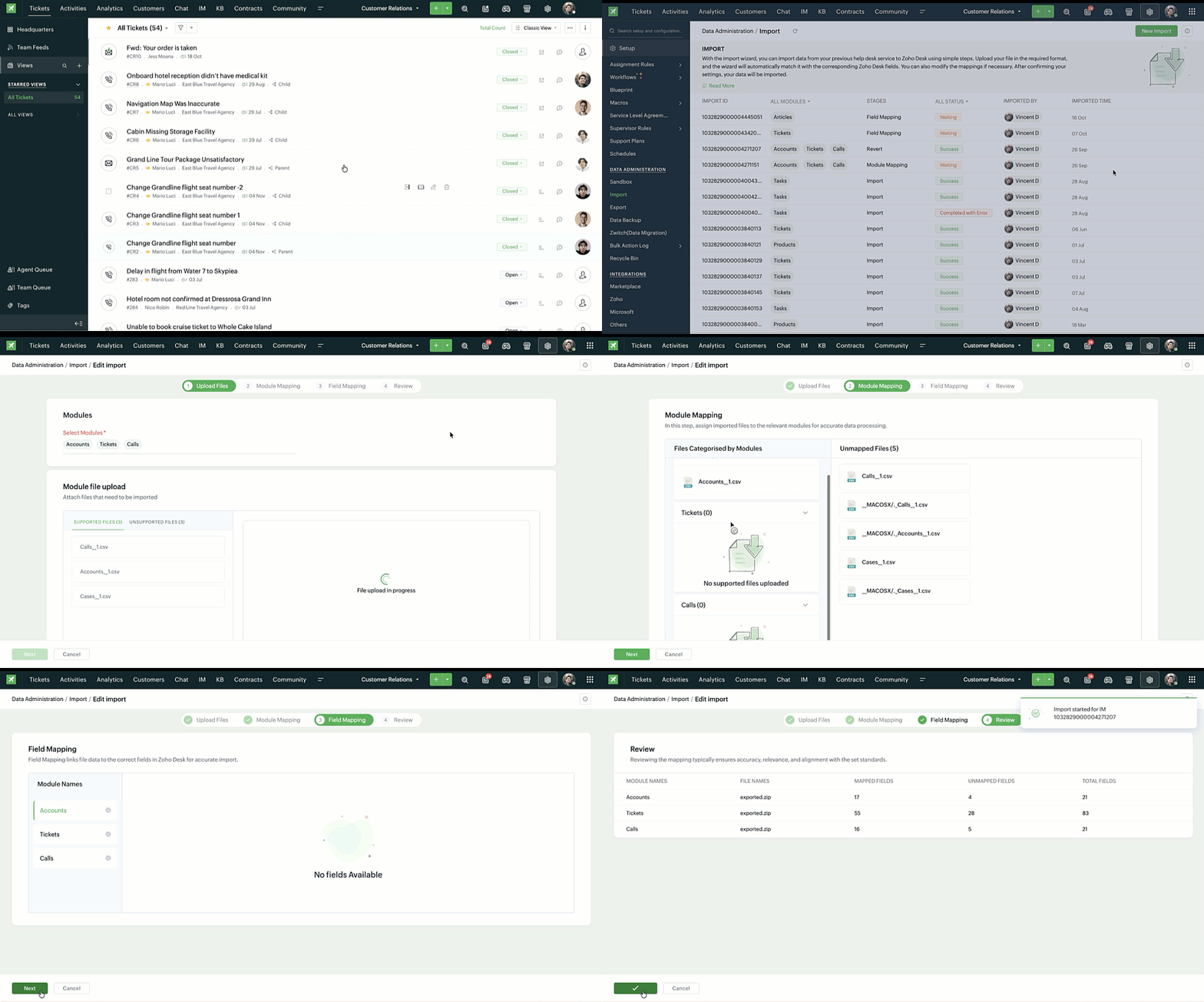
We’ve redesigned the data import process to ensure accurate field alignment and verify that every column in the uploaded file maps correctly with Desk fields before import. Here's how:
Streamlined Import Steps
Importing data is now more guided and detailed—from selecting multiple modules to mapping fields with clearer steps and improved instructions at every stage—it is now simpler to validate and manage imports.

User can now review and validate every mapping detail before proceeding:
- Field in File: Displays the column names contained in the first row of data in the uploaded file, which helps identify the data source for each field.
- Desk Fields: Shows the corresponding field names in Zoho Desk, ensuring that each imported data point lands in the right place.
- Field Format: Allows users to set formatting for data in a field, especially dates and times, for consistency after import.
- Sample Data from File: Displays real examples from the second and third rows of import file, letting a user verify that each mapping and data format looks correct before importing.


Import History
The Import History page shows every a record of the imported files in one place along with the following details:
- Import ID, module name, and import stage
- Import status (In Progress, Success, Failed, Waiting)
- Imported by and imported time

Additional capabilities
- Add data to existing imports: New records can be added to a completed import using the same module and field mappings. No need to start over; Desk automatically applies the previous mapping setup for continuity.
- Revert imports: Undo imported data in just one click. If users have added data multiple times (e.g., Add Data 1, Add Data 2), reverting will remove only the latest addition.
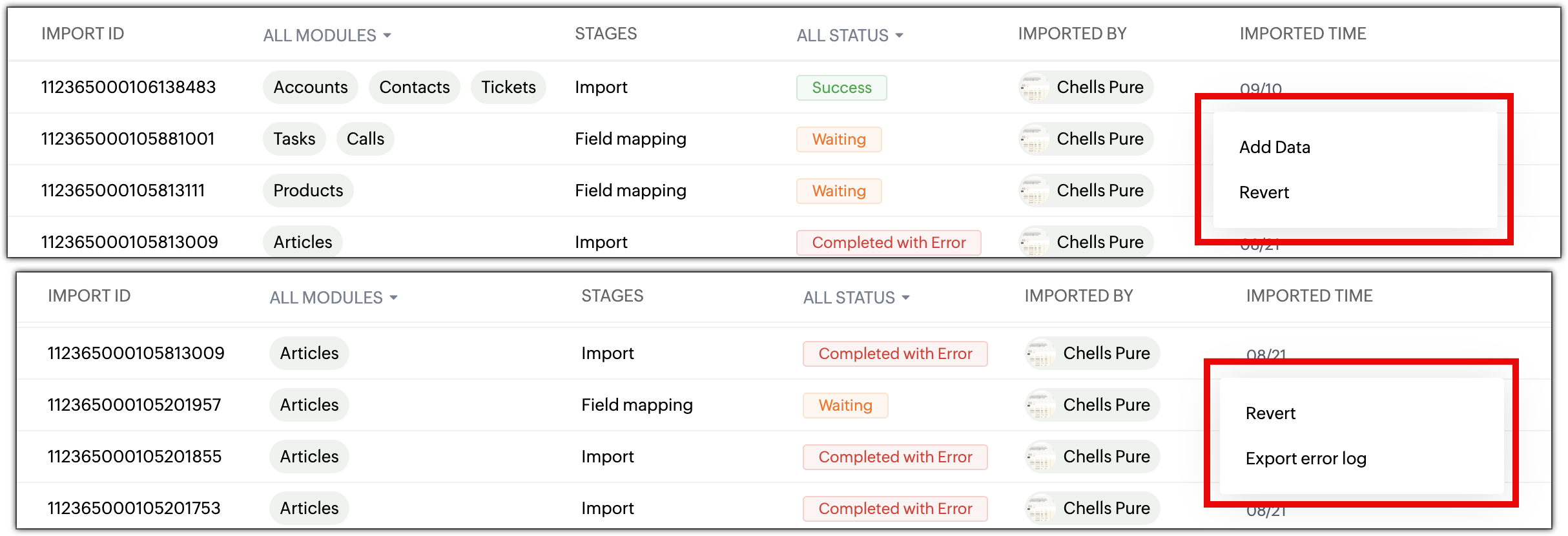
- Detailed error logs: Identify why an import failed in the new Error Logs section lists so the users can correct and re-import without repeating previous errors.

Points to remember
- Add Data is available only if the original import was successful.
- A user cannot modify mappings while adding data as it follows the original import setup.
- Unsupported file types (.xls, .pdf, etc.) will be automatically separated under Unsupported Files.
The new interface for import is now available in all data centers. For more details, please refer to the help document.
PM: @Nivedhan Senthilkumar
Regards,
Velantina V
User Ed | Zoho Desk