Data Model - CRM Adjusting size of Entity boxes
(Sorry if duplicate, previous post seems to have disappeared.)
I am viewing the Data Model for CRM, and while it is great to see such a model, there is an obstacle.
Many
of the entities show only a subset of their fields. The entity boxes
have scrollbars which appear on mouse-over. But I need to see all the
fields at once, and also need to be able to make screen shots, which
should show all the fields.
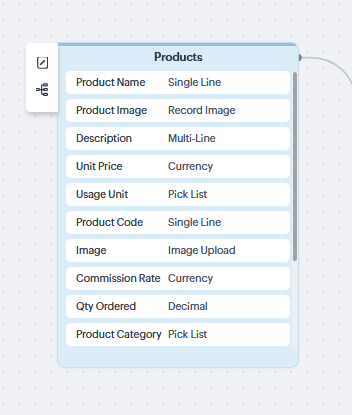
So
how do I expand these entity boxes to get the full view? I could not
find an affordance or mouse gesture that would do the job.
Thanks.