Date-based conditions and filters
Configure conditions with date
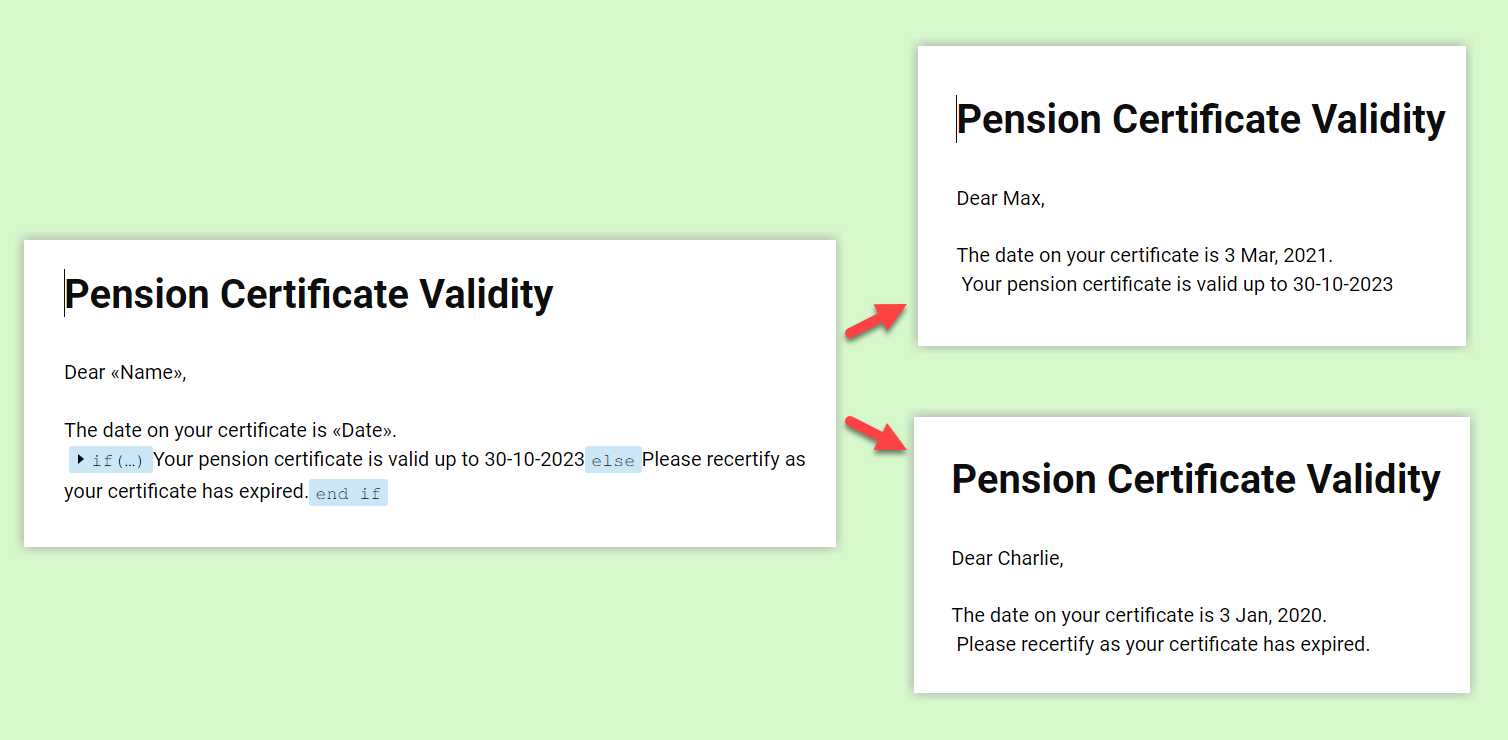
Hi everyone! We are excited to announce that you can now compare and filter data with date-based conditions. This update lets you compare date fields in a document to a reference date and display a text or value if the conditions are met.
Filter records by date
Use a conditional operator to filter records in your data source to match only specific criteria each time you run merge.
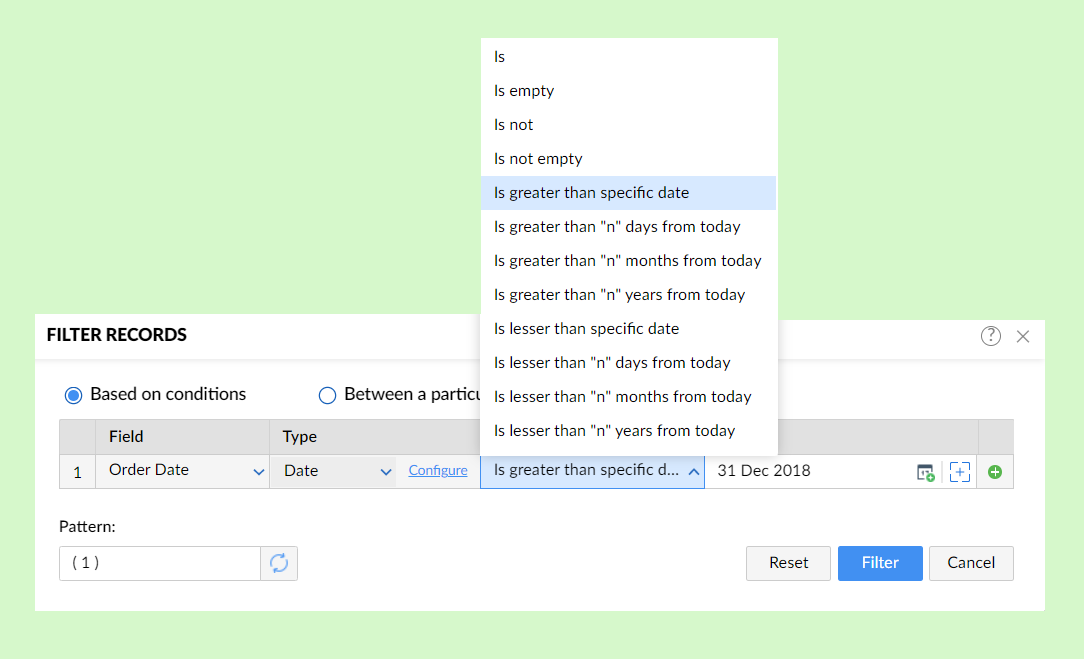
Here are a few instances of filters by date which might be useful while your data source has a large amount of data:
- Filter records before/after a specific date
- Filter records between two dates. Click here to learn how.
- Filter the mail merge records such that only records with a date that is within 45 days from today.
Please head to our help to learn more about date-based conditions.
We'd love to hear your feedback. Drop us a comment here, or write to us at support@zohowriter.com to let us know what you think.
Happy merging!