Directly Edit, Filter, and Sort Subforms on the Details Page
Hello everyone,
As you know, subforms allow you to associate multiple line items with a single record, greatly enhancing your data organization. For example, a sales order subform neatly lists all products, their quantities, amounts, and other relevant details, making data management a breeze.
Imagine working on a bulk sales order for Zylker. You might need to add more items to the quote or modify the quantities of the existing items. Previously, making these changes required navigating back and forth between the edit and details pages—a tiresome task.
But now, with our new update, you can Add, Edit, and Remove rows directly on the details page, saving time and effort. Additionally, we've introduced Filter, Sort, and Clone options to make managing your data even more easier.

Here's what you can do on your subform on the details page:
Spot/AJAX Edit: Instantly update details on the form, such as the quantity of the product.
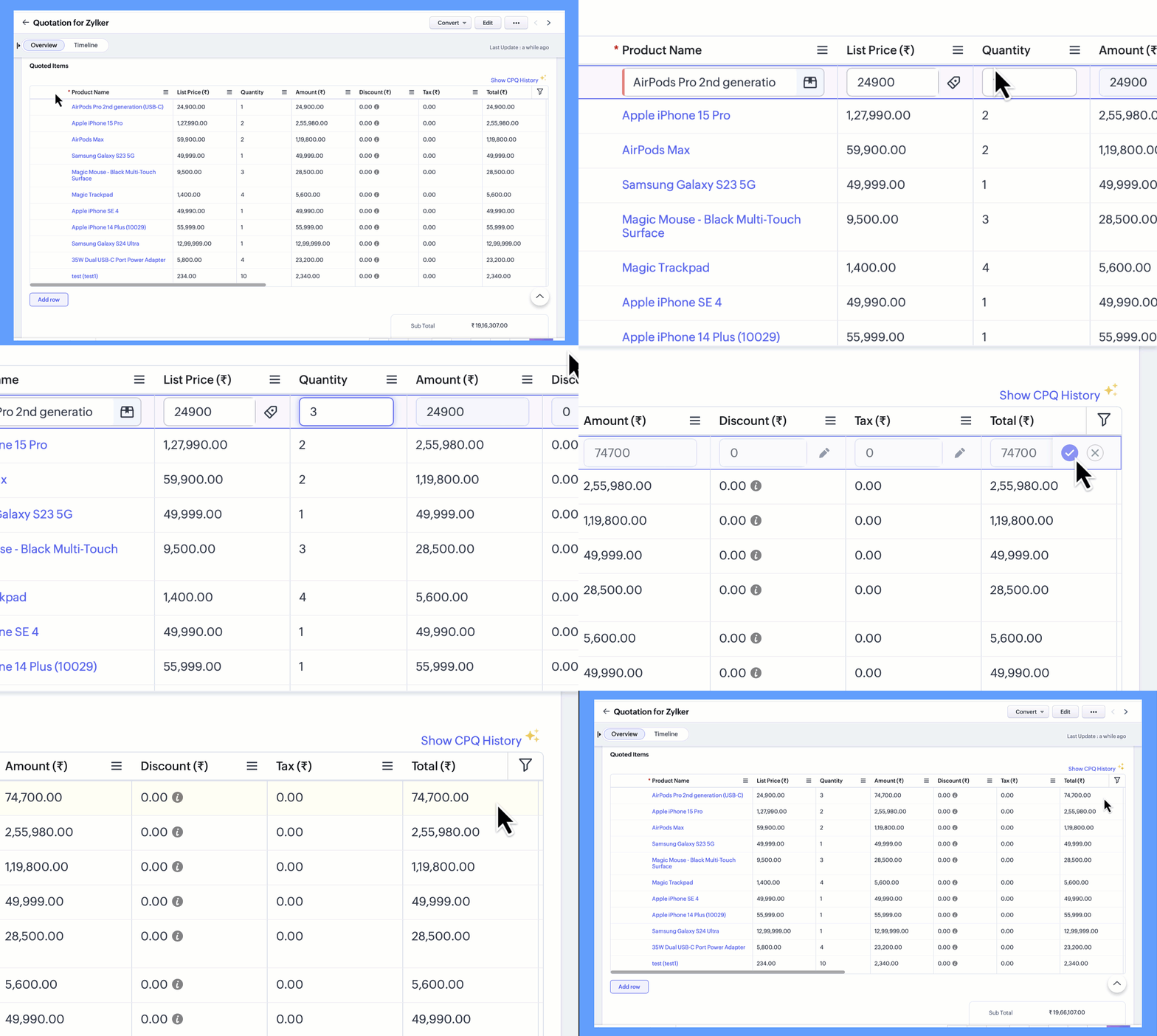
Add Rows: Quickly add additional rows and items to the form when you need to expand the order list with more products/items.

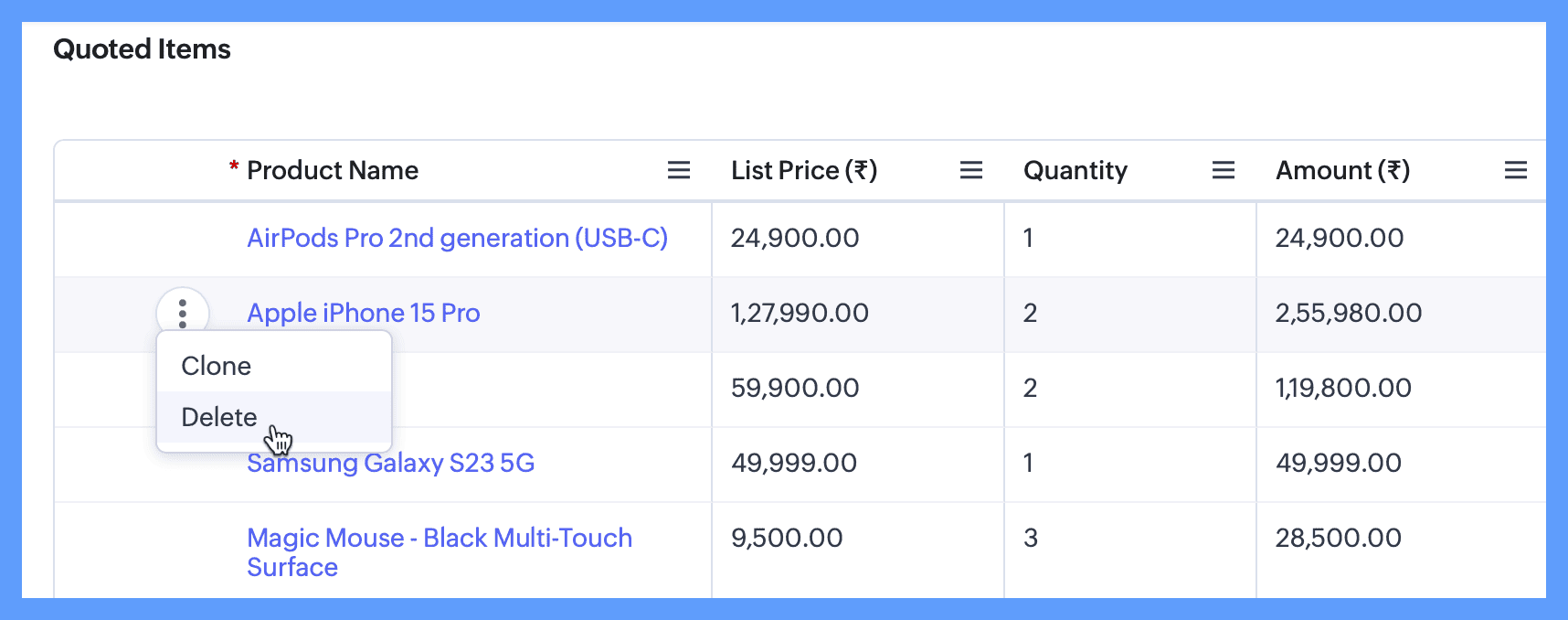
Clone Rows: Effortlessly duplicate existing rows, making it faster to add similar tasks. This is especially useful for milestones with similar tasks.
Delete Rows: Easily remove unnecessary entries, keeping your data clean and organized with minimal effort.
Filter and Sort subform records: Apply filters to your subform data to find specific items or sets of items quickly, like filtering products where the quantity is greater than 1.
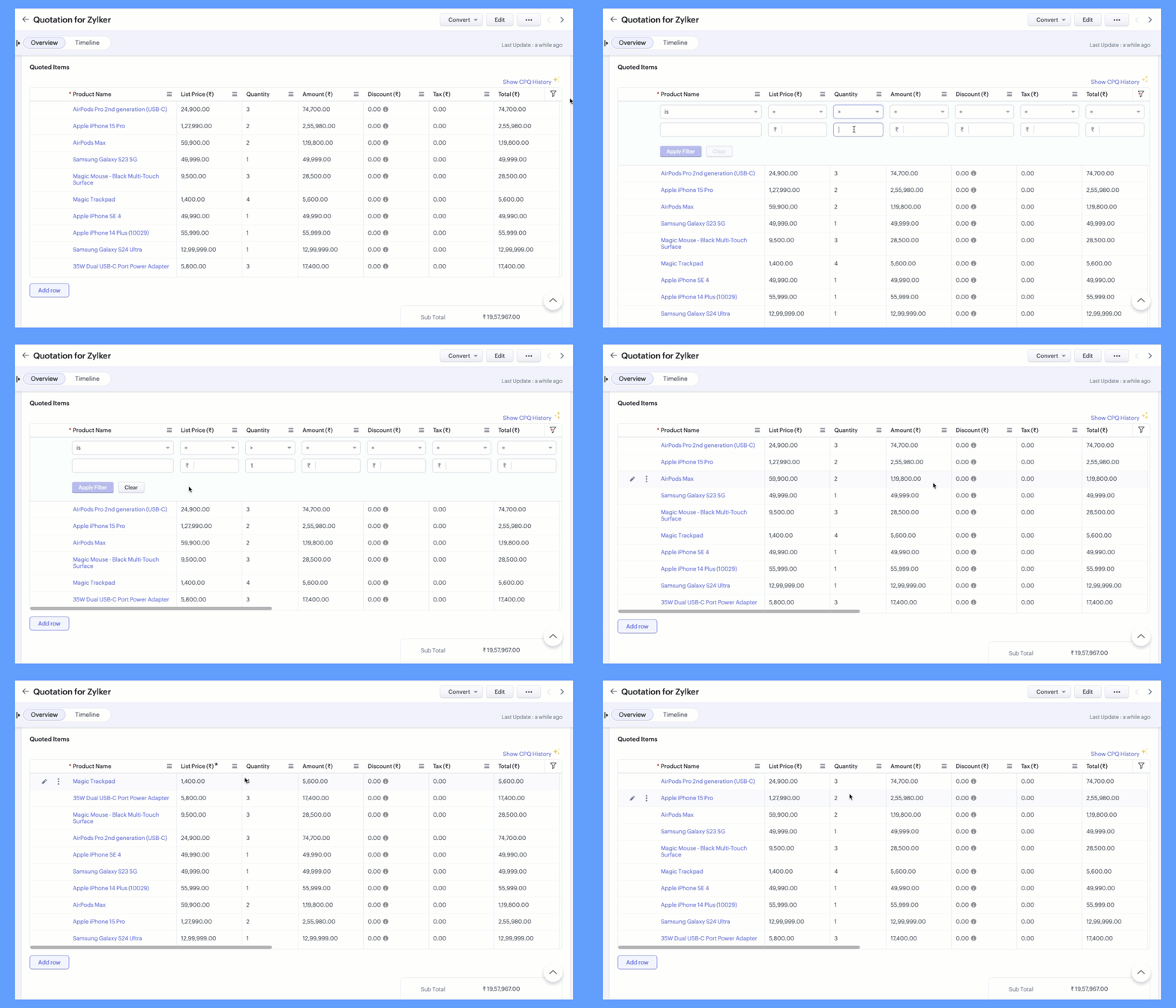
And using the Sort option, you can organize your subform data based on different criteria, such as product name or list price. This makes it easier to view and analyze your information.
We hope you find these new updates helpful, and we look forward to your feedback!
Release Plan: These features are being released in a phased manner, and are currently accessible only to selected users.
Thank you!