Draft quotes, sales orders, and raise invoices for services in CRM
Create Quotes, Sales Orders, and Invoices for Services in Zoho CRM
You can now draft Quotes, and Sales Orders as well as raise Invoices for services in Zoho CRM.
And how is that possible?
By filling out the Service subform in your Quotes, Sales Orders and Invoices modules (otherwise known as the Inventory modules).

What does this mean?
It means that you now have a provision for service-based industries to create their Quotes, and Sales Orders as well as raise Invoices from within their CRM account.
Services module
It all began with the introduction of the Services module, which was a recent improvement to the CRM system for the service based industries.
So when a service-based industry uses the CRM system, they will be required to Enable Services in the module first.

Only then will you have the possibility to enable the Service details subform in the module builder of each of the Inventory modules.

On toggling on the Service Details option (within the module builder), a sub form called Service will appear in each of the modules under a common heading Order Information.

It is important to note here that in case you do not want to make both sub forms mandatory, you can choose which one to mandate. Besides, if it is absolutely necessary for any transaction to involve both product and service exchange, you can make both mandatory.
For instance, in salon-based industries, it is sufficient to make the Service subform mandatory.
Note. In instances, for business that sells both products and services and the business does not know what a customer is going to buy,, you can opt for the 'custom' option where you can set either service or product as mandatory. In that case, nothing is mandatory, but every record must have at least one of the two.
To understand the importance of this better, let us look at an example of an AC vendor called Zylker ACs. The company sells AC's and also does installation services for them.
For instance, in salon-based industries, it is sufficient to make the Service subform mandatory.
Note. In instances, for business that sells both products and services and the business does not know what a customer is going to buy,, you can opt for the 'custom' option where you can set either service or product as mandatory. In that case, nothing is mandatory, but every record must have at least one of the two.
To understand the importance of this better, let us look at an example of an AC vendor called Zylker ACs. The company sells AC's and also does installation services for them.
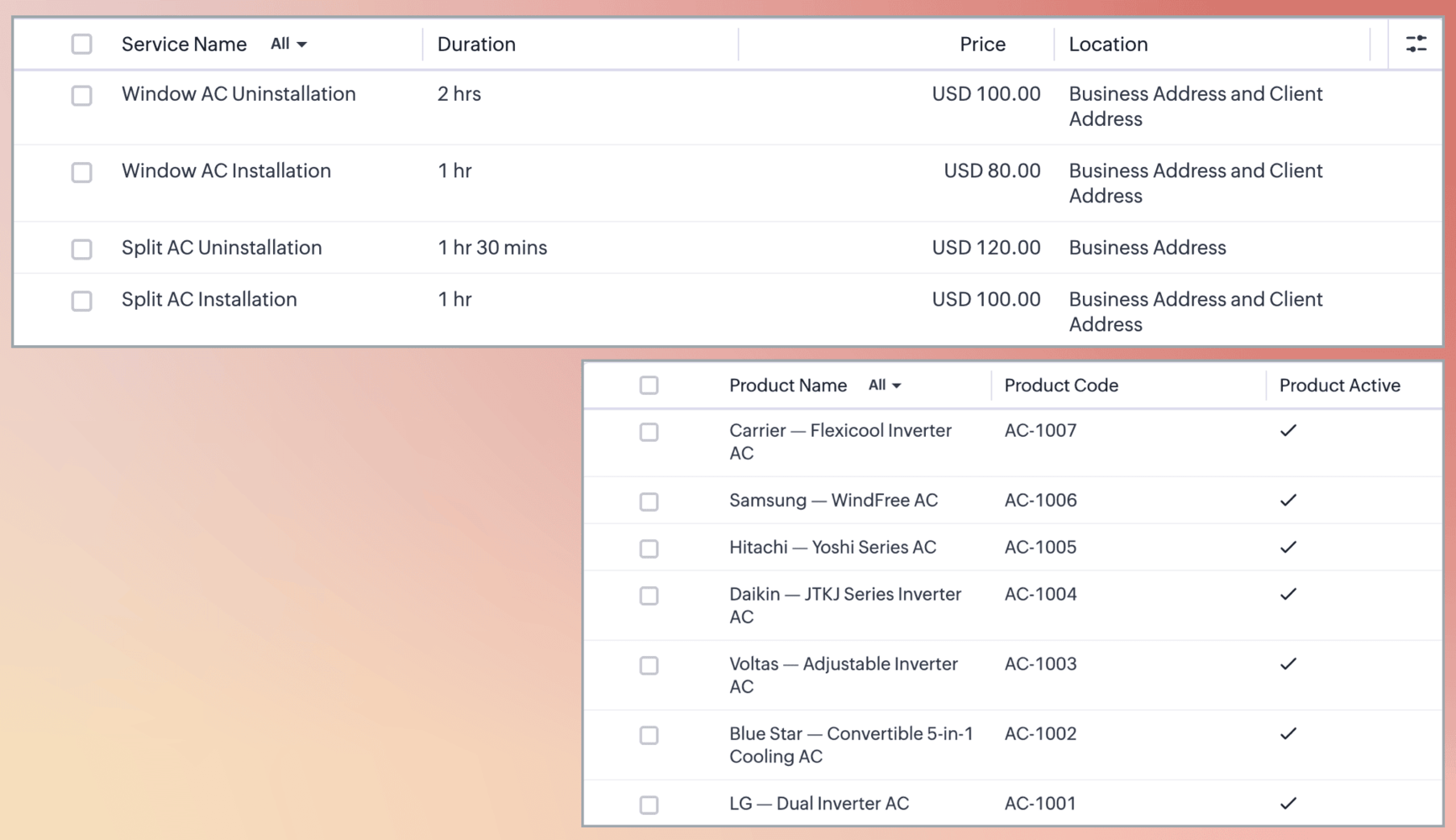
Having enabled the service sub-form within the Inventory modules, the business can add both product as well as service for each Quote, Invoice or Sales Order.

Note. Services will have two Lookup fields by default - Services and Added As (Appointment lookup). Scheduled service means you have an appointment. Unscheduled service is just a walk-in service.
A customer has purchased AC from the company and has the installation booked for the service as well. The team at Zylker ACs has created a Quote which contains both the Product Details as well as the Service Details subforms, with the Order Total.

Once the services have been processed, the team converts the Quote to an Invoice and a new record will be created in the Invoice module.

Similarly, on conversion to a Sales Order, the record will now appear in that module.
Notes.
- Services are not supported in Purchase Orders; Only Products are.
- The two subforms - Product Details and Services Details - appear under a parent form called Order Information.
If you have any questions or would like early access, feel free to reach out to us using your assigned Enterprise Support email address.