Easier onboarding for new users with stage descriptions
Greetings,
I hope all of you are doing well. We're happy to announce a recent enhancement we've made to Bigin.
You can now add descriptions to the stages in your pipeline. Previously, when creating a pipeline, you could only add stages. With this update, once a pipeline is created, you can also add descriptions to those stages.
This feature is especially helpful for organizations where new users may find it difficult to understand what each stage represents. By adding short descriptions, admins can clearly define the purpose of every stage, which saves time, ensures consistency, and makes onboarding easier for new team members.
For example, real estate companies often manage multiple clients and follow different procedures at each stage. Explaining every stage to a new user individually can be time-consuming. Instead, by adding stage descriptions, admins can give new users immediate clarity about each stage without needing personal guidance.
Stage descriptions can be added to a stage and modified in four different ways:
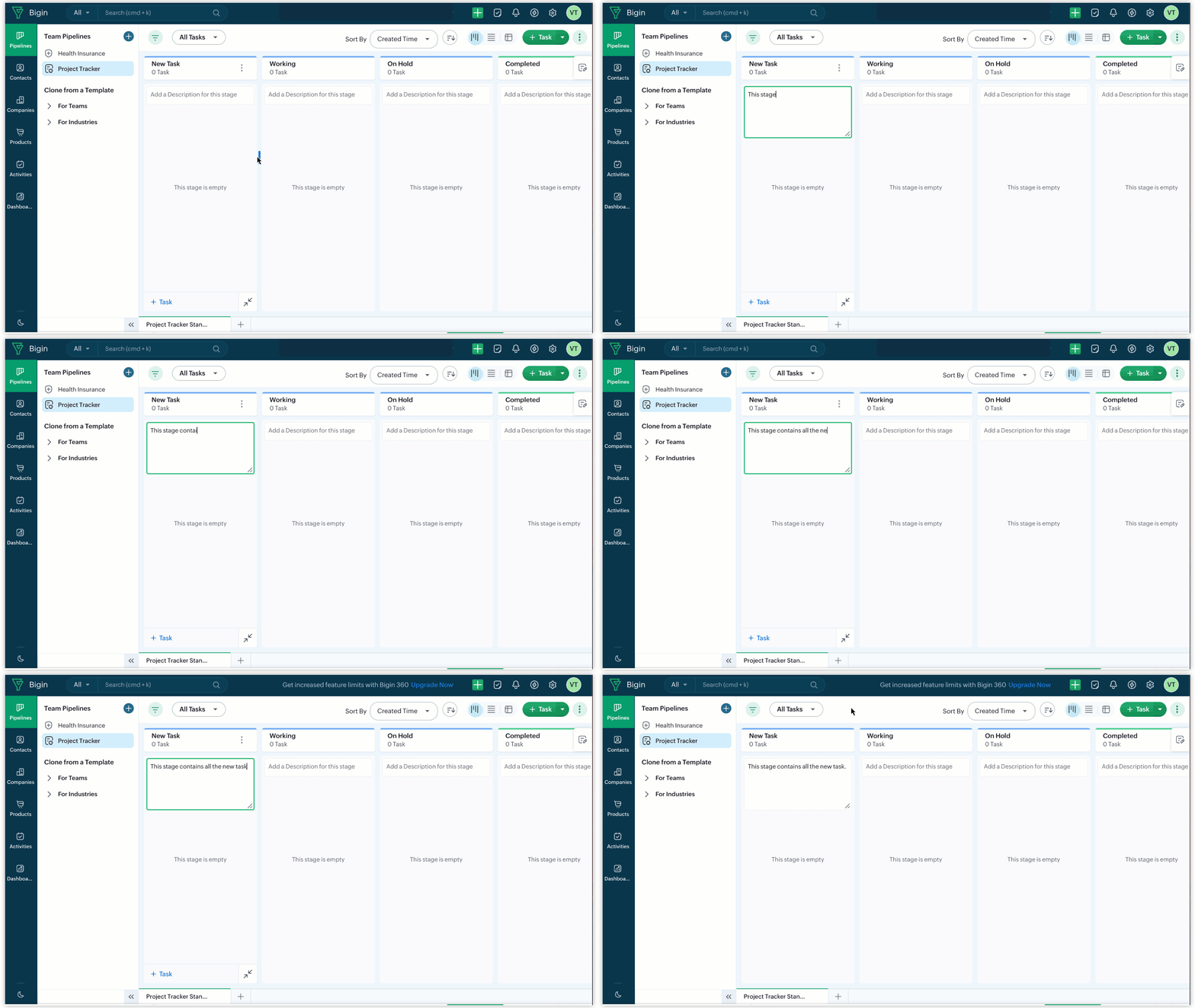
- Type directly in the inline text field.
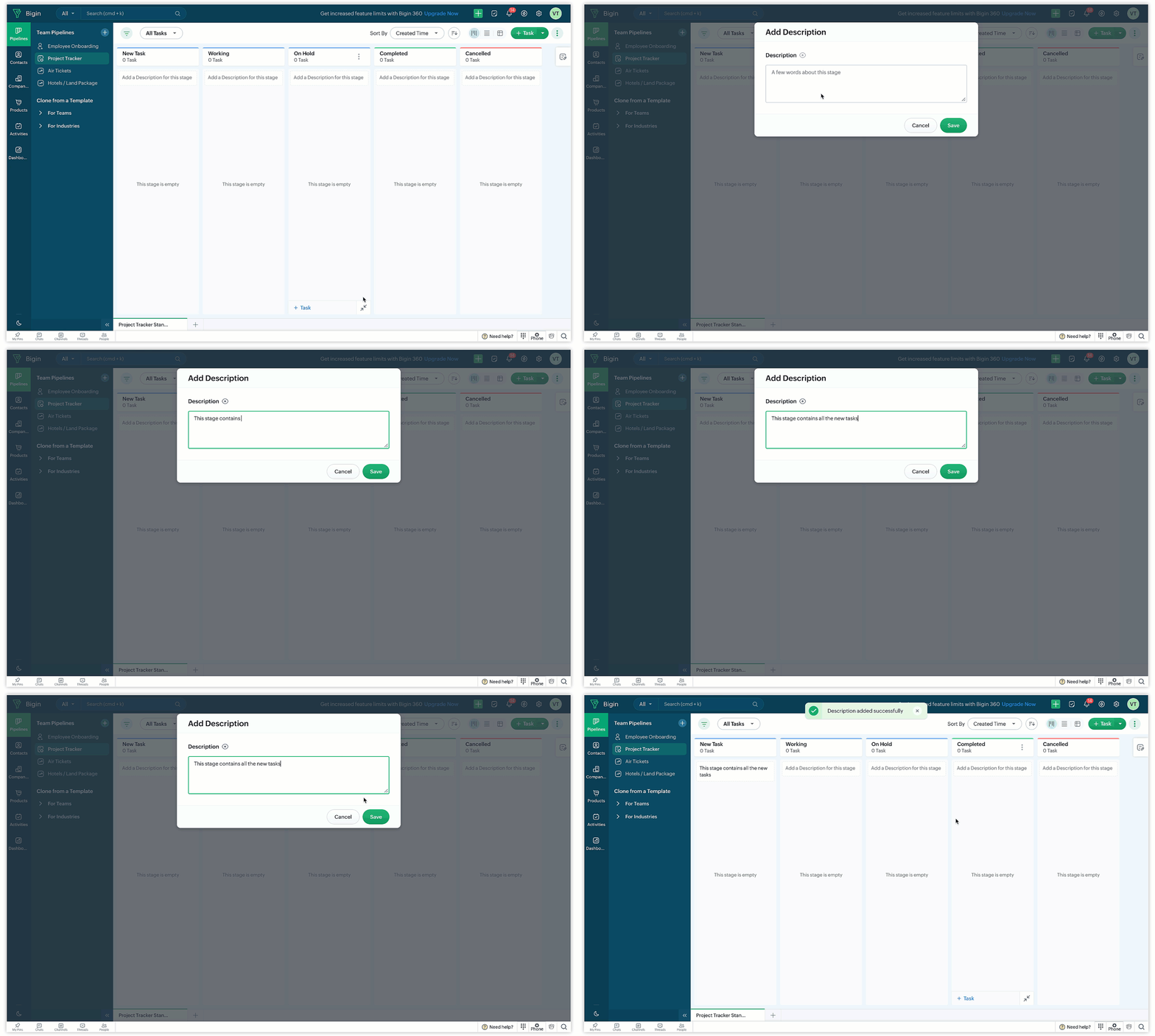
- Click the More icon next to a stage and click Add/Edit Description.
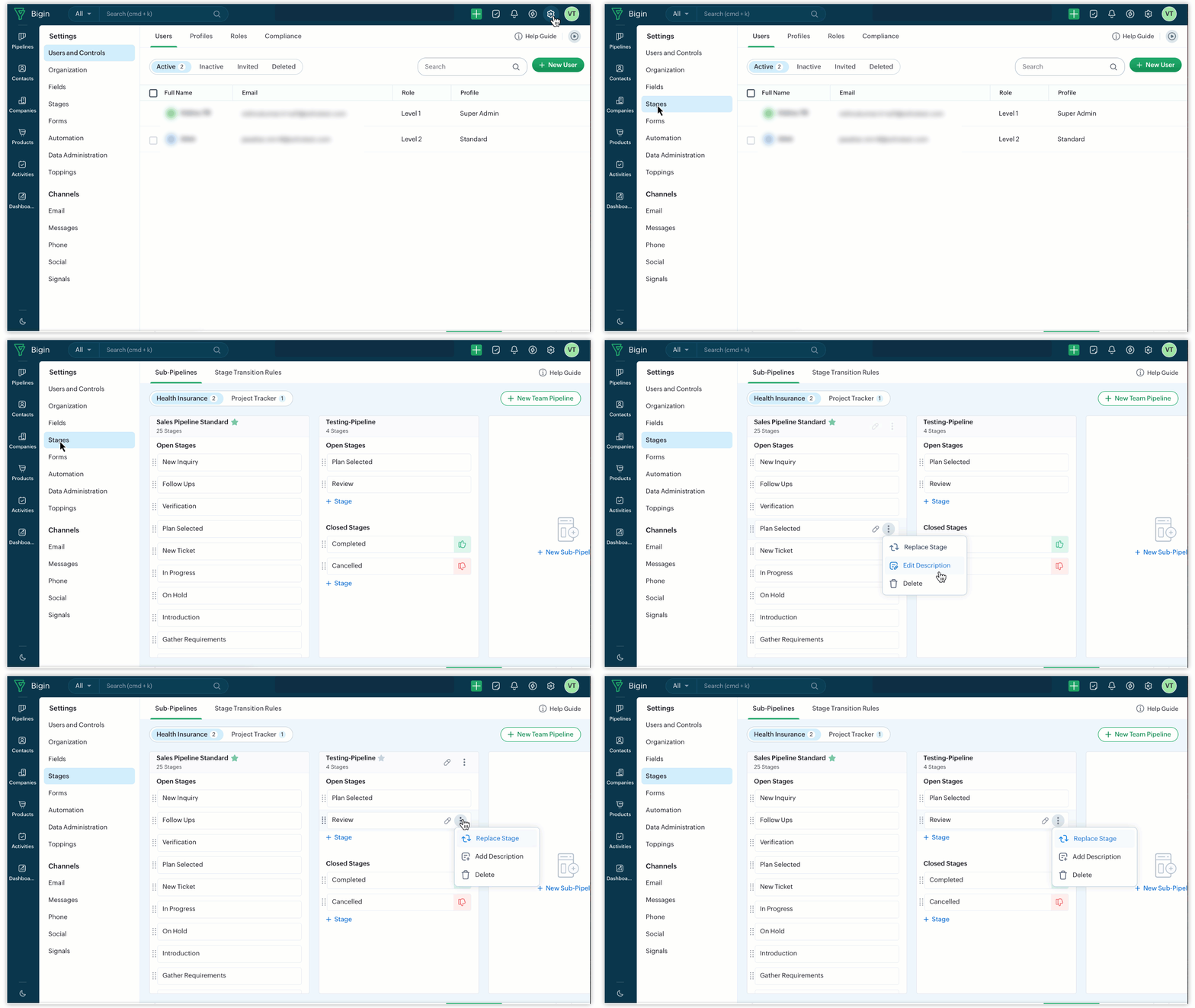
- Go to Setup > Stages > More icon > Add/Edit Description.
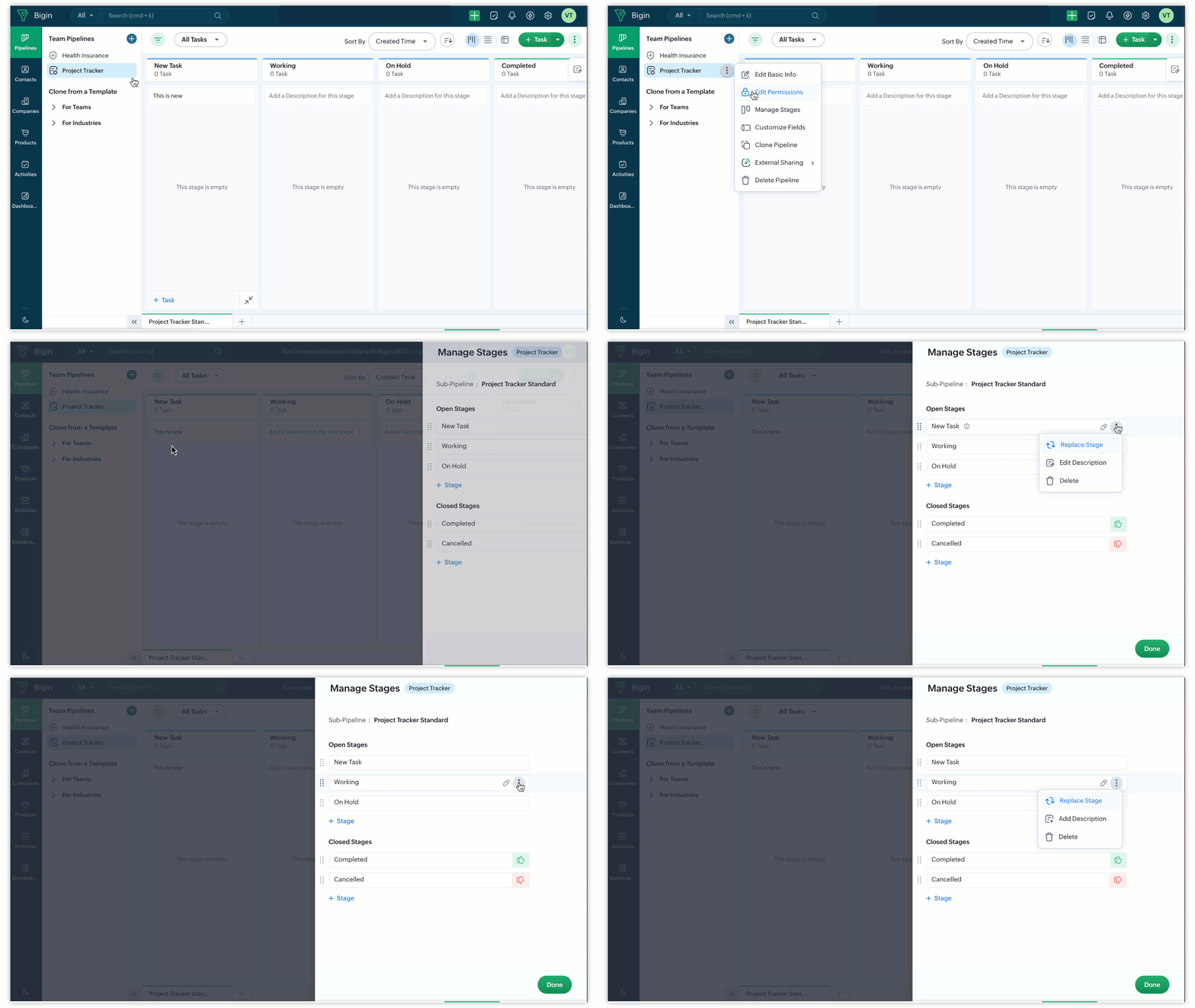
- Click the More icon next to Pipeline > Manage Stages > More Icon > Add/Edit Description.
Notes
- Stage descriptions can contain only a maximum of 255 characters.
- If no records have been added to the stage yet, the stage description appears at the top. Once multiple records are added, the description moves to the bottom, below the records. You can also view descriptions in tooltips.

That's all for this enhancement. We sincerely hope you find these improvements useful. Please give them a try and leave your feedback in the comments section below. Watch this space for future announcements.
Thanks and have a good day!