Enhanced logs in Zoho Creator | Zoho Creator help
Hello everyone,
Following closely on the heels of the major enhancements to Audit Trail, we're back with big improvements to Logs in Zoho Creator. Enhanced logs keep you informed about three things: what the user did, what ran behind it, and where it failed.
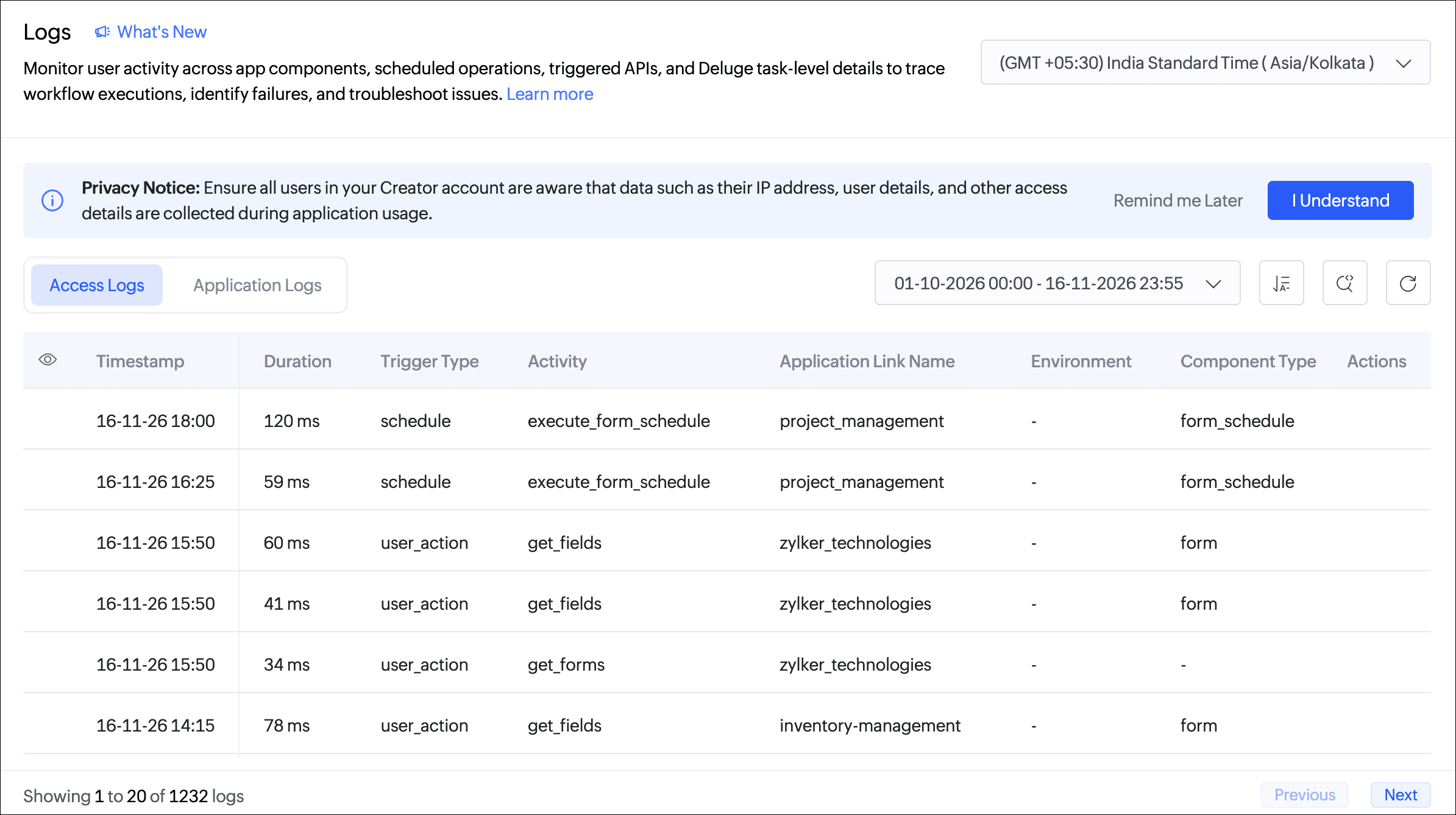
Logs are now organized into two types:
- Access logs: Record what users do in live mode, such as viewing records, submitting forms, triggering blueprint transitions, calling custom APIs, and importing, exporting, or printing reports.
- Application logs: Record what the system runs in response, such as workflows, Deluge tasks, and page scripts.
What's new
- Two tabs for granular information: Access logs and application logs now sit side by side as two tabs, and you can toggle between them in a click.
- Detailed log view: Each entry breaks down into overview, component, user, execution, and request details, including the user's role, device type, and IP address. Some entries add context of their own, such as the filters and PII or ePHI fields in an export, or the success and failure counts of an import.
- Task-level tracing: Every application log lists each task a workflow ran, along with its status. For example, if a workflow sends an email, sends an SMS, and calls an external API, you can see which of the three failed.
- Narrowing down logs: Filter by activity, component, user, status, error code, duration, and more. Applied filters show as chips you can remove one by one.
- Dashboard controls: Set up the view to suit you. Choose your time zone and time range, sort entries, and pick which columns to show.
A quick example
At Zylker, a field technician reports that submitting a service form did nothing. The admin opens the access logs and filters by the technician's email to find the form submission. Opening it takes her straight to the application log it triggered. The task log shows that an invokeURL call to an external service returned an error, which is the step that failed. The admin now knows where to look, and nobody had to reproduce the issue.
How to access the logs
Go to Operations and click Logs.
Things to know
- Logs are retained for two months on all plans.
- Logs count toward your account's Audit & Logs Storage, which you can check under Billing -> Usage Details. Once the storage is full, logging is paused and new activity isn't recorded.
- The IP address of a user's device is captured in access logs by default, so make sure your users are aware of this.
- Super admins and admins can view and search logs.
For more details, refer to our help documentation at Understanding logs.

We've designed the enhanced Logs feature to make debugging faster and give you clearer visibility into how your apps run. We can't wait for you to try it out and tell us what you think.
Regards,
The Zoho Creator Team