Enhanced shared mailboxes: Dedicated Sent folders, Run-through filters & fresh UI
Collaborative communication is the backbone of smooth operations; whether you are handling customer support queries, managing vendor requests, or tracking sales leads. Shared mailboxes in Zoho Mail ensure your team stays on the same page by managing group communications from a single place without juggling credentials.
To make team collaboration even seamless, we’ve rolled out a suite of powerful updates to shared mailboxes.
Here’s a look at what’s new:
1. Dedicated 'Sent' folder support (Most requested!)
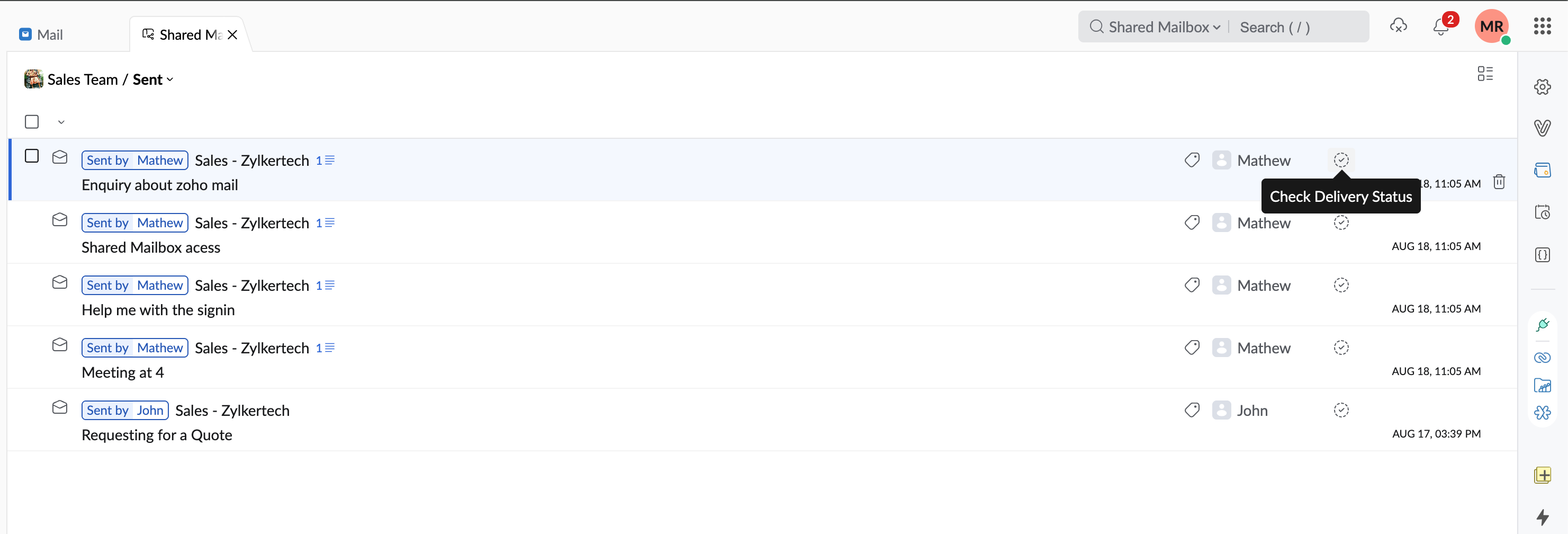
No more guessing whether a teammate has already replied to an email. Any message sent using the group address as the sender (From Address) will now be stored in the shared mailbox’s dedicated Sent folder. Everyone with access gains full visibility over outbound team communications.

2. Fresh design revamp & unified Filters
We’ve streamlined the shared mailbox layout to mirror the clean, intuitive flow of your personal inbox:
LHS folder access: Archive, Spam, and Trash views are now located neatly in the left-hand sidebar as dedicated folders.
Unified filter: Quickly sort and organize shared messages using a single, consolidated filter dropdown

3. Live delivery status for Sent emails
Track outbound emails right after you hit send. You can now monitor the delivery status of emails sent from shared mailboxes to ensure your team's messages reach recipients successfully.
4. Run-through filter support
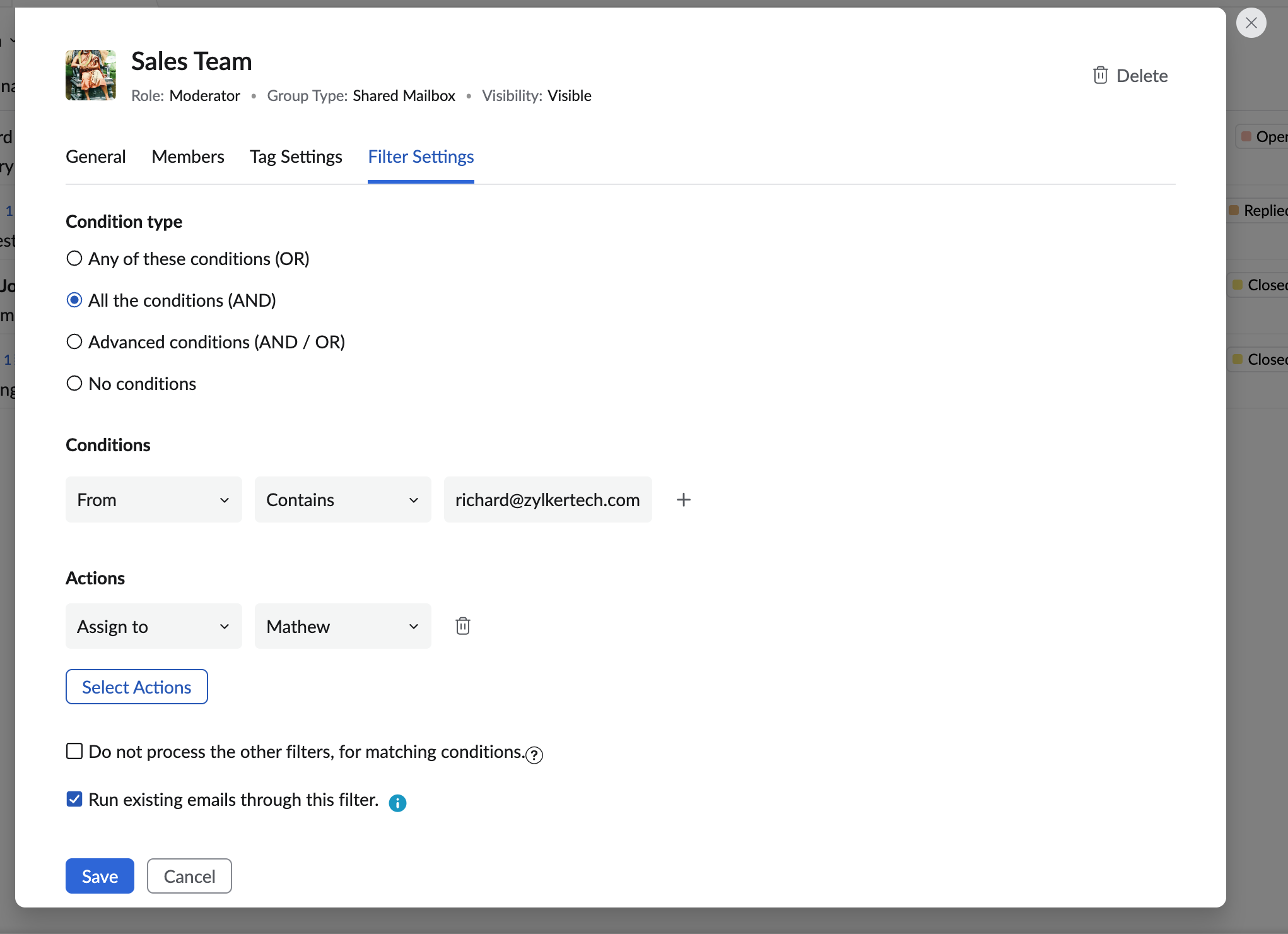
Automate your shared mailbox workflows. You can now apply existing filter rules to pre-existing emails by using the Run Through filter action, making it effortless to organize historical threads instantly.
5. Search across mailboxes
Finding specific discussions is faster than ever. Find threads across all shared mailboxes at once with the global search bar, without having to select a group first.
Give them a try and let us know your thoughts in the comments below. Happy collaborating!
