Feature Announcement: Enhanced recipient customization settings
Hi Zoho Sign Community,
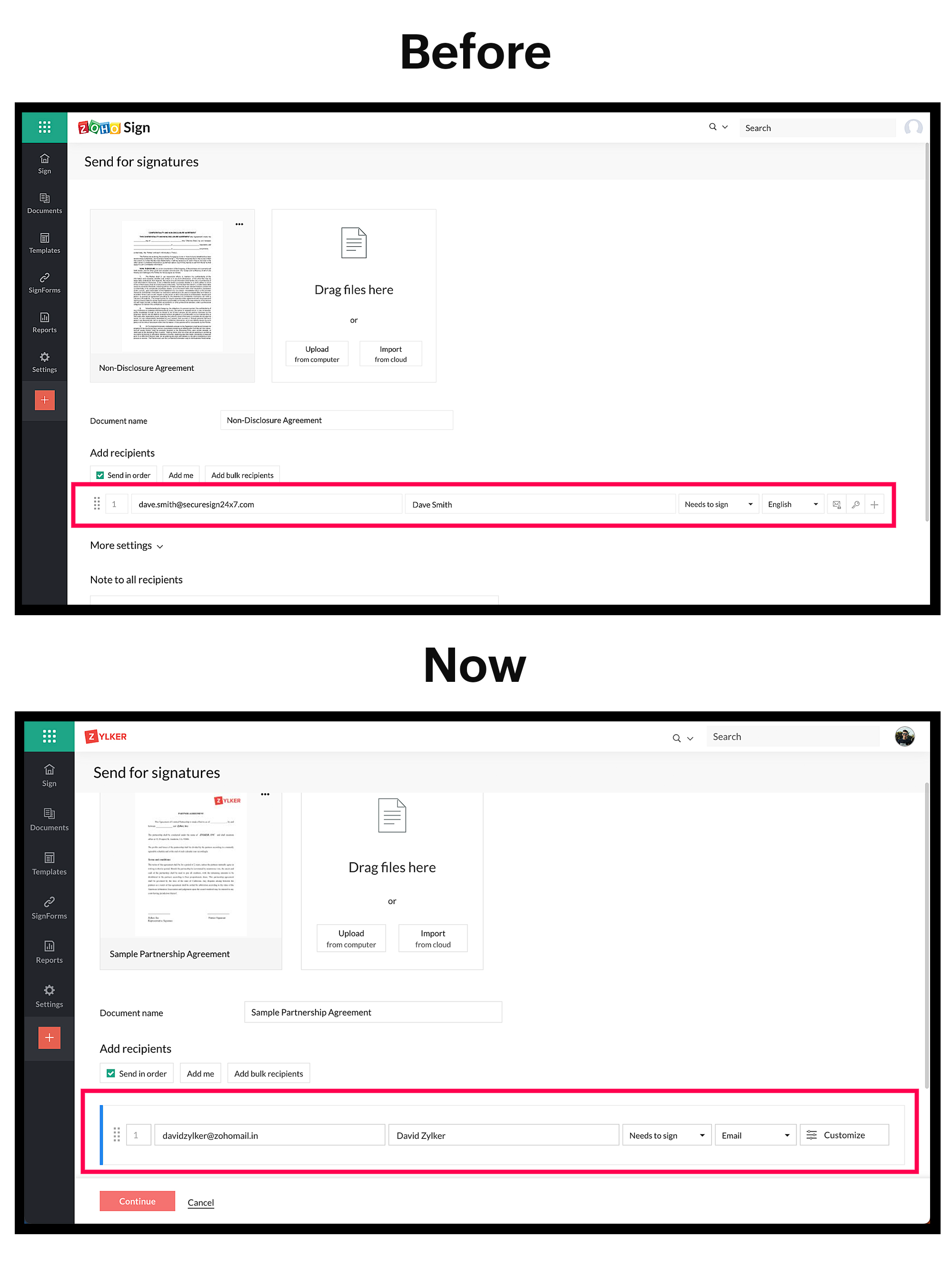
We are happy to announce that we've made enhancements to the Send for Signature option in Zoho Sign to facilitate a better signing experience. These enhancements are readily available across all editions.
Key benefits
- Users can add recipient details and send a document for signature in a few clicks.
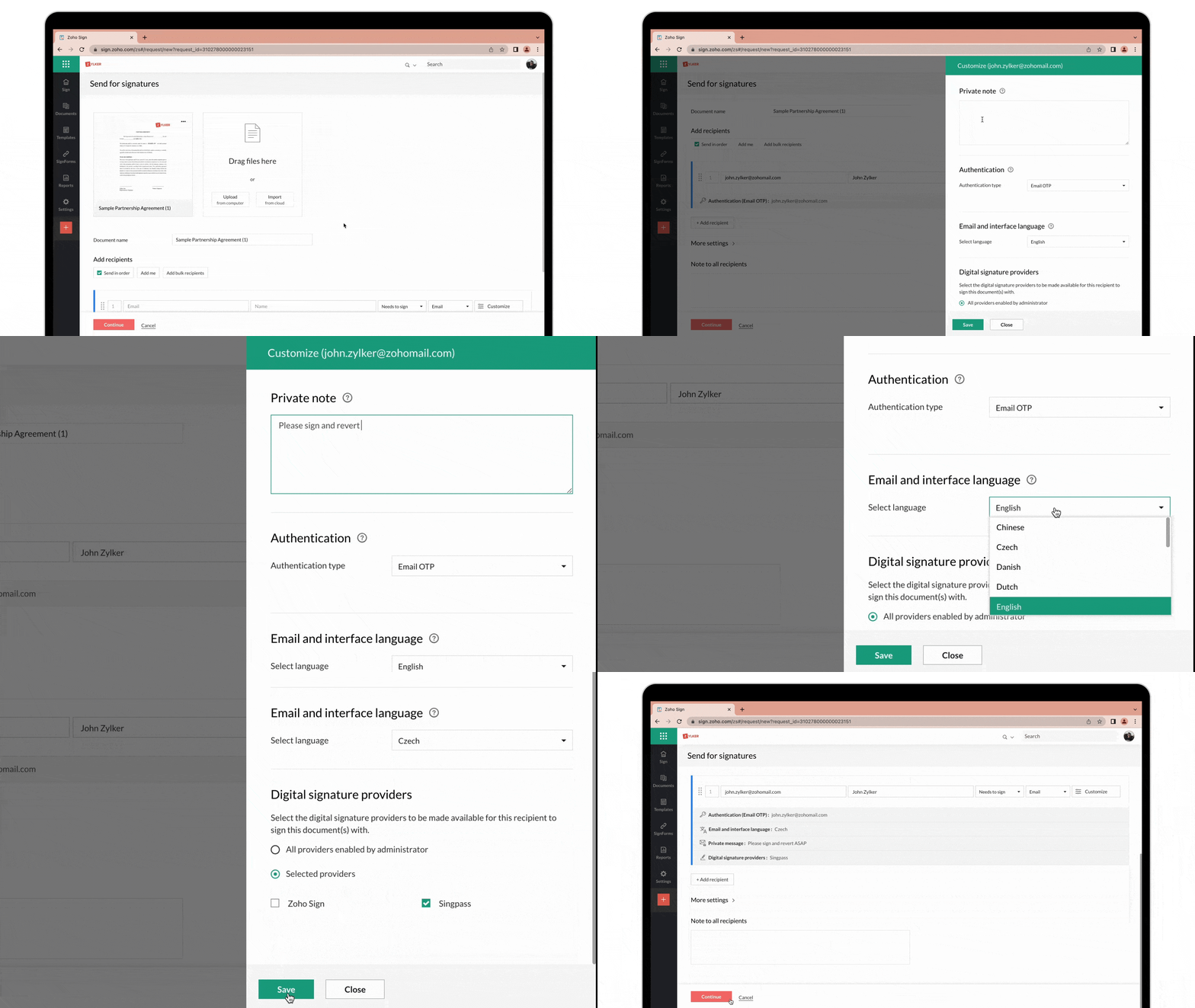
- By clicking the Customize button, users can configure other settings like:
- Add a private note
- Request recipient authentication (through SMS, email, offline, or EU eID)
- Signing experience in multiple languages
- Choose from a variety of digital signature providers:
- Zoho Sign (Default)
- Singpass for Singapore
- Aadhaar eSign and eMudhra eKYC services for India
- Qualified Electronic Signatures for the European Union
- Advanced Electronic Signatures for South Africa
- USB and PFX-based document signing
- Users can now select the digital signing method of their choice for highest legal compliance.
- This enhancement is open to all editions and is not regional specific.
If you are having trouble and need assistance, or you'd like further details, comment below or write to us at support@zohosign.com (for Non - EU users) and support@eu.zohosign.com (for EU users)
Happy signing!
Rajeev Sivaraman