Function #37: Display list of associated SO on Quote details screen

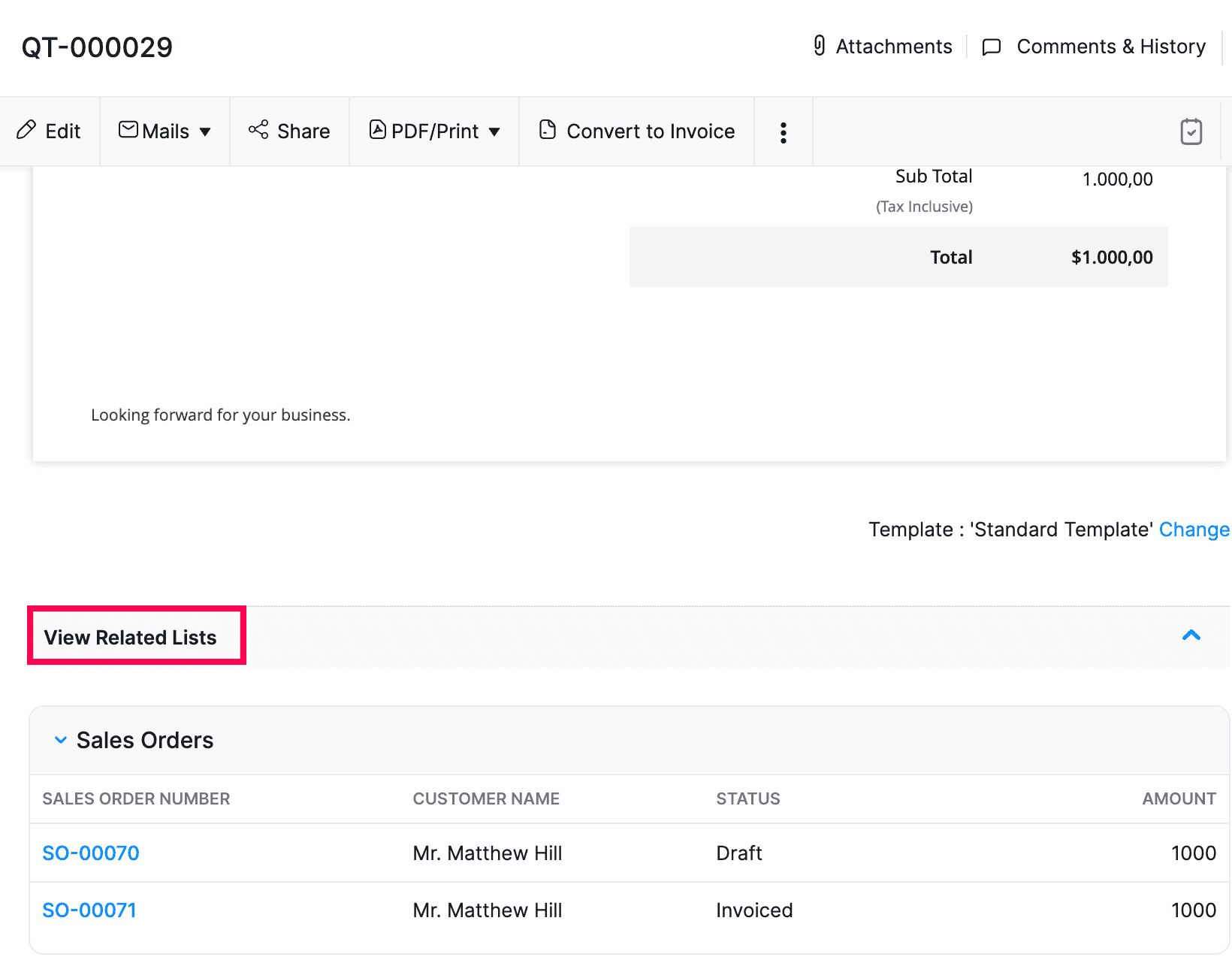
Previously, in our series, we shared a script to display the list of purchase orders within their corresponding sales order details page as a Related List. We hope you found it beneficial. Similar to that, we bring you another script that can display the list of sales orders linked to a quote on the quote details page. It lets you view a comprehensive list of all sales orders, including details such as SO number, customer name, status, and total amount – all easily accessible directly from the respective quote.
Pre-requisites:
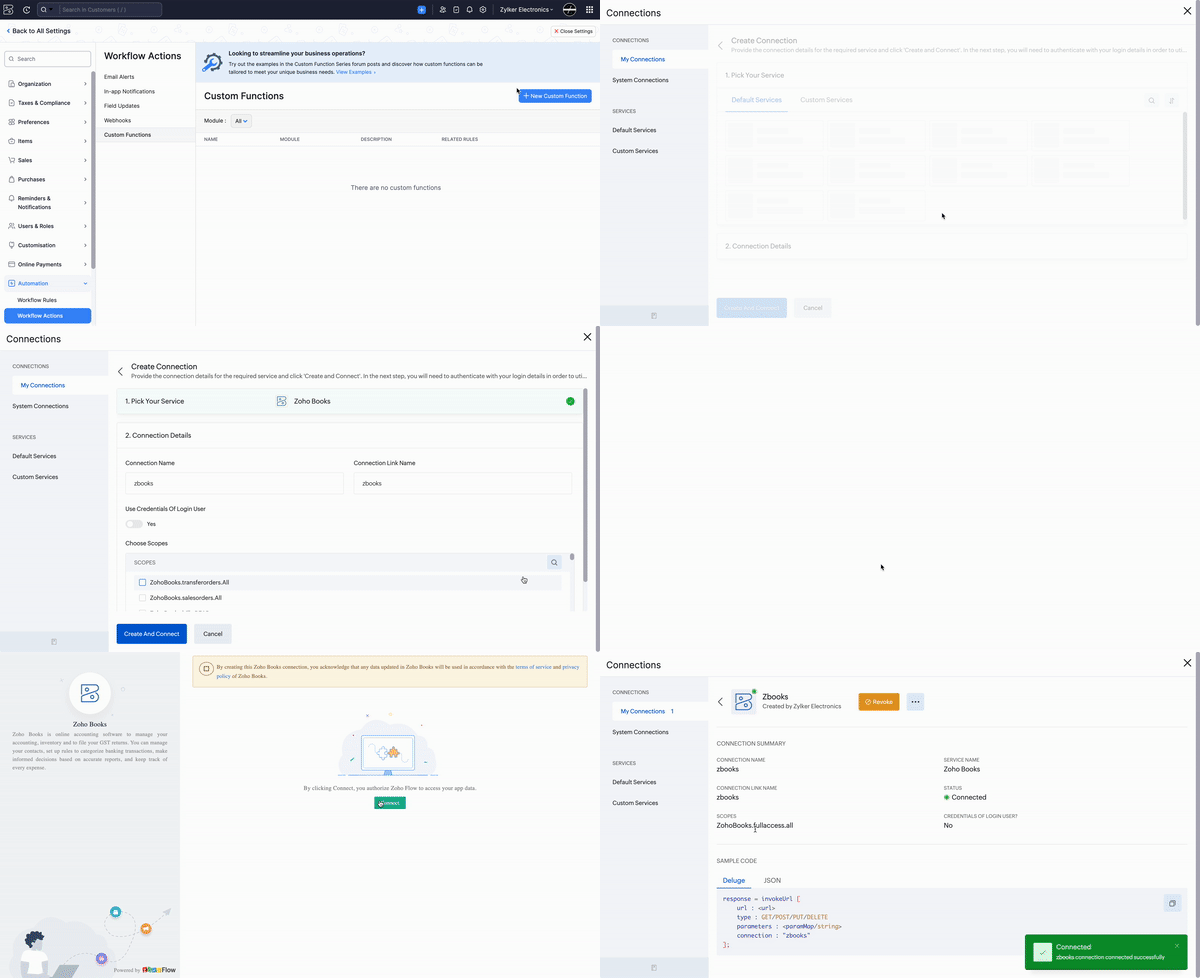
1. Create a Connection named "zbooks" to successfully execute the function. You can watch the GIF attached below to know how to create the connection.
Related Lists:
Navigate to Settings -> Sales -> Quotes -> Related Lists -> +New Related List. Provide a suitable name, select view preferences, and then paste the script from this GitHub link -> Save the changes. Once done, the list of all associated sales orders will be displayed in the quote details screen. You can click on the SO# to access the corresponding sales order.

Give this related list script a try and share your feedback in the comments. If you need to modify the script to display any other details of the sales order, please get in touch with us at support[at]zohobooks[dot]com. We are happy to help.
See you next week with another useful function!
Regards,
Shireen Farhana
Zoho Books