Improved Email Management: More control over outgoing email delivery in Zoho Creator
Hello everyone,
Managing how your Zoho Creator applications send emails just got a whole lot more powerful. We've completely revamped the Email Management feature to give you greater flexibility, better deliverability, and deeper control over your outgoing email setup.
What's new?
The revamped Email Management feature introduces a centralized hub under Operations where you can configure and manage multiple outgoing email channels. You can now choose the channel that best fits your organization's infrastructure and requirements.
Here's a quick look at what's available:
Creator built in - This is the default channel, ready to use with no setup. You can also authenticate your domain using SPF and DKIM records to send emails from your own domain address, improving deliverability and strengthening sender trust.
ZeptoMail - This is Zoho's dedicated transactional email service, built for reliability and scale. Unlike general-purpose email services, ZeptoMail is designed exclusively for transactional emails. It comes with delivery monitoring, email activity tracking, webhook support, bounce address management, and detailed logs, giving you complete visibility into your email flow.
Microsoft Outlook - Route your outgoing emails directly through Microsoft's email service using OAuth 2.0 authorization. Simply register your application in the Microsoft Azure portal and connect it to Creator using your Client ID and Client Secret.
Gmail - Route outgoing emails through Google's email service using OAuth 2.0. Register your app in Google Cloud Console and connect it to Creator in just a few steps.
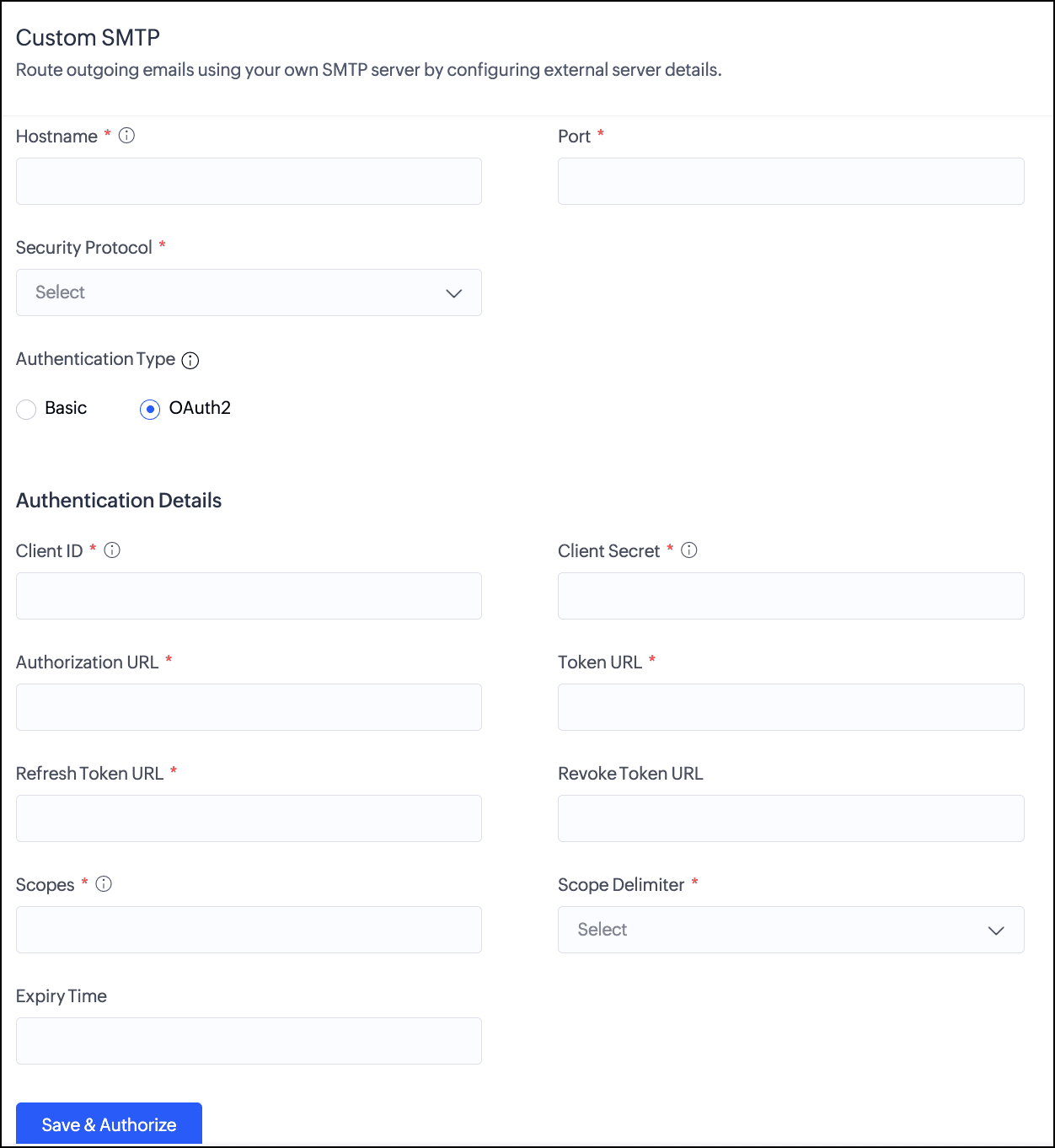
Custom SMTP - Connect any third-party email service or your own email infrastructure using the SMTP protocol. Creator supports basic authentication and OAuth 2.0. This gives you maximum compatibility with virtually any email provider.


Note: Multiple channels can be configured, but only one can be active at a time, through which all outgoing emails are routed. Only the super admin can configure and manage email channels.
Why this matters
Different organizations have different email infrastructure needs. Whether you're a growing business looking to strengthen your sender identity, a team already invested in Microsoft or Google's ecosystem, or an enterprise with specific operational and governance requirements around email routing, the revamped Email Management gives you the flexibility to align Zoho Creator's email delivery with how your organization already works.
Use cases
Improved email delivery visibility
For organizations sending a high volume of transactional emails, understanding what happens after an email is sent is just as important as sending it. With channels like ZeptoMail that offer delivery monitoring, activity tracking, and detailed logs, admins can now get clear visibility into email delivery status, making it easier to identify patterns, track engagement, and take timely action when issues arise.
For organizations sending a high volume of transactional emails, understanding what happens after an email is sent is just as important as sending it. With channels like ZeptoMail that offer delivery monitoring, activity tracking, and detailed logs, admins can now get clear visibility into email delivery status, making it easier to identify patterns, track engagement, and take timely action when issues arise.
Using your existing email service provider
Organizations that already use a specific email service provider can now connect it directly to Zoho Creator using custom SMTP. This means your Creator applications can send emails through the same provider your organization already relies on, without requiring a change to your existing email setup.
Organizations that already use a specific email service provider can now connect it directly to Zoho Creator using custom SMTP. This means your Creator applications can send emails through the same provider your organization already relies on, without requiring a change to your existing email setup.
How to get started
- Navigate to Operations in the left pane.
- Select Email Management under Applications.
- Choose the channel that suits your setup and click Configure.
- Follow the setup steps for your chosen channel and activate it when ready.
For a detailed walkthrough, visit the Understanding Email Management and Managing Outgoing Email Channels help documentation.
Things to know
- Applicable for C6 users.
- The email channels are available only in paid plans.
- Creator built-in channel is available in Free plan.
- Domain authentication requires a paid plan.
- Only super admins can configure and manage email channels.
As always, feel free to share your questions or feedback in the comments below.
We'll be back soon with more exciting updates!
Regards,
The Zoho Creator Team
The Zoho Creator Team