Custom Fonts for Career Site Pages | Zoho Recruit
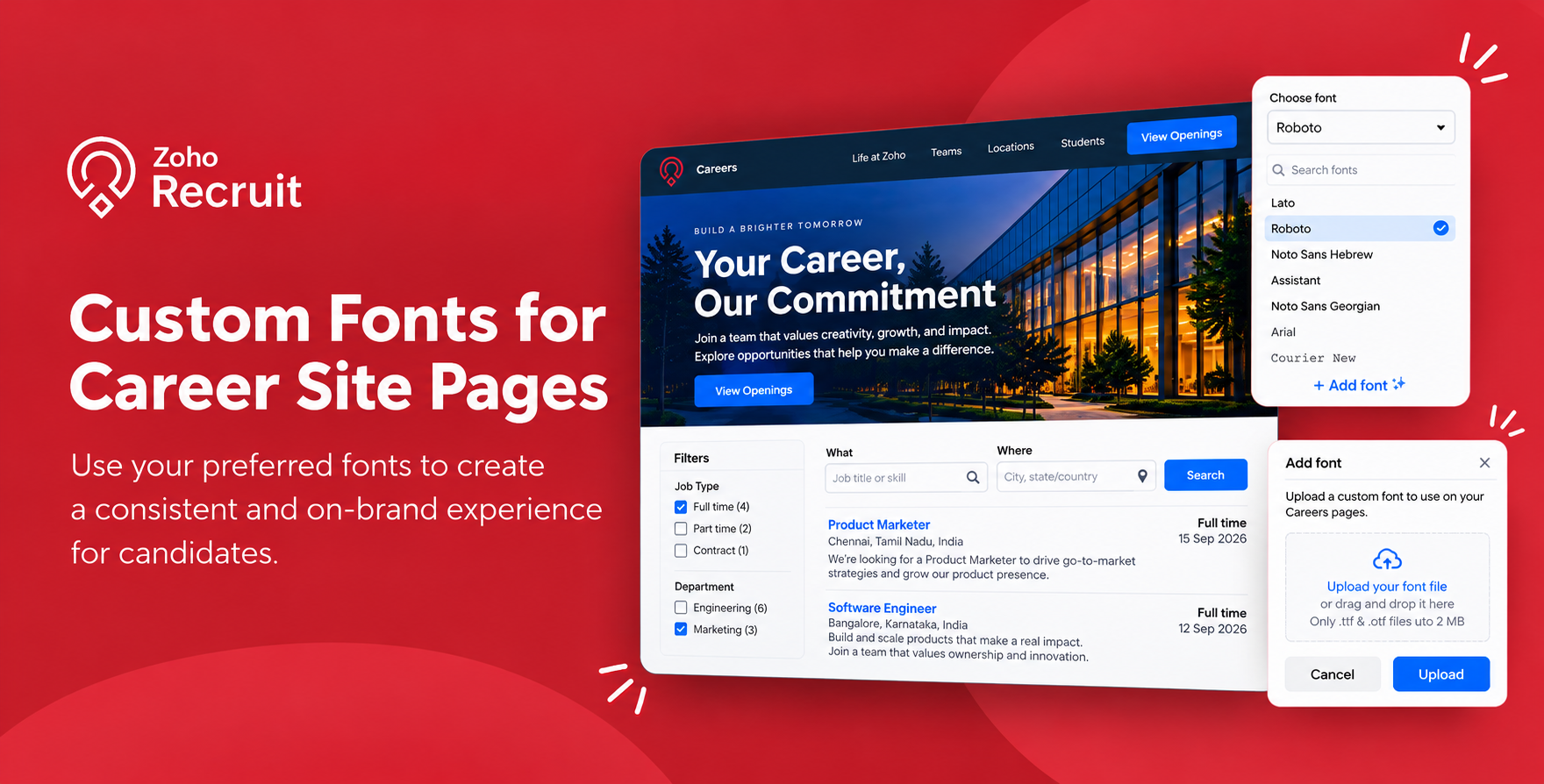
Your Careers page is often the first place candidates interact with your organization. From exploring job opportunities to submitting applications, a consistent visual experience helps candidates recognize and connect with your brand.
To give you more control over how your recruitment pages look, we've introduced Custom Font support for Career Sites. You can now upload and use your preferred fonts in the Candidate Portal to create a more consistent experience across both candidate-facing pages.
What's New?
Previously, you could customize the appearance of your Career Site using the default fonts available in Zoho Recruit.
With this update, you can upload your own custom fonts and use them to personalize the appearance of your Career Site and Candidate Portal.
Here's what you can do:
- Upload custom fonts: Use fonts that align with your organization's branding instead of relying solely on the default font options.
- Customize individual Career Sites: Upload and use one custom font for each Careers page, giving you greater flexibility when managing multiple pages.
- Maintain consistency across portals: Apply the same custom font to your Candidate Portal for a more consistent experience throughout the application process.
- Replace fonts when needed: Upload a new custom font to replace the existing one whenever your branding requirements change.
This gives you more flexibility to align your recruitment pages with your organization's branding.
How to Add Custom Fonts
You can upload a custom font directly from the Career Site customization interface in Zoho Recruit.
- Navigate to Setup > Career Website > Career Site.
- Click Customize for the page in which you wish to add the custom font.
- Under the Appearance tab, click the Choose Font drop-down and select the Add Font option.
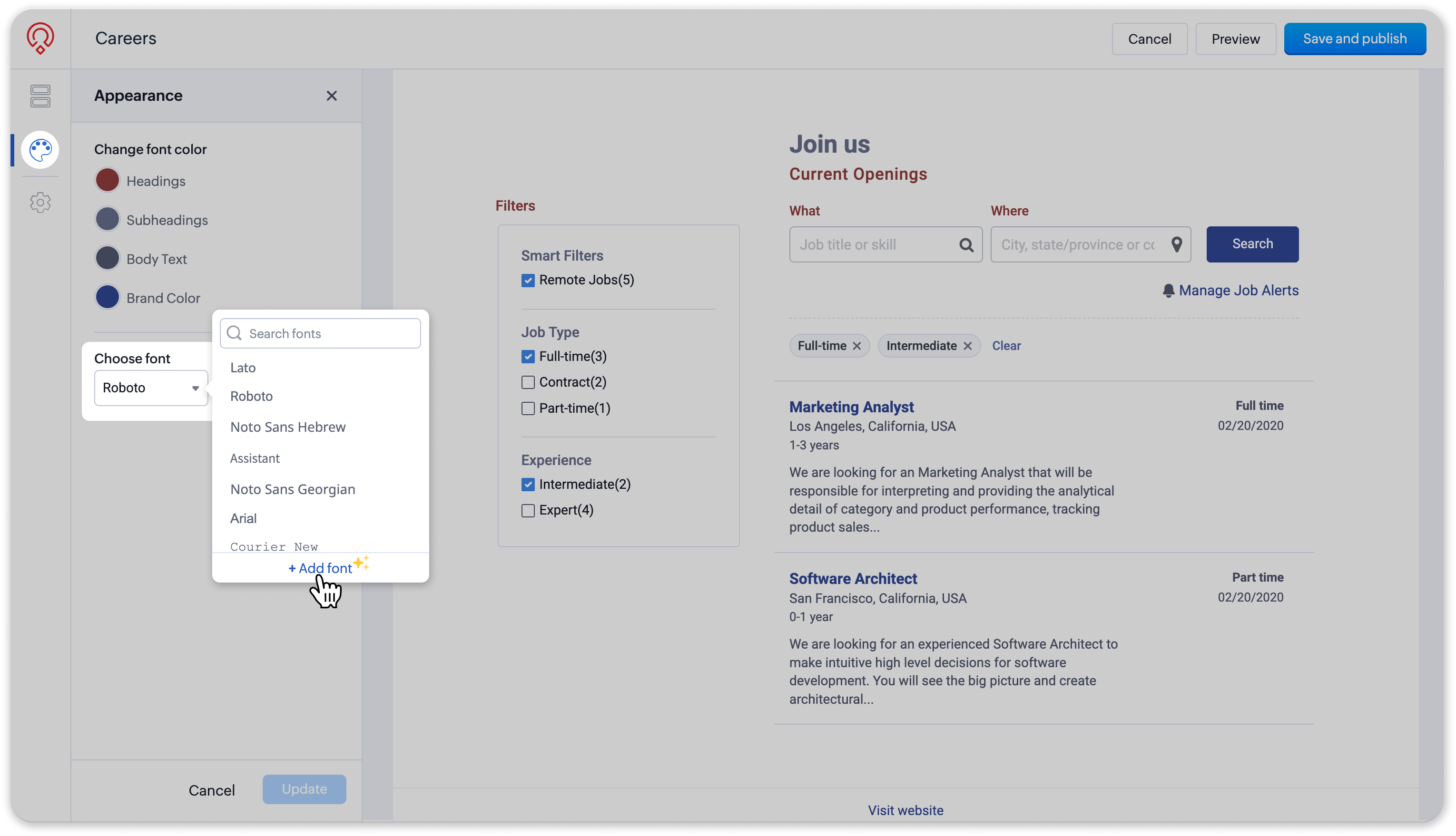
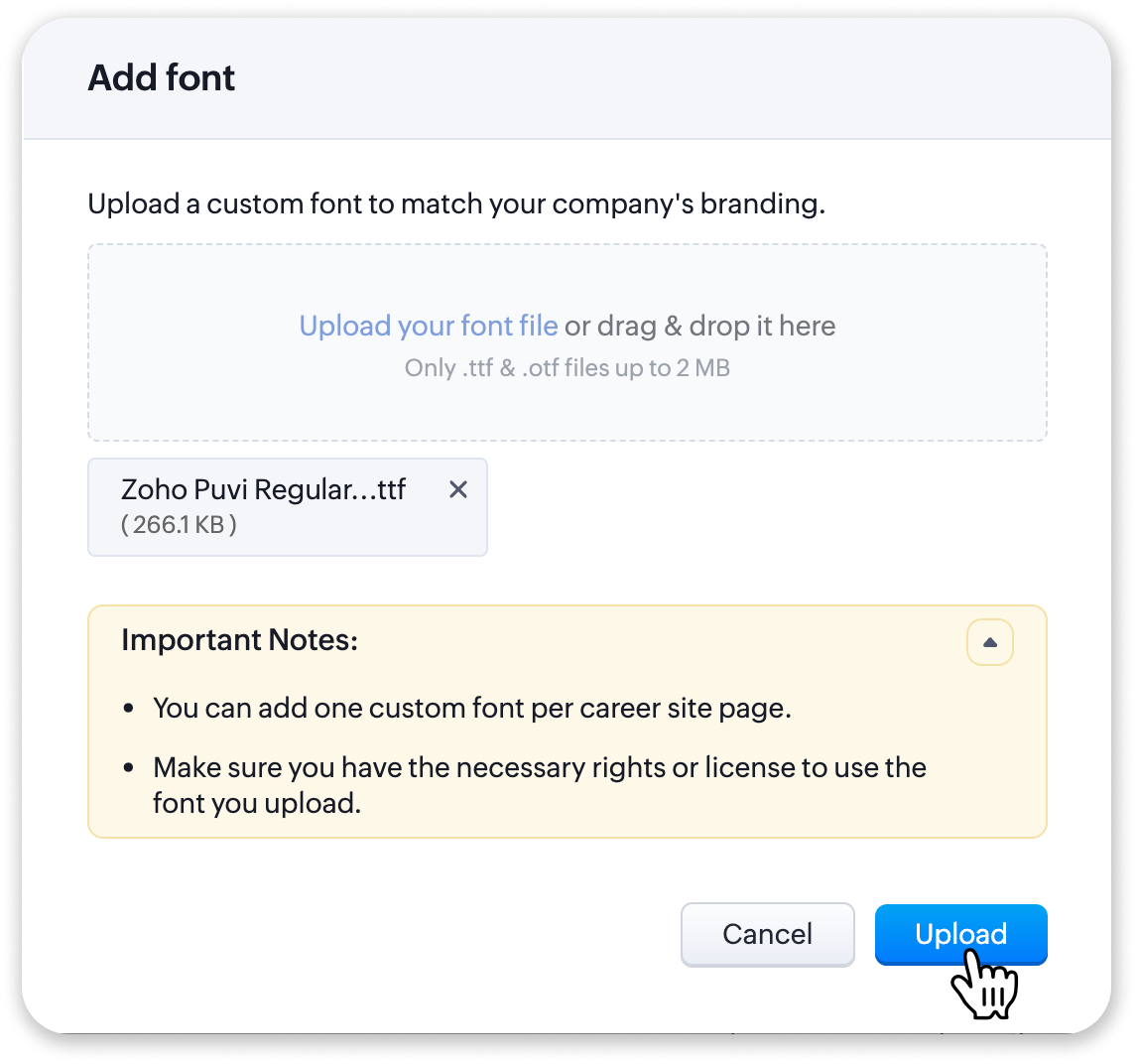
- Choose the font file from your device and click Upload.
- The uploaded font will be selected by default. Click Update.
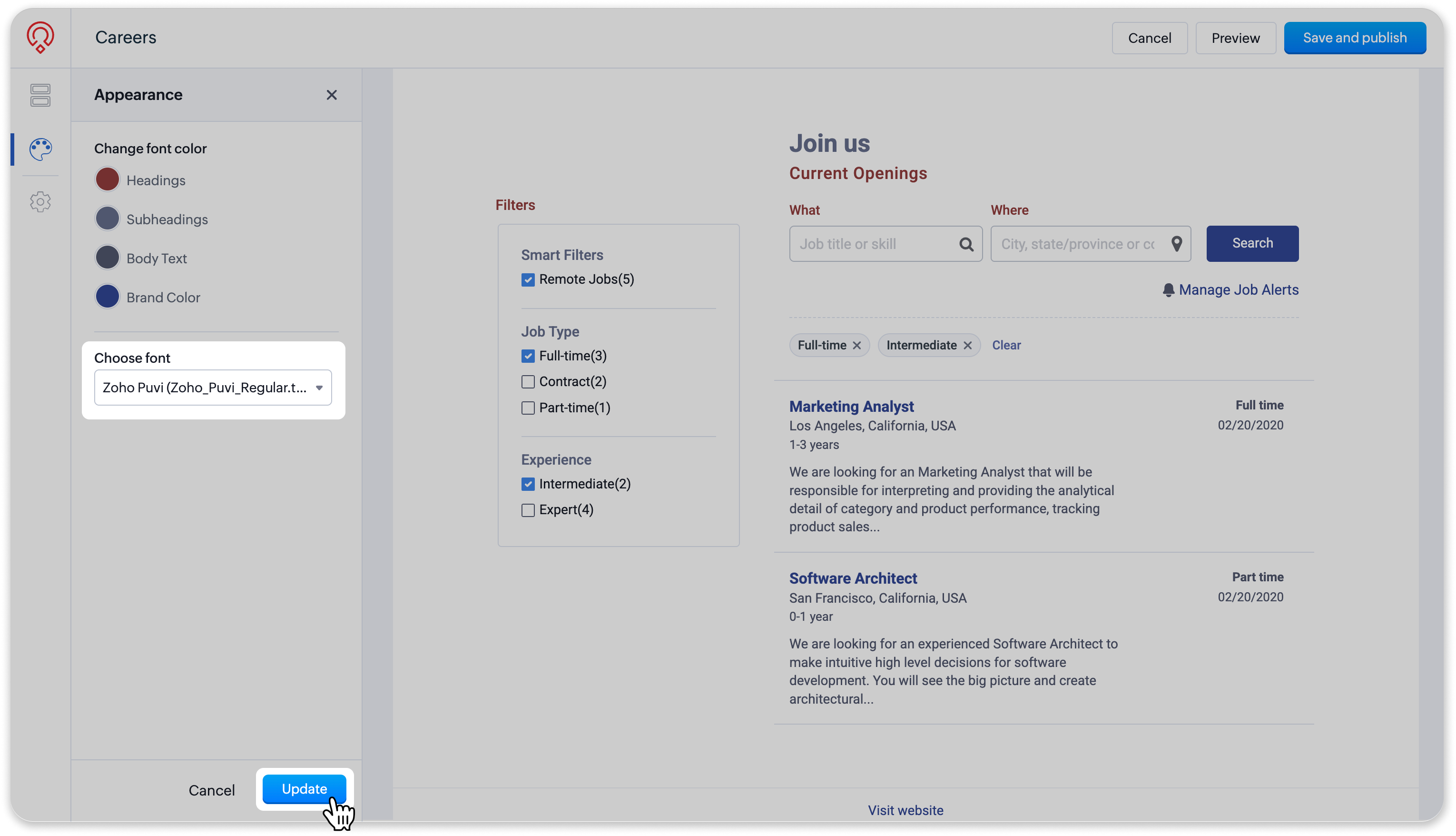
- Lastly, click Save and publish.
- To apply the same font to your Candidate Portal, simply enable the checkbox in the pop-up that is displayed and click Done.
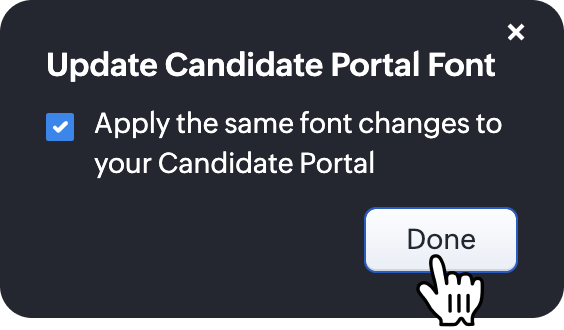
By using your preferred fonts across your Career Site and Candidate Portal, you can maintain a consistent look and feel as candidates explore job opportunities and move through the application process.

Note: You can also use the uploaded custom font in your Employee Portal. This portal option is available only for Corporate HR edition users.
Key Details
Before uploading a custom font, here are a few things to keep in mind.
- One custom font per Careers page: Each Careers page can have one custom font uploaded at a time.
- Replacing an existing font: Uploading a new custom font will automatically replace the previously uploaded custom font for that page.
- Font licensing: You are responsible for ensuring that you have the necessary licenses, permissions, and usage rights for any custom fonts you upload. Zoho Recruit does not provide licenses for uploaded fonts and is not responsible for any licensing violations or third-party claims arising from their use.
With Custom Fonts, you now have more flexibility to make your Career Site and Candidate Portal reflect your organization's visual identity.
If you have any queries or feedback about this update, please leave a comment below or reach out to us at support@zohorecruit.com. We're here to help you out.
Happy recruiting!
Regards,
Team Zoho Recruit
Team Zoho Recruit