Introducing Enhanced Zia Matches in Zoho Recruit
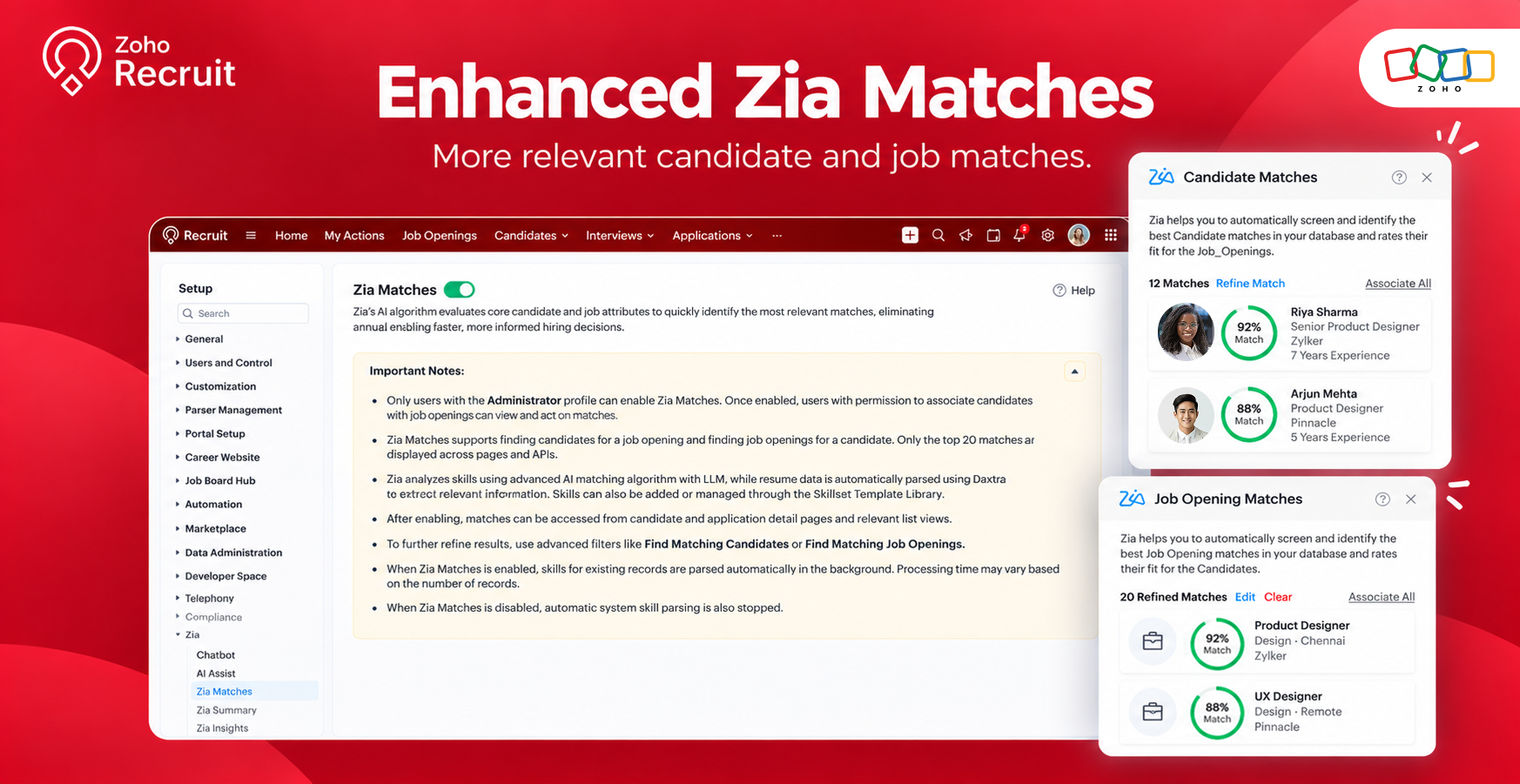
With Enhanced Zia Matches, powered by Zia LLM, Zoho Recruit improves how candidates and job openings are matched. The enhanced matching model considers the meaning and context of candidate and job data, helping relevant matches rank higher in the results.
What's new
Zia Matches includes improvements to its matching algorithm, scoring engine, and administrative controls.
Improved AI-powered matching
The enhanced LLM-powered model goes beyond exact keyword matches to consider related skills, variations in job titles, and the context of a candidate's experience. It also evaluates more candidate and job data to identify relevant matches.
Improved matching scores
Backend enhancements and a redesigned scoring engine help deliver faster, more consistent matching results. Testing shows improved matching performance, helping relevant candidates rank higher in match lists.
Dedicated administrative controls
Administrators can now manage Zia Matches from a dedicated page under Setup, with an option to enable or disable the feature.
These improvements apply to both matching experiences:
Candidate Matches: Identify candidates relevant to a job opening.
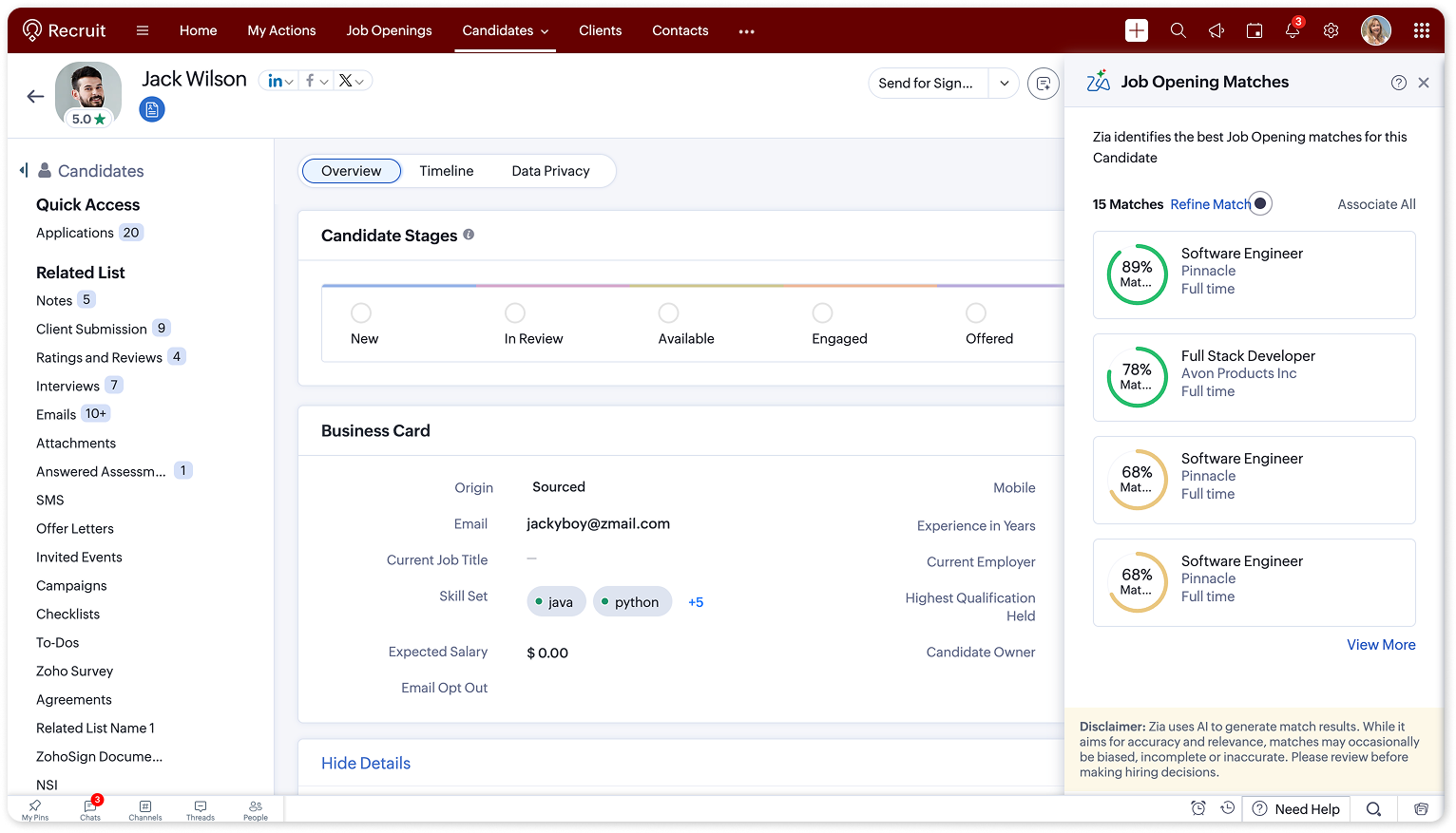
Job Opening Matches: Find job openings relevant to a candidate.
How it works
Administrators can now manage the feature from a dedicated Zia Matches page in Setup.
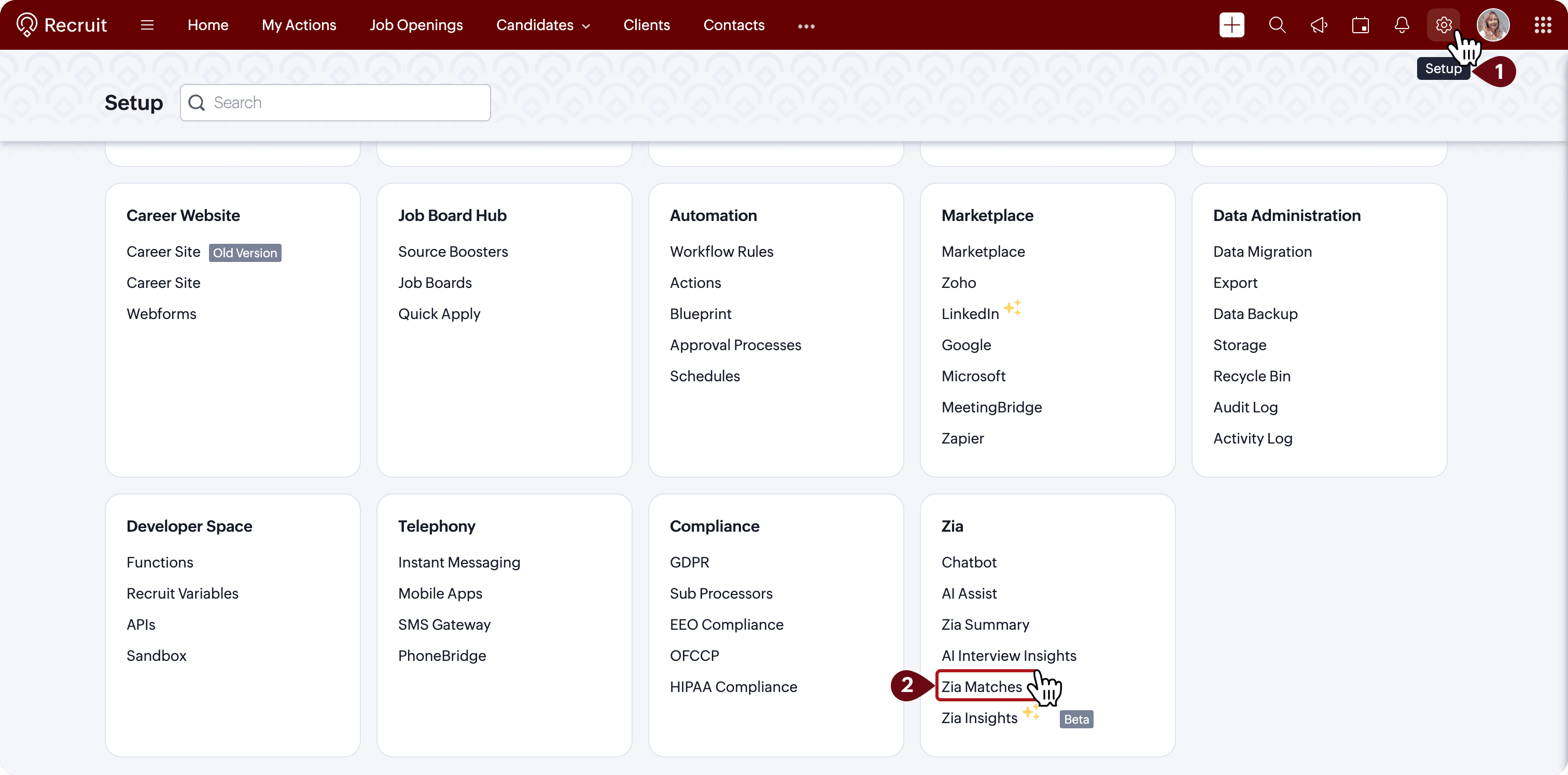
Go to Setup > Zia > Zia Matches.
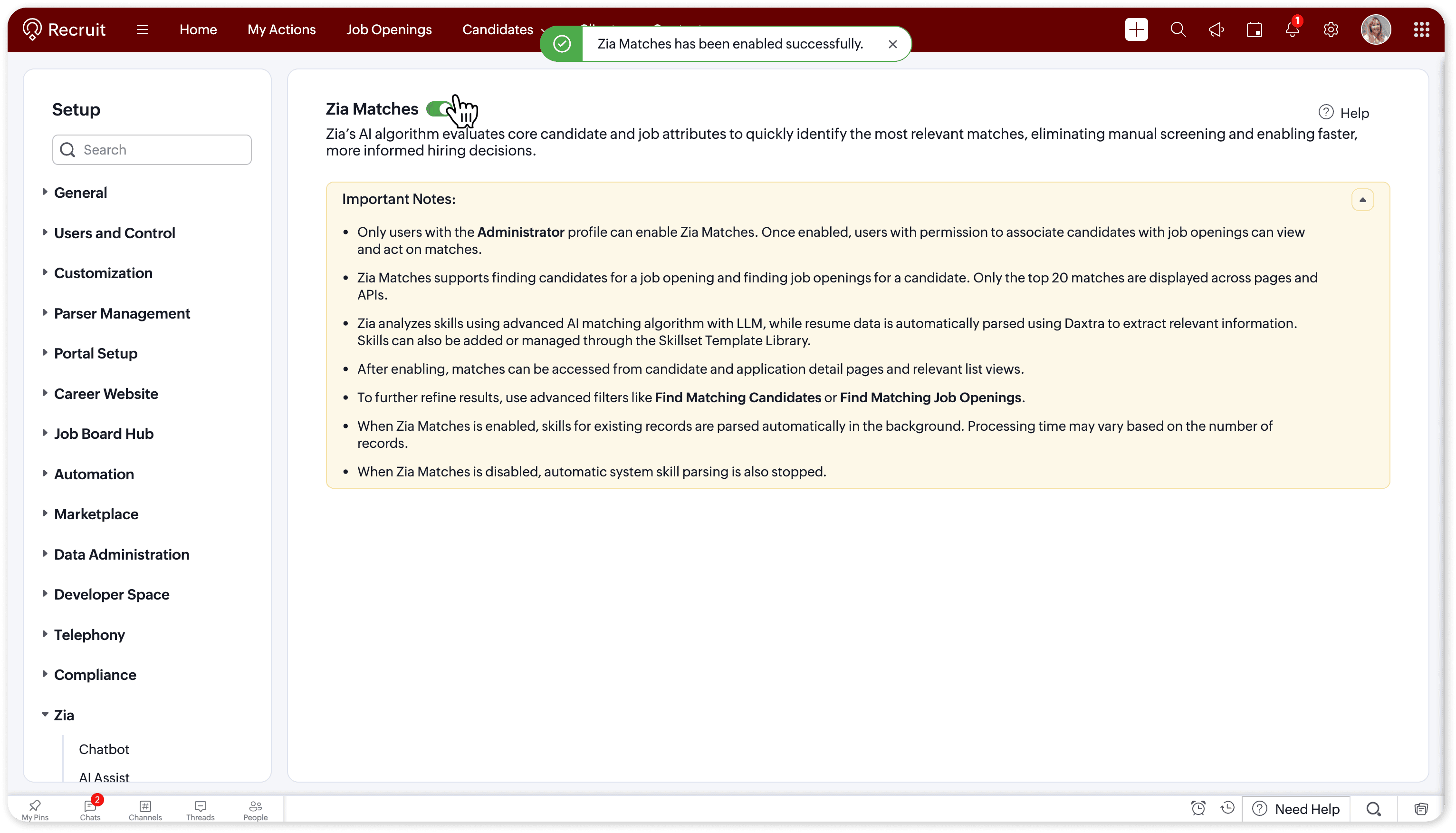
Enable or disable Zia Matches using the available toggle.
Once enabled, use Candidate Matches or Job Opening Matches to identify relevant matches.
The enhanced matching model works in the background, so users can continue accessing the feature as they normally do.
Learn more
For detailed instructions, refer to the Zia Matches help articles.
Tell us what you think
Try the enhanced Zia Matches experience and let us know how it helps your team identify relevant candidates and job openings. Share your feedback in the comments below or write to us at support@zohorecruit.com.
Regards,
Team Zoho Recruit