Introducing Night Mode | Zoho Recruit

Late-night hiring sessions? Long hours reviewing resumes? We heard you.
Night mode [BETA] is now available in Zoho Recruit, giving you a cleaner, more comfortable workspace that’s easier on the eyes while keeping the focus on what matters most: hiring.
Designed for a Smoother Recruiting Experience
Whether you're reviewing resumes, managing interviews, or sourcing candidates for hours at a stretch, Night Mode helps make Zoho Recruit feel cleaner, calmer, and easier to work with.
Less glare, better focus, and a modern interface that looks as good as it feels. This change will be available for all plans of Zoho Recruit.

How to enable Night mode
- Click the Profile icon in the top-right corner
- Select the Night option under the Mode section.
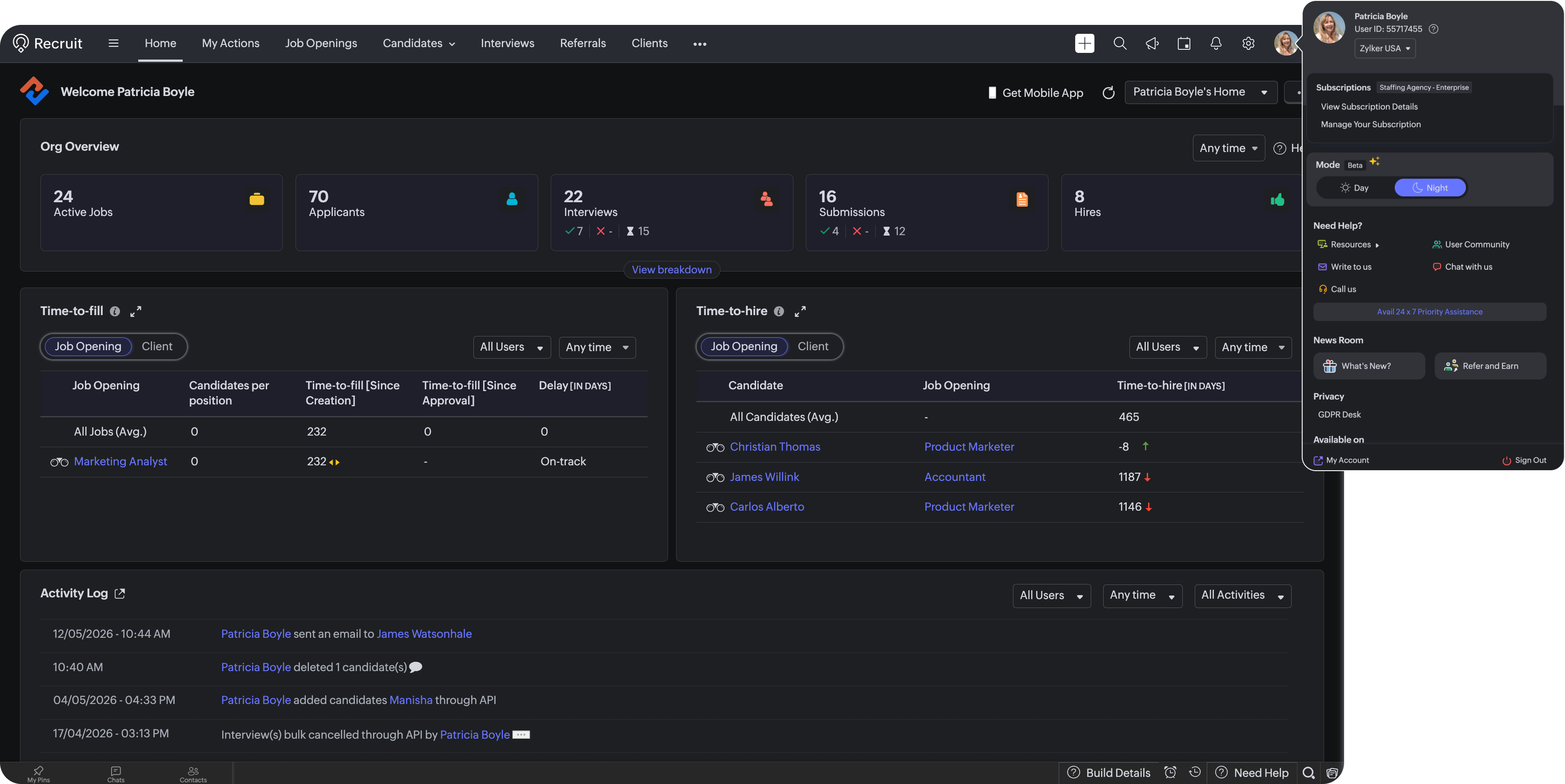
Your Recruit workspace will instantly switch to the dark interface.
Whether you’re sourcing candidates late at night, reviewing interview feedback, or managing hiring pipelines across time zones, Night Mode helps make Recruit more comfortable to use throughout the day.
What’s included in the BETA?
The Beta release brings Night Mode support across major areas of Zoho Recruit, including:
- Dashboards and home pages
- Candidate and job records
- Module views and workflows
- Navigation menus and core interface components
Basically the entirety of your Recruit account, except external pages like your Career Site, Portals, Marketplace Apps, and a few other areas. We’ll continue refining the experience based on your feedback during the BETA phase.
Regards,
Team Zoho Recruit