Introduction of Canvas for Zoho CRM
Introduction of Canvas for Zoho CRM


All industries function in a way that is very different in many aspects. There is no one size fits all approach. The companies should be able to modify the CRM design to suit their needs after a purchase has been made. This is where customers can control their experience completely. Zoho CRM is a giant that has created a new benchmark for customization.

With Canvas, Zoho plans to offer the best possible consumer experience that there is. The customers can create their own experience using Canvas. Zoho introduces Canvas as a design so that the customers can redesign the visual interface of Zoho CRM services to suit their requirements.

Using Canvas, users can remodel the look and feel of their CRM without writing even a single line of code since a simple drag and drop interface is used. Canvas creations can immensely improve the end user’s experience that helps in increasing productivity and morale. It sets the precedent for users to experience autonomy where the user can control the experience with the product.

In this blog, we will get to know all about Canvas and everything it can do for CRM.

What is Canvas?

Canvas is a design studio that is built into the Zoho CRM. The customers can redesign the user interface from an entirely blank canvas using Canvas. It offers a better CRM user interface and supports a wide range of formatting options that help companies to re-imagine the look and feel of any module down to small details. This is how the data meets design.

The use of Canvas is similar to photoshop for databases but it is much more nuanced. Canvas completely understands how the modules, fields, buttons, and related lists in the interface get created. Hence, it offers a much more thoughtful and contextual designing experience for the customers.

You can think of Canvas as a unique tool by Zoho CRM, something that no other CRM vendor has ever considered creating. Zoho has actually pioneered the design autonomy movement allowing the customers to curate the user experience that they are looking for. With the use of Canvas, Zoho CRM has become the most customizable CRM in the market.

Canvas as a no-code design platform is one of the most powerful things to change your Zoho CRM user experience from a visual and a functional perspective. It is a simple user interface management platform that is created into the native CRM system and is applicable in various ways of the CRM. The UI can be customized with the following CRM pages using Canvas.

A unified user experience can be created at various engagement points across platforms with internal CRM, partner portals, and self-service customers. Finally, regardless of the fact if they are your customers, partners or employees, all of the groups that work with a consistent UI when it comes to page design, look and feel, yet the data organized in all layouts can be customized based on various functions and requirements.

Working of Canvas

Canvas helps companies create a custom view that is readily available as an option along with the default views. The customers can click to create a new Canvas view from a listing page or the record page so that a blank canvas is opened as the powerful editor. Some of the things that are responsible for making Canvas stand out are:

1. Right Information in the Right Place
Customers can look for all the related lists, fields, and buttons available on the left side of the menu in editor mode. This actually means that no information is lost and all associations will remain intact just the way they are. 

Canvas plays the role of helping users change the appearance of Zoho CRM with multiple design variants.

2. Drag-and-drop Interface
There is no need to become a programmer or even a designer for using Canvas. You just need to have good design taste. Canvas is the first CRM design studio that also comes with a drag and drop interface to offer a much-simplified design experience for everyone. 

With the editor, users can easily choose some components from the left menu, drag them on the interface, drop them at the desired location, and then finally click to see available formatting options. It only takes a couple of clicks to create a new design.

3. Formatting Options
Canvas provides many formatting options for playing around with so that the companies can find the exact style that fits their team the best.

Right from changing the shape of the contact image or the color of a button to changing the padding, the shadow, and the width, Canvas enables the users to make sure that all details are suitable for a personal view.

4. Templates
Templates
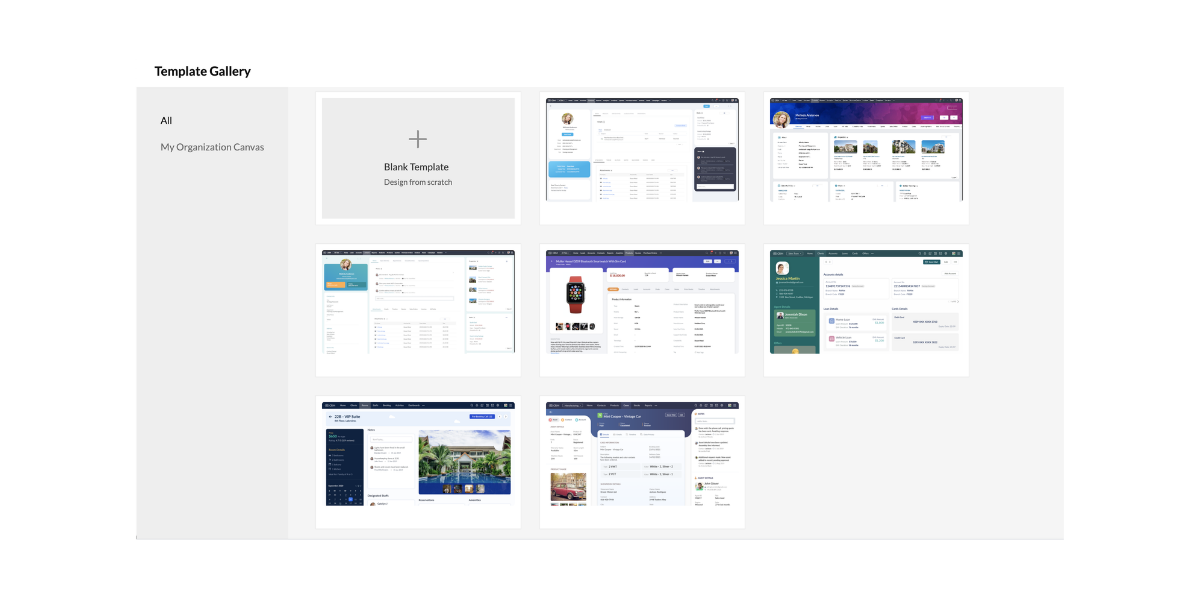
Canvas also comes with a set of templates that the customers can choose in case they want a good start with their design or in case they are looking for inspiration.

The templates can be easily customized to a wide range of industries and they can also be changed to suit the customers in an improved way.

5. Uniform Design All Over Modules
Canvas is a no-code design platform that can be easily copied to other modules for maintaining a uniform design and color style.

Almost any detail that is not associated with the new module can be easily reconfigured at any time. This leads to a uniform design across all possible modules.

How Does Canvas Help Users?

Canvas plays an excellent role in helping companies experiment seamlessly with multiple designs taking input from the salespeople and other end users. These are the people who end up spending a large amount of time using the Zoho CRM.

 The admins can easily remodel the list page and detail page of all modules so that everyone’s needs are solved on the basis of suggestions. Canvas can effectively solve important challenges that businesses face in the present day including lack of personalization, employee experience, and complex implementations.

Canvas is the first CRM design studio that helps the users in the following ways:

1. Creating Personalized Instances:
Canvas is responsible for helping companies design a version of CRM that suits the industry and the working culture. Administrators can easily design views with fields, buttons, lists, and labels that are relevant to business so that the end-users can get the maximum results out of Zoho CRM. The customers can also enjoy tailored experiences of a vertical CRM that comes with all possible capabilities of a general-purpose CRM.

2. Enhanced Employee Experience
Using Canvas as a no-code design platform, companies can easily build a CRM that is easy to work with. The users can create views with a minimal design and great colors that are soothing for the eye and the mind. The customers can also highlight, record, hide, and reposition fields, lists, and buttons for helping salespeople work much better.

3. Removes Complexity
Canvas makes it very simple for businesses to get started with the Zoho CRM. The implementation phases including extensive training, data prep, and onboarding experiences need less time and effort all thanks to a simple and customized design. Successful implementation is necessary for reducing any complexity of the system while ensuring that there is high usage and streamlined ROI.

Canvas Serves the Purpose of Everyone

Canvas is literally for everyone. It helps in the following things.

1. Collaborative Selling

Collaborative SellingThe companies can effectively share their Canvas views with the vendors, consultants, and partners with the use of various portals. The sales process can also become increasingly collaborative where different parties need to get involved at various stages of a sale. Canvas helps in facilitating this collaboration.

2. Superior Self-Service
It is a well known fact that millennial customers are highly protective of their data and the option of self-service is appreciated much more. The customers can fill in important information and review it directly in the company’s very own custom Canvas creation which improves the overall experience considerably.

3. Thriving Community

Thriving CommunityCanvas is a one of a kind first CRM design studio where the customers can create new Canvas views and share them with the community. In this way, other businesses can use them as well. With Canvas, Zoho CRM works to create a community of designers who can submit, edit, and implement templates very similar to the community WordPress created for websites.

Canvas sets the precedence of UX Rich Autonomy

Zoho plans to introduce Canvas to the entire Zoho CX suite and finally to complete the product range. In this way, the companies can enjoy the Zoho environment with a design all across the board. When the companies have greater control over the user experience, the results are incredibly beneficial for the end-user, organization, and even the vendor.

Conclusion

Zoho CRM is on a mission to make sure that the specific needs of all industries, companies, and teams are met with the use of Canvas. As Zoho CRM continues its journey to pioneer the new era of personalized CRM, continuous work is being done on user experience enhancements focused on making it simple for end-users to keep using Zoho CRM. Canvas – the first CRM design studio is an example of that.

Zoho claims that this is a journey that never ends and it is in it for a long time. This is one of the major milestones of Zoho for creating a high standard of CRM experience and the company continues making changes.


I hope that you learned something new today :)
Stay Tuned for more!

Cheers!
Abhi
(Seasoned Zoho Authorized and Certified Partner)

Feel free to contact me if you have any queries
Email: abhishek(@)encaptechno(dot)com
Call: +1-416-405-8185

    Access your files securely from anywhere


                            Zoho Developer Community


                                                  • Desk Community Learning Series


                                                  • Digest


                                                  • Functions


                                                  • Meetups


                                                  • Kbase


                                                  • Resources


                                                  • Glossary


                                                  • Desk Marketplace


                                                  • MVP Corner


                                                  • Word of the Day


                                                  • Ask the Experts


                                                            Manage your brands on social media


                                                                  Zoho TeamInbox Resources


                                                                      Zoho CRM Plus Resources

                                                                        Zoho Books Resources


                                                                          Zoho Subscriptions Resources

                                                                            Zoho Projects Resources


                                                                              Zoho Sprints Resources


                                                                                Qntrl Resources


                                                                                  Zoho Creator Resources


                                                                                      Zoho CRM Resources

                                                                                      • CRM Community Learning Series

                                                                                        CRM Community Learning Series


                                                                                      • Kaizen

                                                                                        Kaizen

                                                                                      • Functions

                                                                                        Functions

                                                                                      • Meetups

                                                                                        Meetups

                                                                                      • Kbase

                                                                                        Kbase

                                                                                      • Resources

                                                                                        Resources

                                                                                      • Digest

                                                                                        Digest

                                                                                      • CRM Marketplace

                                                                                        CRM Marketplace

                                                                                      • MVP Corner

                                                                                        MVP Corner


                                                                                          Design. Discuss. Deliver.

                                                                                          Create visually engaging stories with Zoho Show.

                                                                                          Get Started Now


                                                                                            Zoho Show Resources

                                                                                              Zoho Writer

                                                                                              Get Started. Write Away!

                                                                                              Writer is a powerful online word processor, designed for collaborative work.

                                                                                                Zoho CRM コンテンツ


                                                                                                  Nederlandse Hulpbronnen


                                                                                                      ご検討中の方


                                                                                                              • Recent Topics

                                                                                                              • Create static subforms in Zoho CRM: streamline data entry with pre-defined values

                                                                                                                Last modified on (9 July, 2025): This feature was available in early access and is currently being rolled out to customers in phases. Currently available for users in the the AU, CA, and SA DCs. It will be enabled for the remaining DCs in the next couple
                                                                                                              • Client Portal ZOHO ONE

                                                                                                                Dear Zoho one is fantastic option for companies but it seems to me that it is still an aggregation of aps let me explain I have zoho books with client portal so client access their invoice then I have zoho project with client portal so they can access their project but not their invoice without another URL another LOGIN Are you planning in creating a beautiful UI portal for client so we can control access to client in one location to multiple aps at least unify project and invoice aps that would
                                                                                                              • Add specific field value to URL

                                                                                                                Hi Everyone. I have the following code which is set to run from a subform when the user selects a value from a lookup field "Plant_Key" the URL opens a report but i want the report to be filtered on the matching field/value. so in the report there is
                                                                                                              • CRM gets location smart with the all new Map View: visualize records, locate records within any radius, and more

                                                                                                                Hello all, We've introduced a new way to work with location data in Zoho CRM: the Map View. Instead of scrolling through endless lists, your records now appear as pins on a map. Built on top of the all-new address field and powered by Mappls (MapMyIndia),
                                                                                                              • Zoho Inventory - Composite Items - Assembly - Single Line Item Quantity of One

                                                                                                                Hi Zoho Inventory Team, Please consider relaxing the system rules which prevent an assembly items from consisting of a single line item and outputting a quantity of 1. A client I'm currently working with sells cosmetics and offers testers of their products
                                                                                                              • Editing the Ticket Properties column

                                                                                                                This is going to sound like a dumb question, but I cannot figure out how to configure/edit the sections (and their fields) in this column: For example, we have a custom "Resolution" field, which parked itself in the "Ticket Information" section of this
                                                                                                              • Cliq iOS can't see shared screen

                                                                                                                Hello, I had this morning a video call with a colleague. She is using Cliq Desktop MacOS and wanted to share her screen with me. I'm on iPad. I noticed, while she shared her screen, I could only see her video, but not the shared screen... Does Cliq iOS is able to display shared screen, or is it somewhere else to be found ? Regards
                                                                                                              • What's New in Zoho Inventory | Q2 2025

                                                                                                                Hello Customers, The second quarter have been exciting months for Zoho Inventory! We’ve introduced impactful new features and enhancements to help you manage inventory operations with even greater precision and control. While we have many more exciting
                                                                                                              • Zoho POS App Hanging Issue – Sales Becoming Difficult

                                                                                                                The Zoho POS app frequently hangs and becomes unresponsive during billing, making it very difficult to complete sales smoothly. This commonly happens while adding items, during checkout, or at payment time, especially during peak hours. These issues cause
                                                                                                              • Please, make writer into a content creation tool

                                                                                                                I'm tired of relying on Google Docs. I'm actually considering moving to ClickUp, but if Writer were a good content creation tool instead of just a word processor, I would finally be able to move all my development within the Zoho ecosystem, rather than
                                                                                                              • Make Camera Overlay & Recording Controls Visible in All Screen-Sharing Options

                                                                                                                Hi Zoho WorkDrive Team, Hope you are doing well. We would like to request an improvement to the screen-recording experience in Zoho WorkDrive. Current Limitation: At the moment the recording controls are visible only inside the Zoho WorkDrive tab. When
                                                                                                              • Allow Attaching Quartz Recordings to Existing Zoho Support Tickets

                                                                                                                Hi Zoho Team, We would like to request an enhancement to how Zoho Quartz recordings integrate with Zoho Support tickets. Current Behavior: At the moment, each Quartz recording automatically creates a new support ticket. However, in many real-world scenarios:
                                                                                                              • Add Israel & Jewish Holidays to Zoho People Holidays Gallery

                                                                                                                Greetings, We hope you are doing well. This feature request is related to Zoho People - please don't move it to zoho one! We are writing to request an enhancement to the Holidays Gallery in Zoho People. Currently, there are several holidays available,
                                                                                                              • Add Israel & Jewish Holidays to Zoho People Holidays Gallery

                                                                                                                Greetings, We hope you are doing well. We are writing to request an enhancement to the Holidays Gallery in Zoho People. Currently, there are several holidays available, but none for Israel and none for Jewish holidays (which are not necessarily the same
                                                                                                              • Sync Issue

                                                                                                                My Current plan only allows me with 10,000 rows and it is getting sync failure how to control it without upgrading my plan
                                                                                                              • Notification to customers when I use a Zoho function

                                                                                                                Hi all, I tried searching the community but couldn't find anything about it. I noticed that the customer receives the notification of reopening the old ticket but does not receive the notification of opening a new ticket when I use the function: "separate
                                                                                                              • Desk DMARC forwarding failure for some senders

                                                                                                                I am not receiving important emails into Desk, because of DMARC errors. Here's what's happening: 1. email is sent from customer e.g. john@doe.com, to my email address, e.g info@acme.com 2. email is delivered successfully to info@acme.com (a shared inbox
                                                                                                              • "Spreadsheet Mode" for Fast Bulk Edits

                                                                                                                One of the challenges with using Zoho Inventory is when bulk edits need to be done via the UI, and each value that needs to be changed is different. A very common use case here is price changes. Often, a price increase will need to be implemented, and
                                                                                                              • Email Notifications not pushing through

                                                                                                                Hi, Notifications from CRM are not reaching my users as they trigger.  We have several workflow triggers set up that send emails to staff as well as the notifications users get when a task is created for them or a user is tagged in the notes.  For the past 6 days these haven't been coming through in real time, instead users are receiving 30-40 notifications in one push several hours later.  This is beginning to impact our daily usage of CRM and is having a negative effect on our productivity because
                                                                                                              • Ticket layout based on field or contact

                                                                                                                Hi! I want to support the following use-case: we are delivering custom IT solutions to different accounts we have, thus our ticket layouts, fields and languages (priority, status field values should be Hungarian) will be different. How should I setup
                                                                                                              • Syncing Bills in Zoho Books to Zoho CRM

                                                                                                                Is there any way to sync the Bills in Zoho Books in Zoho CRM
                                                                                                              • SAML in Zoho One vs Zoho Accounts

                                                                                                                What is the difference between setting up SAML in Zoho Accounts: https://help.zoho.com/portal/en/kb/accounts/manage-your-organization/saml/articles/configure-saml-in-zoho-accounts ... vs SAML in Zoho One?: https://help.zoho.com/portal/en/kb/one/admin-guide/custom-authentication/setting-up-custom-authentication-with-popular-idps/articles/zohoone-customauthentication-azure
                                                                                                              • How do I change the order of fields in the new Task screen?

                                                                                                                I have gone into the Task module layout, and moving the fields around does not seem to move them in the Create Task screen. Screenshot below. I have a field (Description) that we want to use frequently, but it is inconveniently placed within the More
                                                                                                              • Zoho Inventory. Preventing Negative Stock in Sales Orders – Best Practices?

                                                                                                                Dear Zoho Inventory Community, We’re a small business using Zoho Inventory with a team of sales managers. Unfortunately, some employees occasionally overlook stock levels during order processing, leading to negative inventory issues. Is there a way to
                                                                                                              • Deactivated Zoho One account can sign in

                                                                                                                I am concerned by the fact that deactivated users in Zoho One have the ability to sign in even after their account has been deactivated (not deleted). these inactive identities have no access to individual Zoho apps or data. based on my experience they
                                                                                                              • How can I reset the password for a user in Zoho Projects

                                                                                                                We need to reset the password for a user in Zoho Projects. I am the admin portal owner and there was nothing to be found to do this. very confusing.
                                                                                                              • No funcionan correctamente el calculo de las horas laborales para informe de tickets

                                                                                                                Hola, estoy intentando sacar estadísticas de tiempo de primera respuesta y resolución en horario laboral de mis tickets, pero el calculo de horas en horario laboral no funciona correctamente cree los horarios con los feriados : Ajusté los acuerdos de
                                                                                                              • How can I add a comment to an existing ticket via API?

                                                                                                                I need to add comments/notes to the history of an existing ticket using the API without overwriting the original ticket description. Thanks!
                                                                                                              • Internal Error When Accessing Team Inbox.

                                                                                                                All our users are seeing this error in teaminbox. Because its a critical tool kindly resolve this issue ASAP.
                                                                                                              • Marketer's Space: Proven tips to improve open rates – Part III

                                                                                                                Hello Marketers! Welcome back to another post in Marketer's Space! This is the final post in the "open rate series". In the first and second parts, we discussed topics ranging from sender domains to pre-headers—but we're not done yet. A few more important
                                                                                                              • MCP no longer works with Claude

                                                                                                                Anyone else notice Zoho MCP no longer works with Claude? I'm unable to turn this on in the claude chat. When I try to toggle it on, it just does nothing at all. I've tried in incognito, new browsers, etc. - nothing seems to work.
                                                                                                              • Change Number Field to Decimal Field

                                                                                                                Hi, It would be nice to be able to change the field type without having to delete it and create a new one, messing up the database and history. Thanks Dan
                                                                                                              • Allow Text within a Formula

                                                                                                                Hi, I would like to be able to use this for others things like taking an existing Date Field and copying its value, so by entering getDay(Date)&"-"&getMonth(Date)&"-"&getYear(Date) it results in 01-02-2026. And then when the Date is changed so is this
                                                                                                              • Zoho Social - Feature Request - Reviewer Role

                                                                                                                Hi Social Team, I've come across this with a couple of clients, where they need a role which can review and comment on posts but who has no access to create content. This is a kind of reviewer role. They just need to be able to see what content is scheduled
                                                                                                              • Zoho Books/Inventory - Update Marketplace Sales Order via API

                                                                                                                Hi everyone, Does anyone know if there is a way to update Sales Orders created from a marketplace intigration (Shopify in this case) via API? I'm trying to cover a scenario where an order is changed on the Shopify end and the changes must be reflected
                                                                                                              • Zoho Inventory / Finance Suite - Add feature to prevent duplicate values in Item Unit field

                                                                                                                I've noticed that a client has 2 values the same in the Unit field on edit/create Items. This surprised me as why would you have 2 units with the same name. Please consider adding a feature which prevents this as it seems to serve no purpose.
                                                                                                              • Zoho CRM for Everyone's NextGen UI Gets an Upgrade

                                                                                                                Hello Everyone We've made improvements to Zoho CRM for Everyone's Nextgen UI. These changes are the result of valuable feedback from you where we’ve focused on improving usability, providing wider screen space, and making navigation smoother so everything
                                                                                                              • Kaizen #224 - Quote-driven Deal Reconciliation Using Zoho CRM Functions and Automation

                                                                                                                Hello everyone! Welcome back to another instalment in the Kaizen series. This post covers quote-driven deal reconciliation, emphasizing Functions and Automation to address practical sales challenges. Business Challenge Sales organizations often mark deals
                                                                                                              • Dependent / Dynamic DropDown in ZohoSheets

                                                                                                                Has anyone figured out a way to create a Dropdown, the values of which is dependent on Values entered in the other cell ?
                                                                                                              • Directly Edit, Filter, and Sort Subforms on the Details Page

                                                                                                                Hello everyone, As you know, subforms allow you to associate multiple line items with a single record, greatly enhancing your data organization. For example, a sales order subform neatly lists all products, their quantities, amounts, and other relevant
                                                                                                              • Next Page