Kaizen #69 - Scoring Rules[Part 2]
Hello everyone!
Welcome back to this week's Kaizen post!
In continuation to our previous post, this week we will discuss activating/deactivating a scoring rule, cloning, and getting the score of a record from a module.
Activating/deactivating a scoring rule
Use this API to activate or deactivate an existing scoring rule.
Request URL: {api-domain}/crm/v4/settings/automation/scoring_rules/{rule_id}/actions/activate
Use the Get Scoring Rules API to get the ID of the rule you want to activate or deactivate.
Request Method: PUT(to activate)/DELETE(to deactivate)
Scope: ZohoCRM.settings.scoring_rules.ALL (or) ZohoCRM.settings.scoring_rules.UPDATE(to activate a rule) (or)
ZohoCRM.settings.scoring_rules.DELETE(to deactivate a rule)
Supported Modules: Leads, Contacts, Accounts, Deals, and custom
Response of activating a scoring rule
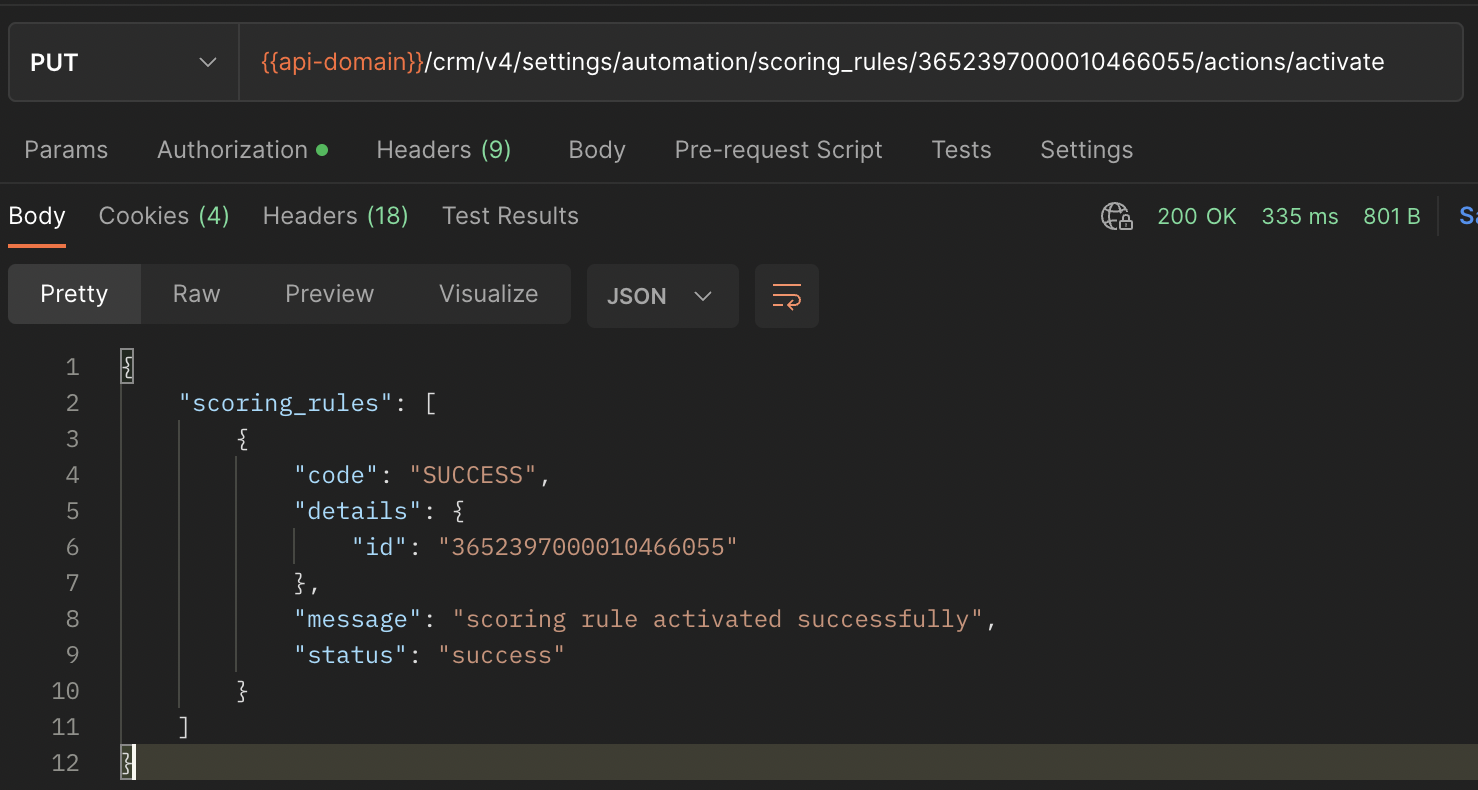
Response of deactivating a scoring rule

Note
- A scoring rule becomes active right after creation(if you give "active:true" while creation), but gets applied to the module's records only after you execute it.
- After you deactivate a scoring rule, the scores of the records that were already calculated are retained, while new scores will not be calculated.
Cloning a scoring rule
You can clone a scoring rule instead of creating one from scratch through this API.
Request URL: {api-domain}/crm/v4/settings/automation/scoring_rules/{rule_id}/actions/clone
Use the Get Scoring Rules API to get the ID of the rule you want to clone from.
Request Method: POST
Scope: ZohoCRM.settings.scoring_rules.ALL/CREATE
Supported Modules: Leads, Contacts, Accounts, Deals, and custom
Response

Getting a record's score
After configuring a scoring rule and executing it, you can use this API to view the score of a record in a module.
Request URL: {api-domain}/crm/v4/{module_api_name}/{record_id}/Entity_Scores__s
Use the Get Records API to get the ID of the record.
Request Method: GET
Scope: ZohoCRM.settings.scoring_rules.ALL/GET
Supported Modules: Leads, Contacts, Accounts, Deals, and custom
Parameters: fields(mandatory)
Possible values: Positive_Score, Negative_Score, Touch_Point_Score, Touch_Point_Positive_Score, Touch_Point_Negative_Score, Score, Scoring_Rule, Entity
You can also use other field API names in the module.
Response
{ "data": [ { "Entity": { "module": { "api_name": "Leads", "id": "3652397000000002175" }, "name": "scoring rules test", "id": "3652397000010473001" }, "Positive_Score": 9, "Touch_Point_Score": -1, "Score": 6, "Negative_Score": -2, "Touch_Point_Negative_Score": -10, "Scoring_Rule": { "name": null, "id": "3652397000006074001" }, "id": "3652397000010473011", "Touch_Point_Positive_Score": 9 } ], "info": { "per_page": 200, "next_page_token": null, "count": 1, "page": 1, "previous_page_token": null, "page_token_expiry": null, "more_records": false } } |
Key | Description |
Entity JSON object | The JSON object that gives the details of the module, name and ID of the record. This object is returned in the response only when you include the value Entity for the fields parameter. |
Positive_Score integer | The positive score of the record based on the scoring rule. This value is returned in the response when you include "fields=Positive_Score" in the parameters |
Touch_Point_Positive_Score integer | The total positive scores obtained from all the touchpoints. This value is returned in the response when you include "fields=Touch_Point_Positive_Score" in the parameters.Touch_Point_Negative_Score integer |
Touch_Point_Negative_Score integer | The total negative scores obtained from all the touchpoints. This value is returned in the response when you include "fields=Touch_Point_Negative_Score" in the parameters. |
Negative_Score integer | The negative score of the record based on the scoring rule. This is returned for "fields=Negative_Score". |
Touch_Point_Score integer | The difference between positive and negative touchpoint scores. This is returned for "fields=Touch_Point_Score". |
Score integer | The overall score of the record. This is returned for "fields=Score". |
Scoring_Rule JSON object | The API name and ID of the scoring rule that was applied on the record. This is returned for "fields=Scoring_Rule". |
Note that for modules other than Leads and Contacts, the touchpoint scores will always be null.
We hope you found this post useful.
Get in touch with us at support@zohocrm.com if you have any questions, or let us know in the comments.
We will see you next week with another interesting post.
Cheers!