Mirror Component in Zoho CRM: Access real-time related data without leaving your record
Hello Enterprise Support Community,
In CRM, records are rarely useful in isolation. A Deal is linked to a Contact and an Account; a Case is tied to a Customer; an Account is linked to a Deal, and so on. Each of these related records holds critical information. However, because this information is organized across different modules, users have traditionally needed to switch back and forth to gather context—especially when looking for the latest values, such as an updated phone number or email address related to a deal.
While a lookup field establishes relationships between modules, it cannot display all real-time contextual data within the parent record—which is exactly what the all-new Mirror Component now enables.
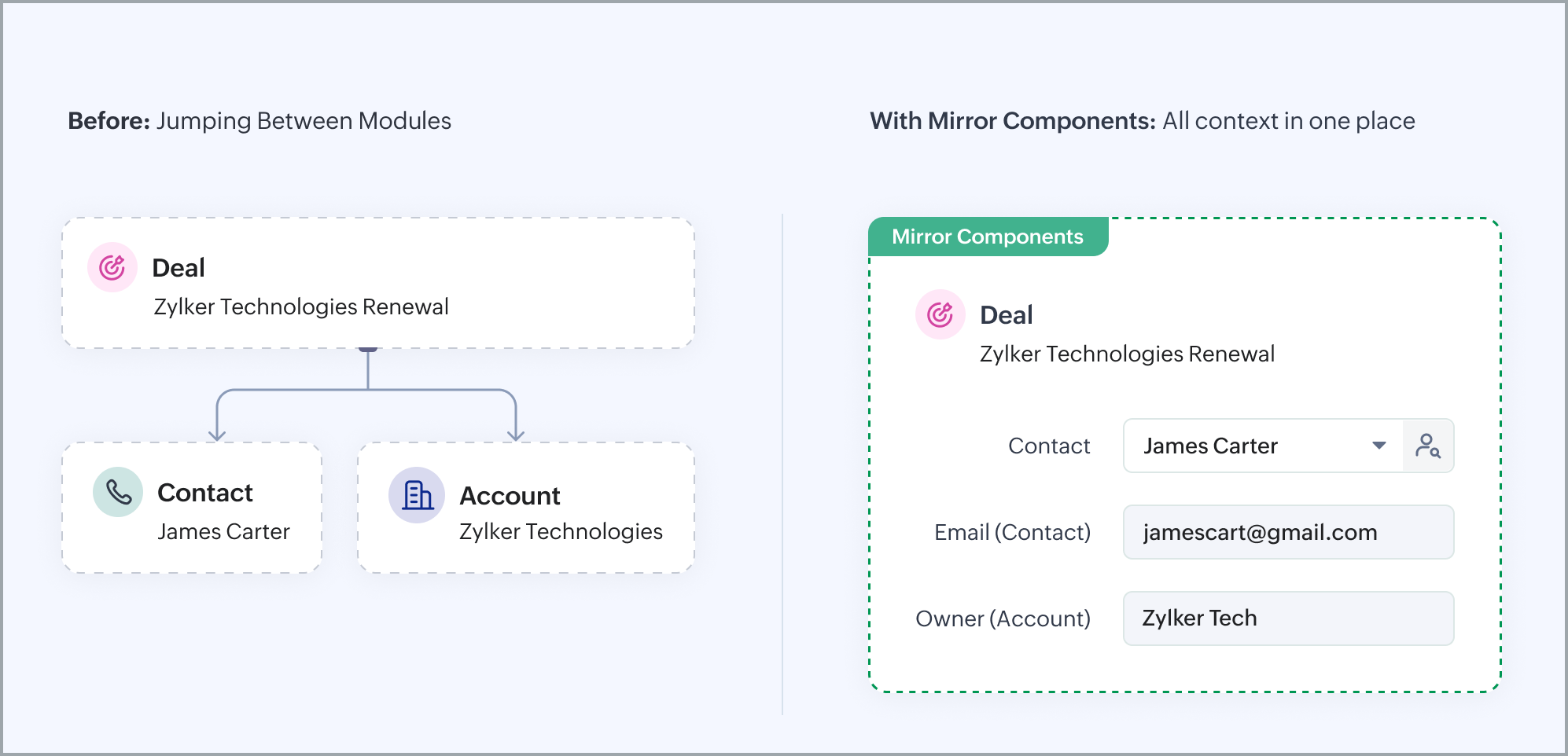
Think of it as a live window into your related records—always current and always accurate.
The Mirror Component lets you view fields from a related record directly within the record you're working on, so there’s no need to jump between modules to find what you need. It simply reflects data in real time, keeping your teams informed without having to leave the current record.
Let’s look at an example to better understand its scope.
Sales reps working on a Deal often need quick access to the linked Contact’s phone number or email address—but retrieving that information typically meant navigating away from the Deal, opening the Contact record, and then finding their way back. With Mirror Components, that friction is gone. The Contact’s details are always on display, right within the Deal record—updated in real time, so reps are never working with outdated information.
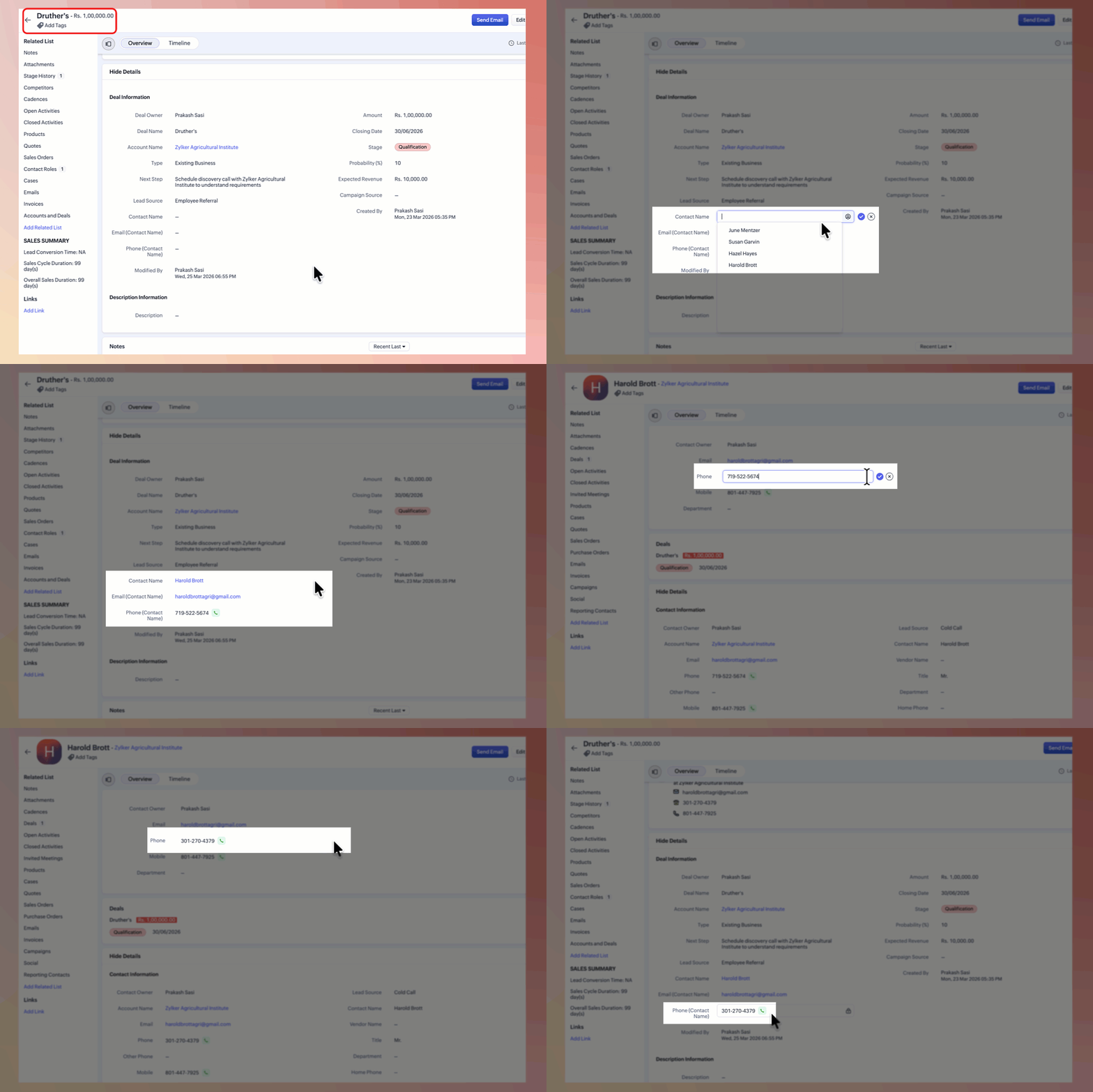
In this scenario, we see that the users get the context they need, exactly where they need it.
As we have seen above, the mirror component is designed specifically to give users direct access to live data from related modules. Any changes or modifications made to the source record will be reflected instantly, ensuring that users always see the most current information.
The mirror component helps users:
Understand the full context of a record in one glance.
Reduce context switching between modules.
Always work with up-to-date information - any changes made in the parent record are instantly reflected.
Make faster, better-informed decisions.
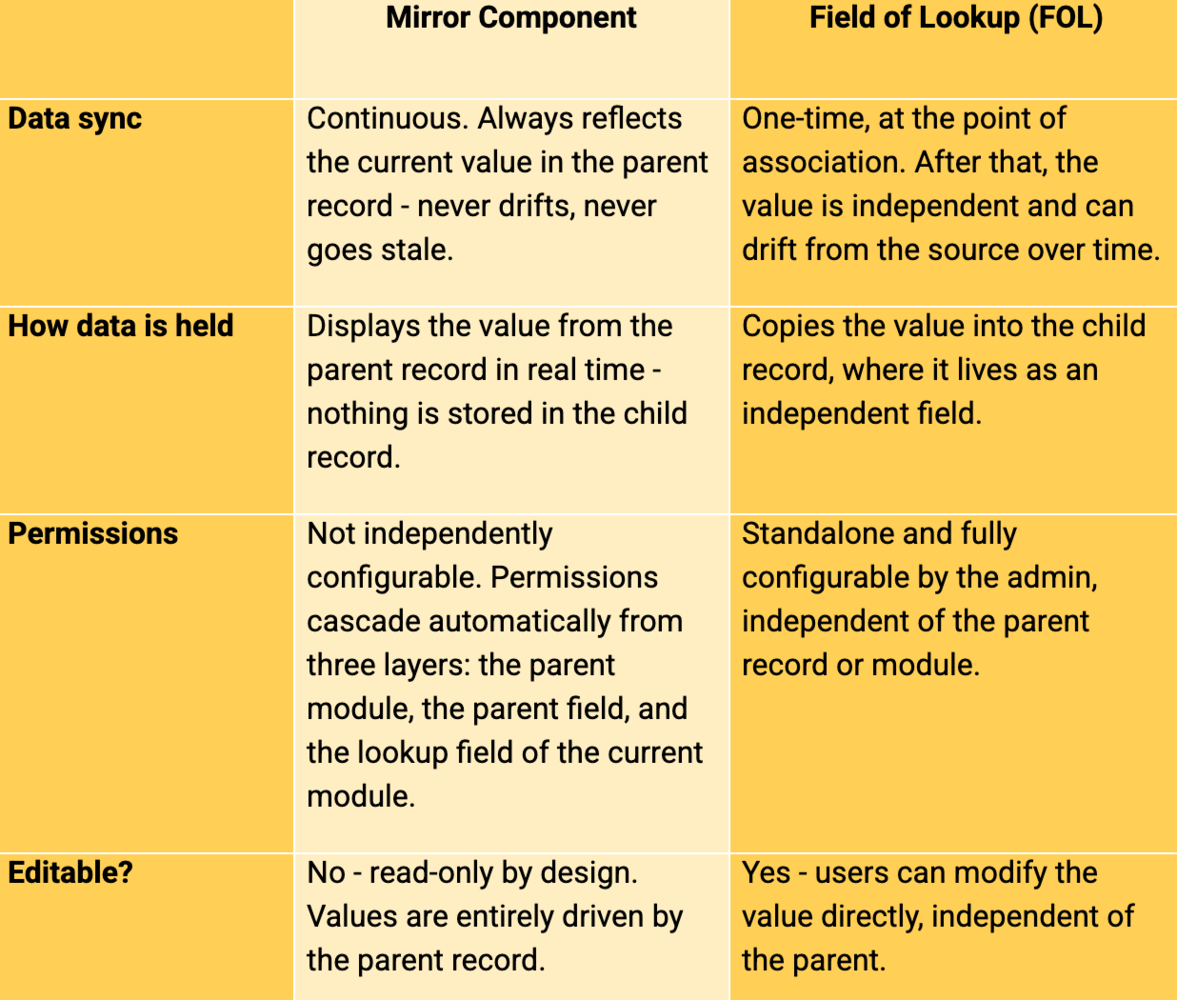
Mirror Component vs FOL - knowing when to use which
Both the Mirror Component and the Field of Lookup (FOL) help bring related data into a record, but they serve distinct purposes. Choosing the right one depends on what you need to do with the data.
Here's a simple way to understand it:
Notes.
- Unlike other fields, mirror components are exclusive to the create, edit, and the details page — they will not be visible in other views like the list view.
- The Mirror Component cannot be used in criteria and filters — however, if a user wants to use the related module fields in criteria and filters, they can use cross-module filters in custom views and smart filters.
- Field limits: Supports up to 100 mirror fields per module, across a maximum of five lookup fields. For instance, one can add up to 100 mirror components for one lookup field or 20 Mirror Components for every five lookup fields.
- Layout-specific behavior: Mirror components are layout-specific.
- Availability: Mirror Components will be available only in modules where you can add a Lookup field.
- Therefore, they are not supported in the Calls, Meetings, Tasks, Appointments, and Users modules. - Edition: Available in all editions except the Free edition.
This feature will be rolled out in phases to users across all data centers over the next several weeks.