SalesIQ operators will not receive any messages if customers do not answer the Pre-Chat questions in Flow Controls.

SalesIQ operators will not receive any messages if customers do not answer the Pre-Chat questions in Flow Controls.

Hi Zoho SalesIQ Team,

I am reaching out to report a issue regarding the Brands > Flow Controls 

SalesIQ operators will not receive any messages if customers do not answer the Pre-Chat questions in Flow Controls and continue sending messages without completing the required responses.

Is it possible to configure SalesIQ so that all incoming customer messages are displayed immediately, even while Flow Controls is still asking questions?

The 'Auto-assign to operator' feature also fails to work if the customer doesn't answer the questions. For instance, when using LINE and WhatsApp, even if the customer keeps sending messages, those messages still won't appear in SalesIQ.

If you ask why we do not simply disable the form field questions, it is because this would impact the Web Chat channel. Without those fields, we would have no contact information to follow up with customers (Name,Phone, Email)

The Problem

When a customer initiates a conversation and sends multiple messages, Operators cannot see or receive any of these messages in SalesIQ if the customer fails to complete the initial form fields or Answer AI questions.

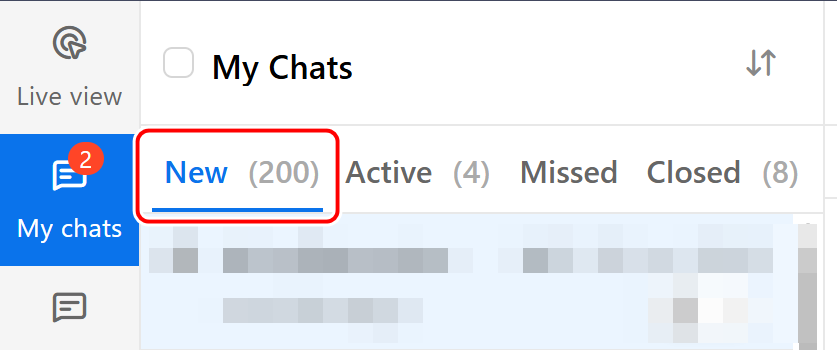
  • The incoming chat does not appear under SalesIQ > My Chats, causing operators to entirely miss the opportunity to engage with the customer.

  • This happens when a field in the chat flow has Validate > "Mark this field as mandatory" enabled, and the customer neither answers the question nor clicks "Skip."

Our Current Settings

  • Forms (Online/Offline Fields): Validate > "Mark this field as mandatory" is enabled.

  • Chat Notification Settings: Auto-assign to operator with the least number of chats is selected.

  • Idle Chat Handling: Set to close chats in 24 hours (now this option cannot be disabled).

Note: This Flow Controls behavior currently affects all connected channels (Web Chat, LINE, WhatApp).

Expected

The ideal solution would be:

  • New Toggle Option: Provide an enable/disable option that allows incoming customer messages to be routed and displayed to operators immediately, without forcing the customer to complete mandatory form fields or AI questions first.

  • While the chat is still in “New Tab”, before it becomes “Active” or is accepted by an operator?

    Example when a customer sends a message, the conversation should instantly appear in My Chats > New (or Unassigned). Meanwhile, the AI can continue its process in the background (e.g., asking for a phone number or email). And operators can accept immediately.


  • Even if the customer does not respond to the AI or answer the workflow questions form, operators should still be able to manually accept the chat.

  • Can this be resolved using a SalesIQ workflow script?
Thank you for your support.

    Access your files securely from anywhere


          All-in-one knowledge management and training platform for your employees and customers.


                                Zoho Developer Community


                                                      • Desk Community Learning Series


                                                      • Digest


                                                      • Functions


                                                      • Meetups


                                                      • Kbase


                                                      • Resources


                                                      • Glossary


                                                      • Desk Marketplace


                                                      • MVP Corner


                                                      • Word of the Day


                                                      • Ask the Experts


                                                                Manage your brands on social media


                                                                      Zoho TeamInbox Resources


                                                                          Zoho CRM Plus Resources

                                                                            Zoho Books Resources


                                                                              Zoho Subscriptions Resources

                                                                                Zoho Projects Resources


                                                                                  Zoho Sprints Resources


                                                                                    Qntrl Resources


                                                                                      Zoho Creator Resources


                                                                                          Zoho CRM Resources

                                                                                          • CRM Community Learning Series

                                                                                            CRM Community Learning Series


                                                                                          • Kaizen

                                                                                            Kaizen

                                                                                          • Functions

                                                                                            Functions

                                                                                          • Meetups

                                                                                            Meetups

                                                                                          • Kbase

                                                                                            Kbase

                                                                                          • Resources

                                                                                            Resources

                                                                                          • Digest

                                                                                            Digest

                                                                                          • CRM Marketplace

                                                                                            CRM Marketplace

                                                                                          • MVP Corner

                                                                                            MVP Corner


                                                                                              Design. Discuss. Deliver.

                                                                                              Create visually engaging stories with Zoho Show.

                                                                                              Get Started Now


                                                                                                Zoho Show Resources

                                                                                                  Zoho Writer

                                                                                                  Get Started. Write Away!

                                                                                                  Writer is a powerful online word processor, designed for collaborative work.

                                                                                                    Zoho CRM コンテンツ


                                                                                                      Nederlandse Hulpbronnen


                                                                                                          ご検討中の方