Organize your workforce efficiently with Locations in the Admin Console
Keeping your organization structured becomes increasingly important as teams expand across different offices or regions. For administrators, having clear visibility into where users are based can simplify user management and improve operational clarity.
The Locations feature in the Zoho Mail Admin Console helps you organize users according to their branch or work location, making it easier to manage distributed teams.
What is the Locations feature?
The Locations feature in Admin Console allows administrators to add and manage the physical branch locations of their organization. Once locations are defined, they can be mapped to individual users, making it easy to identify where each employee is working from.
Only Super Administrators and Administrators have permission to add and assign locations.
Key use cases
- Branch mapping: Define each office or work site — including name, address, and local time zone — and maintain a structured directory of your organization's physical presence.
- User-level assignment: Map locations directly to individual users from the Users section, giving you a clear view of where each team member is based.
- Time zone accuracy: Associate each branch with the correct time zone, enabling better scheduling and communication across geographically distributed teams.
- Bulk location updates: Select multiple users at once in the Users section and assign or change their location in a single action, making it ideal for team-wide reassignments or org restructuring.

Why it matters for admins
- Workforce visibility: Maintain a clear, up-to-date record of where employees are located — useful for audits, compliance, and reporting.
- Scalable structure: As your organization grows and new branches open, locations can be added or edited at any time without disrupting existing user assignments.
- Flexible updates: Locations can be reassigned to users at any time from the Users section, making it easy to reflect transfers or office moves.
Steps to add organization Locations
- Log in to Zoho Mail Admin Console.
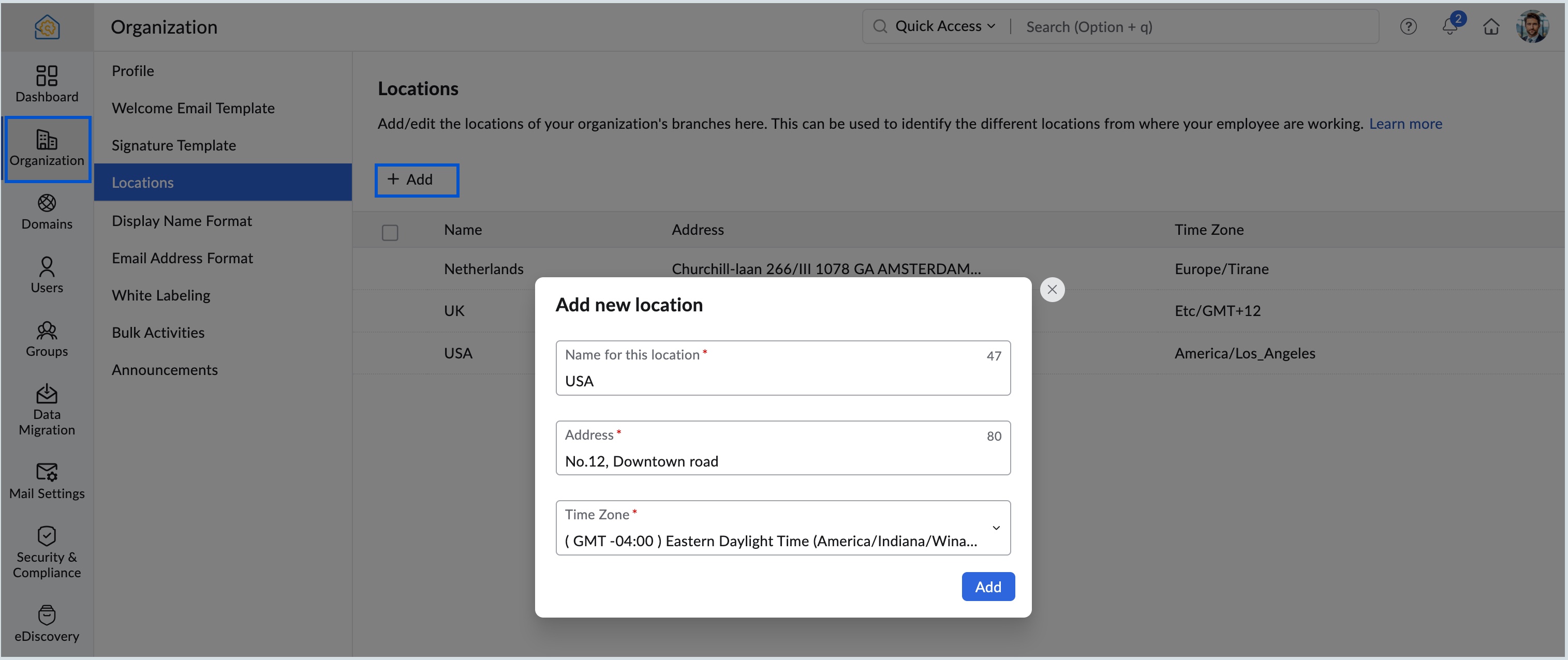
- In the Organization menu, navigate to the Locations section.
- Click Add. If there are no existing locations, click Create your first location now!.
- Enter the location, address and choose the correct time zone from the dropdown, and click Add.
- You can select the Edit or Delete options across each location to edit or delete them.

Know more about organization locations and changing member's location.