Pin Columns and Adjust Column Widths in CRM Subforms
Dear Customers,
We’re thrilled to introduce two powerful enhancements to CRM subforms: Pin Columns and Adjust Column Widths. These features are designed to improve data accessibility and make managing subforms more intuitive.
Why This Matters :
Subforms are essential tools for organizing complex data, like associating multiple line items with a primary record. However, navigating through extensive subform data—such as product details, quantities, prices, and delivery dates—can be challenging.
To simplify this process, we’ve introduced these enhancements:
1. Pin Multiple Columns
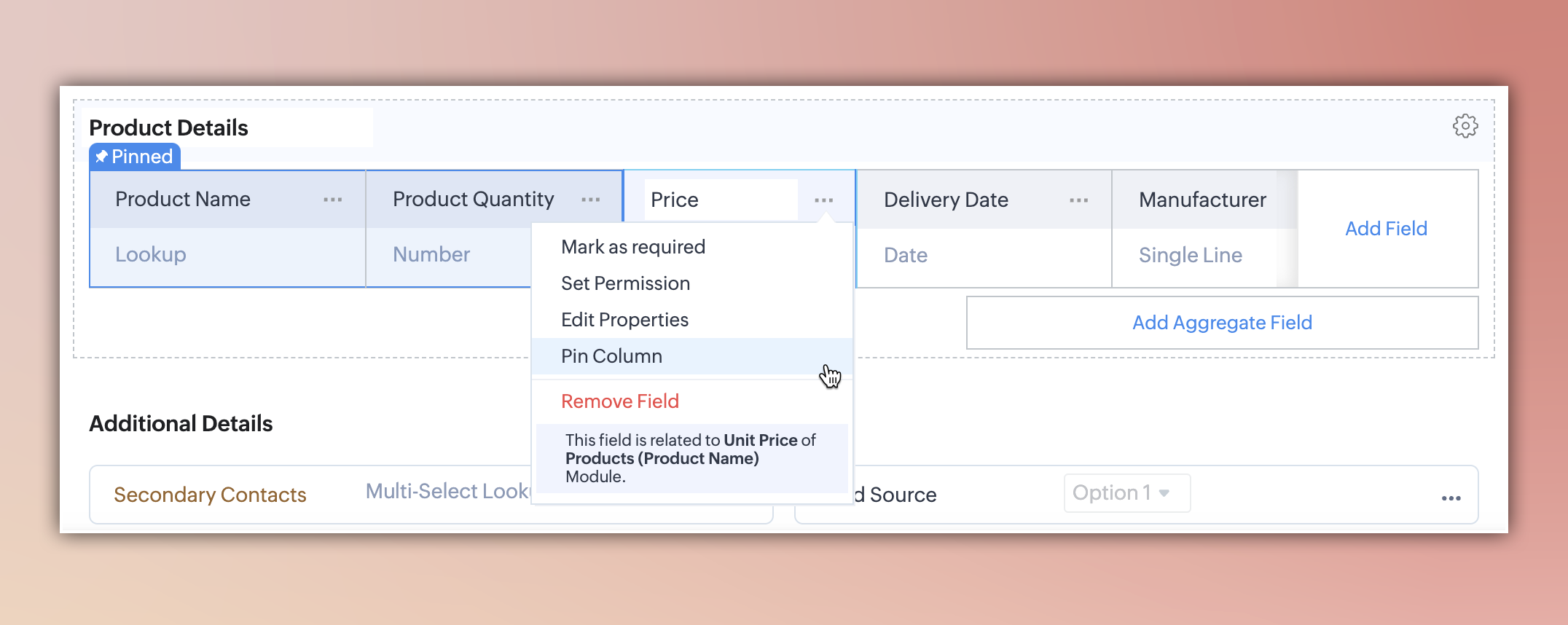
This feature allows you to pin key columns in subforms, ensuring they stay visible while you scroll through other data.
Use Case:
When managing product details in a deal, you can pin columns such as "Product Name," "Quantity," or "Price" to keep them in view while reviewing details like "Delivery Date" or "Order Status."
How It Works:
- Admins can pin up to three columns via the layout editor by clicking Pin Column near the column header.
- Once saved, pinned columns remain fixed while scrolling.
2. Adjustable Column Widths
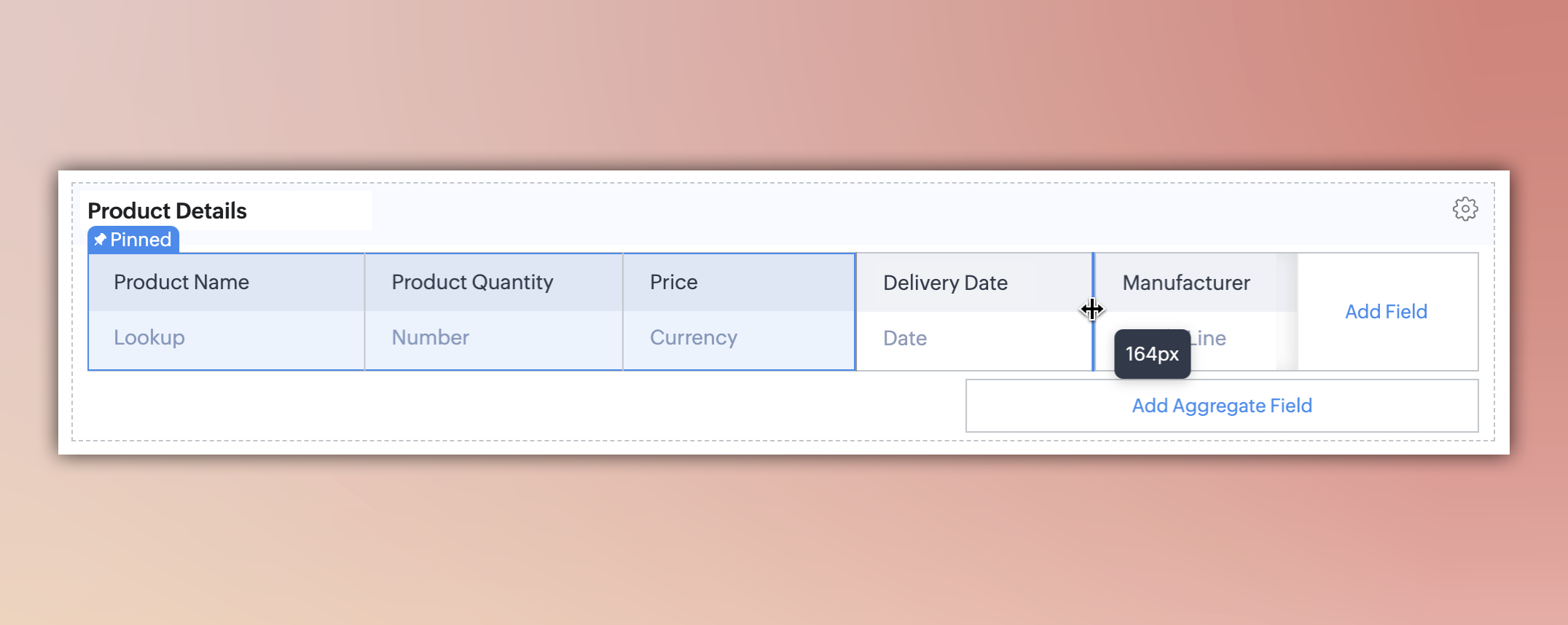
This feature lets admins resize column widths to match the amount of data in each field.
Benefits:
- Expand fields with extensive data.
- Compact fields with shorter entries.
- Reduce unnecessary horizontal scrolling for a cleaner interface.
How It Works:
Admins can adjust the width of subform fields directly in the layout editor.
Key Points to Note:
- Admin-Level Control: Currently, only admins can use these features. User-level customization will be available in future updates.
- Layout-Specific Customization: Changes are specific to the layout they’re made in and won’t affect others.
Release Plan:
These enhancements are now live in partner demo accounts. We will roll them out to all users in the coming weeks.
We’d love to hear your thoughts! Share your feedback or questions in the comments below.
Thank you for your continued partnership!