Public fields: Make certain fields visible for everyone in your Zoho CRM
Hello Enterprise Community,
We are back with an exciting enhancement: Public Fields. This new feature ensures that specific fields in your Zoho CRM are visible to everyone, facilitating better collaboration and transparency across your team. Stay tuned for more updates as we continue to improve your CRM experience!
Public fields are fields that are marked visible for all users in the CRM organization.
Why make fields public?
Contextual collaboration is the sum and substance of CRM for Everyone. It enables organizations to onboard its various functions onto one platform and carry their processes with individualized focus. It does so using teamspaces and team modules.
Teamspaces are spaces dedicated to each function in an organization. They consist of org modules that teams use to carry out their primary sales processes as they apply to the org's larger function, and team modules where teams perform their supplementary processes. Click here to learn more.
Just like how org modules and team modules that belong to a single function are unified within a bigger teamspace, users can look up the data in an org module in a team module using lookup fields. As you might know, traditional lookup fields help establish relationships between records from two modules and enables users to cross-reference them to accomplish certain processes.
But thanks to the fact that org modules are shared with users across the organization, and team modules are restricted to members of the team, the data in the team module is constrained by hierarchical permissions. That is, users with access to both modules can access the looked-up record directly, and those without access won't be able to access it. This hinders collaboration.
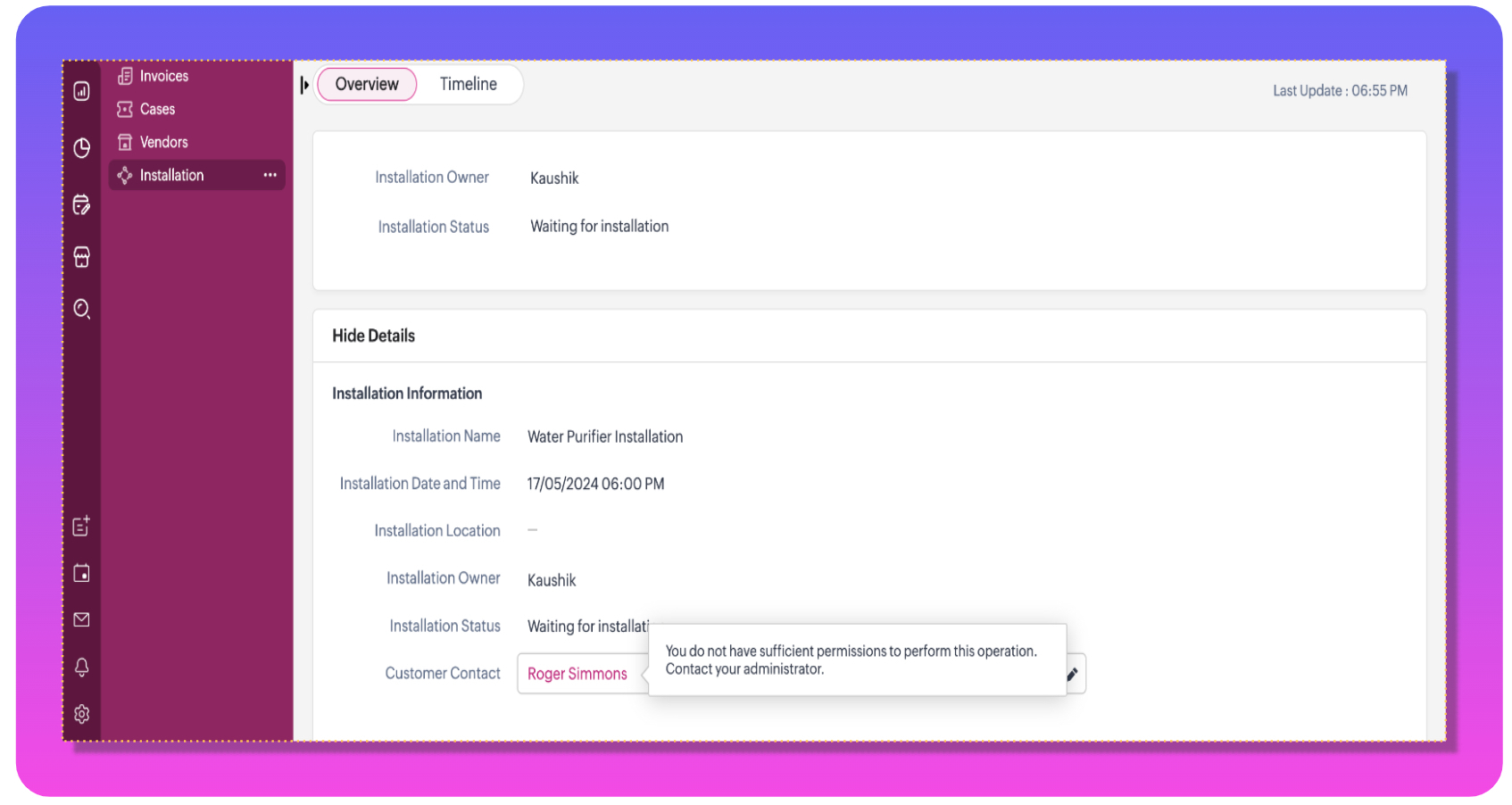
That's why we built public fields. When you mark fields in these modules as public, they'll be visible for all users irrespective of their permissions. This will enhance user collaboration without compromising on security.
Let's look at an example.
Zylker is an online domestic service provider that installs appliances like water purifiers, air conditioners, HVAC units, and so on via online bookings. They manage their installations using a team module that details customer requirements from the org module- contacts. The contacts module, although containing customer preferences, also has personal information that the installation team doesn't need to know. Thus, to enforce this data boundary while also providing access to essential information, the admins can mark those fields as public.


Note:
- In addition to team modules, fields from org modules can also be marked as public. The same behavior applies.
- Public fields are accessible only to users who don't have access to the lookup record. They can't edit the data, but can view it.
- Users with access to the record will be redirected to the record's details page.
- Public fields will be accessible to users in all places where the lookup field is referred to, like the list view, reports, details page, and other accessible areas.
Limits and availability:
- You can mark up to 30 fields in each module as public fields. This includes fields from the record detail page and subforms.
- This property is available for standard, professional, enterprise, and ultimate editions of CRM.
This feature will be enabled for everyone in the upcoming weeks. If you would like to try it out, send a request to your support email address, and we can enable it for you.