Publish spreadsheets, sheets, or ranges with specific customizations

Publish spreadsheets, sheets, or ranges with specific customizations

Publishing a spreadsheet allows you to share your reports or data with a wider audience. To expand the publishing capabilities for your spreadsheet, we've revamped the publish controls in Zoho Sheet.
 

New look, extensive options

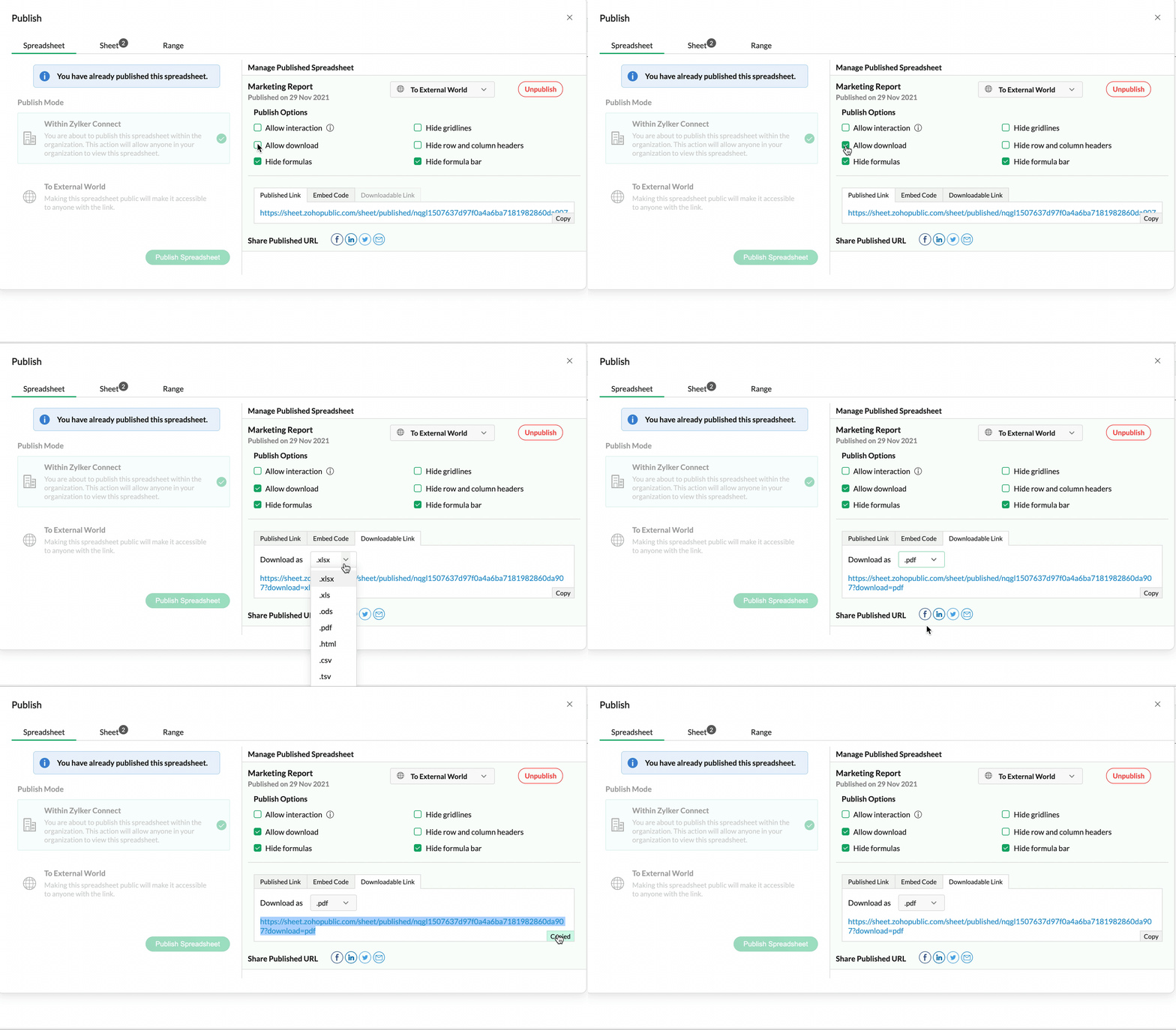
With the new publish dialog, we've brought all publishing capabilities into one place, making it easier to access and manage.
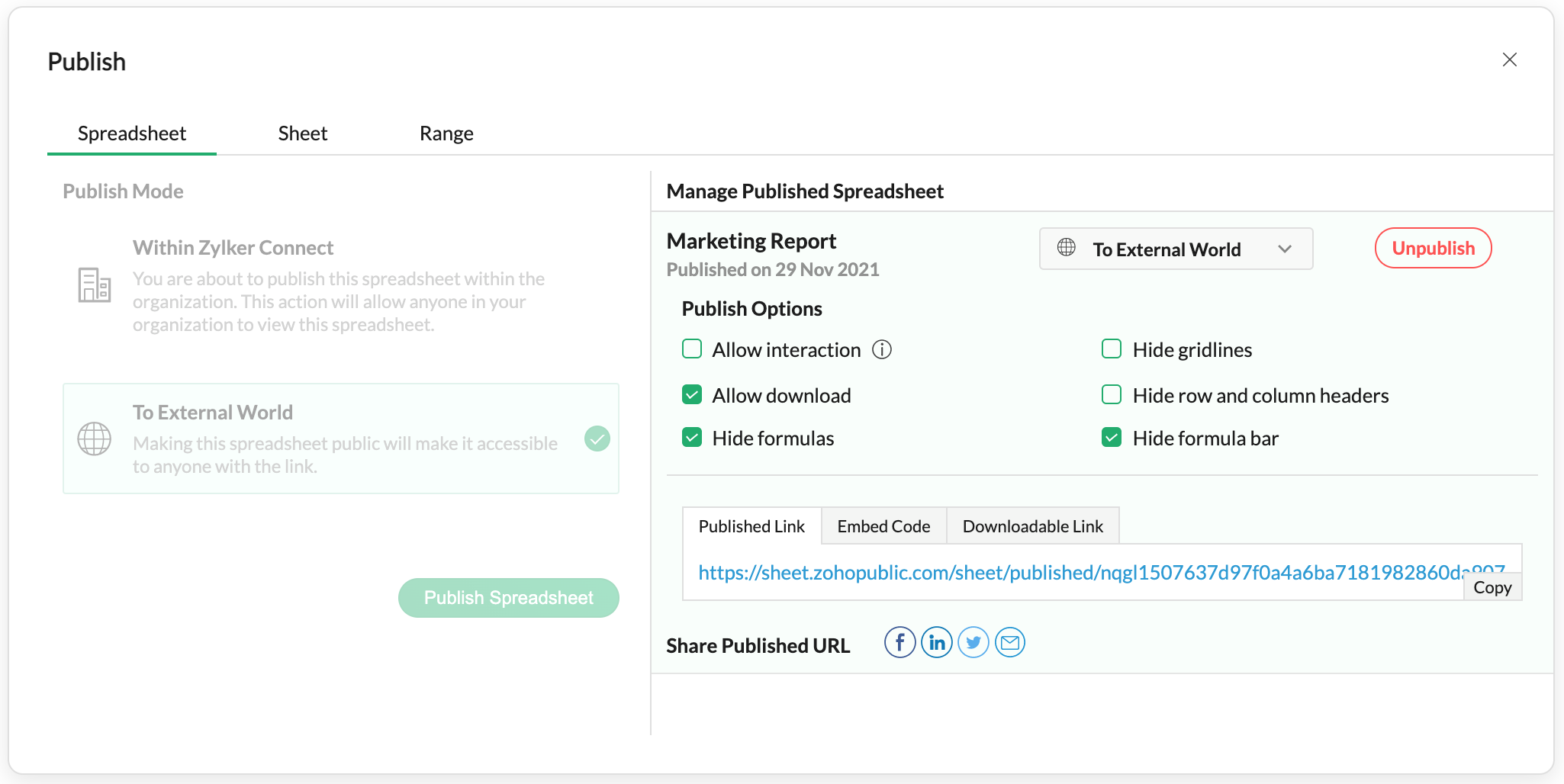


Publish individual sheets 

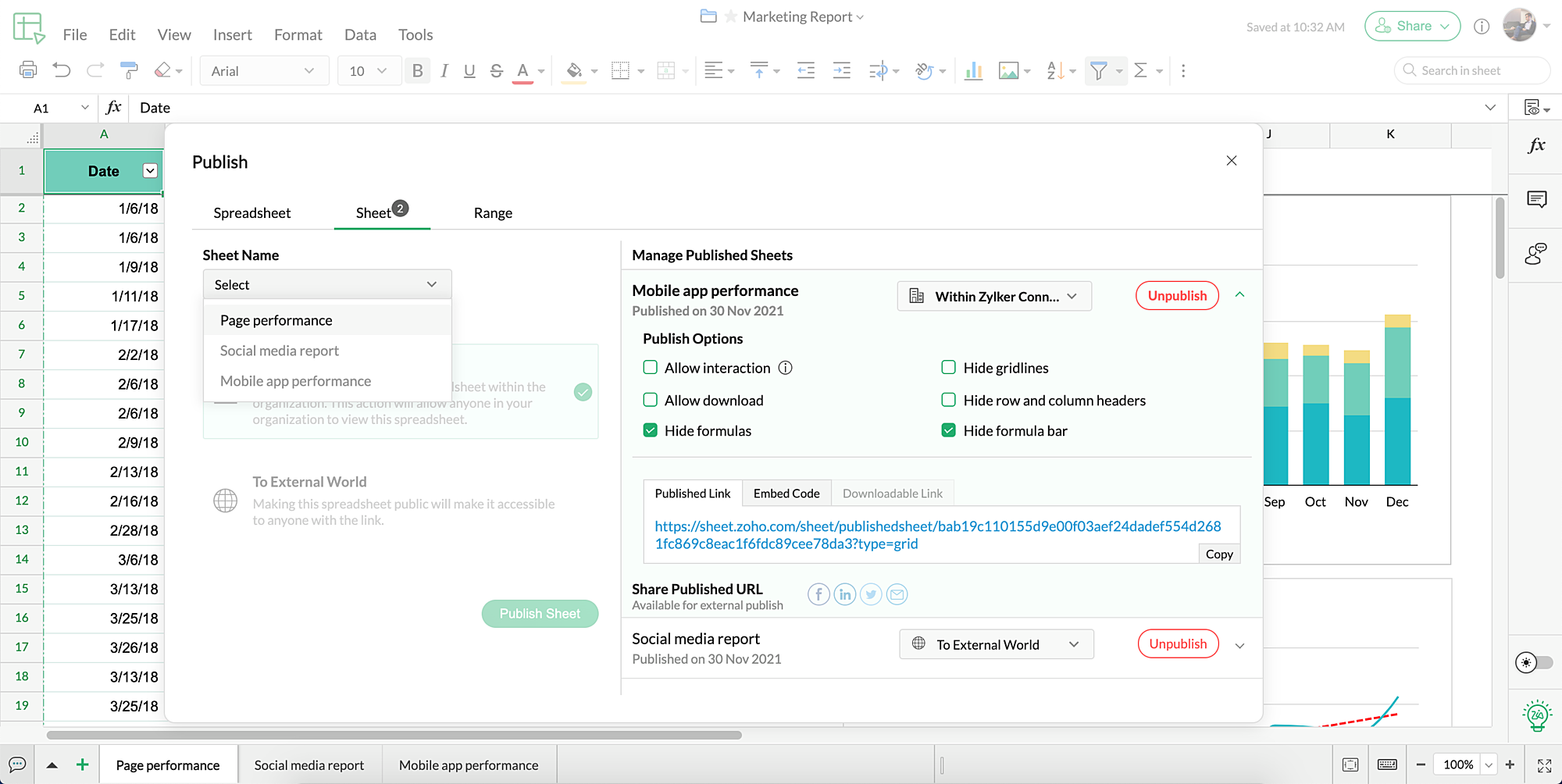
You can now publish and embed separate sheets in your spreadsheet for separate audiences without allowing them to view the other sheets in your spreadsheet file!


Embed interactive ranges 

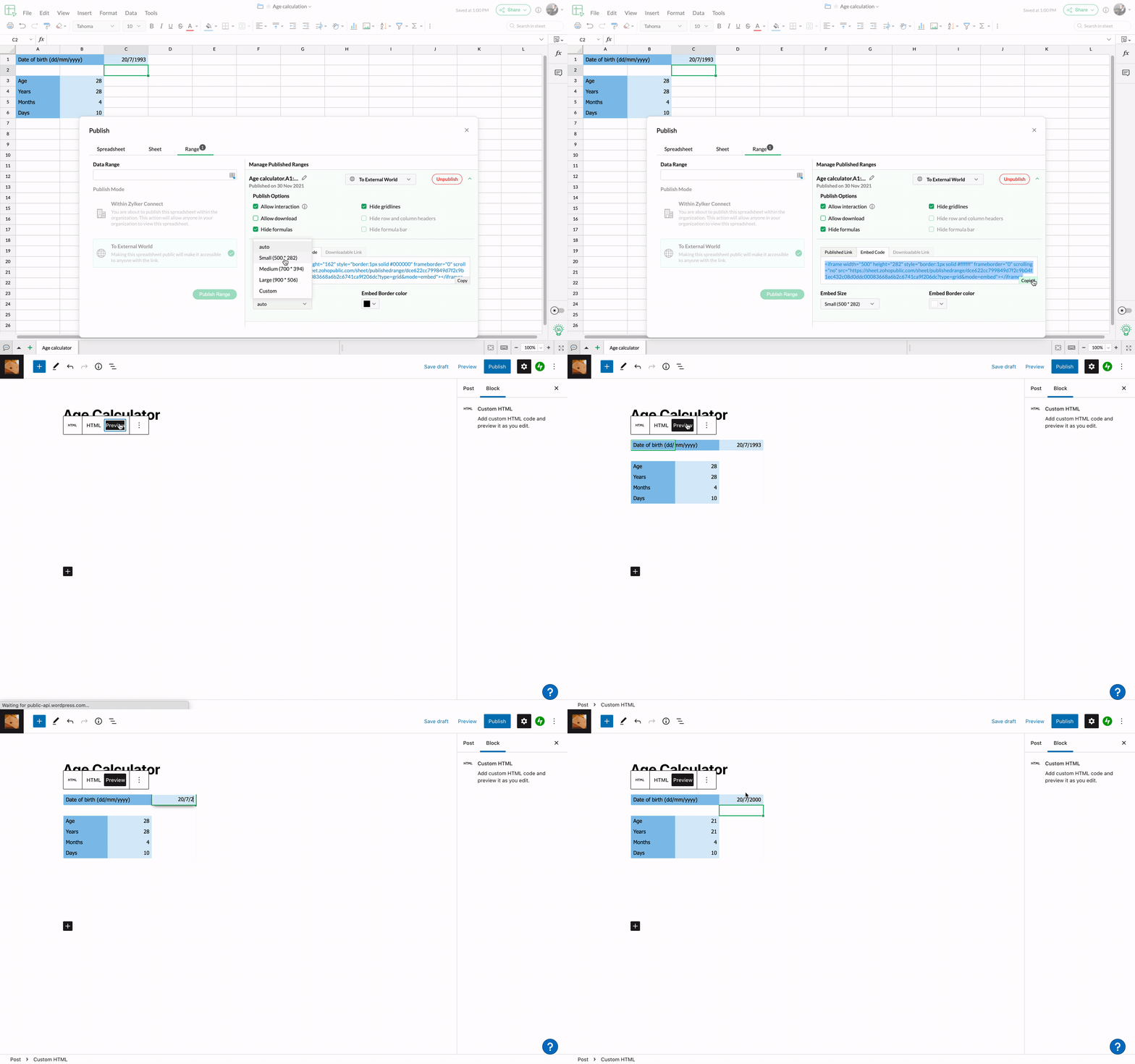
With this update, you can choose to embed an interactive range on your website or blog to allow your readers to play around with the formulas, formats, and more without affecting the original data range.


Extensive customizations 

The revamped publish settings helps you choose whether to allow or restrict interaction or download, as well as show or hide formulas, gridlines, row/columns headers, and the formula bar. 
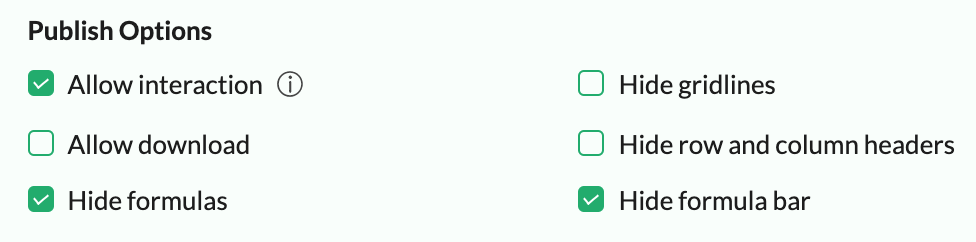


With these customizations, you can personalize your published reports and limit audience access as well!
 

Get downloadable links 

Once you choose to publish your spreadsheet, sheet, or range with download access, you can share the downloadable link with your colleagues, create integrations, or use it on your website for your readers to access easily.


Spread the word 

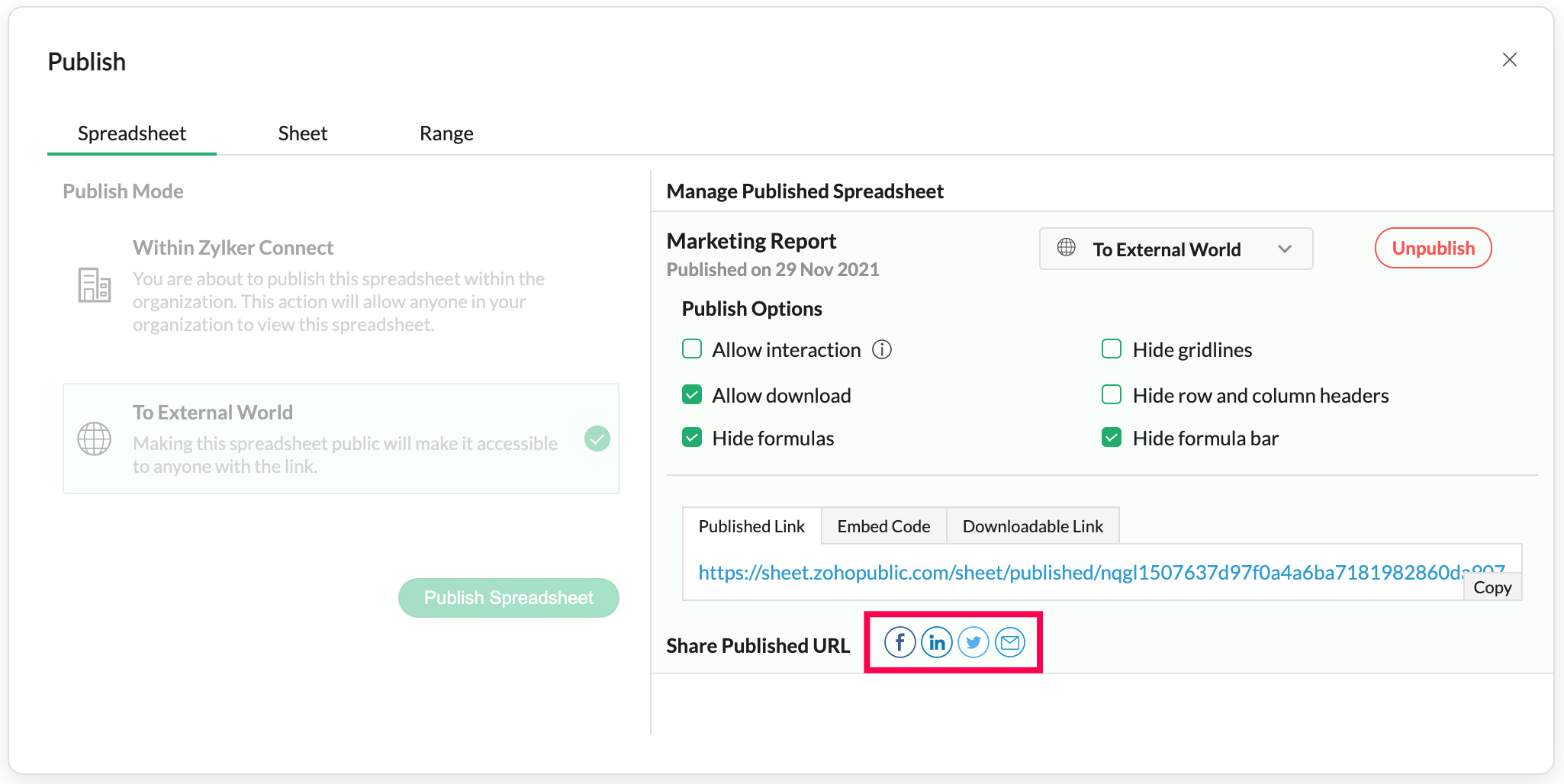
Working on a report that could use some social media attention? Share your published links with a personalized message directly to your social media accounts from Zoho Sheet using the respective icons in the publish dialog!


Give us your feedback about the latest updates in the publish settings in the comments below!
 
Join the Zoho Sheet community and stay updated on the latest features, interact with fellow users, and learn more from the team behind Zoho Sheet.

                        Zoho Marketing Automation
                                • Sticky Posts

                                • New Toolbar in Zoho Sheet

                                  We have revamped our toolbar design in this new version of Zoho Sheet. Below are some screenshots to help you get accustomed to this new interface. Click on the picture below to view the animated image in its original size. Scroll down this post to learn about the changes. Highlight of Changes: The previous format tab is now split into 2 tabs - Home and Format. The Home tab contains the commonly used functions and the Format tab holds formatting related options. Under the Home tab towards the far
                                • Check out the new Checkbox in Zoho Sheet

                                  Checkbox, the simple GUI widget that lets you choose between two mutually exclusive options i.e Yes or No, is now in Zoho Sheet. Having made it across the web, Checkbox is familiar but is still elusive to most spreadsheet software. Special developer ribbons, macros and all other complexities to add a checkbox to a spreadsheet? Not in Zoho Sheet. How to add Checkbox to Zoho Sheet? Adding a Checkbox in Zoho Sheet is simple. Select a cell/range and choose "Checkbox" in "Input Controls" under the Format
                                • Introducing 15 new Zoho Sheet functions

                                  Zoho Sheet supports more than 350 predefined functions across a wide range of categories, like Text, Financial, and Spreadsheet. We released the LAMBDA function in 2021. Now, we are adding more LAMBDA functions, along with some highly convenient text
                                • Introducing Forms in Zoho Sheet

                                  We hereby bring you the power of ​forms in Zoho Sheet. ​Now, build and create your own customized forms using Zoho Sheet. Be it compiling a questionnaire or rolling out a survey, Zoho Sheet can do it all for you. Forms is an excellent feature that helps you collect information in the simplest of ways and having it in Zoho Sheet takes it a notch higher. Build Simple yet Powerful forms Building forms using Zoho Sheet is fairly simple. The exclusive 'Form' tab lets you create one quickly. Whether you
                                • Collaborative spreadsheets on your smartphone.

                                  Waiting till you're at your laptop to get your work done is a thing of the past. Stay on track with the mobile world with the Zoho Sheet app for iPhone, iPad, and Android devices—watch the video. Now you can:   View and access all your spreadsheets—both owned and shared. Perform calculations in a snap with more than 350 functions.  Visualize data with charts and conditional formats. Share and collaborate in real time with your team. Distribute files with shareable links. Insert hyperlinks, checkboxes,


                                Manage your brands on social media


                                        Zoho TeamInbox Resources

                                          Zoho DataPrep Resources


                                            Zoho CRM Plus Resources

                                              Zoho Books Resources


                                                Zoho Subscriptions Resources

                                                  Zoho Desk Resources

                                                    Zoho Projects Resources


                                                      Zoho Sprints Resources


                                                        Qntrl Resources


                                                          Zoho Creator Resources


                                                            Zoho WorkDrive Resources


                                                              Zoho Campaigns Resources

                                                                Zoho CRM Resources

                                                                • CRM Community Learning Series

                                                                  CRM Community Learning Series


                                                                • Tips

                                                                  Tips

                                                                • Functions

                                                                  Functions

                                                                • Meetups

                                                                  Meetups

                                                                • Kbase

                                                                  Kbase

                                                                • Resources

                                                                  Resources

                                                                • Digest

                                                                  Digest

                                                                • CRM Marketplace

                                                                  CRM Marketplace

                                                                • MVP Corner

                                                                  MVP Corner

                                                                • Word of the Day

                                                                  Word of the Day


                                                                      Design. Discuss. Deliver.

                                                                      Create visually engaging stories with Zoho Show.

                                                                      Get Started Now