Zoho Cliq REST APIs v3 - A Complete Guide to What's Changed & Why

APIs are not just consumed by a developer with numerous automations and a series of open browser tabs. They are parsed by LLMs, fed into agent pipelines, and auto-completed by AI coding assistants that have zero tolerance for inconsistency.
A verb tucked into a URL, multiple pagination tokens across each module, inconsistent key naming, etc. These gaps create friction that compounds across every integration built on top of our APIs.
Hence, introducing our new REST API documentation with v3 REST APIs, which act as a comprehensive rule-book detailing proper response structures, error codes, query conventions, URL format and HTTP semantics.
To switch between the two API versions, navigate to the top-right corner of the documentation, where you will find a dropdown menu. We currently support v2 (legacy) and v3 (latest).
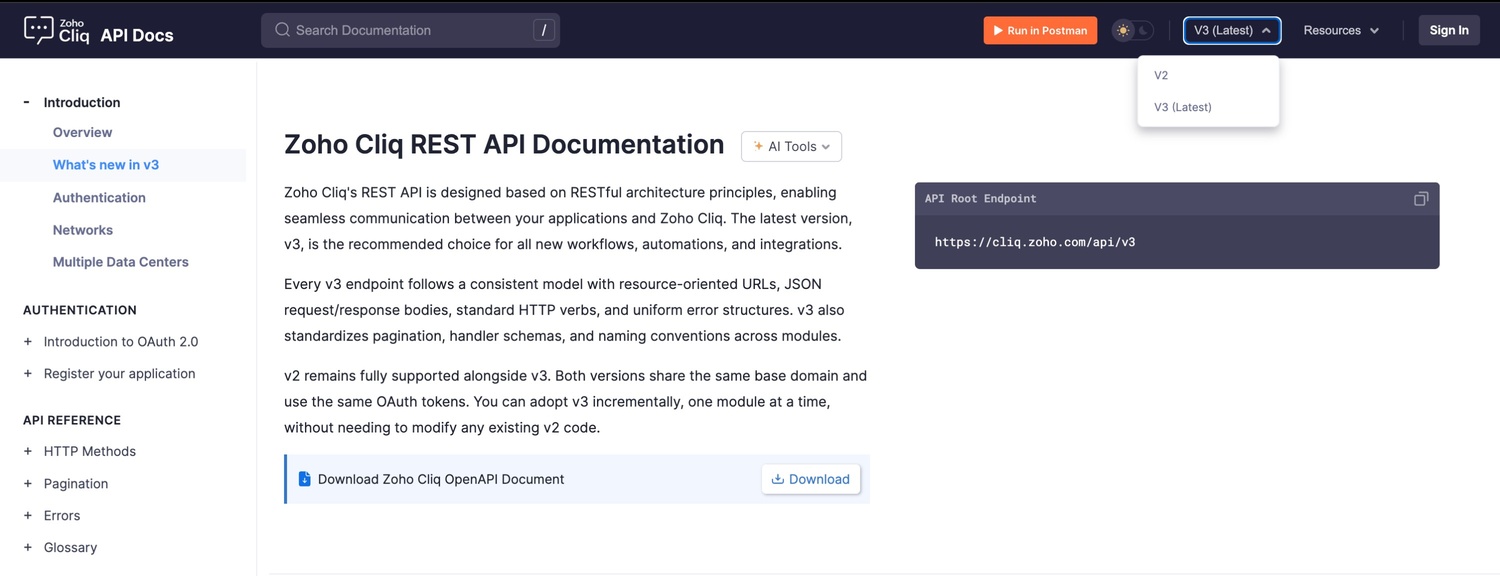
Here's what we have upgraded, why it's essential, and what it means for anyone building with Cliq APIs today.
What's new in v3
Platform components management
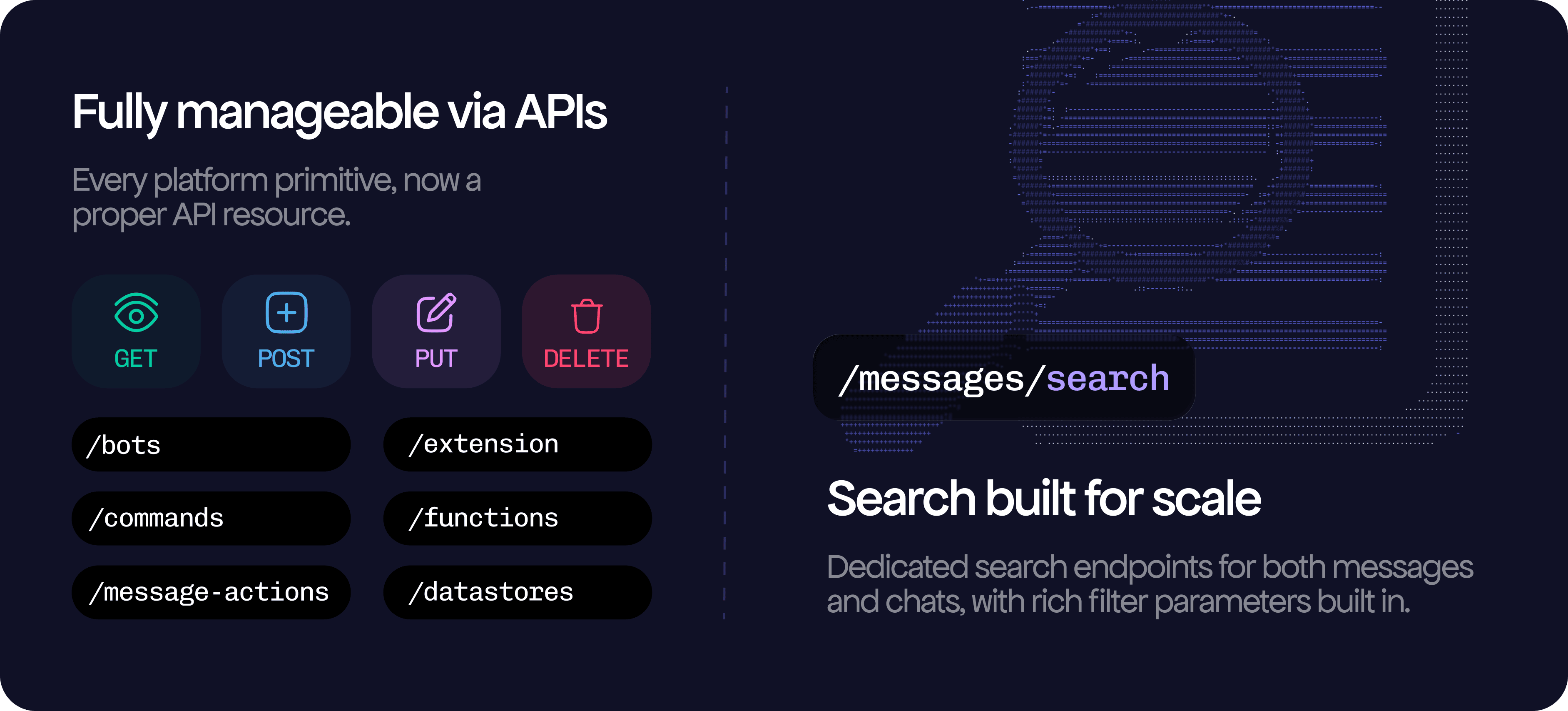
Bots, slash commands, message actions, functions, datastores (databases termed as datastores in v3), and extensions were fully configurable only through the UI, which changes entirely with v3.
Every platform component now has full CRUD API coverage (schedulers and widgets will be launched soon). Creating deluge or webhook bots, adding a script to handlers, and all of this can be automated.
No more endless search exploration
Cliq UI via API
With v3 APIs, the chat surface is fully programmable, including creating direct and group chats, forking conversations from any message point, sending typing indicators, bulk-updating read states, and managing chat folders and local history.
Stars, pins, and chat folders are no longer UI-only gestures; they are proper first-class resources with full CRUD endpoints that fit naturally into the same model as everything else in v3.
And settings finally have a single, consistent home DND preferences, mobile notifications, user preferences, and keyboard shortcuts all live under /settings with a uniform GET/PUT pattern.
New documentation template

AI tooling

- Interrogate implementation questions, debug edge cases, and more by clicking the AI tools dropdown, which populates the Open in Claude, Open in ChatGPT, Copy as Markdown, and View as Markdown options available on every documentation page.
- Launch a Claude or ChatGPT session with the full endpoint schema already loaded in context.
OpenAPI Specification, per resource and as a full bundle

- Every module overview page ships a module-specific OAS .yml file, and the complete openapi-all.zip bundle is always one click away.
- Feed it into OpenAPI Generator for typed client SDKs, drop it into an LLM for schema-accurate code generation, load it into SwaggerHub for an interactive explorer, or wire it into your CI pipeline for contract testing.
Updated Postman collection

- At the top of the documentation, access the Postman collection with the correct method, URL, headers, and body for every endpoint. An OAuth folder handles the full token lifecycle and automatically generates and populates both your access and refresh tokens without any manual setup.

- Multi-data center support is added into environment variables, two changes switch the entire collection across the US, EU, IN, AU, JP, and CA. Fork it, pull updates as the API evolves, and keep every customization intact.
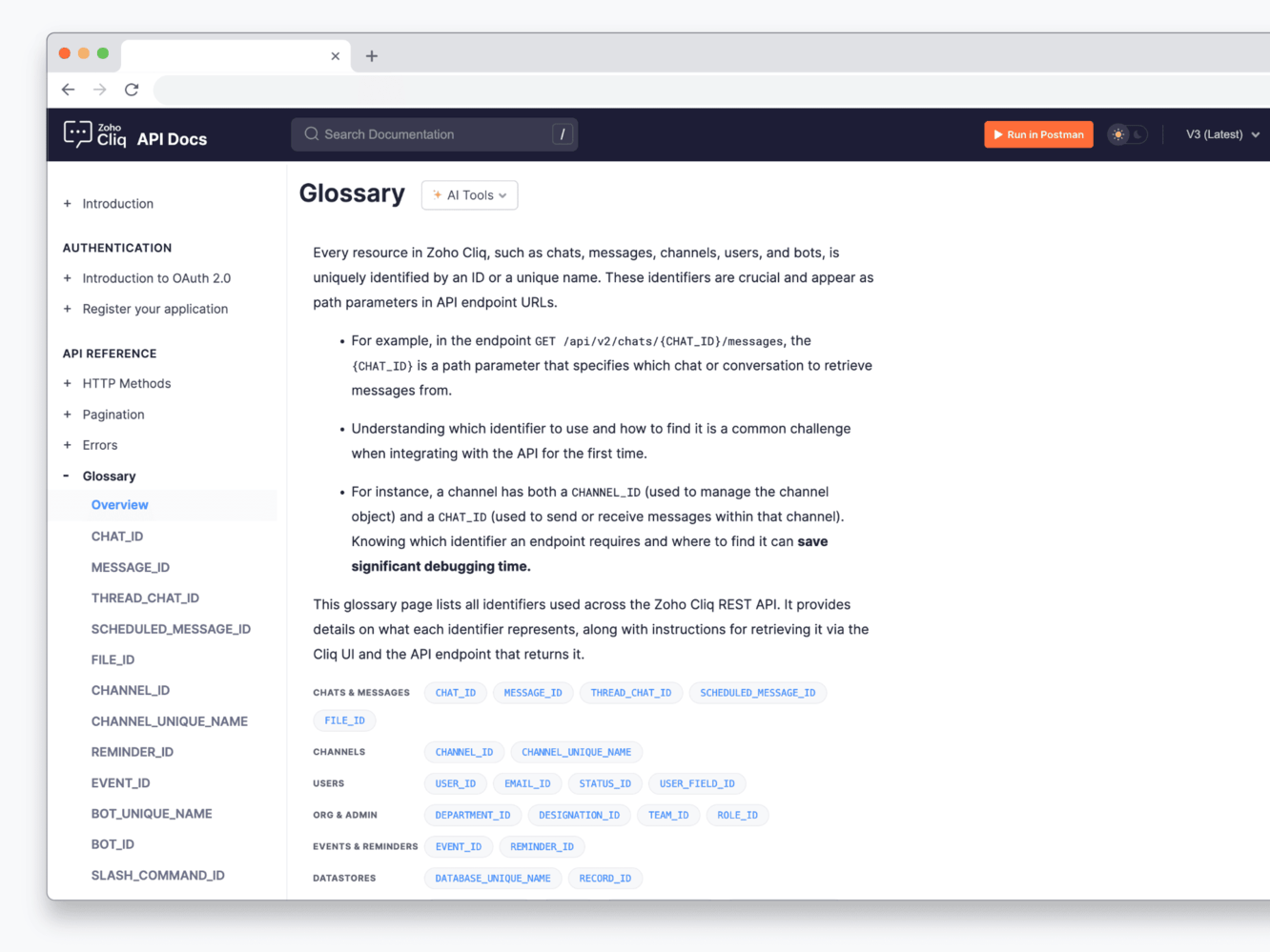
Glossary as a single source of truth
Multiple language code examples
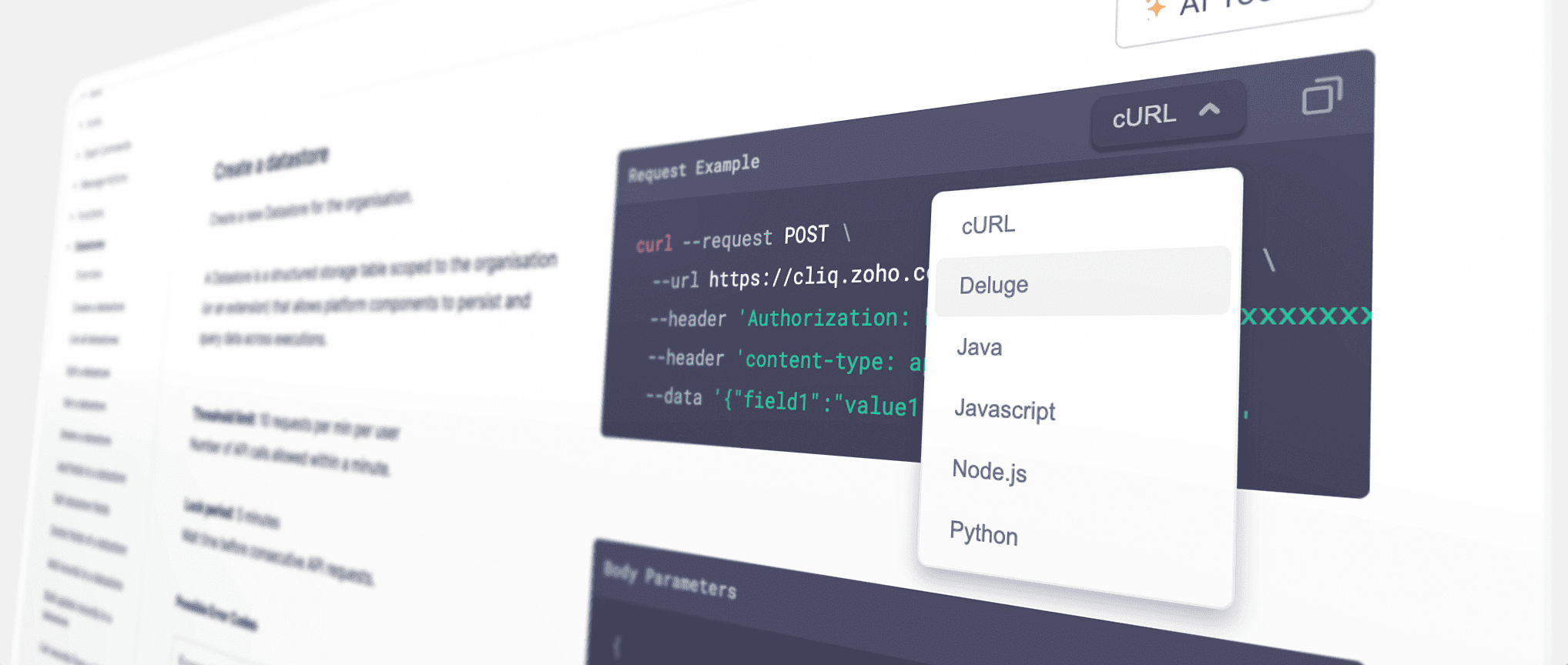
- cURL, Deluge, Java, JavaScript, Node.js, and Python are available copy-ready on every endpoint. Default is cURL. Use the dropdown to switch between different code examples. Pick your language, copy, and run.
- Fun-fact: We've also got you covered with bonus support for C#, C# HTTPClient, Go, and JavaScript XHR 🥳
Endpoint-specific errors

- Every endpoint includes a section called "Possible Error Codes." By clicking this section, you can view error codes along with their HTTP status codes and plain-language descriptions.
- The codes in the table match exactly the strings the API uses. The information is presented in an expandable and collapsible format to enhance the user interface and user experience.
- The relevant error handling can be done with your custom scripts without parsing or guessing any more
Multiple request body examples, per endpoint
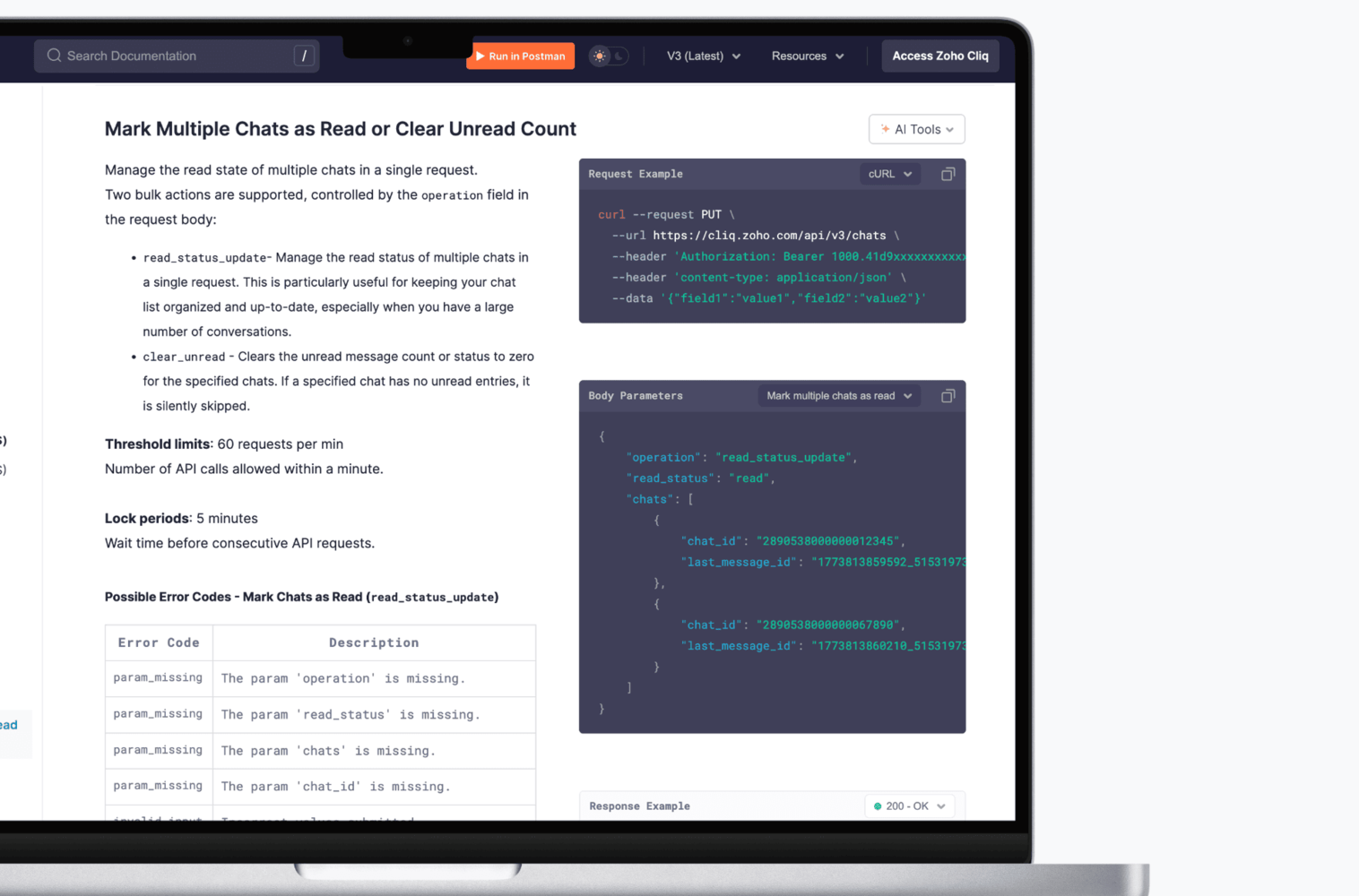
- Some endpoints support multiple ways to use them. For those, the documentation ships multiple request body examples, each mapped to a distinct business use case, with its own response example.
- Switch between them from the dropdown, understand the intent, and take it straight into your script. No reverse-engineering the schema, no guessing what a field is actually for, every example is a real, working scenario you can adapt and use
Technical Upgrades
Removal of verbs in URL
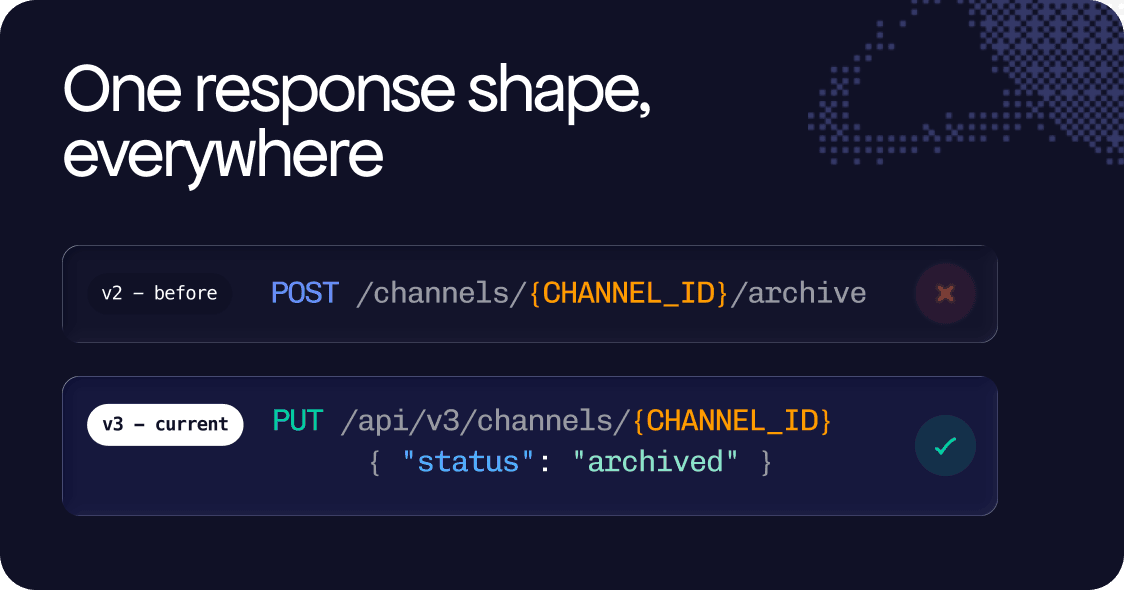
- v2 APIs used verb patterns as placeholders in endpoint URLs (e.g., /resource/create or /resource/delete), and these endpoints are spread across every module.
- v3 APIs remove these verb placeholders, so every state transition that previously had a unique endpoint now uses a PUT or PATCH on the resource itself, with the new state included in the request body.
Unified response envelope
- {
- "type": "bot",
- "data": { ... }
- }
- For list responses, the same envelope extends naturally:
- {
- "type": "bot",
- "next_token": "NTB8MTc1Nj...",
- "sync_token": "NTB8MTc3Nz...",
- "deleted": ["53719000001620003"],
- "data": [ ... ]
- }
Uniform pagination

- next_token: A cursor for forward pagination that works the same way regardless of which resource you are querying.
- sync_token: Designed for incremental sync, it returns only the records that have changed since your last request, making it significantly more efficient for keeping local state up to date.
PATCH as a First-class method
This means that when updating two fields on a bot, you no longer need to resend the entire configuration. Instead, you only send what has changed, and the rest remains untouched.
- PATCH /api/v3/bots/{BOT_ID}
- {
- "name": "CRM Bot",
- "scope": "organization"
- }
Further additions
- URL Nesting: URL nesting is only used when it adds real value. If a parent ID can be understood from the authentication token, it is removed from the URL path. This keeps the URLs clean and avoids redundancy.
- Plural resource names: Every resource name in every URL, at every nesting level is plural. Hence predictability at URL level means tooling don't need to special case anything, one common rule is applied everywhere.
- Hyphens for multi-word segments: All multi-word segments use hyphens not camelCase, not underscores and no concatenation.
Example: /api/v3/chats/{CHAT_ID}/pin-messages - Consistent Key Formatting: All request and response keys follow a consistent snake_case format. The mix of camelCase and snake_case from v2 modules has been eliminated. This ensures that generated clients and serialization logic function correctly from the outset.
- Field Selection and Sorting: Field selection and sorting are standardized across all list endpoints. You can limit the data returned using "?fields=id, name" and control the order with "?order_by=+created_time", maintaining the same syntax throughout.
- Granular OAuth Scopes: OAuth scopes are now more detailed and documented for each endpoint. This allows integrations to request only the permissions they need (READ, CREATE, UPDATE, DELETE), with each endpoint clearly stating the required scope.