Recent enhancements made to workflow rules
- Enhancements to workflow rule creation
- Enhancements to the workflow landing page
Enhancements to workflow rule creation
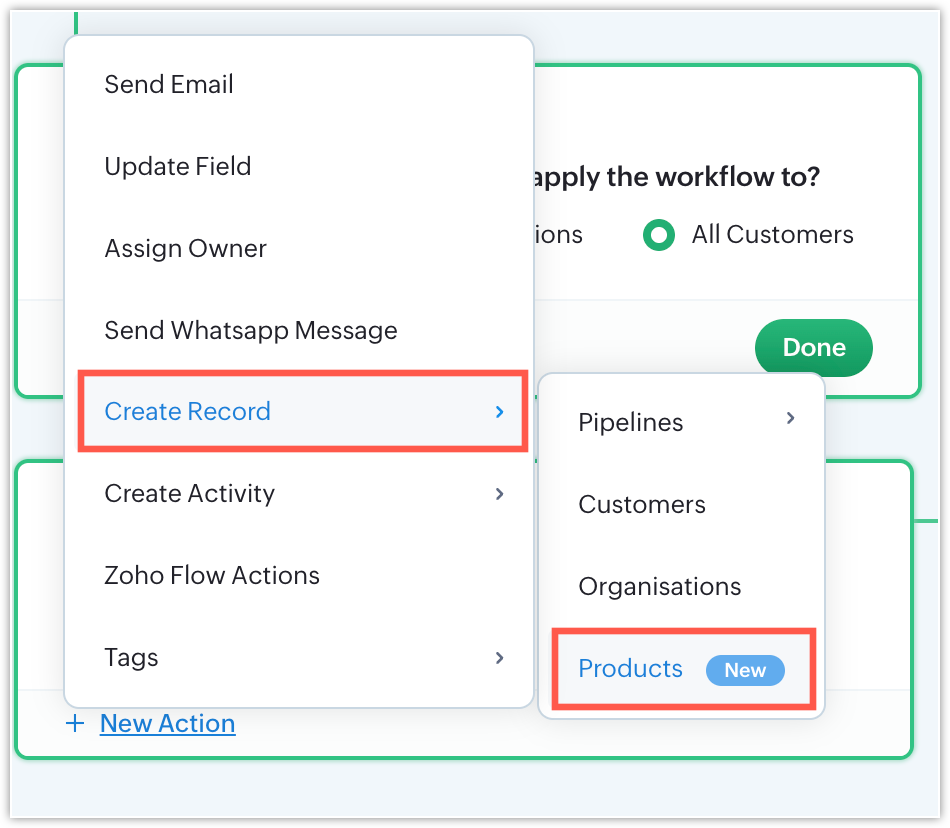
Creating products during record actions
Imagine you run a furniture business that handles multiple custom orders through a separate pipeline dedicated to custom designs. Once a design is approved, instead of manually adding the furniture item to the Products module every time, you can automate the process using a workflow that automatically creates a new product record in the Products module whenever production is completed.
Previously, record actions did not support the creation of records in the Products module, but with this enhancement, you can now create product records directly through workflows.
Mass email support for email actions
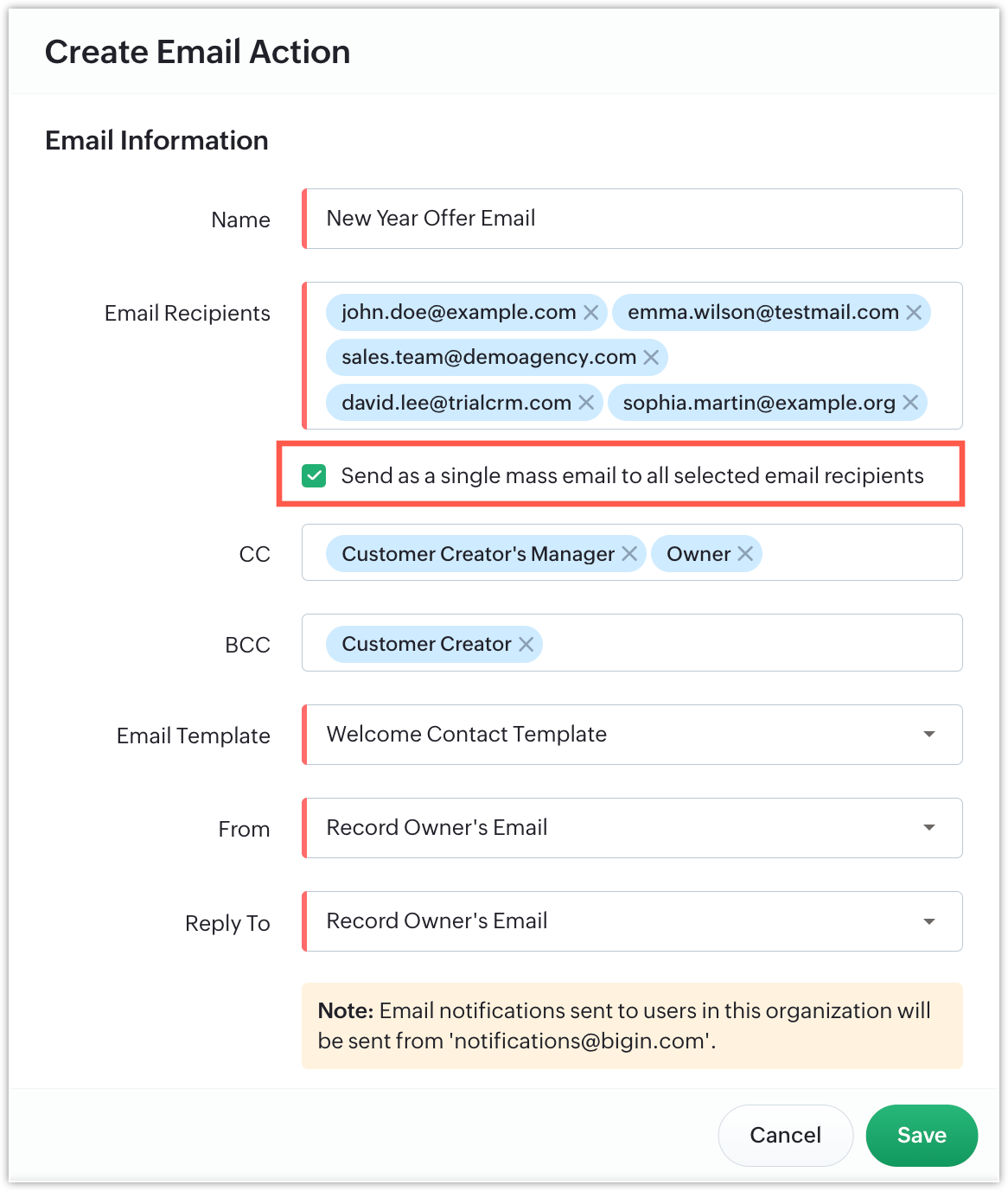
Previously, when emails were sent through workflows to multiple recipients added within a single workflow rule, customers could see other recipients' email addresses, because the emails were sent in bulk. With this new enhancement, you now have the option to send emails as mass emails and ensure that recipients can't view each other's email addresses. This helps protect customer privacy and improves communication security when required.
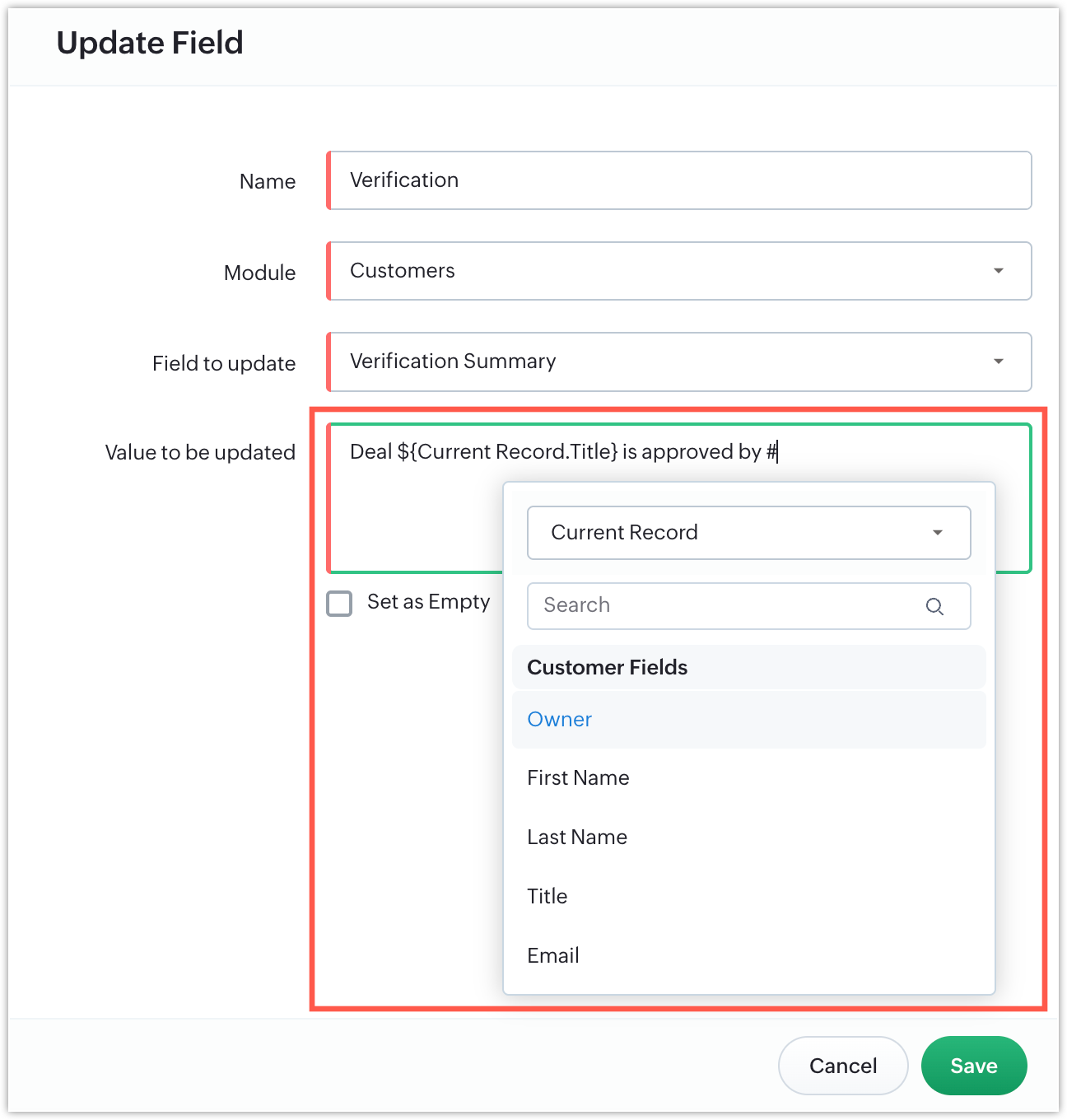
Merge field support in field update actions
Previously, workflow rules did not support dynamic field value updates. With the introduction of Merge Field support, you can now use dynamic values to update fields automatically within workflow rules.
Enhancements to the workflow rules list page
Reordering workflows
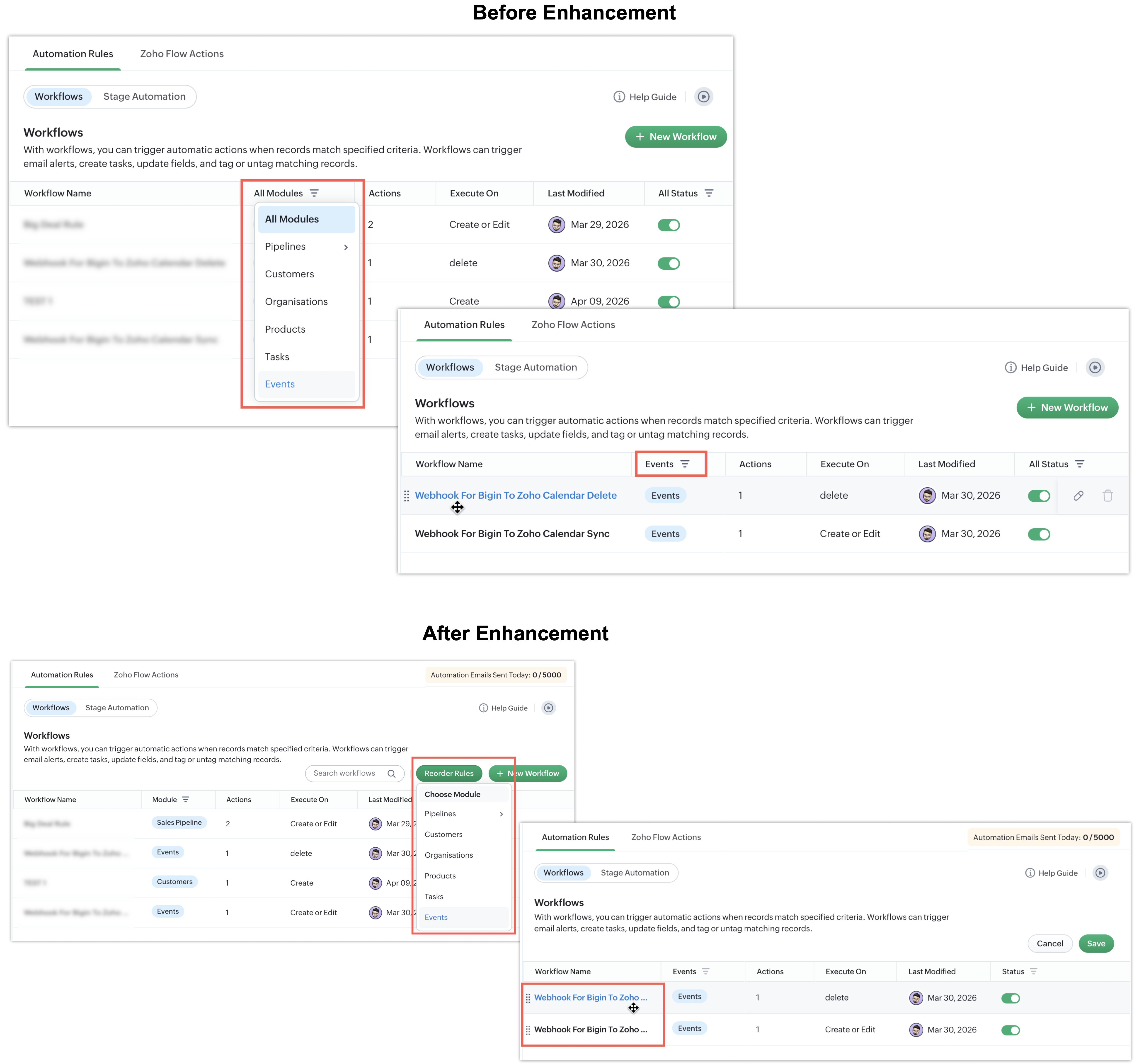
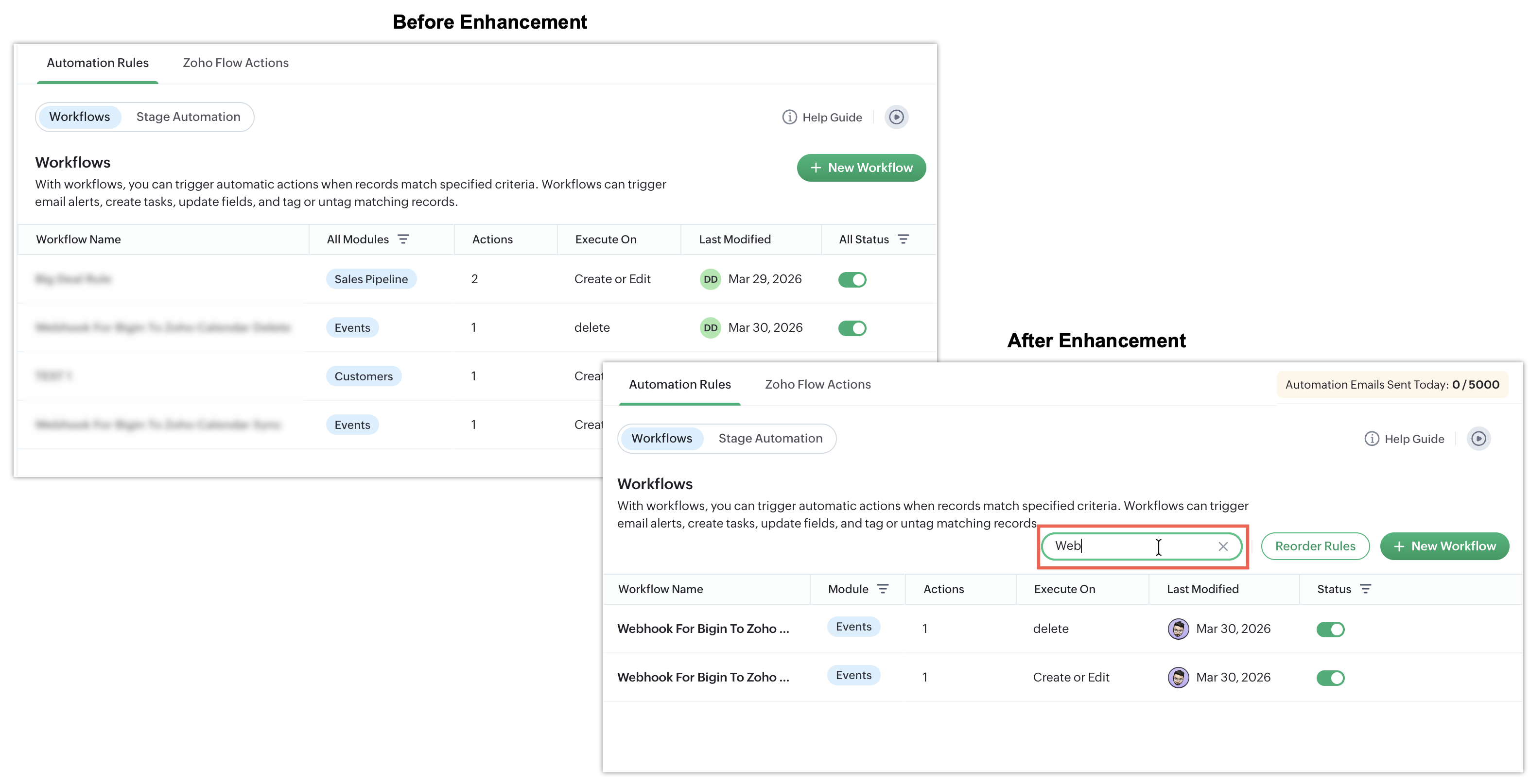
Previously, workflow rules could only be reordered after applying a filter to the modules. While this functionality was available, it wasn't easily discoverable for many users. To improve accessibility, we've now introduced a dedicated Reorder Rules button directly on the workflow landing page.
With this enhancement, you can easily reorder workflow rules based on modules right from the main Workflow page itself. Simply click the Reorder Rules button, choose the required module, rearrange the rules as needed, and click Save to apply the changes.
Search for workflow rules
Previously, there was no option to search for workflows. With this new enhancement, you can now quickly search for workflows using the newly added search bar on the workflow landing page.
Automation email count display
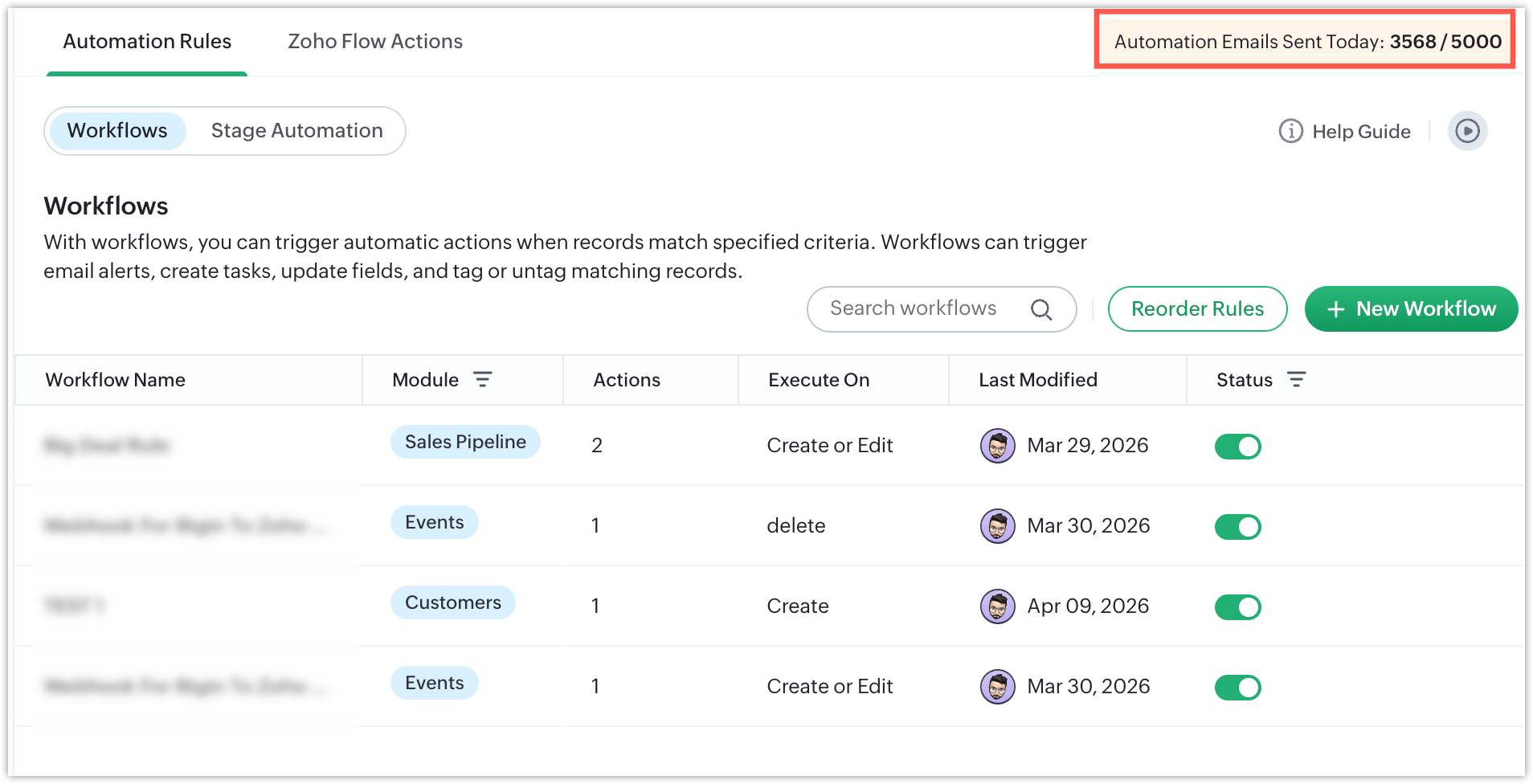
Bigin allows each account to send a limited number of automation emails per day, based on each account's plan and number of user licenses. Whenever an email is sent through automation, the email count will be displayed in the top-right corner. This helps you easily track the number of emails you've sent through automation.
That's all for these enhancements. We sincerely hope you find these improvements useful. Please give them a try and leave your feedback in the comments section below. Watch this space for future announcements.
Thanks and have a good day!