Standardize your booking forms with Centralized Customer Form
We’re excited to introduce Centralized Customer Form, a new way to manage and standardize how customer information is collected across your event types. With this feature, you can define a common set of booking form fields once and apply them across your entire organization. This ensures consistent data collection while reducing the need to configure fields separately for each event type.
You can enable the Centralized Customer Form from Admin Center → Organization → Basic Information.
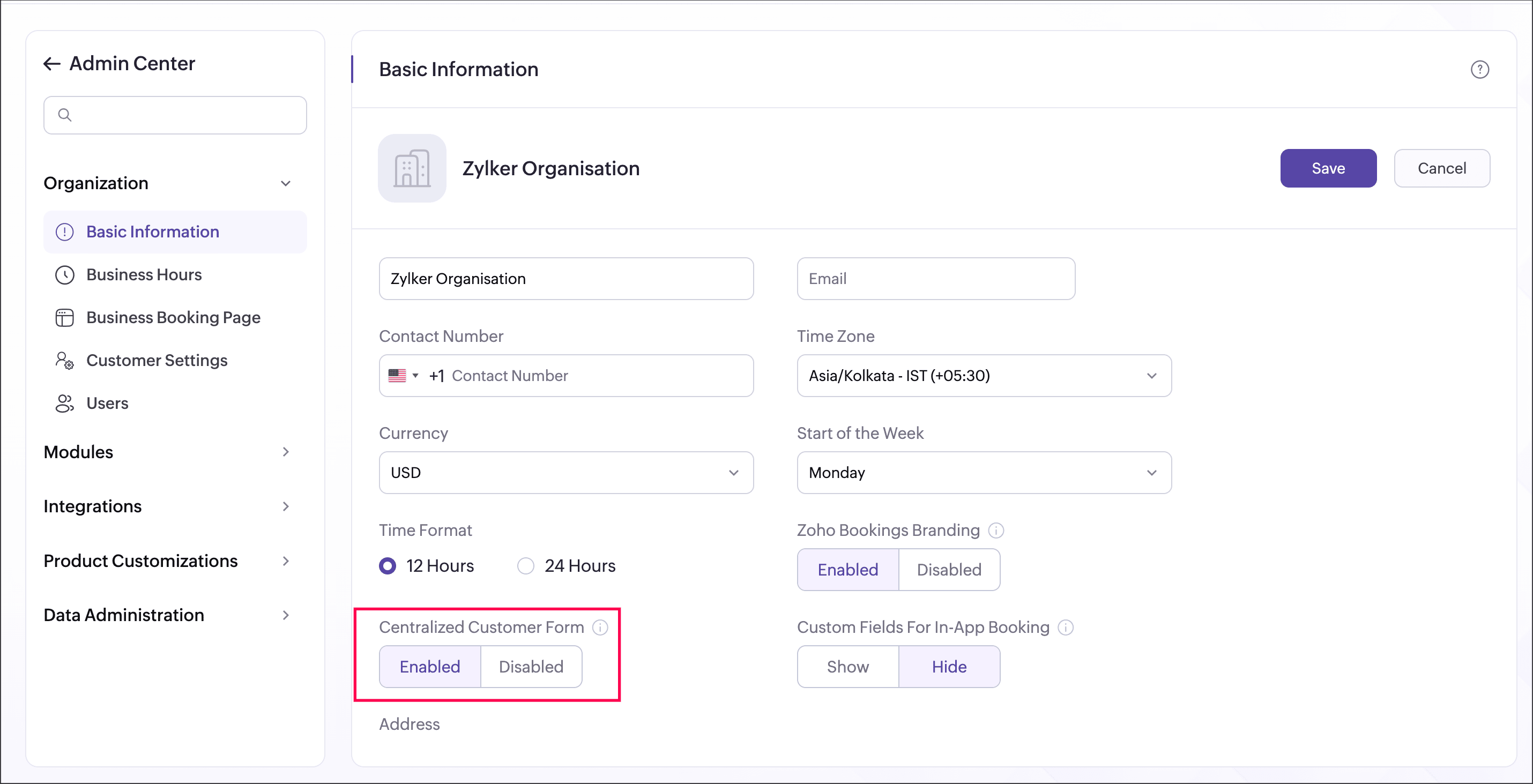
When enabled, the configured fields are applied across all event types as the default booking form.
When disabled, each event type can have its own booking form with fields configured independently.
Set up your centralized booking form
You can configure the common booking form fields under Admin Center → Customer Settings → Centralized Customer Form.
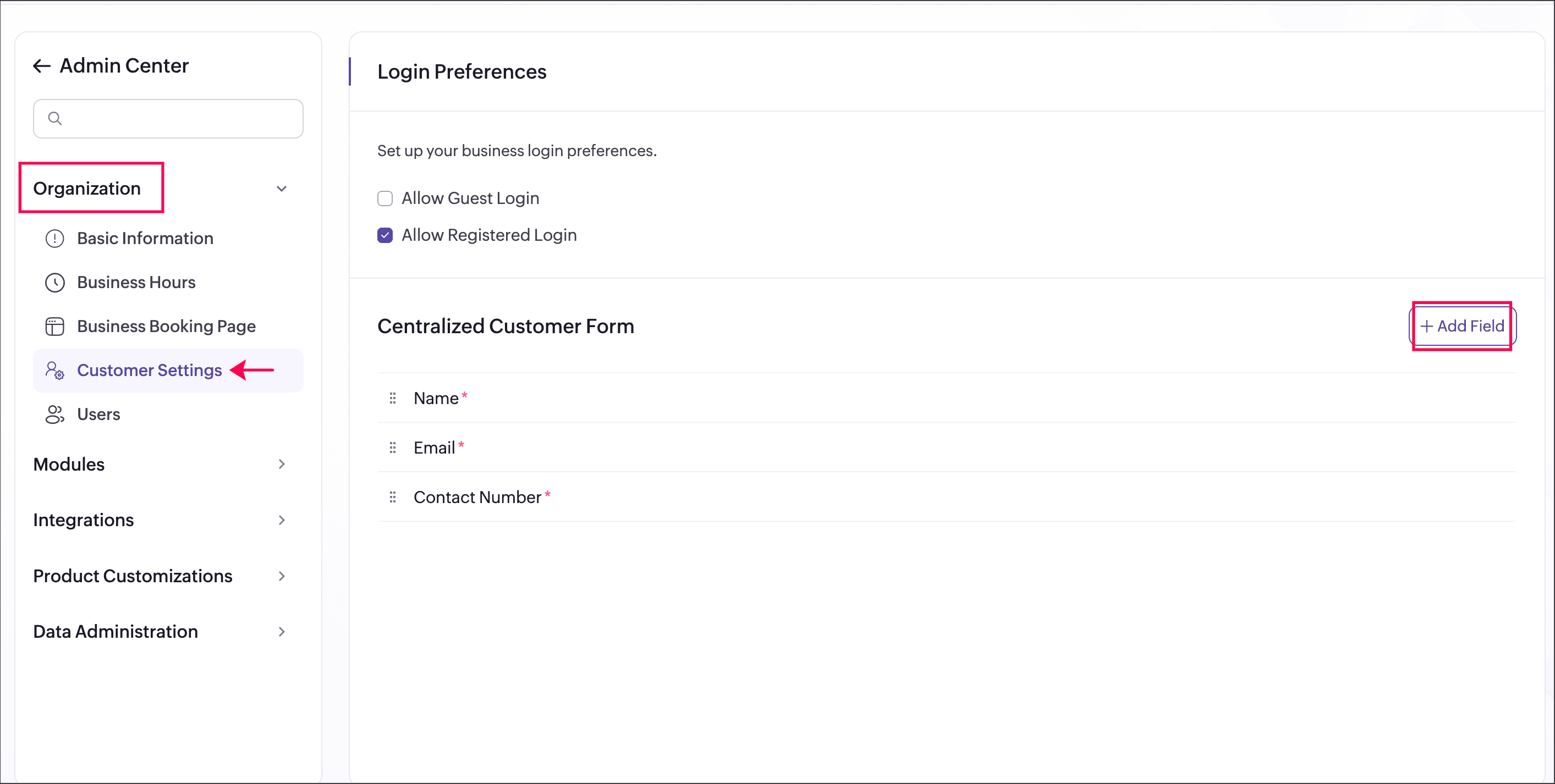
Here, you can add and manage the fields that will be used across all event types, ensuring a consistent structure for collecting customer information. You can also add additional fields specific to individual event types by configuring custom fields in the booking form under each event type. This helps capture both common and event-specific information as needed.
→ Organization → Basic Information.When enabled, the configured fields are applied across all event types as the default booking form.
When disabled, each event type can have its own booking form with fields configured independently.
Set up your centralized booking form
You can configure the common booking form fields under Admin Center
→ Customer Settings → Centralized Customer Form.Here, you can add and manage the fields that will be used across all event types, ensuring a consistent structure for collecting customer information. You can also add additional fields specific to individual event types by configuring custom fields in the booking form under each event type. This helps capture both common and event-specific information as needed.
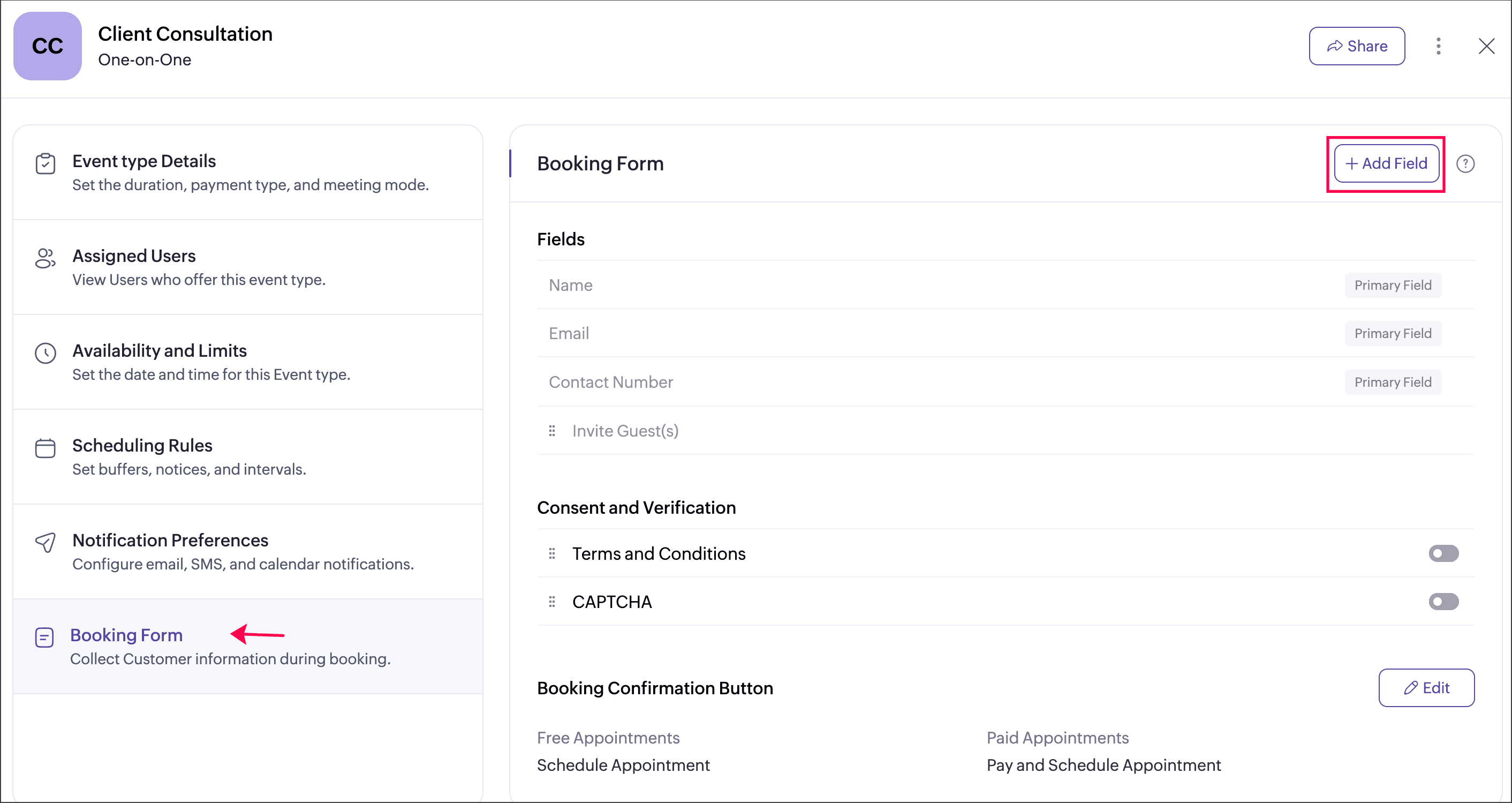
Note:
- For event types created after 17 April 2026, the centralized customer form is applied automatically when enabled under Basic Information in the Admin Center
 .
. - For event types created before 17 April 2026, you must enable the toggle individually under each event type to apply these fields.
Steps: Choose Event Type → Booking Form → Enable the toggle in the Fields section.
With this setting, you can:
- Maintain a single, shared booking form across all event types
- Ensure consistent customer information is collected
- Reduce repetitive setup by managing fields in one place
- Add additional fields at the event type level when needed
We hope this feature helps you simplify form management and improve data consistency across your bookings. Share your feedback in the comments or write to us at support@zohobookings.com. We would love to hear from you!
Regards,
The Zoho Bookings Team
The Zoho Bookings Team