Status Sync in Zoho Sprints!
Automation is always a time saver, especially when dealing with two different products and high level projects. Zoho Sprints has introduced one such feature that automatically syncs status. If you have integrated your Zoho Sprints account with Zoho Projects and have work items synced, you can use our new 'Status Sync' option to sync your task status in Zoho Projects with the work item status in Zoho Sprints.
Cam works on some large scale projects that follow both waterfall and agile methodologies. So, he has integrated his Zoho Projects account with Zoho Sprints. Because he handles multiple projects, he cannot update every work item whenever the corresponding work item in the other product gets updated. So, he has enabled the 'Status Sync' option, which automatically updates the respective work item when the corresponding work item in Zoho Projects gets updated.
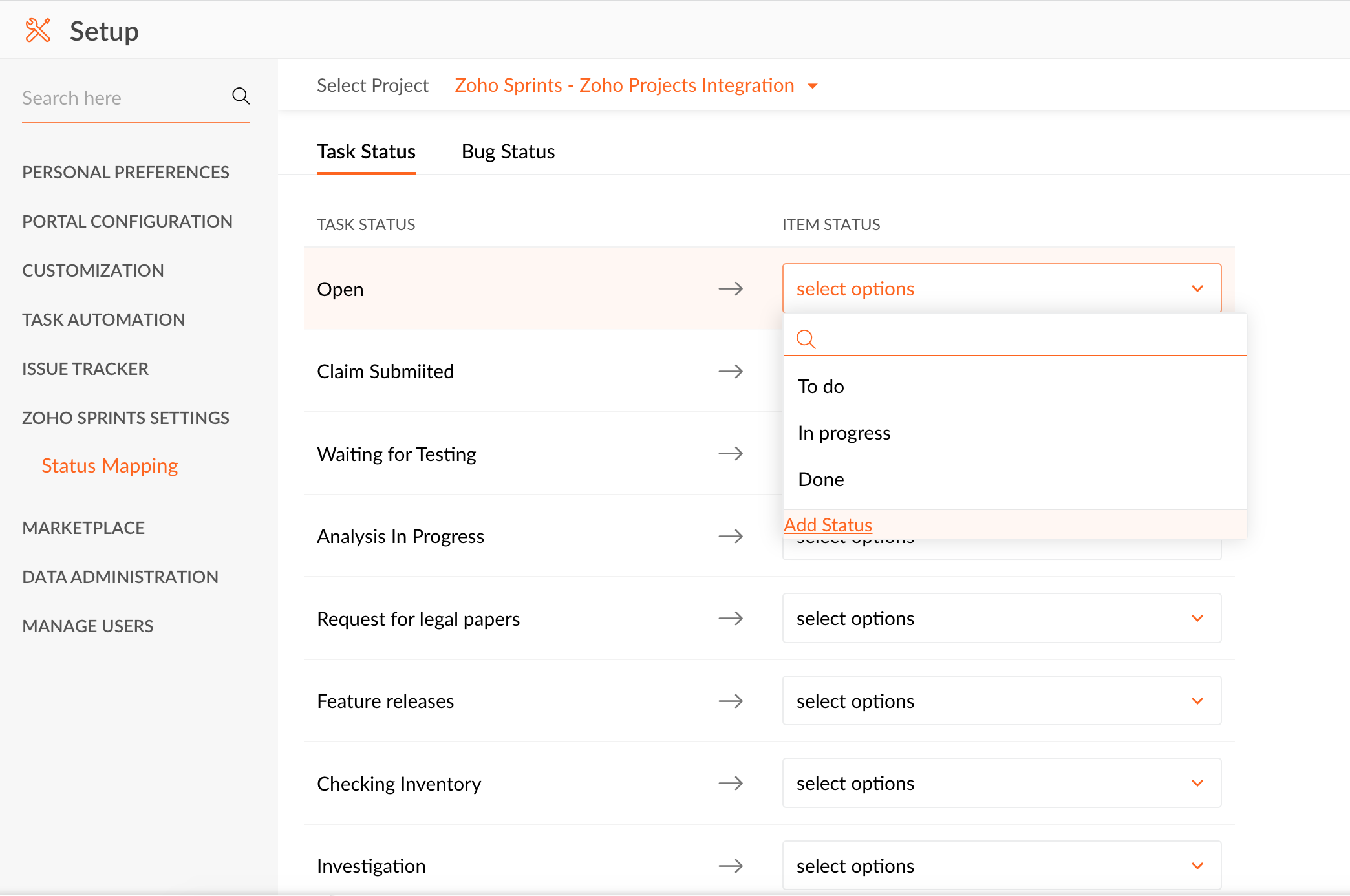
To enable status sync,
-
Go to your
Zoho Projects
account and click
Setup
.
-
Select
Zoho Sprints
Settings
.
-
Go to the respective
Item Status
and click the drop-down.
-
Click
Add Status
. You can either map it to an existing status or add a new status and map to it.
-
Edit the
Status Name
and
Status Type
and click
Add
followed by
Update
.
-
Items added or updated after the mapping will automatically get synced between Zoho Sprints and Zoho Projects.
Do try this at your end. If you require any form of assistance, feel free to write to
support@zohosprints.com
.