Switch between multiple LLMs instantly for tailored Zia experiences

Switch between multiple LLMs instantly for tailored Zia experiences

Info

Availability

Editions: Professional , Enterprise, Ultimate , CRMPlus , ZohoOne 

Release Plan: Available for all DCs

Hello everyone,

Previously, the multi-LLM feature supported only one LLM at a time for Zia Record Assistant, which restricted users' flexibility in switching between LLMs instantly for various requirements. 

Also, the Execute Prompt in custom button was set to work only with Zoho-hosted LLMs by default. 

With this enhancement, you can enable and maintain multiple LLMs simultaneously, switch between different LLMs inside the Record Assistant bot, and choose your preferred LLM for the Smart Prompt bot. 

Additionally, Smart Prompt under Zia has been renamed to Models for better relatability.
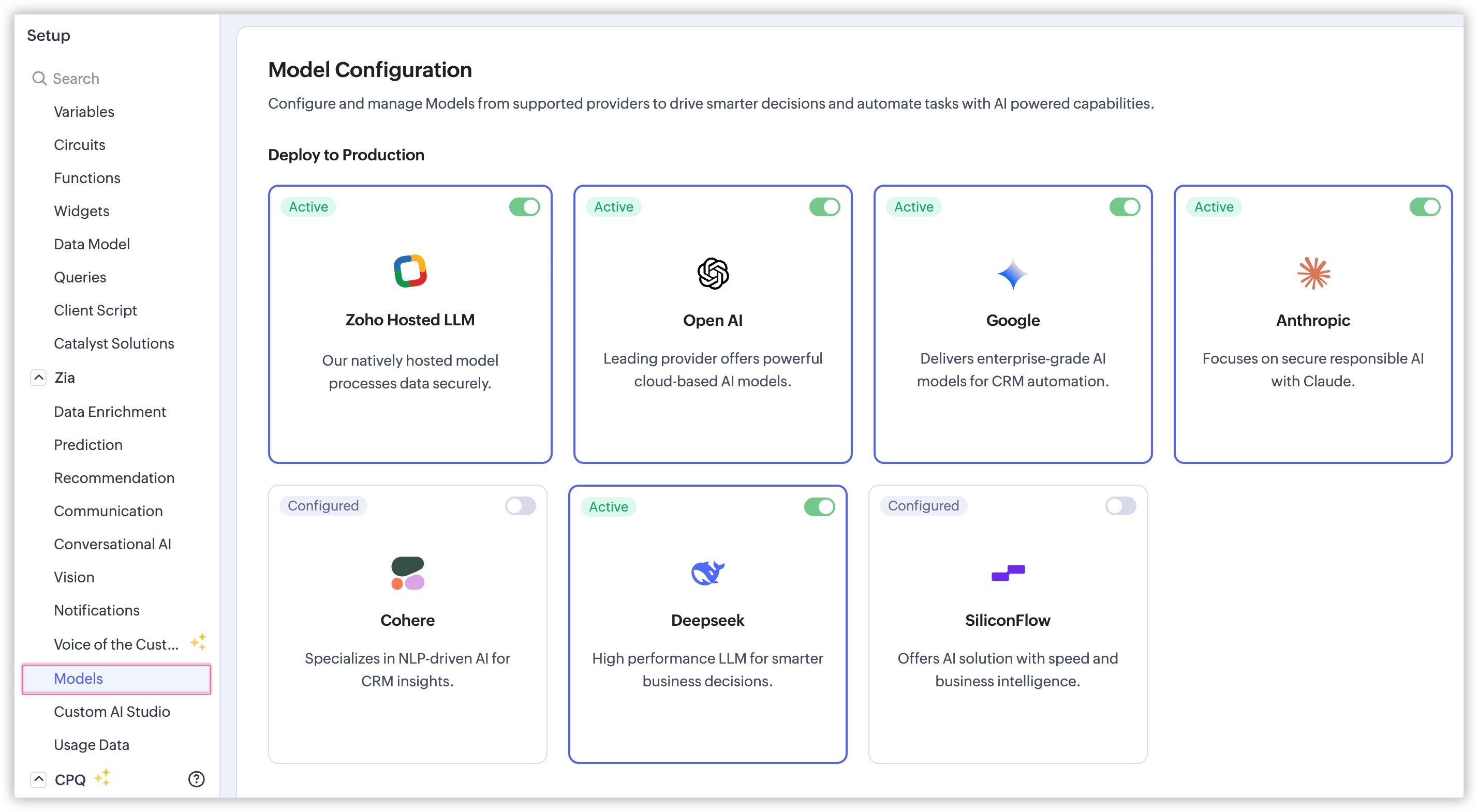


Now, with this update, you can: 

  • Configure and maintain several LLM models: This gives admins more control over which model powers which use case, and gives end users the flexibility to choose the LLM that works best for them without leaving the bot. 

  • Pick your LLMs directly: Users can switch between all active LLMs directly inside the Record Assistant using a dropdown to compare responses or pick their preferred model(s).
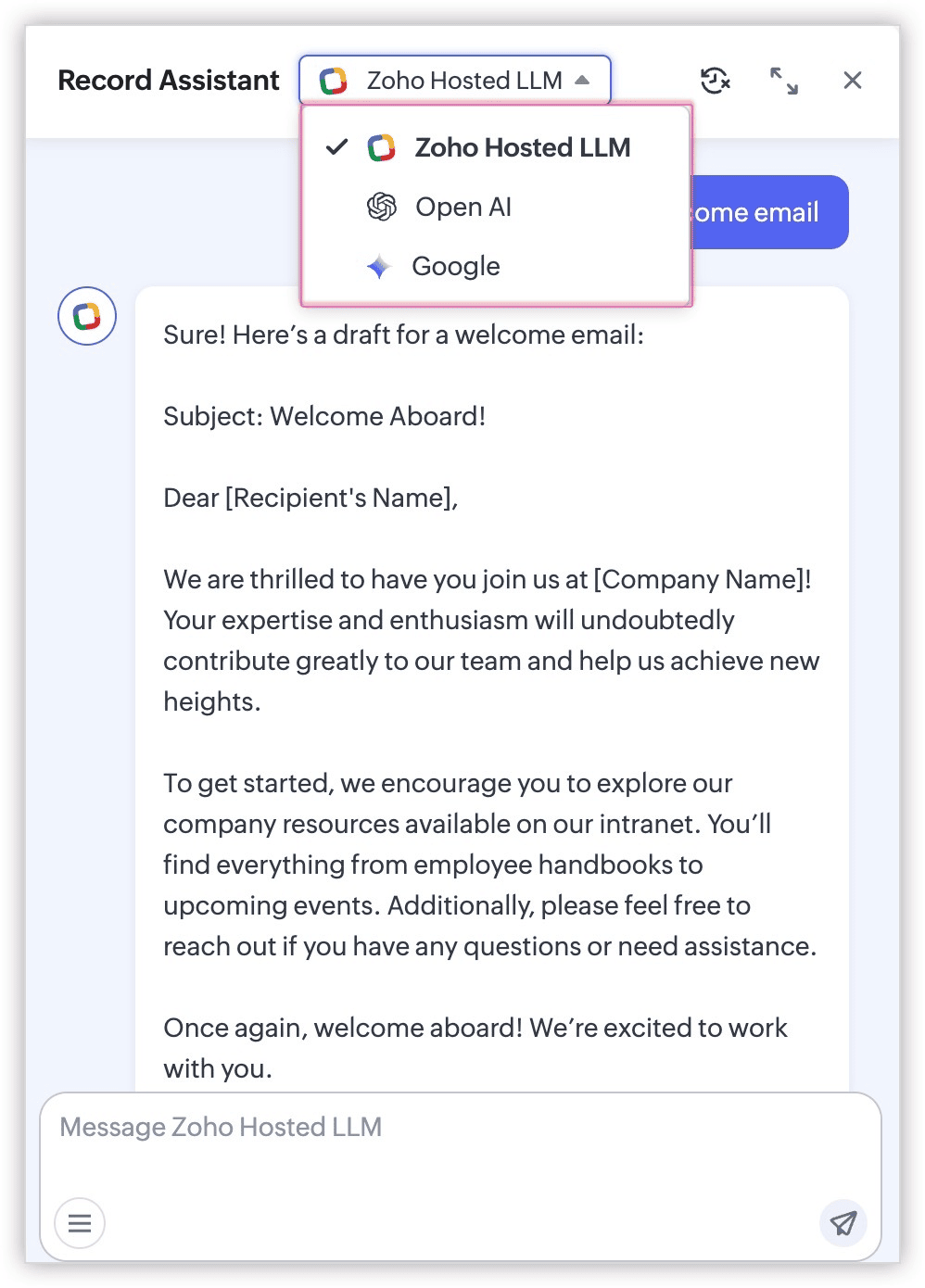


  1. The Record Assistant always opens with Zoho Hosted LLM as the default LLM initially.
  2. Users can switch to another available LLM at any time after opening the bot.
  3. Users can explicitly turn Zoho Hosted LLM off. Once they do, the selected alternate LLM becomes the default for future sessions.

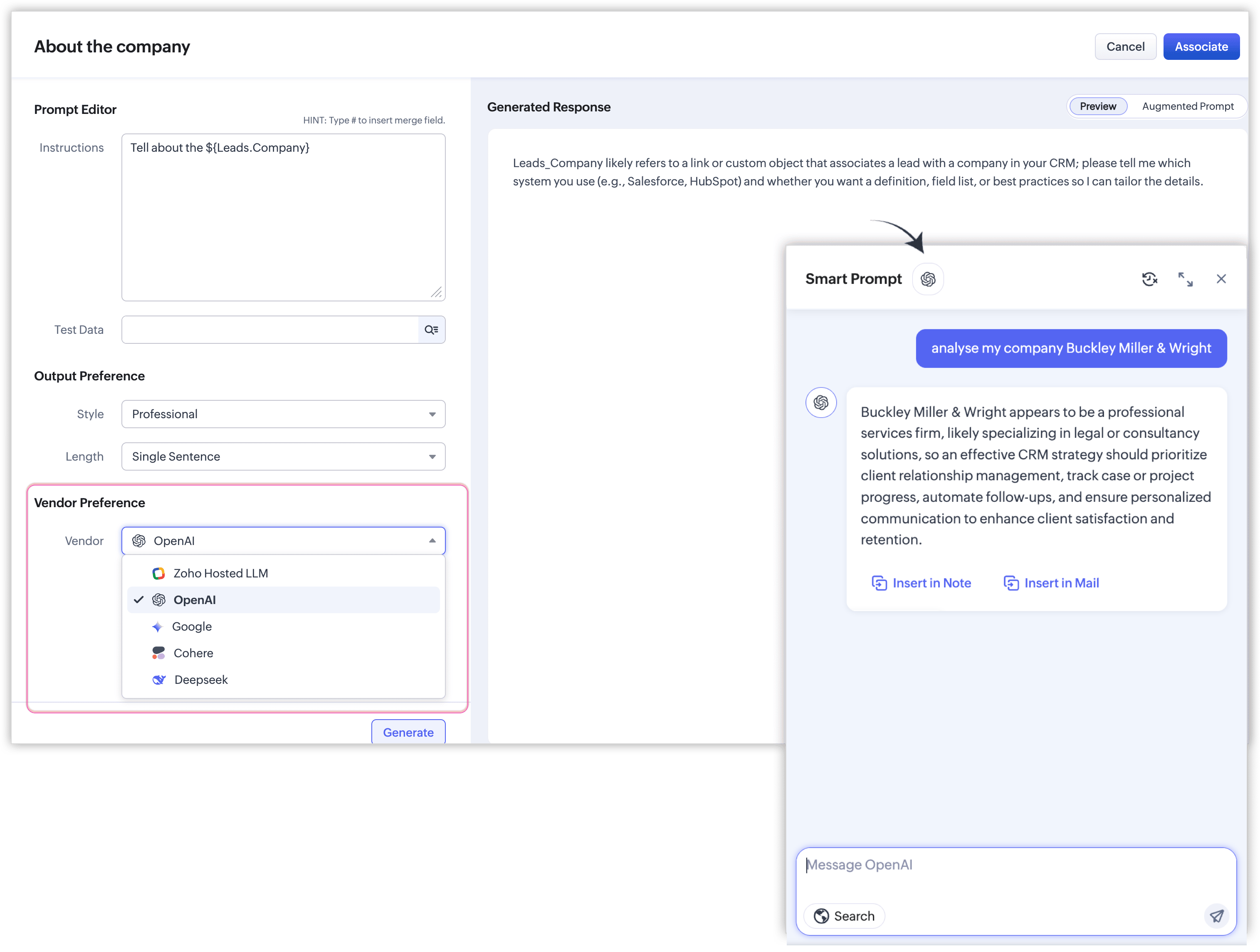
  • Choose the preferred LLM for Execute Prompt button: While configuring custom buttons, Execute Prompt now comes with compatibility across all the LLMs you've configured, so users get a familiar experience regardless of which model is active.


Configuring Zia's Models  
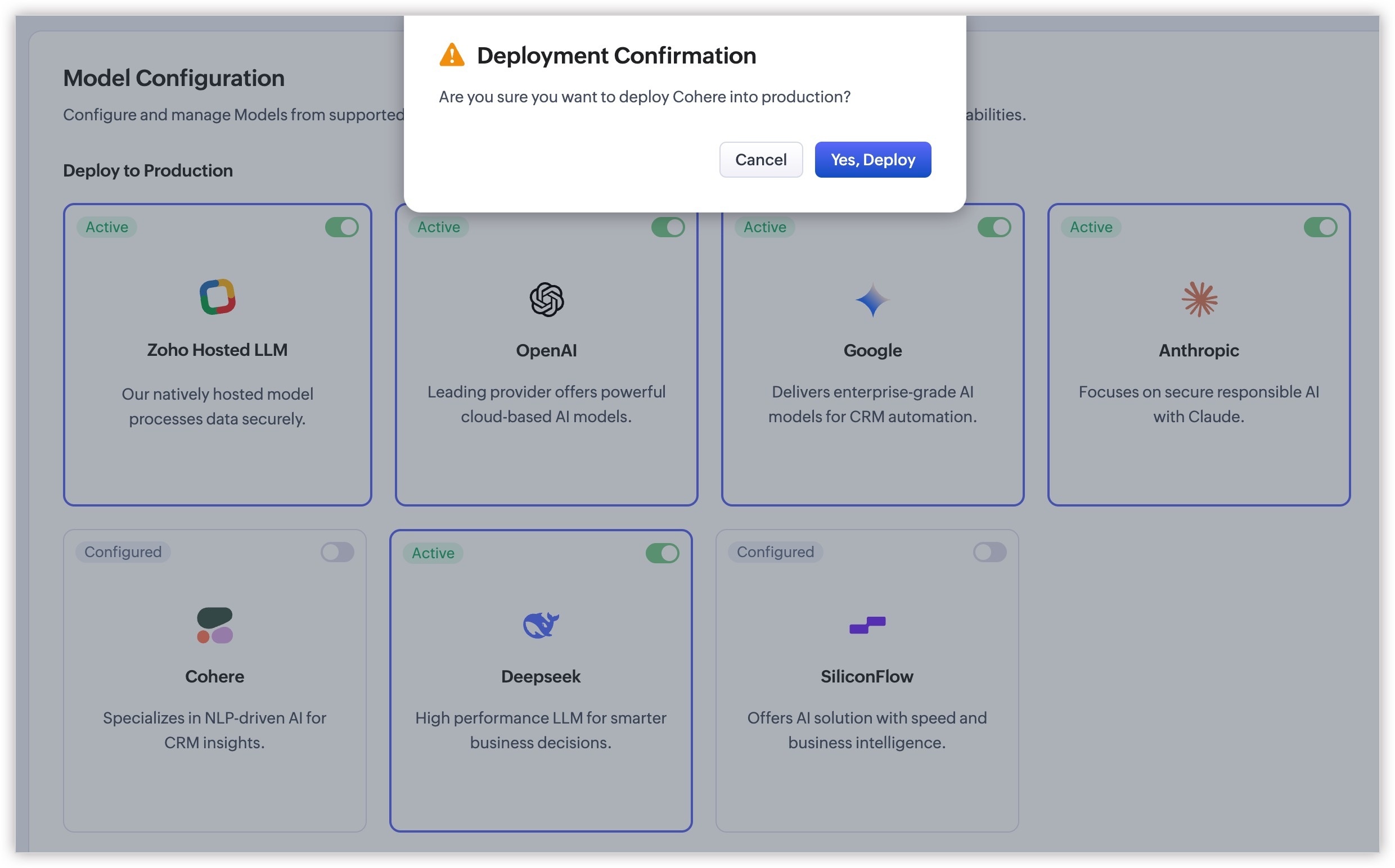
Enabling Smart Prompt is a one-step process. Simply toggle the enable option for your preferred LLM. However, to connect with ChatGPT with Zia, you have to provide the alphanumeric API key. 
 
To enable the models, you can navigate to Setup > Zia > Models, and on the Model Configuration page, toggle the enable button for the preferred models (after configuring the models using API keys).


We hope you find this update helpful!

    Access your files securely from anywhere


          All-in-one knowledge management and training platform for your employees and customers.


                                Zoho Developer Community


                                                      • Desk Community Learning Series


                                                      • Digest


                                                      • Functions


                                                      • Meetups


                                                      • Kbase


                                                      • Resources


                                                      • Glossary


                                                      • Desk Marketplace


                                                      • MVP Corner


                                                      • Word of the Day


                                                      • Ask the Experts


                                                                Manage your brands on social media


                                                                      Zoho TeamInbox Resources


                                                                          Zoho CRM Plus Resources

                                                                            Zoho Books Resources


                                                                              Zoho Subscriptions Resources

                                                                                Zoho Projects Resources


                                                                                  Zoho Sprints Resources


                                                                                    Qntrl Resources


                                                                                      Zoho Creator Resources


                                                                                          Zoho CRM Resources

                                                                                          • CRM Community Learning Series

                                                                                            CRM Community Learning Series


                                                                                          • Kaizen

                                                                                            Kaizen

                                                                                          • Functions

                                                                                            Functions

                                                                                          • Meetups

                                                                                            Meetups

                                                                                          • Kbase

                                                                                            Kbase

                                                                                          • Resources

                                                                                            Resources

                                                                                          • Digest

                                                                                            Digest

                                                                                          • CRM Marketplace

                                                                                            CRM Marketplace

                                                                                          • MVP Corner

                                                                                            MVP Corner


                                                                                              Design. Discuss. Deliver.

                                                                                              Create visually engaging stories with Zoho Show.

                                                                                              Get Started Now


                                                                                                Zoho Show Resources

                                                                                                  Zoho Writer

                                                                                                  Get Started. Write Away!

                                                                                                  Writer is a powerful online word processor, designed for collaborative work.

                                                                                                    Zoho CRM コンテンツ


                                                                                                      Nederlandse Hulpbronnen


                                                                                                          ご検討中の方