Sync Zoho Desk Help Center Category Icons to SalesIQ Articles
Dear Zoho SalesIQ Team,
Greetings,
We are using the integration between Zoho SalesIQ and Zoho Desk to sync articles from our Zoho Desk Knowledge Base into SalesIQ. While this integration works well for syncing article content, we’ve noticed a visual inconsistency:
Current Behavior:
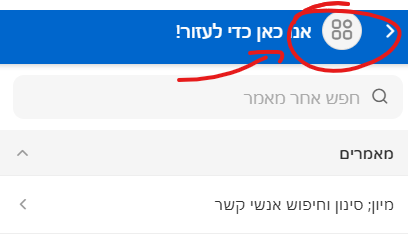
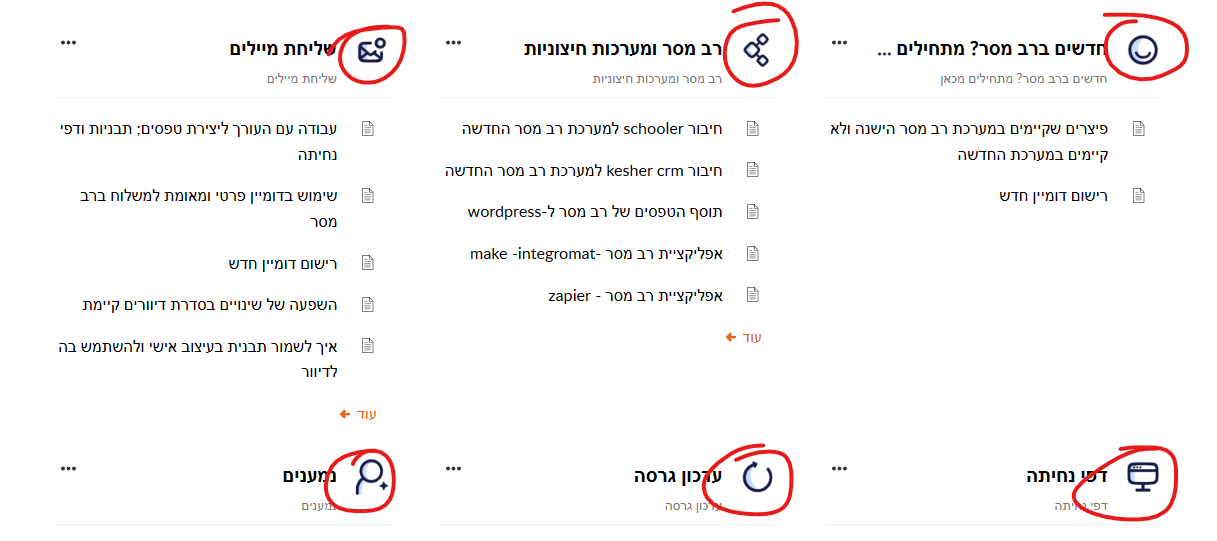
In Zoho Desk's Help Center, each category can be assigned a unique icon or image, which helps users quickly identify and navigate content. However, when the same categories appear in SalesIQ’s article view (e.g., in the chat widget), all categories are displayed with a generic icon, and the visual differentiation is lost.
Feature Request:
Please add support to:
-
Sync the unique category icon or image from Zoho Desk Help Center to SalesIQ.
-
Display the synced icons in the SalesIQ chat widget and article view wherever categories are listed.
Use Case:
Maintaining consistent visuals between Desk and SalesIQ:
-
Reinforces our brand identity and UX design.
-
Helps end users more easily navigate and understand the categorized content in the chat widget.
-
Makes the overall article browsing experience more intuitive and professional.
We hope you consider including this in a future enhancement of the integration.
Warm regards,
Ram