The Social Wall: October 2026
Hello everyone
This month, we're making it easier to organize your monitoring workspace with Monitor Groups in Zoho Social.
Organize your monitor columns into groups
You can now organize your monitor columns into custom groups based on your preferences. Create groups, give them names, and add the columns you want to keep together. Any columns that aren't assigned to a custom group will automatically appear under the Default group.
Monitor Groups are user-specific, which means your groups and column arrangements are visible only to you, even when other users access the same Brand. This allows everyone to organize their monitoring workspace in a way that works best for them.
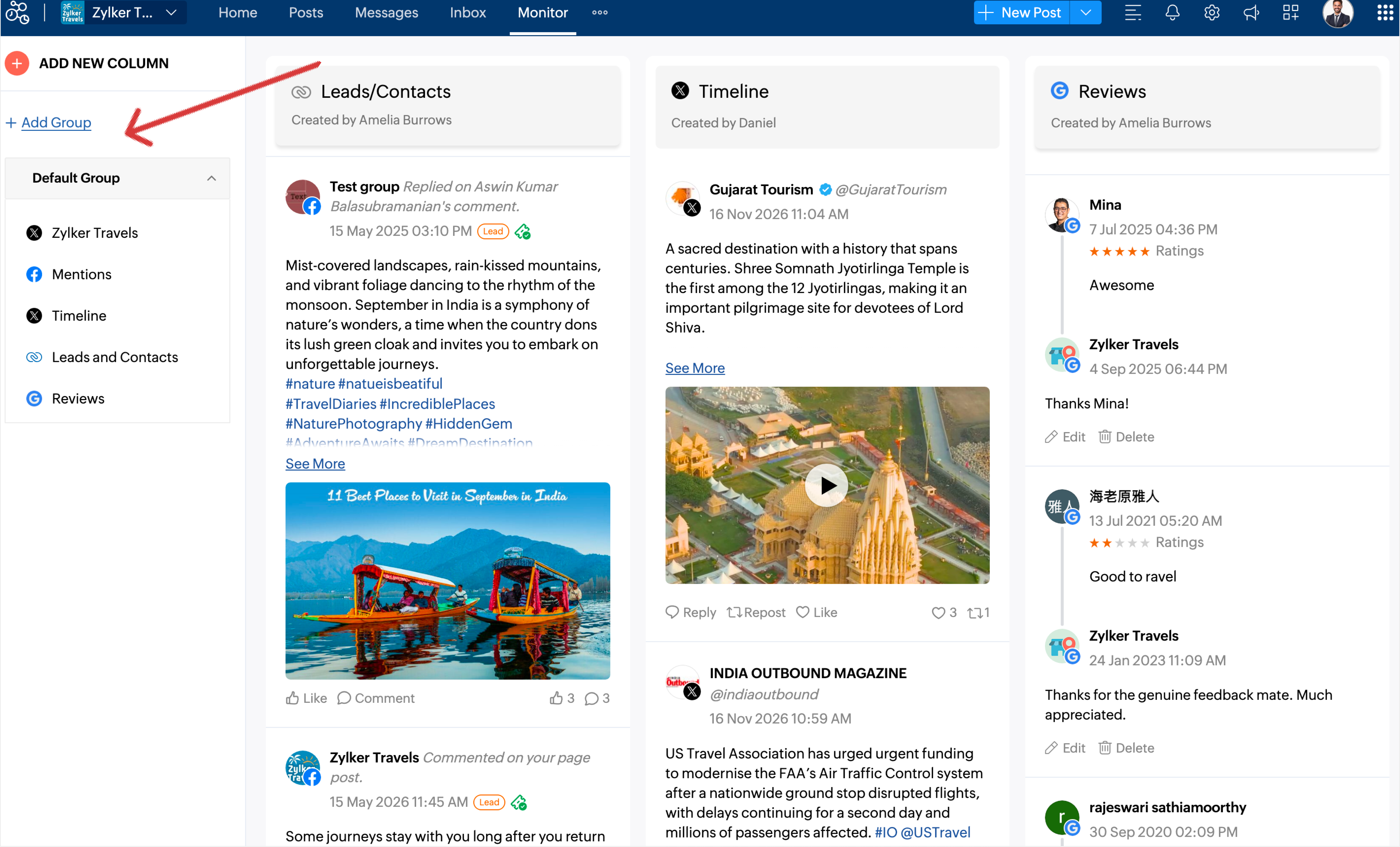
Head to the Monitor tab, create your groups, and organize your monitor tab the way you want.
Stay tuned for more updates from Zoho Social