Tip #44 – Get Deeper Insights with Zoho Assist’s Custom Reports – ‘Insider Insights’
In today’s fast-paced IT environment, having a clear view of your remote support activities is more important than ever. Zoho Assist’s Custom Reports feature gives IT teams the ability to generate tailored reports that provide actionable insights and help streamline operations.
With Custom Reports, you can choose exactly what you want to see. Pick from key fields like session details, technician information, and technician activity to focus on the metrics that matter most. This flexibility ensures that every report is aligned with your team’s specific goals and tracking needs.
To access the Custom Reports, log in to your Zoho Assist account using your credentials. Then, navigate to Reports and choose Custom Reports from the left panel. Once inside, you can begin applying filters and selecting key data points to create meaningful, insight-driven reports that empower smarter decision-making.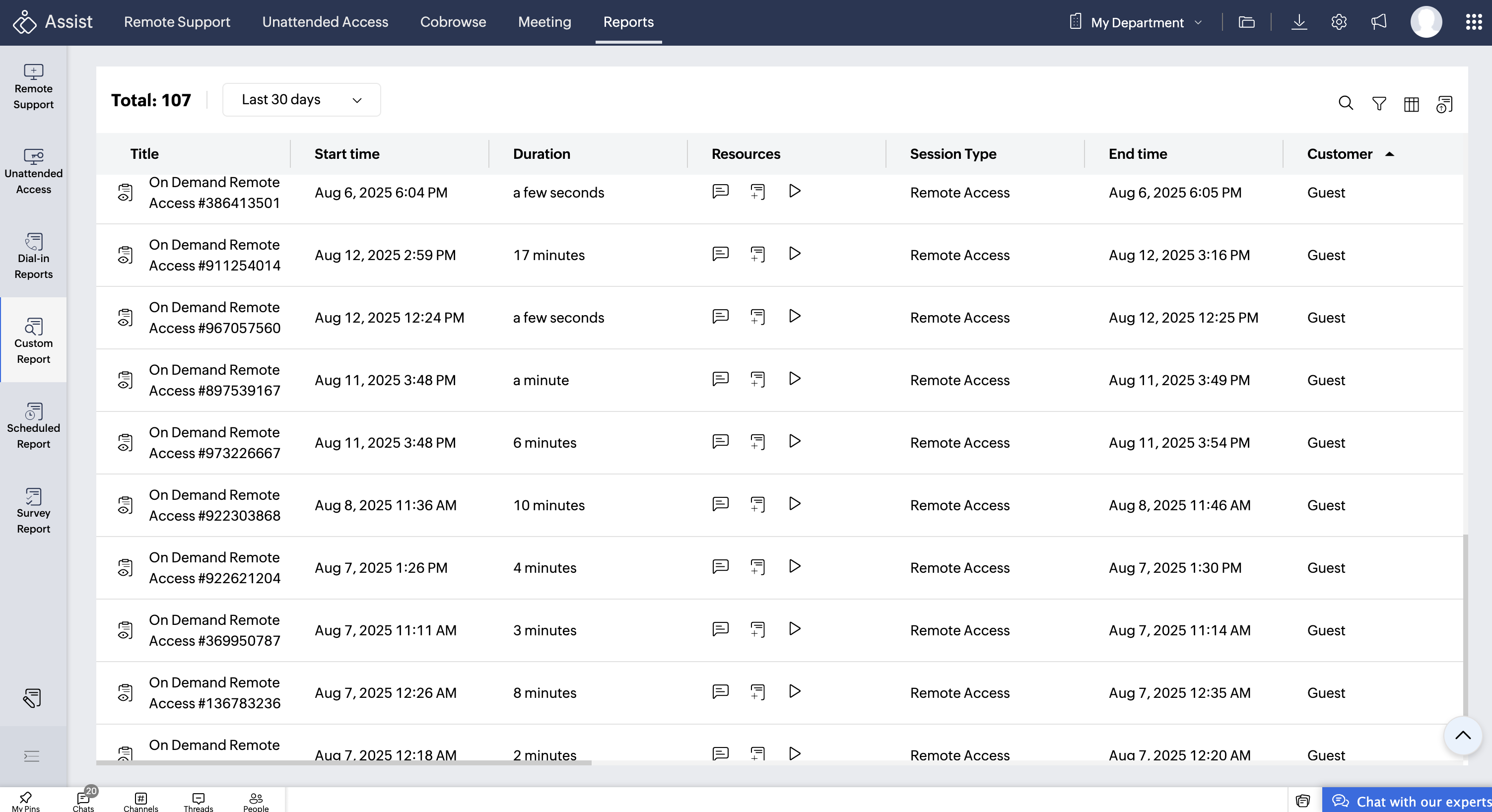
Advanced filters for precise reporting: Zoho Assist allows you to narrow down your data using filters such as:
Remote Support – view only sessions where technicians provided live support.
Unattended Access – track sessions where devices were accessed without end-user presence.
Screenshare – identify sessions where screens were shared for training or troubleshooting purposes.
Active Technician – monitor high-performing technicians and their session details.
Inactive Technician – identify technicians with minimal or no activity over a period.
By Technician Name – focus on a specific team member’s activity.
Type of Technician – filter reports based on roles or designations within your support team.
By analyzing these filtered reports, you can easily identify patterns, track technician productivity, and uncover areas for improvement. Whether it’s checking compliance, auditing sessions, or managing workloads, these insights help you make informed decisions.
Access chats, session notes, and recordings under Resources to gain visibility into every support interaction. This allows you to track technician-customer conversations, provide context on troubleshooting steps, and observe sessions in real time. It helps you audit sessions for compliance, identify areas for training, and analyze recurring issues to improve support efficiency and overall customer experience.
Once your report is ready, you can export it as a PDF or CSV file to share with management, stakeholders, or for internal records.
The View Reports feature under Customer Reports allows users to track all activities performed during a session, such as File Transfers, Clipboard Sharing, Screen Sharing, and more.
Whether it’s monitoring active technicians, reviewing unattended access sessions, or auditing inactive team members, Zoho Assist’s Custom Reports give you full control, clarity, and accountability over your remote support operations.
clarity, and accountability over your remote support operations.