Tip #72 - Exploring Technician Console: Setup Unattended Access - 'Insider Insights'
Hello Zoho Assist Community!
You joined a live session, diagnosed the issue, and got the user back on track. Fix delivered, user happy, session closed.
But you know this machine. It needs a follow-up. A cleanup, a patch, maybe a deeper maintenance run. And it has to happen after hours, when no one is around to accept a session request or hand over control.
If you did not set up unattended access before closing that session, you are now stuck waiting for the user to be available again.
That is the gap Setup Unattended Access closes, and the key is doing it while you are already in the session.
With one click from the Session menu in the Technician Console, you can configure and install unattended access on the remote device without stepping outside the session, without asking the user to do anything, and without scheduling a separate call just to get access set up. By the time you close the session, the machine is already registered and ready in your dashboard.
Later that night, you connect on your own time, run the maintenance, and it is done before the user even starts their morning.
How to use it: During an active remote support session, open the Session menu on the left panel of the Technician Console and click Setup Unattended Access. The configuration and installation happen instantly on the remote device. The machine is now available for unattended access anytime through your Zoho Assist dashboard.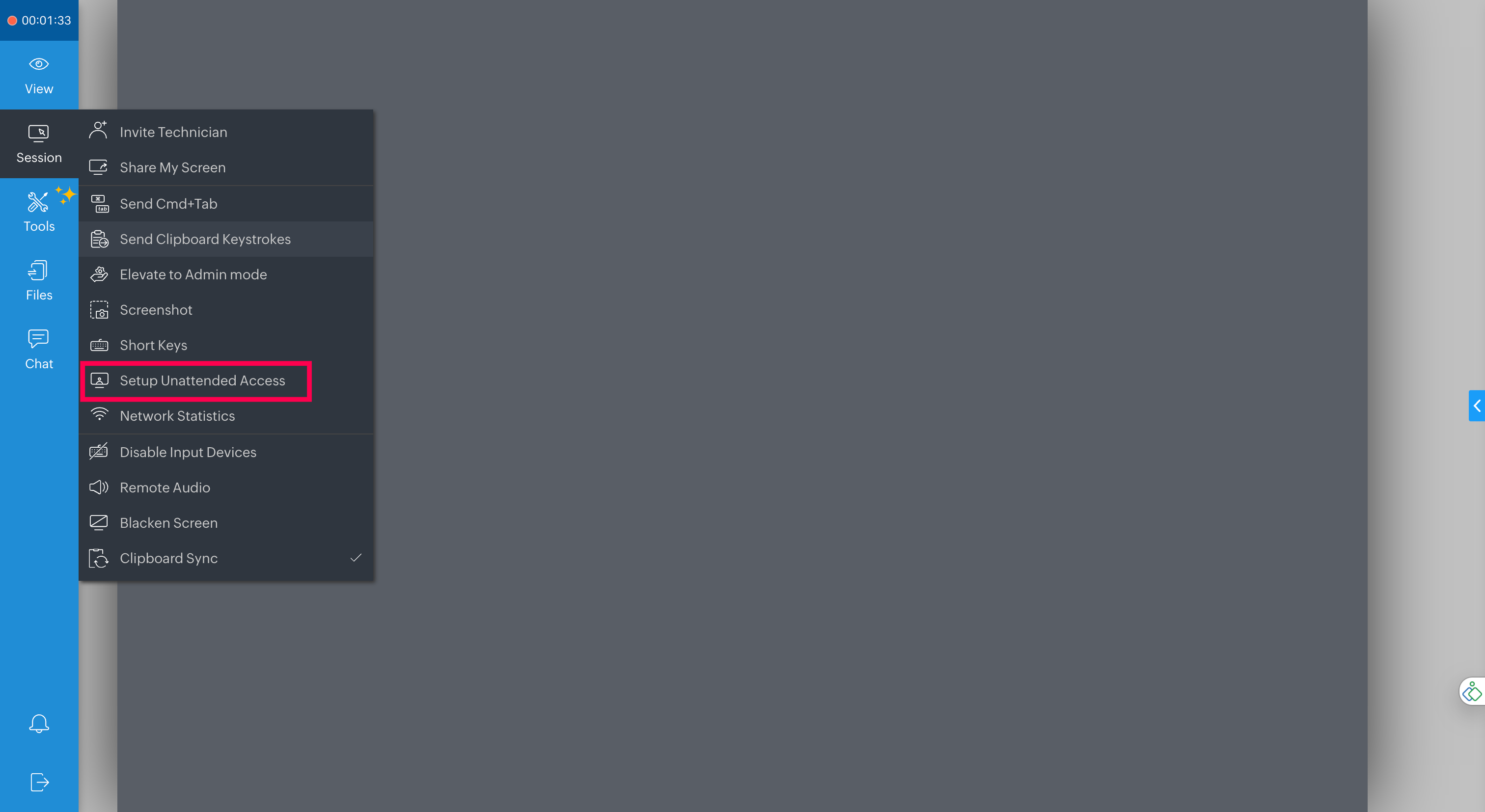
Why doing it during the session matters:
One click, fully configured: No separate setup flow. Install unattended access on the remote device right from within the live session.
No second call needed: You handle access setup while you are already there, so nothing is left to follow up on.
Connect after hours, no user required: Run maintenance, patches, and cleanup when it suits you, not when the user is free.
Cleaner support cycles: Fix now, maintain later, all from a single session touchpoint.
Next time you wrap up a fix and know there is more work ahead, do not close the session without setting this up first.
Have you used Setup Unattended Access to follow up after a live session? Share how it fits into your maintenance workflow in the comments below!
For questions or support, reach out to us at support@zohoassist.com. We are always happy to help!