Tip #77- Exploring Technician Console: Chat option- 'Insider Insights'
Hello Zoho Assist Community!
Welcome back to our Technician Console series. So far we've explored tools that act on the remote machine. This week we're focusing on something just as important to a smooth session: staying in touch with the person on the other end. Meet Chat.
Picture this: you're deep into a fix and need to ask the user a quick question, confirm before you restart, or send them a link to follow. Switching to email or dialing a separate phone line breaks your flow and theirs. Chat keeps the whole conversation inside the session.
What is Chat?
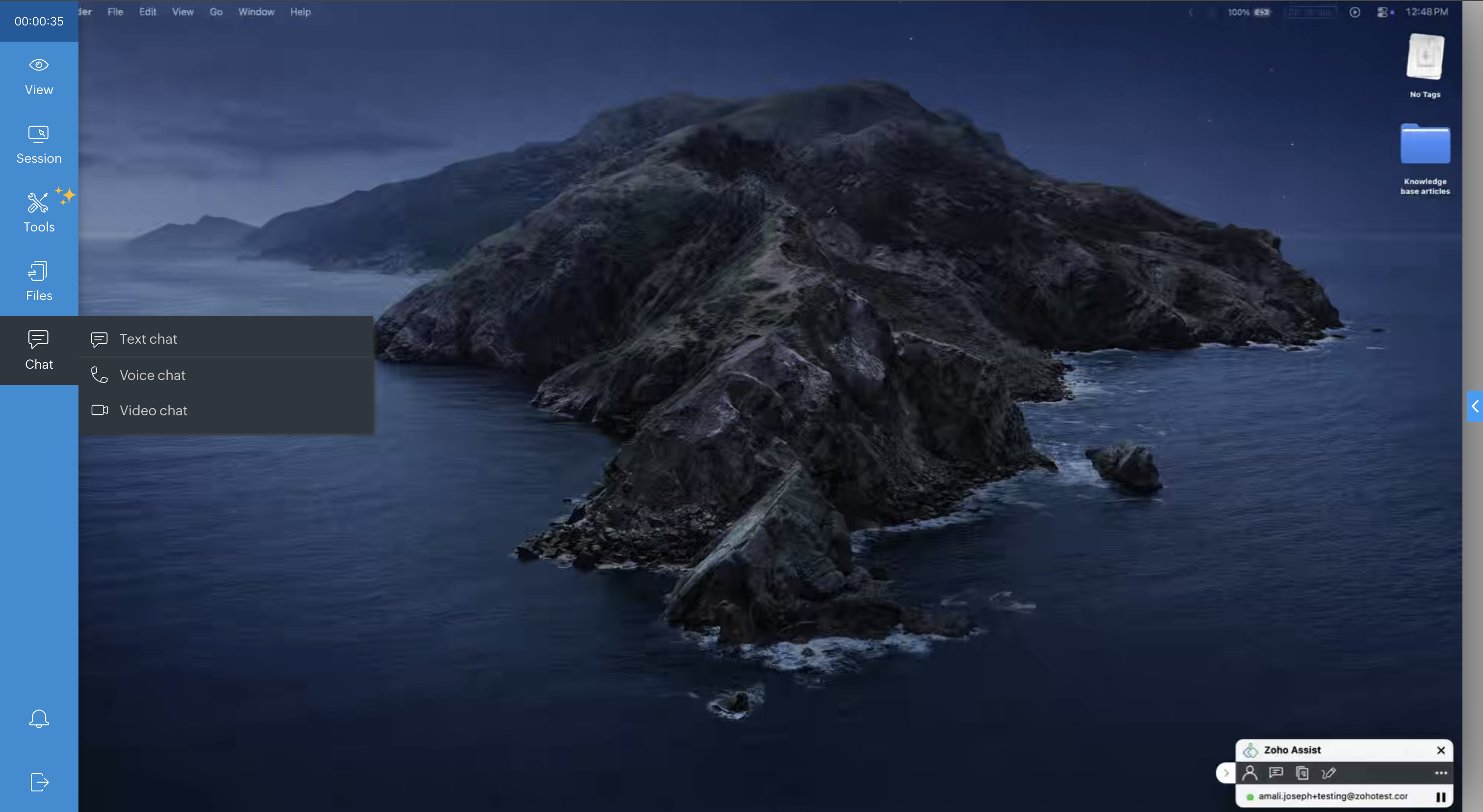
Chat brings communication right into the Technician Console, so you can talk to the customer without ever leaving the session window. You get three ways to connect, depending on what the moment calls for. During an active session, click Chat in the Technician Console sidebar and choose your mode:
Text chat: Type messages back and forth in real time. Ideal for sharing links, commands, or step-by-step instructions the user can copy exactly, and handy in noisy environments or when a written record of the conversation helps.
Voice chat: Talk it through live. When typing slows you down, a voice call lets you walk the user through a fix or ask a quick question in seconds, while you stay focused on the screen.
Video chat: Put a face to the support. Video is great for building trust and making customers feel at ease.
To access Chat option, navigate to the Technician Console. Click on Chat in the left sidebar and select chat option as per your preference.
Why it helps
Everything in one window: no jumping to a phone or a separate call app.
Faster resolutions: clear up questions on the spot instead of guessing.
A better experience: a real conversation reassures customers, especially non-technical ones, and makes every session feel personal.
The next time you connect, remember that support is a two-way conversation. Whether it's a quick line of text, a voice call, or full video, Chat keeps you and your customer on the same page from start to finish.
Which chat mode do you reach for most during sessions, text, voice, or video? Share your go-to in the comments below!
For questions or support, reach out to us at support@zohoassist.com. We're always happy to help!