Tip #9: Add and manage your CRM contacts from incoming emails

Merry Christmas to all of you!
Among the list of emails, when you find one such contact, who can be your lead or a potential, use the CRM widget to quickly add their details to your Zoho CRM account.
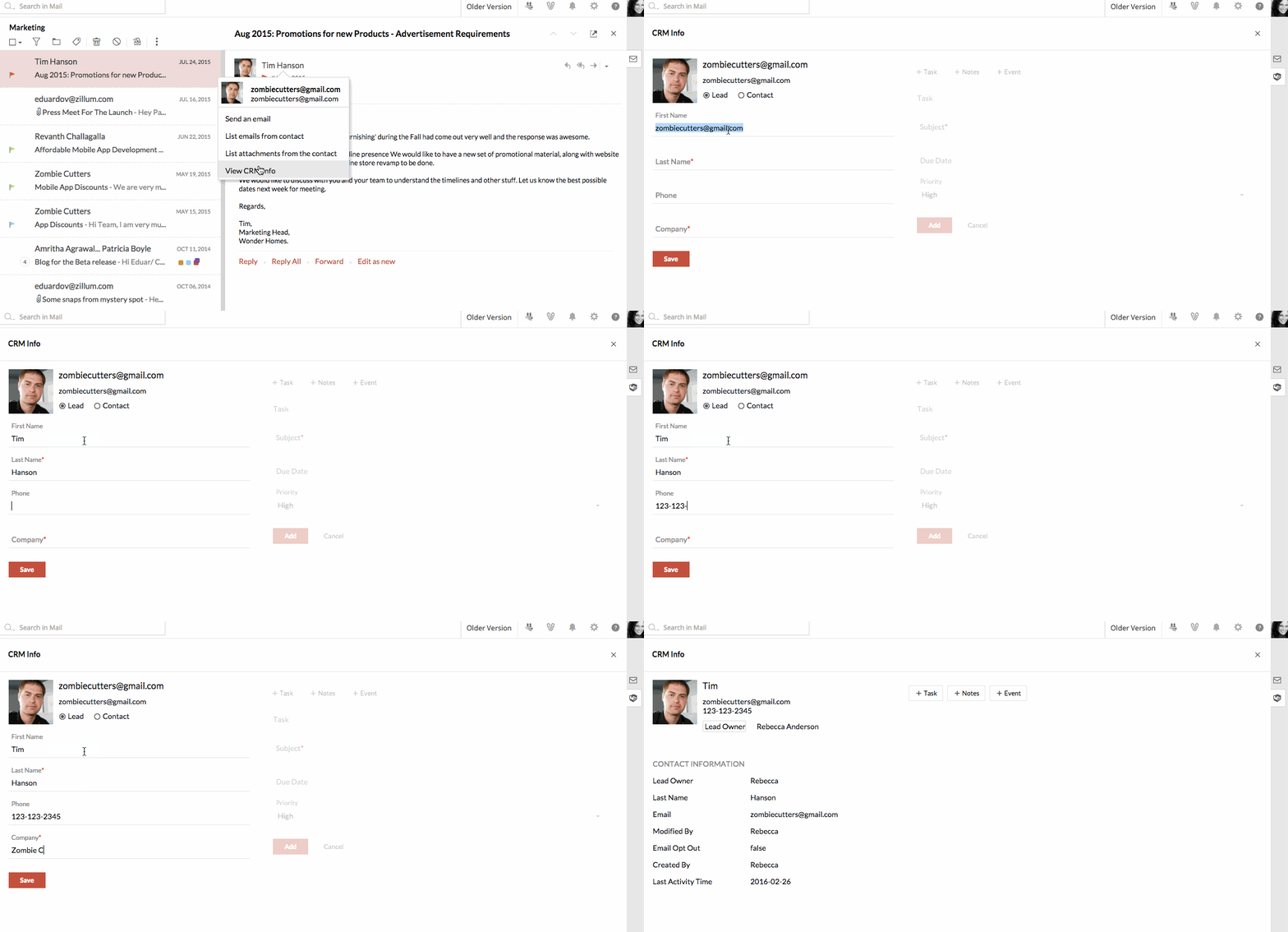
You can even add Tasks/ Notes relevant to the contact, right from the email.
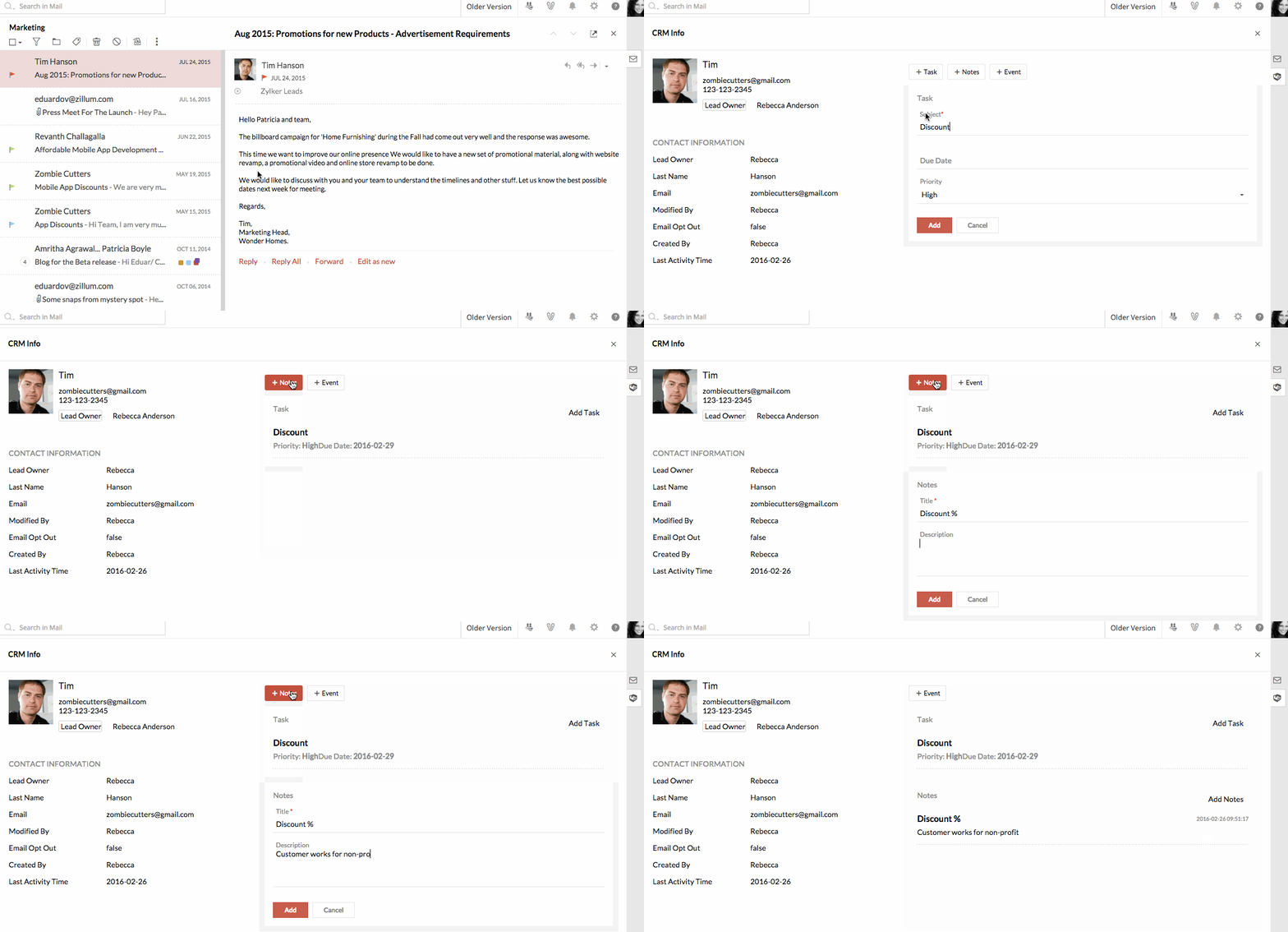
Start adding CRM contacts, tasks and notes. Leave your feedback/ suggestions as comments. See you next week with yet another useful tip!