Tip #91 – Let customers join sessions directly from your website with the Customer Widget – 'Insider Insights'
Hello Zoho Assist Community!
When a customer needs remote support, the last thing you want is for them to fumble through an email invitation or navigate to an unfamiliar webpage just to join a session. Every extra step is a moment of friction, and for customers who are already dealing with a technical issue, that friction adds up fast.
What if they could join a session directly from your website, without going anywhere else?
That's exactly what the Customer Widget in Zoho Assist makes possible.
What is the Customer Widget?
The Customer Widget is an HTML snippet that you can embed directly on your website. Once in place, customers can join a remote support session by simply entering the session ID shared with them over a phone call, right from your webpage. No email invitations to track down, no third-party URLs to visit, and no confusion about where to go. The entire experience stays on your website, keeping your brand front and center throughout the support interaction.
Setting it up
Getting the widget live on your website takes just three steps. From the Zoho Assist home page, navigate to Settings and under Remote Support, click Customer Widget. Copy the HTML snippet and embed into your website.
That's it. Once embedded, the widget is ready for customers to use immediately.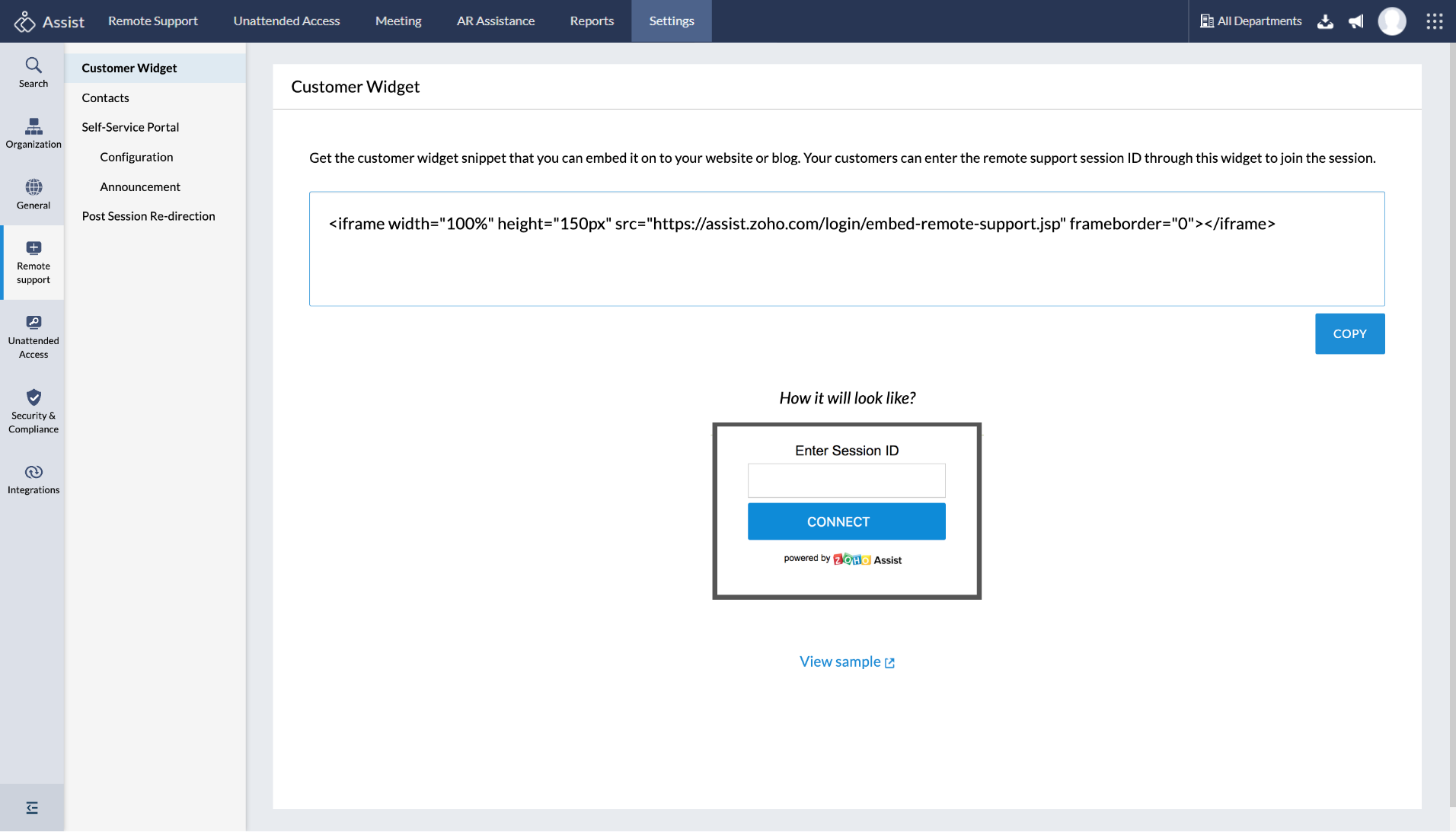
How customers use it
When a customer needs to join a session, the technician shares the session ID over a phone call. The customer visits your website, enters the session ID directly into the widget, and joins the session instantly. A simple download is required to get started, and no navigating away from your website.
Whether you're running a helpdesk, a managed services operation, or an internal IT support function, the Customer Widget keeps the support experience seamless, branded, and straightforward for every customer who needs help.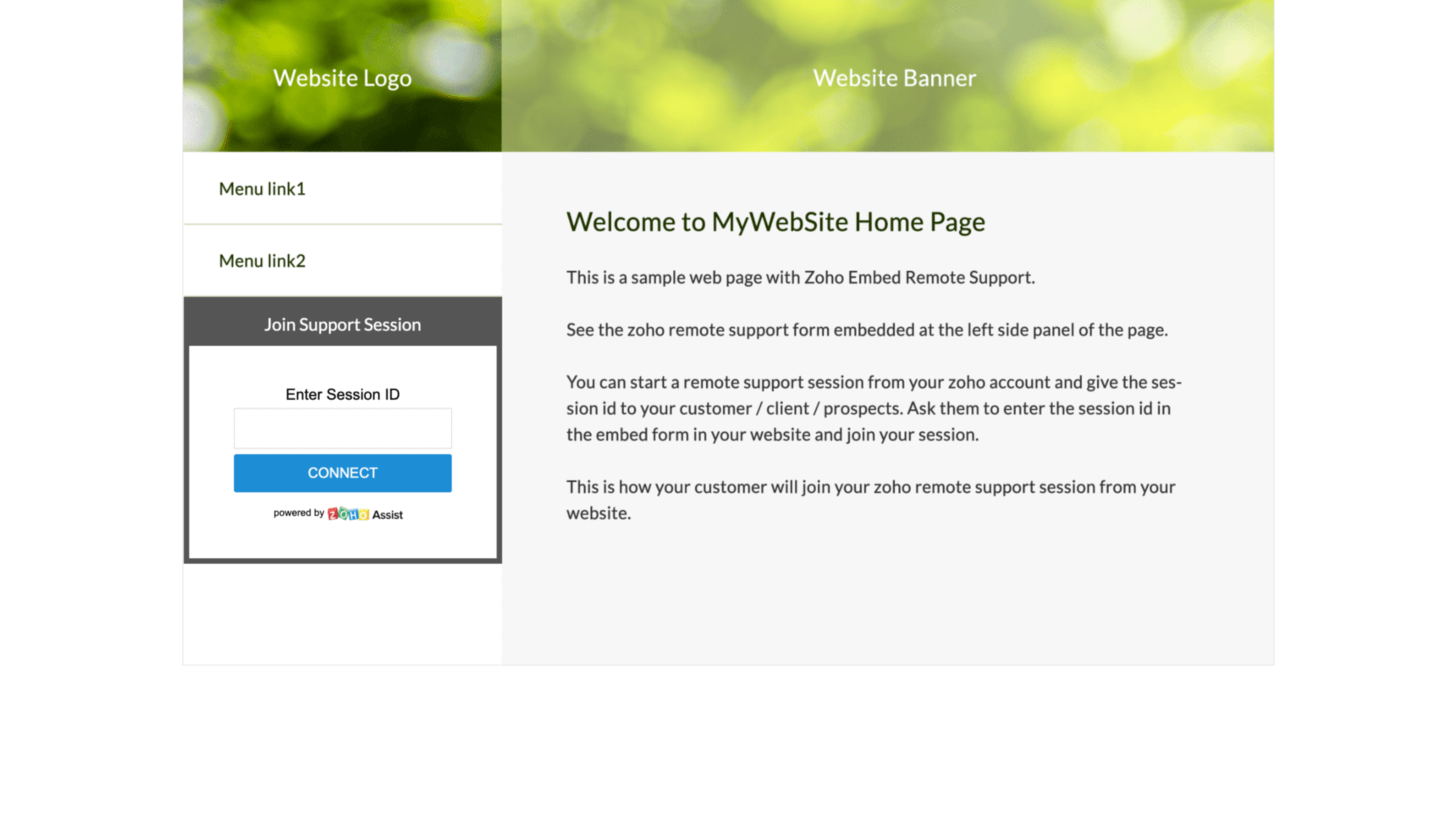
Have you embedded the Customer Widget on your website? We'd love to hear how it's working for your team. Share your experience in the comments below!
For help or questions, reach out to us at support@zohoassist.com. We're always happy to help!