Translate any published presentation to the language of your choice

As part of our constant effort to enrich your presentation experience, Zoho Show has rolled out a new feature for translating published presentations.
Consider the following scenario: Zylker IT services, a multinational corporation, has announced product updates on their company website. The company wants to ensure that their presentation about these updates is understood by employees in various geographic locations.
Zoho Show now makes it easier to tailor your presentation to a global audience. Your audience can translate any published presentation into 18 different languages.
How do you translate a published presentation?
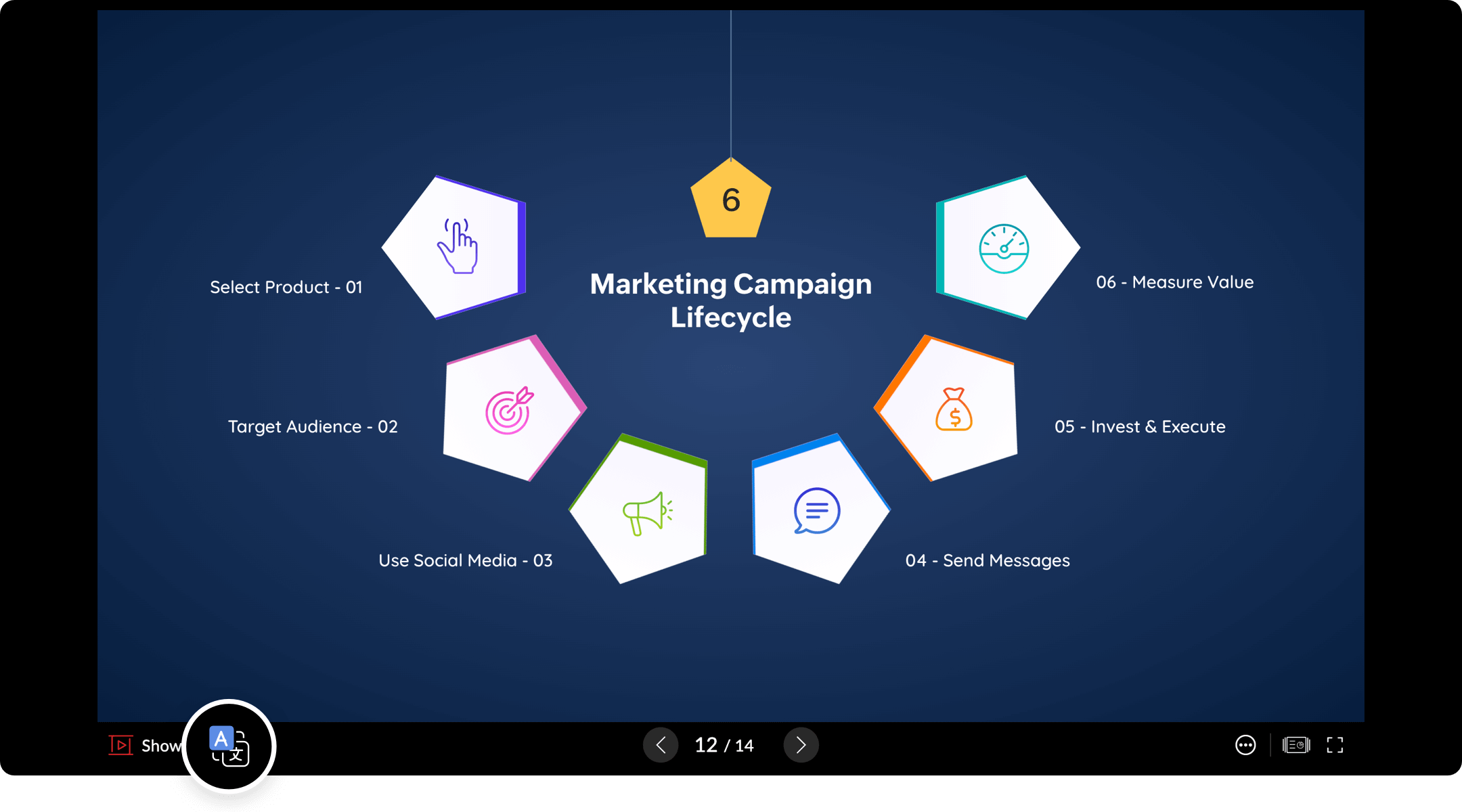
- In the bottom-left corner of the presentation, click the Translation Icon next to the Zoho Show icon.
A pop up window will appear. Presented displays the language in which the presentation is published. Translate To displays the language in which you choose to view the presentation.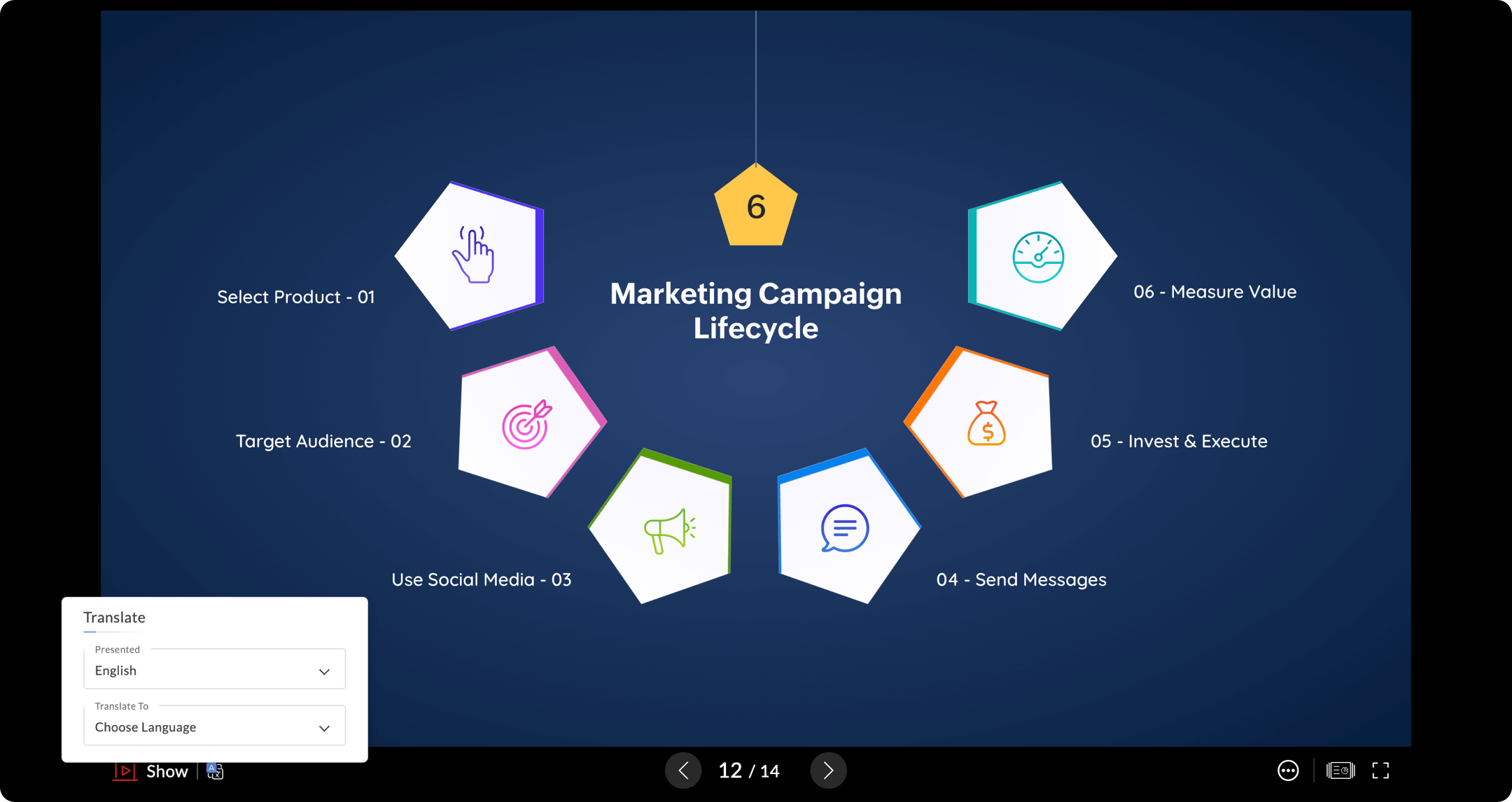
- Under Translate To, use the Choose Language drop-down menu to select your required language from the available options.
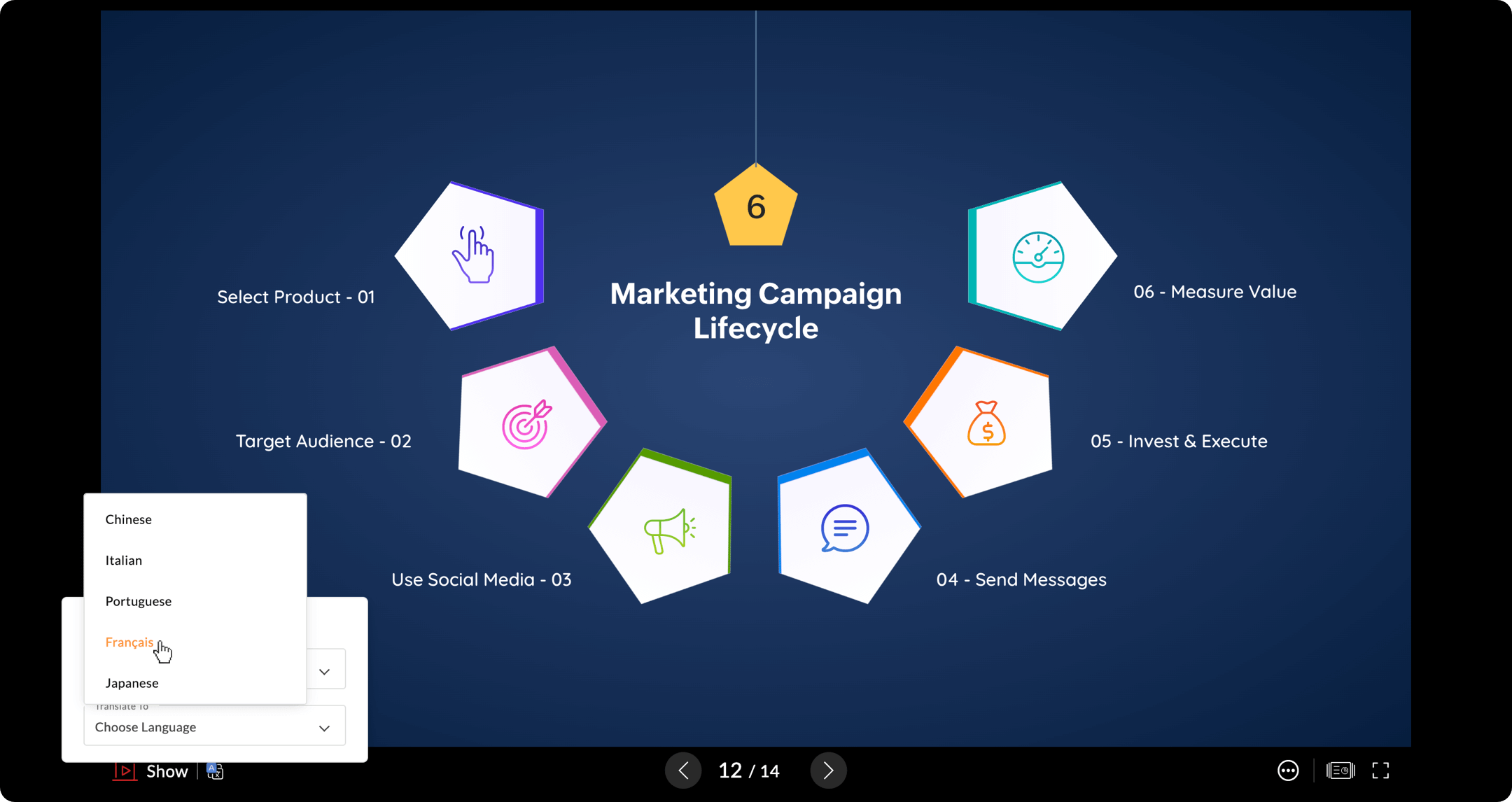
Your presentation will now be translated to your preferred language.
We hope you find this update useful!
Watch this space for more interesting product updates.
For suggestions and feedback, write to us at support@zohoshow.com.