Automate Workflows at the Subform Level
Automate Workflows at the Subform Level
We’re excited to introduce an enhancement to Workflow Rules that gives you more control over automation within your records.
Previously, Workflow Rules could only be configured at the module level, which meant changes within subform rows often had to be monitored and managed manually. With this enhancement, Workflow Rules can now respond directly to actions and changes within individual subform rows.
What’s New?
Create Workflow Rules Based on Subforms
You can now create a Workflow Rule using either a module or a subform as the basis for the rule. You can also filter your Workflow Rules by subform from the Workflow Rules home page.
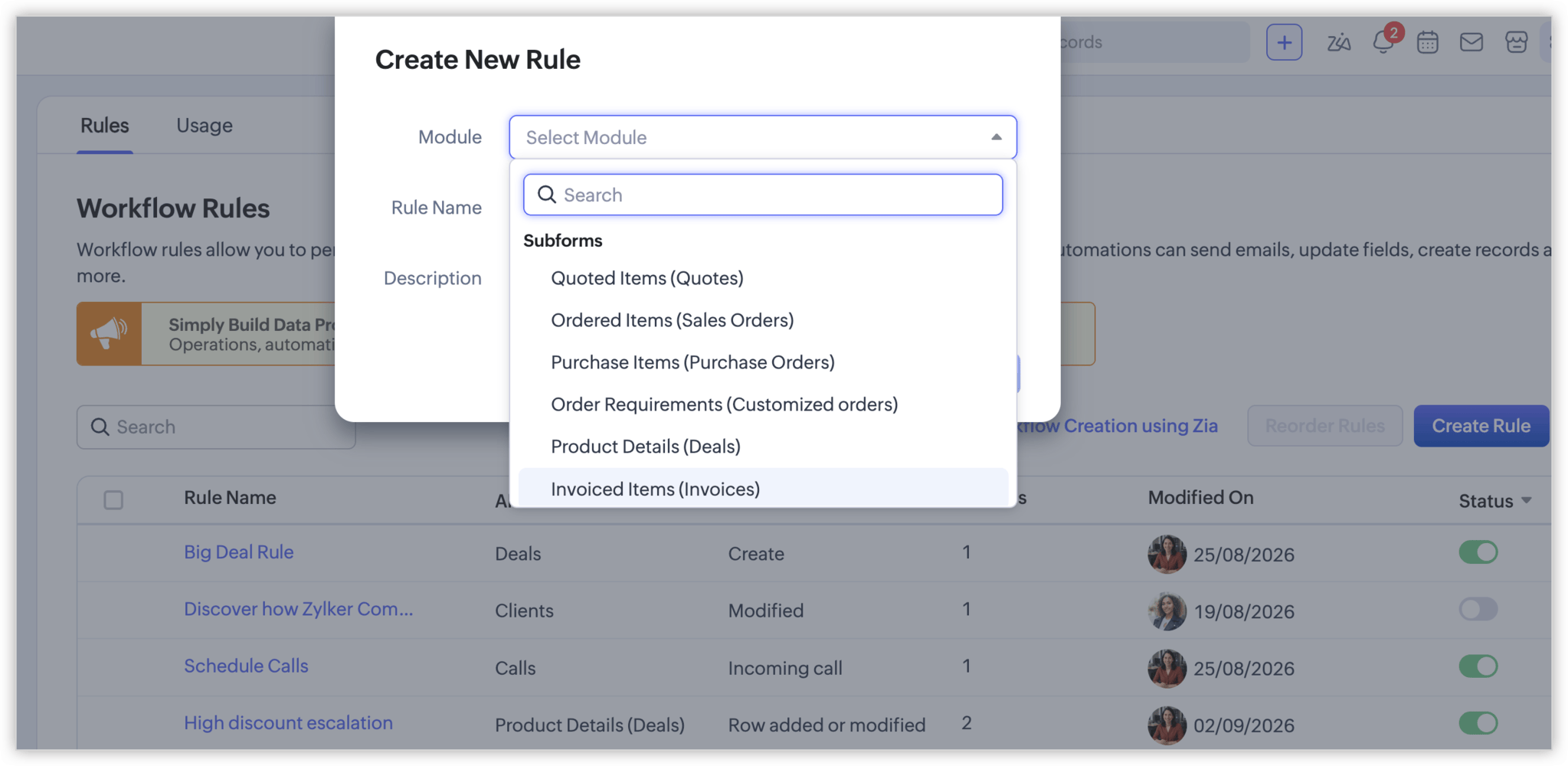
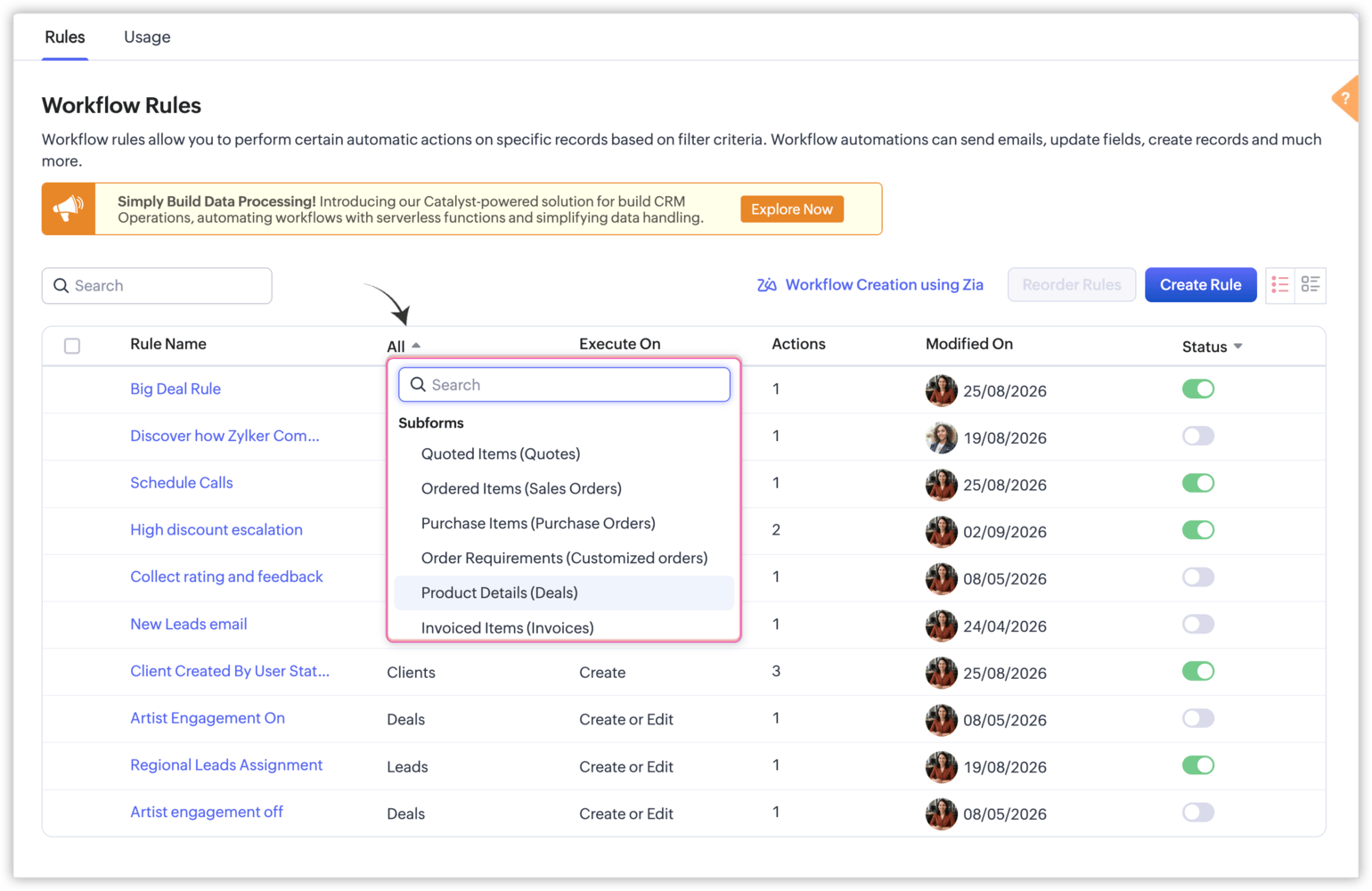
Workflow Rules can now be triggered when a subform row is:
• Added
• Modified
• Added or modified
• Deleted
For modified rows, you can choose whether the rule should run when any field is changed or only when specific fields are modified.
You can also configure date and time based triggers using fields such as Created Time, Modified Time, or custom date and time fields.
More Powerful Conditions
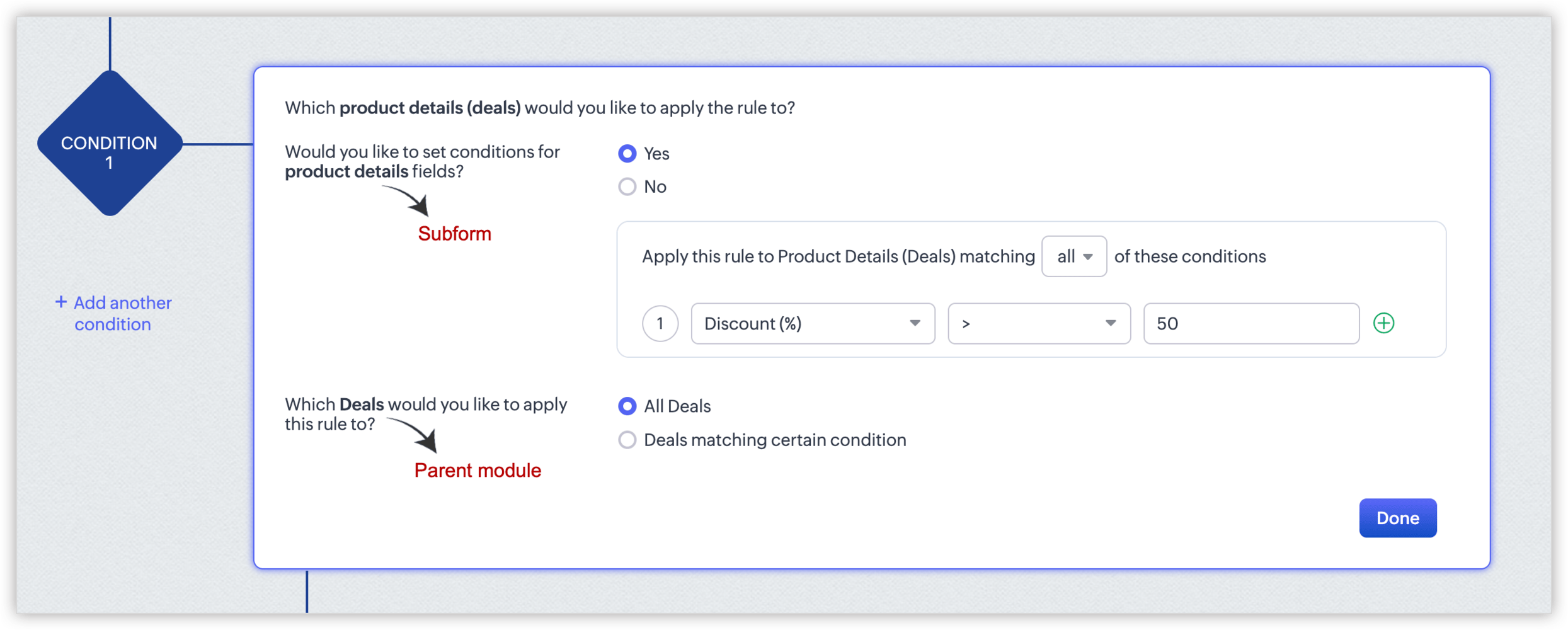
Workflow Rules can now evaluate information from both the subform and the parent record.
For example, you can create conditions based on specific subform fields while also checking fields in the main module. This allows you to automate actions only when the exact criteria you define are met.
Example
Let’s say you have a Deals module with a Product Details subform where sales representatives add the products associated with each deal.
You can create a Workflow Rule that triggers whenever the Discount (%) on a product row exceeds 50%.
When this happens, the workflow could automatically:
• Update the Approval Required field on that product row to "Yes"
• Update the Discount Approval Status on the Deal to "Pending Review"
• Update a related field in the Products module with the date the discount was flagged
• Send an email or SMS notification to the sales manager
• Trigger a webhook or custom function
This means high discount requests can be identified and escalated automatically without requiring sales managers to manually monitor each product row.
Expanded Actions
Once your trigger and conditions are met, you can use several instant actions to automate your process, including:
• Field Updates
• Email Notifications
• SMS Notifications
• Webhooks
• Custom Functions
With field updates, you can update fields within the subform, the parent module, or a lookup module.
Why This Matters
This enhancement makes it easier to build precise, row-level automation for processes that depend on detailed subform data.
Instead of manually monitoring individual subform rows, you can now create Workflow Rules that automatically identify important changes, update related records, and notify the right people at the right time.
With more granular control over triggers, conditions, and actions, you can streamline your workflows and ensure that important changes are handled automatically.