UI enhancements in Zia Notification Panel
Dear All,
Greetings!
Zia notifications provide insights, predictions, and alerts about behavior and anomalies in the business process. This helps to supervise the business and attend to the pitfalls on the go.
Thus far, the panel displayed notifications and alerts about workflow, anomaly, recommendation, prediction, conversational AI, and competitor alerts as and when they occurred. These notifications are displayed in chronological order and can be filtered to sort and view notifications specific to the alerts.

For a better user experience, we are introducing the following elements to the Zia notifications panel.
- Starring Notifications
- Mark all as read
- Panel Configuration
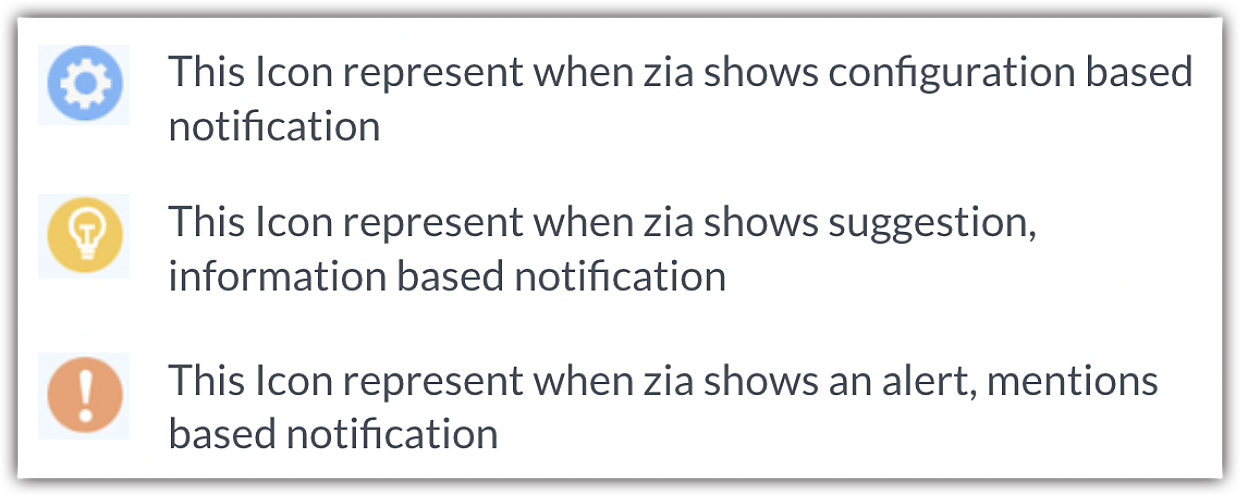
- New Icon sets
Starring Notifications- You can mark a notification as favorite by starring it. Additionally, you can filter and view the starred notifications quickly.

Mark all as read - You can mark all notifications as read at once. This option saves time and lets you differentiate between the old and new notifications.

Panel Configuration - The panel configuration allows to set the notification preferences.
- Desktop Notification: You will receive Zia notifications and alerts as push notifications on your desktop. This keeps you in the know, even while you are working on other applications.
- Unread only: Only those notifications that are unread and new will be displayed in the notification panel.
- Configure Notifications: This option takes you to the Zia notifications setup page to make further changes. Click here to know how to set up Zia notifications.

Icons for each notification type - Zia notifications are categorized based on their actions like configuration or process, suggestion or information, anomaly, mentions, alerts, etc. Each of these actions will now be listed with respective icons for ease of interpretation.
This enhancement has been released for all users. For more information about Zia notifications, refer our help doc.
Thanks,
Saranya Balasubramanian
Saranya Balasubramanian