UI issue with Organize Tabs
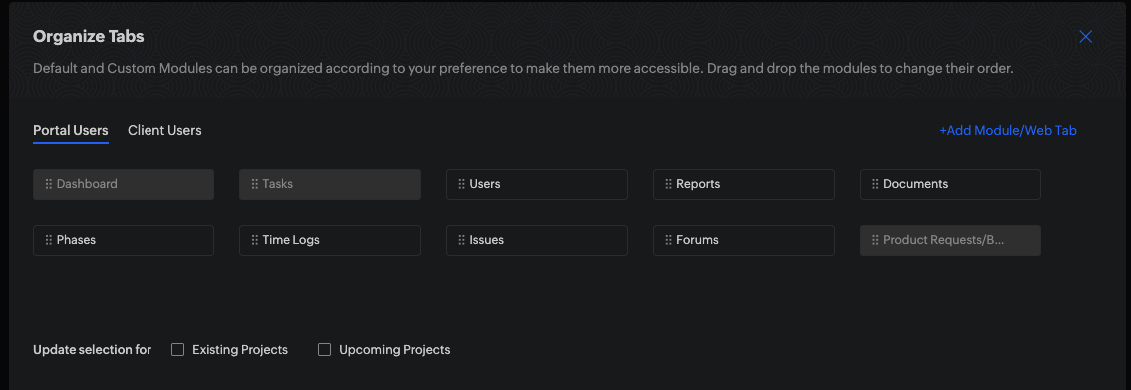
When looking at the organize Tabs window (bellow) you can see that some tabs are grayed out. there is also a "Add Module/Web Tab" button. When looking at this screen it's clear that the grayed out tabs can not be removed from the portal user's screen while the other's can be. When removed, they will be available in the "Add Module/Web Tab" menu to re-add if needed.
Interestingly enough the last tab/module "Product Requests/B.." is a custom module that I have created which can't be removed from the view.
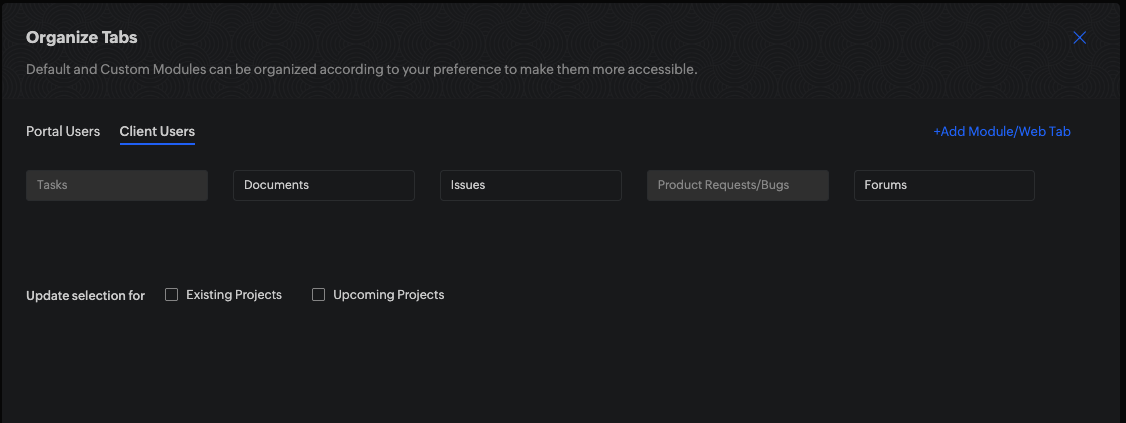
If I switch over to the Client users you can see that the UI looks the same however in this case the grayed-out box means 2 different things i'm told by support. For system modules i.e. "Tasks" it continues to mean that the module/tab can not be removed however for custom modules now being grayed-out means it's not visible to the client user. Which is confusing because there is also a list of not visible modules in the "Add Module/Web Tab" menu.
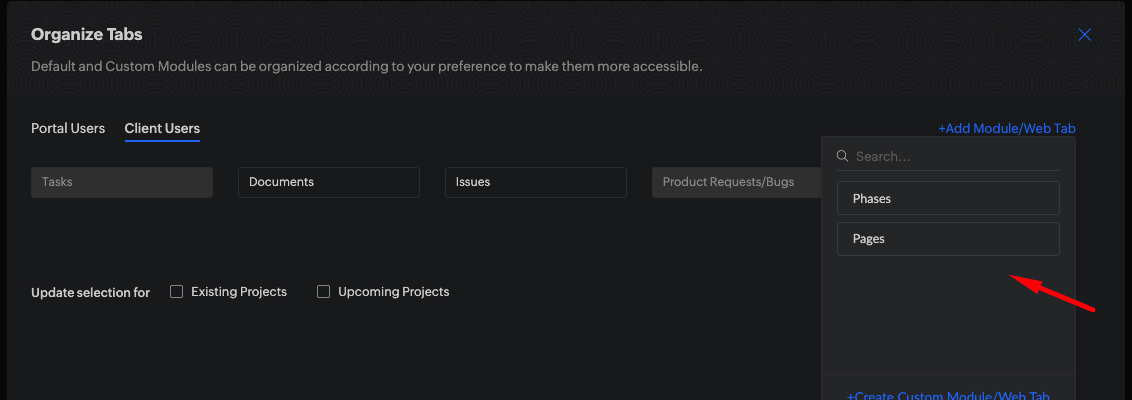
IMHO if the module/tab is not visabile it should not be displayed on this view and be part of the menu displayed when you mouse over "Add Module/Web Tab" as shown here. And if custom modules are not able to be added for client users then they should be grayed out on this sub menu under "Add Module/Web Tab"
IMHO if the module/tab is not visabile it should not be displayed on this view and be part of the menu displayed when you mouse over "Add Module/Web Tab" as shown here. And if custom modules are not able to be added for client users then they should be grayed out on this sub menu under "Add Module/Web Tab"