Webhooks for Bigin
Hello everyone,
Say hello to webhooks in Bigin—a way to send information to other applications automatically the moment something happens to a record. Whether it's a deal moving stage, a contact being created, or a field changing, Bigin can now send an instant notification to a URL you specify, so the receiving app can act on it right away.
A few ways teams could use this:
Notify a billing or invoicing tool the moment a deal is marked Won, so invoicing can kick off without anyone re-entering data.
Update an internal roadmap or website the moment a feature deal moves to Shipped, so customers see it go live automatically.
Push new contact details to a marketing or support tool as soon as a contact is created in Bigin, keeping every system in sync.
and let's look at a quick scenario -
Say your team runs a product roadmap as a pipeline in Bigin, with stages like Planned, In Progress, and Shipped. Today, when a feature ships, someone has to remember to go manually update the What's New section on your website.
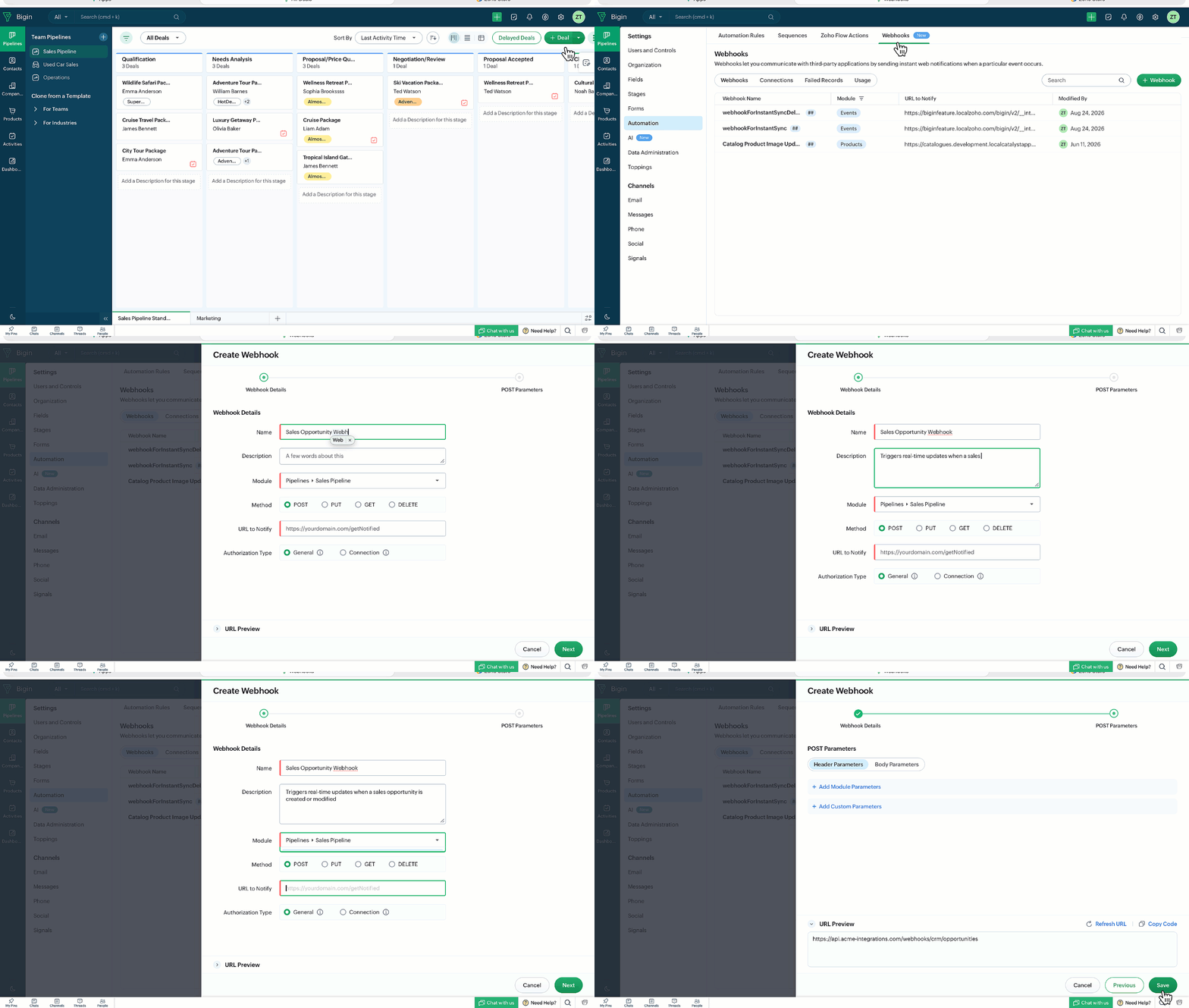
You set up a webhook once, tie it to that pipeline, and attach it to a stage automation that triggers when a deal moves into the Shipped stage. From then on, the moment a feature is marked as Shipped in Bigin, the system automatically sends the update straight to your website; no one has to remember to do it, and customers see it the moment it happens.
How to get started with this enhancement
1. Go to Settings > Automation > Webhooks > + Webhook.
2. Enter the webhook details: name, description, the module or pipeline it applies to, the HTTP method (POST, PUT, GET, or DELETE), the URL to notify, and how the request should be authorized (general, or a saved connection).
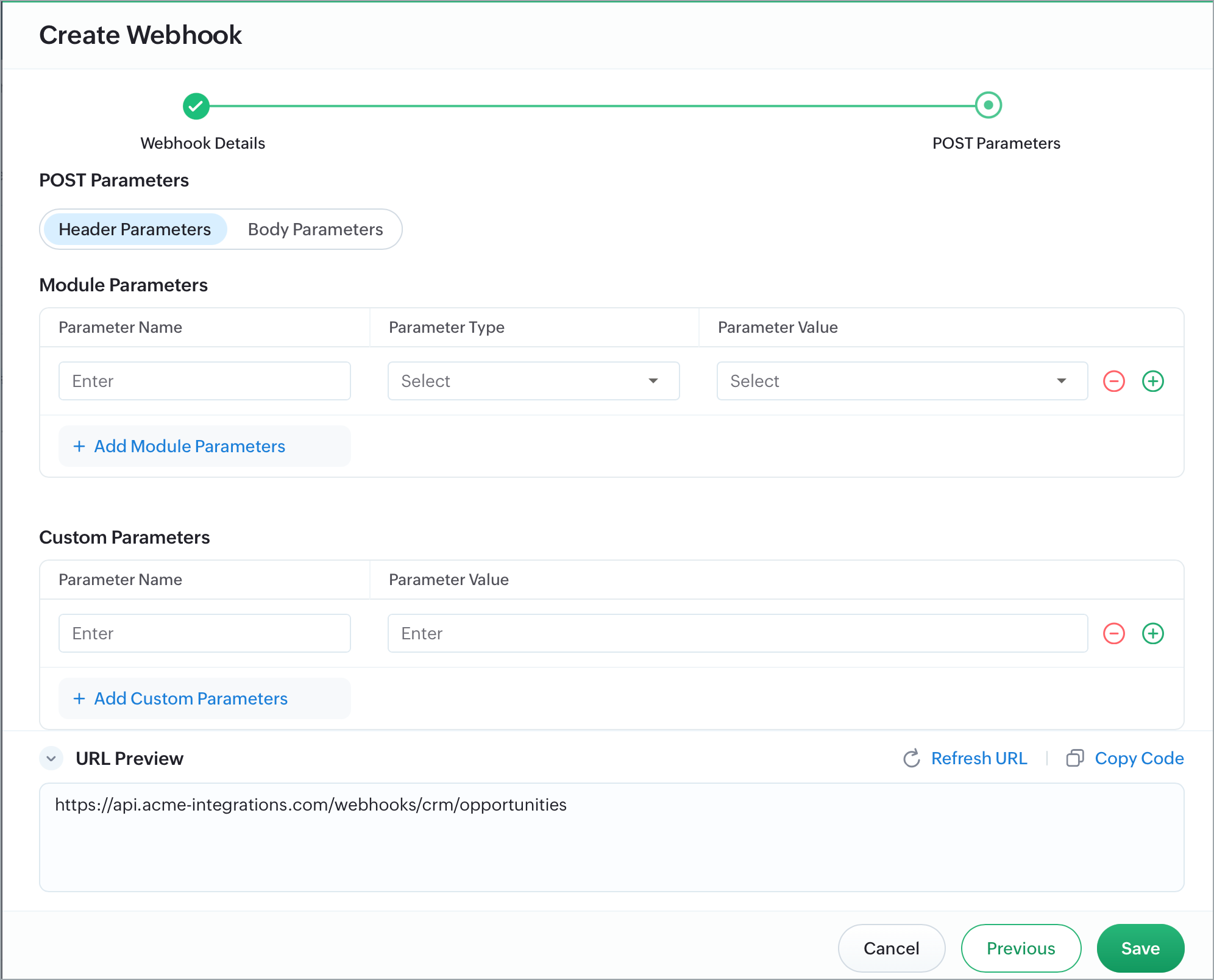
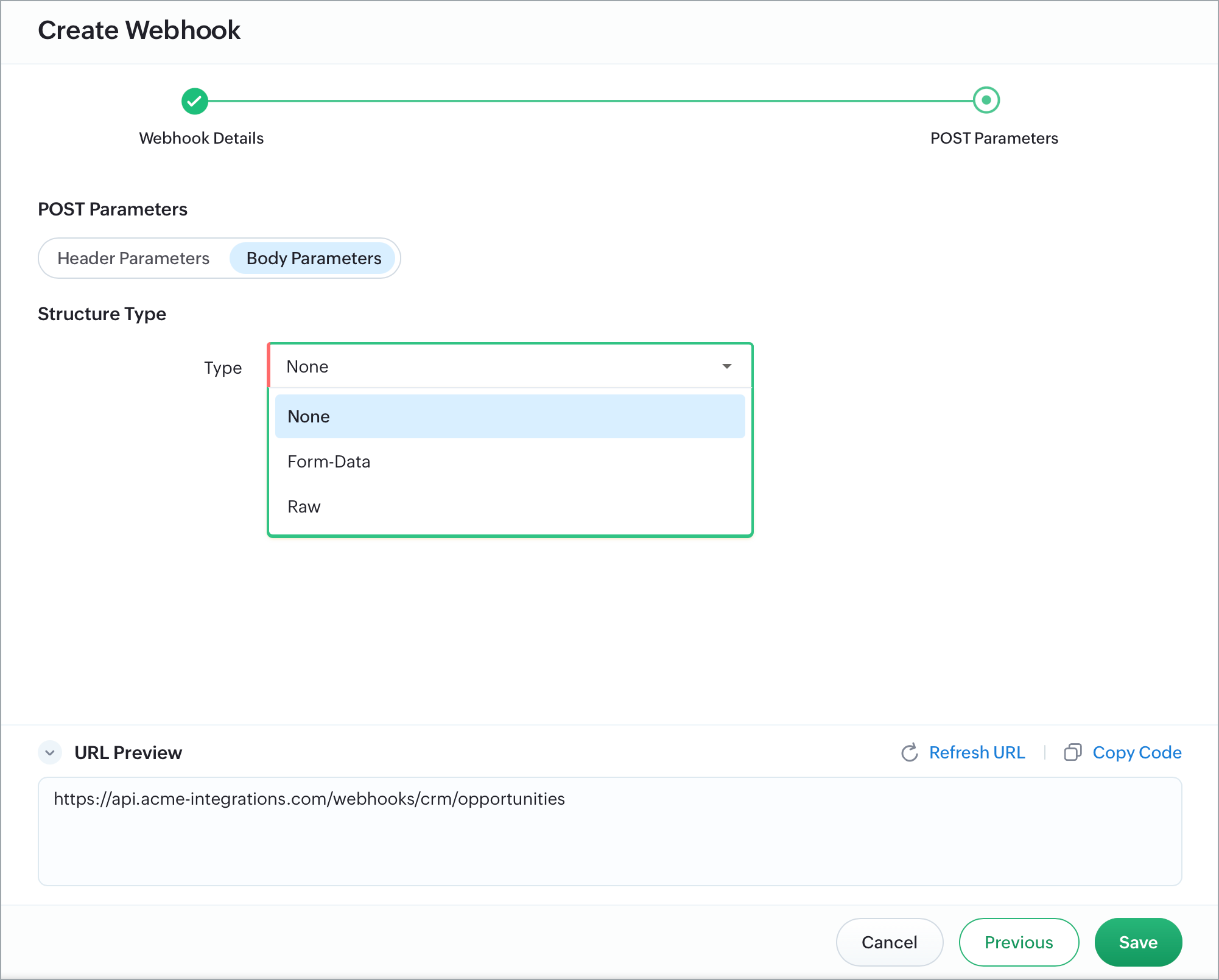
3. Configure the parameters: Add header and body parameters (for POST/PUT) or header and URL parameters (for GET/DELETE). You can map fields straight from Bigin modules, add your own custom values or use merge fields, and choose how the body is structured (None, Form-Data, or Raw/JSON).
4. Add the webhook to a workflow or stage automation: A webhook only fires once it's attached as an action to a workflow rule or stage automation, so this step is what actually connects it to a real trigger.
Once set up, any matching record action will automatically send your configured data to the third-party application—and if a call ever fails, you can track and retry it from the Failed Records tab, or monitor overall volume from Usage.
With webhooks, Bigin users can connect their sales data to any external system in real time, without manual updates or custom integration work—making it easier to keep every tool in your stack in sync.

Editions: Bigin 360, and Zoho One.
Availability: Users with the Connections permission (under Developer Permissions).
For detailed setup instructions, refer to the help document.