Weekly Tips: Get Work Done Faster with Zia AI
Every day brings a fresh batch of messages — meeting invites to accept, client feedback to review, colleagues asking for updates, and the constant ping of new notifications. It's exhausting trying to clear your inbox while wondering how you will catch up on your work. How great it would be if someone could quickly summarize important messages for you and also help you draft your reply for the emails without missing out on anything?
Here's Zoho Mail's Zia— your intelligent AI assistant that organizes and simplifies your email process so your workflow feels much smoother.
Here's Zoho Mail's Zia— your intelligent AI assistant that organizes and simplifies your email process so your workflow feels much smoother.
Zia AI
Zia, Zoho's Artificial Intelligence that has been provided with the ability to generate, summarize and auto-suggest content with the help of Open AI. Zia integration in Zoho Mail will help you generate new email content based on the context provided by you, summarize the emails in your inbox, and auto-suggest the email content as you type in the email composer.
Steps to enable Zia AI in Zoho Mail:
The ZIA extension can only be enabled by the Super Administrators or Administrators of the organization either through the Mail settings or the Admin Console settings. Follow the steps below to enable ZIA AI from the Mail settings:
- Log into Zoho Mail with your SuperAdmin/Admin credentials.
- Navigate to to Settings > Integrations > Extensions > Zia.
- Click on the Zia integration card.
- Provide the the OpenAI API key. Refer here to generate the API key from the OpenAI site.
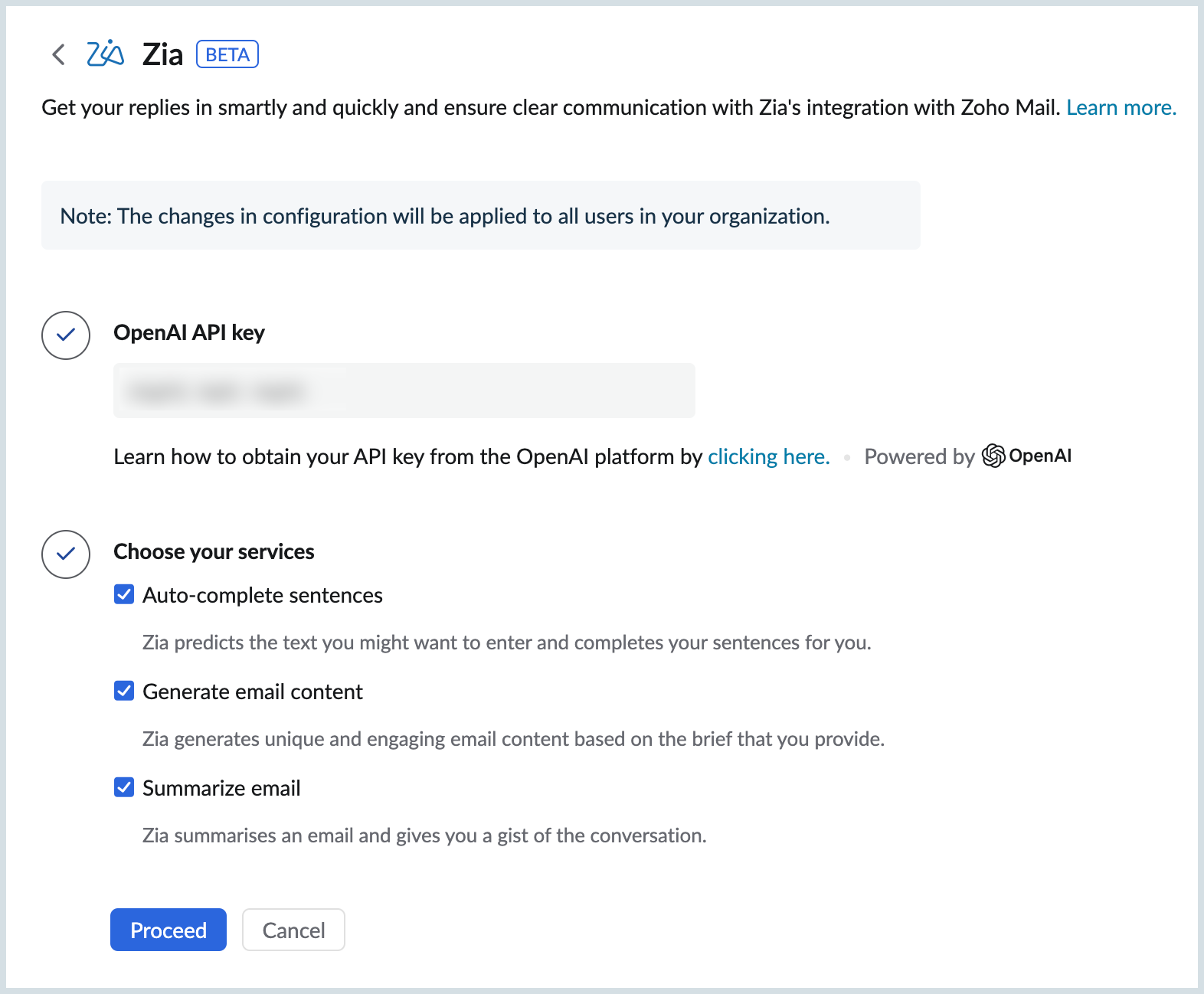
- Choose the services you want to enable for your organization's users using the options provided. The available options are:
- Auto Complete Sentences
- Generate email content
- Summarize email content
- Click Proceed and Read&Accept Open AI's Data Privacy Notice.