Weekly Tips: Never Miss an Important Follow-Up with Zoho Mail Reminders
Often, we plan to follow up on tasks, projects, or conversations, only to let them slip from our memory as time passes. With so much going on, it can be tough to keep track of all your important follow-ups. So, how do you keep track of all your works without having to leave the inbox?
So, here's Zoho Mail's Reminders, allowing you to effortlessly set reminders, ensuring you are always alerted when it’s time to follow up.
Reminders
Using Reminders in Zoho Mail, you can set reminders for your work items to be followed upon at the right time, ensuring nothing falls through the cracks. With just a click, you can set a reminder to notify you exactly when you need to reach out again. Apart from accessing and managing your existing reminders, the Reminders section allows you to add general reminders that can help you keep track of any chore you might have. This saves you time and helps you stay productive without missing important follow-ups.
Set Reminders
To add a new general reminder from the reminder section, follow the steps mentioned below:
- Log into your Zoho Mail account.
- Navigate to the reminders icon in the right pane of your Mailbox.
- In the Reminders section, click on the text bar or click Add now and enter your reminder's title.
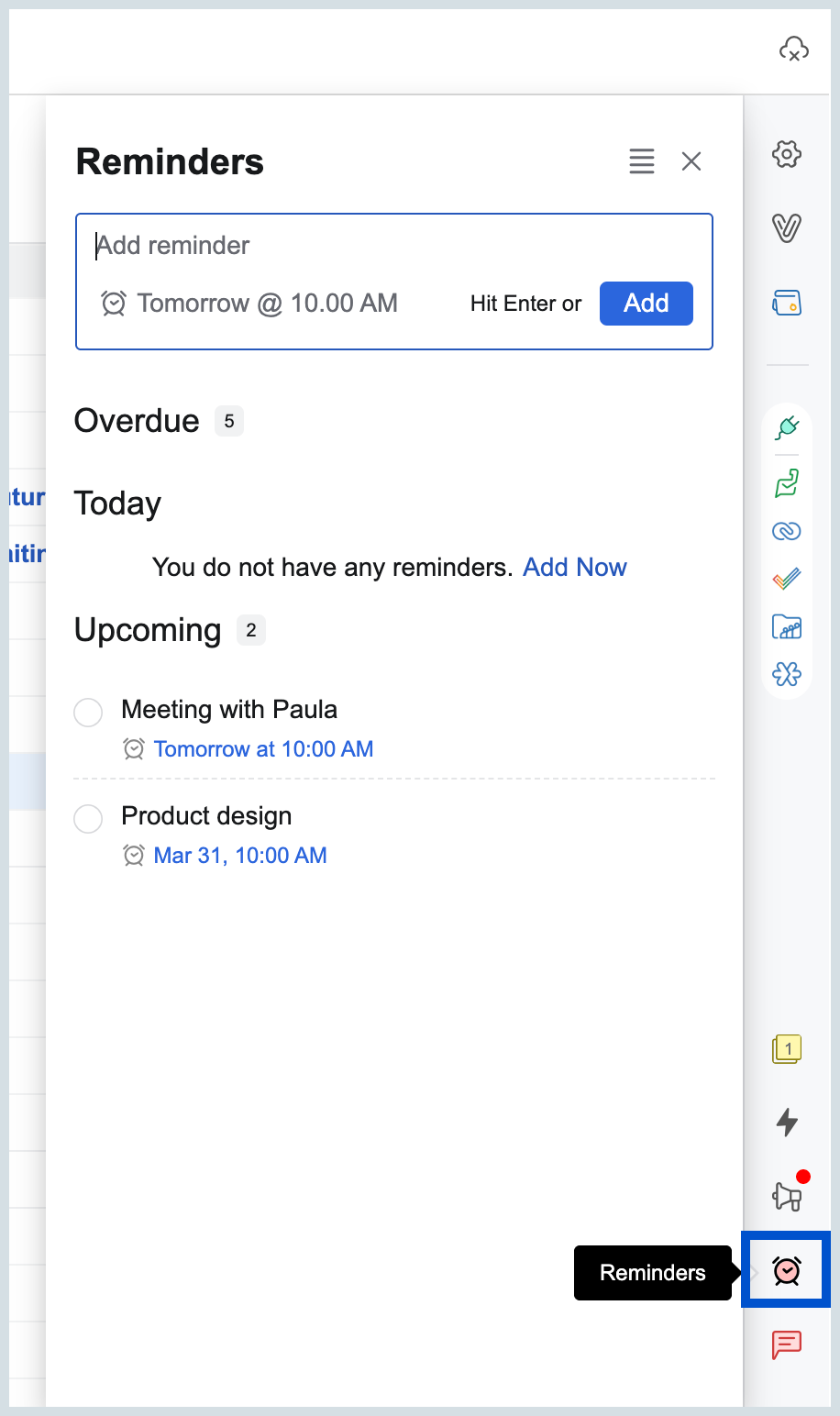
- Set the time by which you want the notification to be sent.
- Once done, click Add or press enter from your keyboard.
Once you have set the reminder, you can further choose to edit, change the alarm time, delete, snooze, and do much more by simply hovering over the reminder.
No more manually tracking deadlines – Zoho Mail makes it simple to stay on top of your inbox.