What's New in the Trips Experience
We've redesigned the Trips module to make trip management simpler and more intuitive. Here's a quick look at what's changed.
Simplified Trip Creation and Itinerary Management
Flexible Trip Creation: You can now create and save a trip without adding itineraries right away. Itineraries can be added later from the trip's detail screen, giving your employees the flexibility to set up trips in stages rather than all at once.
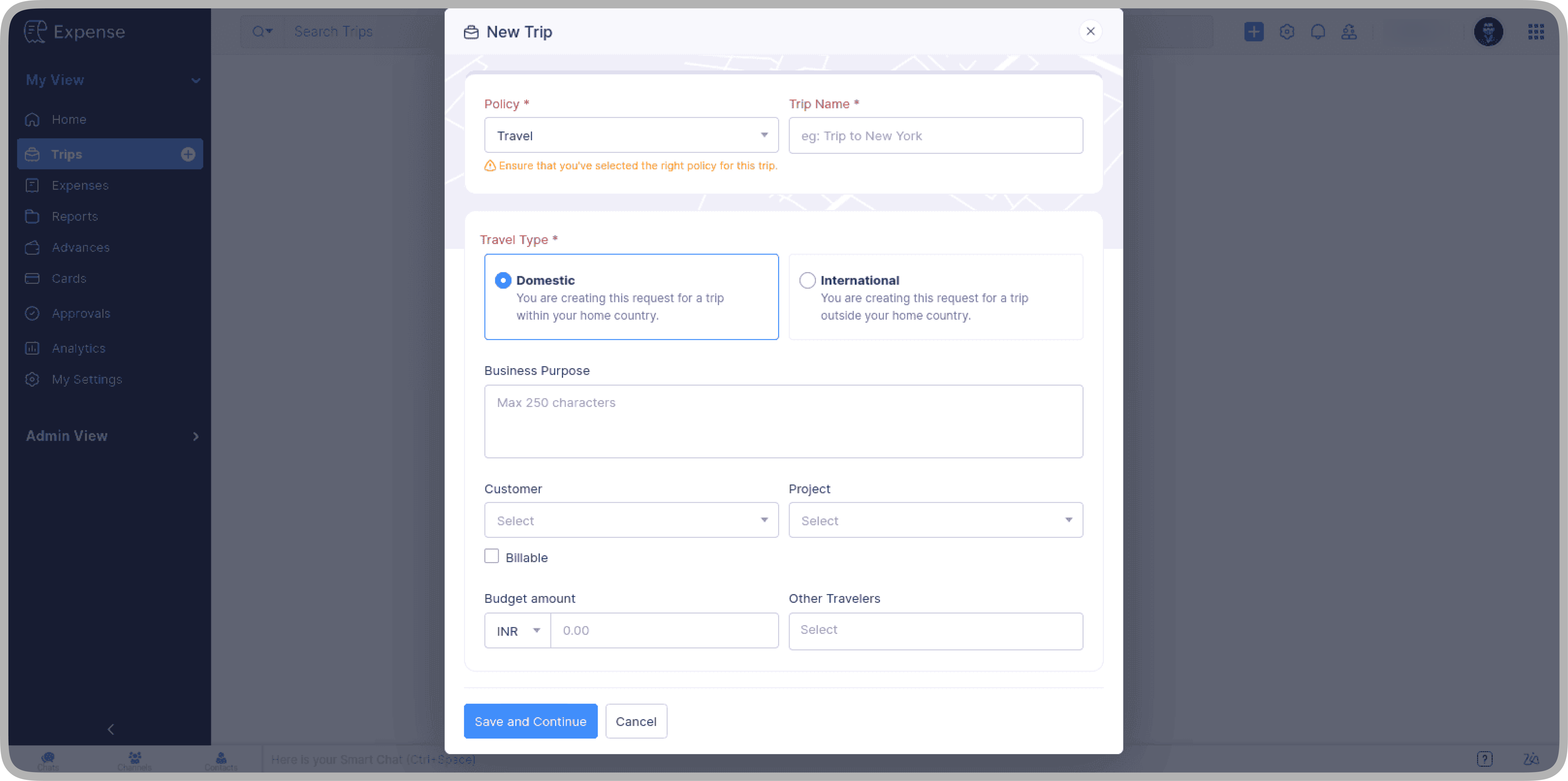
Simplified Itinerary Addition: When you're ready to add itineraries, dedicated buttons, like Add Flight, Add Hotel, and similar buttons, are available directly under the Itinerary tab, so you no longer have to navigate through a dropdown to find them.

Streamlined Edit Access: The Edit/Update dropdown has also been replaced with a an Edit icon.
Quicker Access to Comments and History
Comments and History are now separate and easier to reach.
Comments: Click the Comments icon on the trip's details page to add or view trip-level comments.
History: A new History tab, located next to the Advances tab, lets you view a trip's full activity log.

Smarter Itinerary Tab
All your itineraries are now in a single, scrollable list with no tabs to switch between. Scan through your bookings and select any one to view its details instantly.
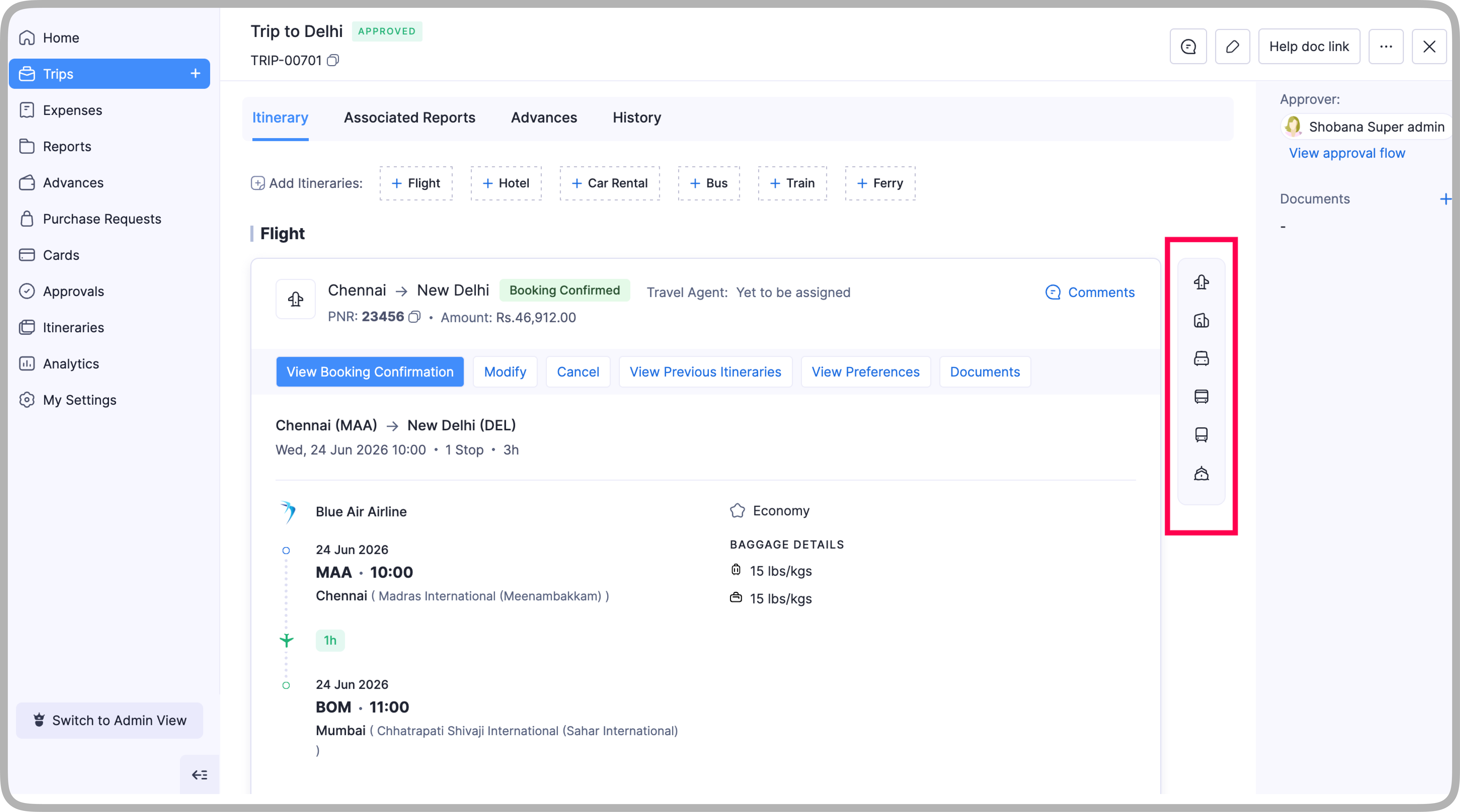
Redesigned Itinerary Cards
Each travel mode now has a refreshed card layout. Here are the key improvements.
Inline Actions: All booking-level actions including Edit, Delete, and the like, are now visible directly on the itinerary card. You no longer need to open a separate page or expand a More actions menu.

Full Segment Details: For flights with multiple segments, all segment details are shown directly on the card.
Improvements to Option Addition
A few updates have been made to the option addition flow.
Baggage split into two sections: Check-in baggage and cabin baggage are now configured separately for more clarity.
Bulk addition now pre-fills all selected itineraries: Previously, only the first itinerary was prefilled. Now, all selected itineraries are prefilled.
Itinerary headers in bulk addition: Section headers help you clearly organize and assign flight segments to the right itinerary.

GDS selection is now required: When using the option parser, you must select a GDS (Global Distribution System), a platform used to source flight inventory that helps the parser identify the data format and extract flight details accurately. If your organization has configured a default GDS, it will be prefilled automatically, though you can change it at any time.
Consistent Flight Segment UI: The flight segment layout in the option selection modal has been updated to match the design used in the itinerary cards, giving you a consistent experience across the module.
Standardized Booking Confirmation
Consistent Labels: The label for adding booking confirmations is now consistent across all travel modes. Previously it was Add Ticket for some modes and Add Booking Confirmation for others. It's now Add Booking Confirmation everywhere.
Edit Options on the Go: Travel agents can now edit selected option details directly while creating a booking confirmation, without having to go back to update the itinerary.

If you have any questions about these updates, feel free to write to us at support@zohoexpense.com; we'd be happy to help.