What's New in Zoho Inventory | June 2026
Hello users,
June 2026 introduces a range of exciting enhancements to Zoho Inventory. With the full rollout of the Zoho Inventory Windows application, the launch of Terminal Payments, and new tracking combinations in Advanced Inventory Tracking, you can manage inventory more efficiently, streamline fulfillment operations, and gain greater control over your business.
Collect Invoice Payments Using Payment Terminals (IN, US & CA)
Self-Billed Credit Notes and Self-Billed Debit Notes [Global Edition]
Inventory & Sales Management
Introducing Package Types
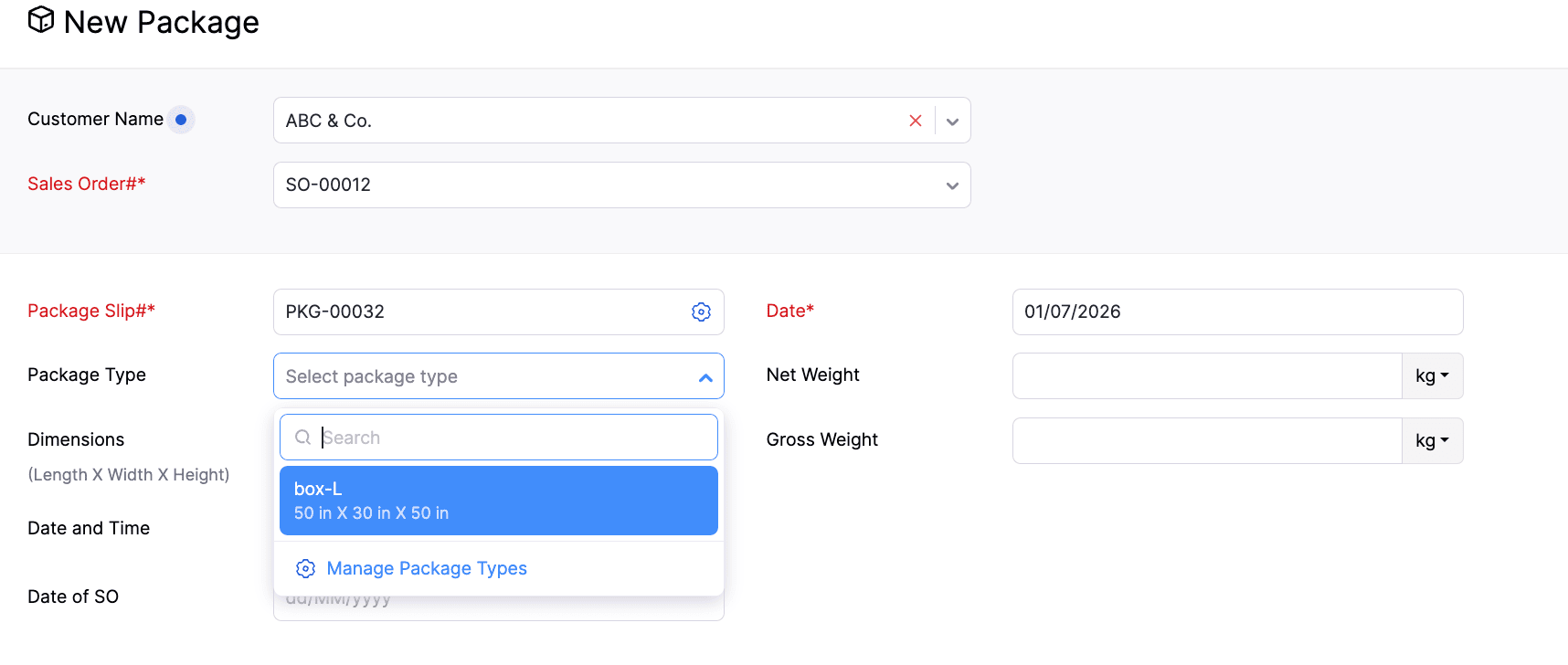
Package Types are now available in Zoho Inventory, making it easier to standardize packaging during creation. You can create predefined package types with dimensions and weight, and associate them with packages as you create them. You can also edit, delete, mark as active, and inactive the package types directly from the package creation page.
We've also enhanced package weight tracking by splitting the existing Weight field into Net Weight and Gross Weight, providing more accurate weight information for your packages and shipments.
To select package type > Go to Packages > Click +New > Select the Customer and Sales Order > Navigate to the Package Type field
Payment and Compliance
Collect Invoice Payments Using Payment Terminals (IN, US & CA)
Invoice payments can now be collected through payment terminals and dynamic QR codes across the web, Windows, and mobile apps. Once configured, payments can be initiated directly from the Invoice Details page using the Pay with Terminal option. The app will automatically track the payment and update the transaction status.
To configure the payment gateway, go to Settings > Online Payments > Customer Payments > Enter your credentials for the gateway.
Self-Billed Credit Notes and Debit Notes [Global Edition]
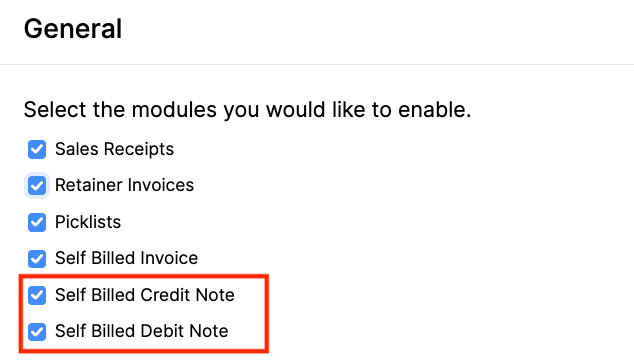
Introducing Self-Billed Credit Notes (SBCNs) and Self-Billed Debit Notes (SBDNs) for organizations complying with Malaysia's E-Invoicing regulations.
A Self-Billed Credit Note can be created by the buyer when the payable amount decreases or when a supplier invoice needs to be cancelled. A Self-Billed Debit Note can be created when the payable amount increases. They are also included in the relevant reports, with SBCNs appearing in Vendor Credit Reports and SBDNs in Bills Reports.
To enable the options > Go to Settings > Setup & Configurations > General > Enable Self-Billed Credit Note and Self-Billed Debit Note
Applications
Introducing Zoho Inventory Windows Application
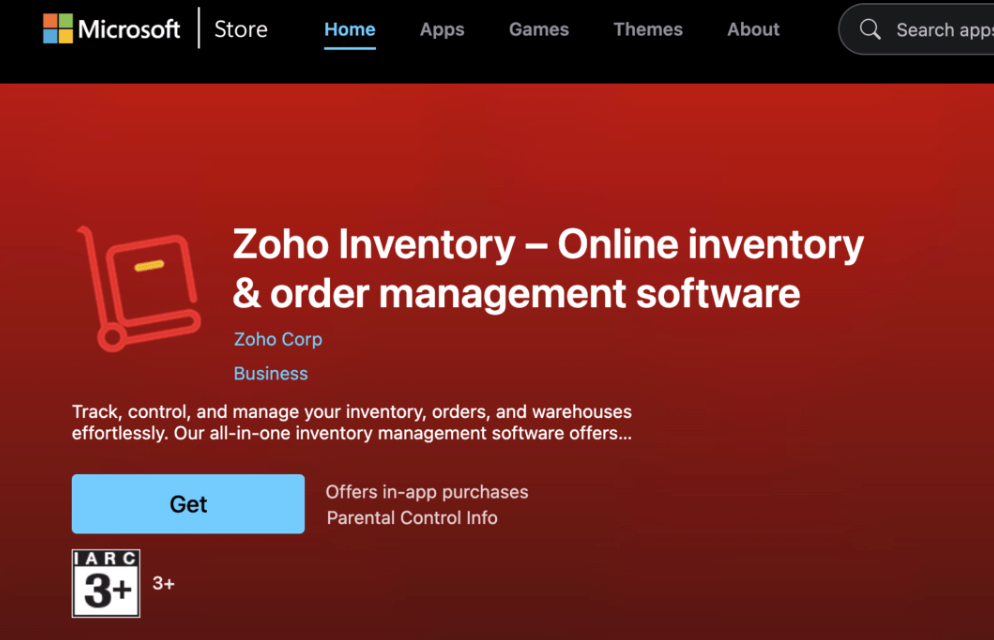
The dedicated Windows application for Zoho Inventory is now available on the Microsoft Store. It offers built-in support for Warehouse Management, Batch Tracking, Serial Number Tracking, Bin Tracking, and Barcode Scanning across the relevant modules, enabling a seamless desktop inventory management experience.
Enhancements in Advanced Inventory Tracking
Manage Serial-Tracked Items with UOM
Unit of Measurement (UOM) conversion is now available for Serial Tracked Items. You can transact serial-tracked items in your preferred unit of measurement. The batch and bin allocation screen displays available quantities in the selected transaction unit.
Enhancements in Batches List View
You can now use Custom Views, Column Customization, and Advanced Search for batch-tracked items. These options give you more control over how you organize and filter batch records.
Note: The enhancements are available in Advanced Inventory Tracking-supported plans.
Export Bin Details in Transactions
You can now export bin details for the transactions and entities, including Bills, Packages, Purchase Receives, Sales Returns, Items, Opening Balance, Credit Notes, Vendor Credits, and Invoices.
Reports & Insights
We have introduced the Weighted Average Costing (WAC) Valuation Transactions report, providing greater visibility into item valuation over time. It also displays the opening and closing Weighted Average Costing (WAC) values for items within a selected date range. You can drill down into an item to view its transaction history and see how the WAC is recalculated after each transaction.
Additionally, it also includes Stock Availability filtering, Multi-Level Group By, Advanced Filters, and Show/Hide Columns, making it easier to analyze inventory valuation based on your business needs.
The Picklist Details Report now includes both Bin details and Batch details, giving warehouse teams a more comprehensive view of item locations and batch information during the picking process.
Workflow & Automation
Automatic Acceptance for Web Form Submissions
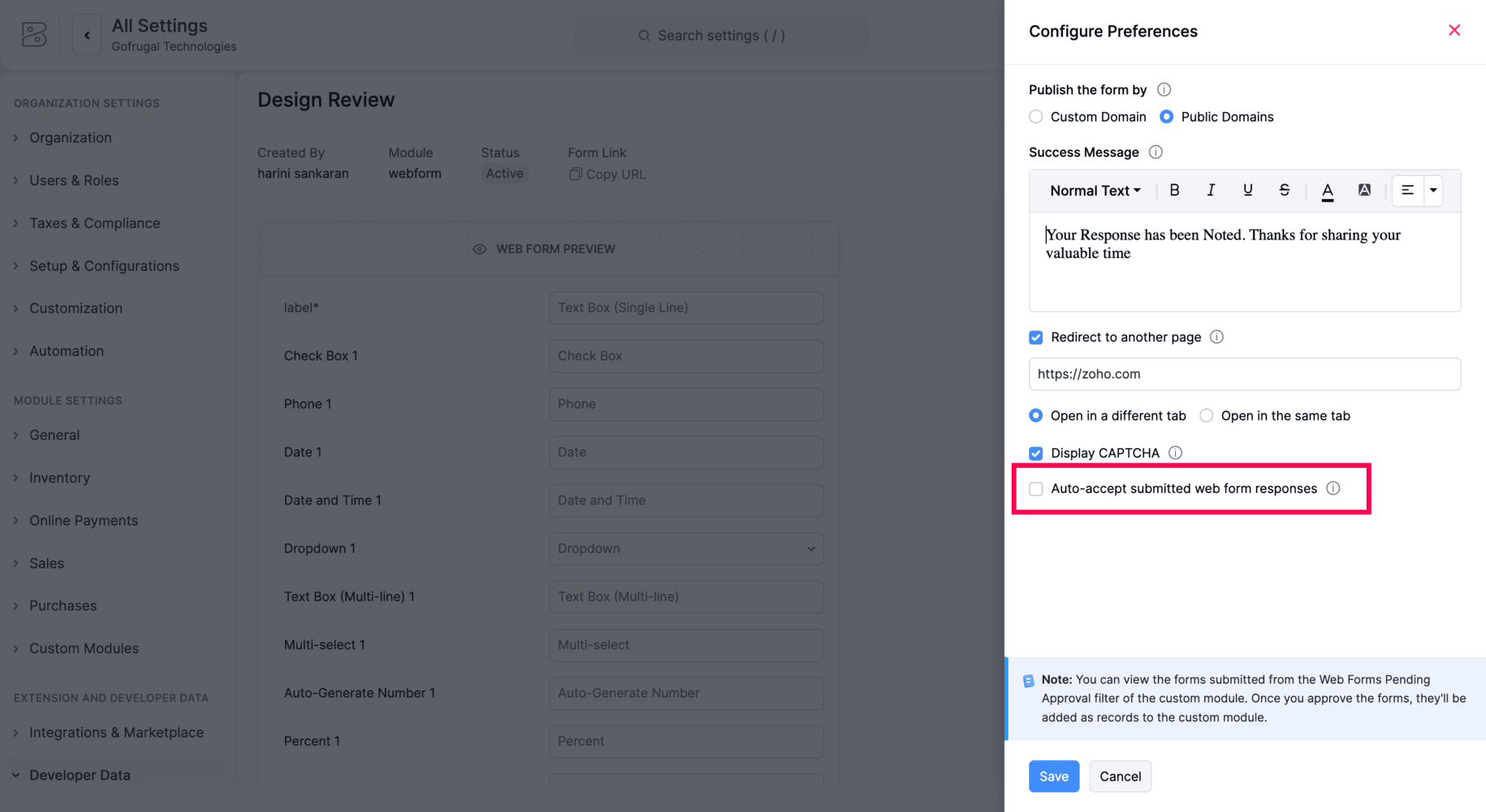
Zoho Inventory now includes an Auto-accept submitted web form responses option for Web Forms. When enabled, incoming submissions are automatically accepted and created as records in the associated custom module, eliminating the need for manual review before record creation.
Early Access Features
Introducing Material Requests & Material Issues
We're introducing two new modules that help businesses manage internal material movement more efficiently.
-
Material Requests
-
Material Issues
Users can create a material request by specifying the required items, quantities, expected date, and location. Once the request is approved, the warehouse can fulfill it through a material issue, either fully or partially, with the issued quantity automatically deducted from available stock. If unused materials are returned, they can be recorded using the Material Returns option. After approval, the returned quantity is added back to the available stock.
These modules support Projects, Reporting Tags, Batch Tracking, Serial Number Tracking, Bin Locations, and Item-Level Accounts, and are compatible with both simple and multi-level approval workflows.
To enable it, go to Settings > Setup & Configurations> General > Enable Material Requests and Material Issues
Note: This feature is available in Early Access. Contact support@zohoinventory.com to enable it for your organization.
Enhanced Inventory Tracking with Batch and Serial Combinations
Advanced Inventory Tracking now allows you to enable both batch and serial tracking for an item, along with bin tracking. For outward transactions, users can select serial numbers directly or filter them by batch for easier inventory allocation.
For inward transactions, serial numbers can be entered directly, with the serial number count linked to the batch quantity. Additionally, the Serial Number Details report now includes batch information for each serial number, improving inventory traceability.
Note: This feature is available for plans that support Advanced Inventory Tracking. Contact support@zohoinventory.com to enable it for your organization.
Introducing the New Networking Flow[India Edition]
The new version of Networking in Zoho Inventory enables your businesses to exchange transactions with their partners using Network Keys. To establish a connection, both businesses must exchange and verify their Network Keys. Once connected, a Push via Network option is available on supported transactions, allowing users to send them directly to their partners. Incoming transactions are displayed in a dedicated Received tab and are not imported automatically. Users can review each transaction and choose to accept or reject it. When a transaction is accepted, a co-creation page opens with the transaction details pre-filled, making it easy to review and complete. The sender is notified of the recipient's decision and can re-push the transaction if required.
Note: This feature is currently available in the India Edition. Contact support@zohoinventory.com to enable it for your organization.
Integrate Zoho Inventory with Mercado Libre
Zoho Inventory now integrates with Mercado Libre, enabling you to streamline order fulfillment and inventory management across one of Latin America's leading marketplaces. Sync products, orders, invoices, payments, shipments, and inventory automatically, with configurable sync schedules, customer mapping preferences, tax persistence, and comprehensive sync history reports.
Note: This feature is available in Early Access. Contact support@zohoinventory.com to enable it for your organization.
Introducing Myntra Integration
We’ve introduced the Myntra integration in Zoho Inventory, allowing you to manage your marketplace operations from a single platform. Automatically sync products, sales orders, invoices, payments, shipments, and stock updates while configuring sync preferences, customer mapping, location mapping, and tax persistence. The integration also includes detailed sync history reports for easier monitoring.
Note: This feature is available in Early Access. Contact support@zohoinventory.com to enable it for your organization.
Minor Enhancements
-
Bulk Actions in Inventory Adjustments: You can now submit, approve, and convert inventory adjustments to the Adjusted status in bulk, with support for up to 25 adjustments at a time.
-
Comments in Stock Counts: Comments are now available in Stock Counts, allowing users to add or delete comments directly within a stock count.
-
Add Items Using Identifiers - Search and add the item to a transaction using any of its identifiers.
Mobile Updates
Updates for Both Android and iOS
-
Comments in Stock Counts: The Stock Counts module now supports comments, allowing you to add and manage comments during stock count activities.
-
Custom Fields for Batch Items: Custom fields are now available for batch-tracked items and can be viewed directly within transactions for better visibility of batch-specific information.
Android Specific Updates
-
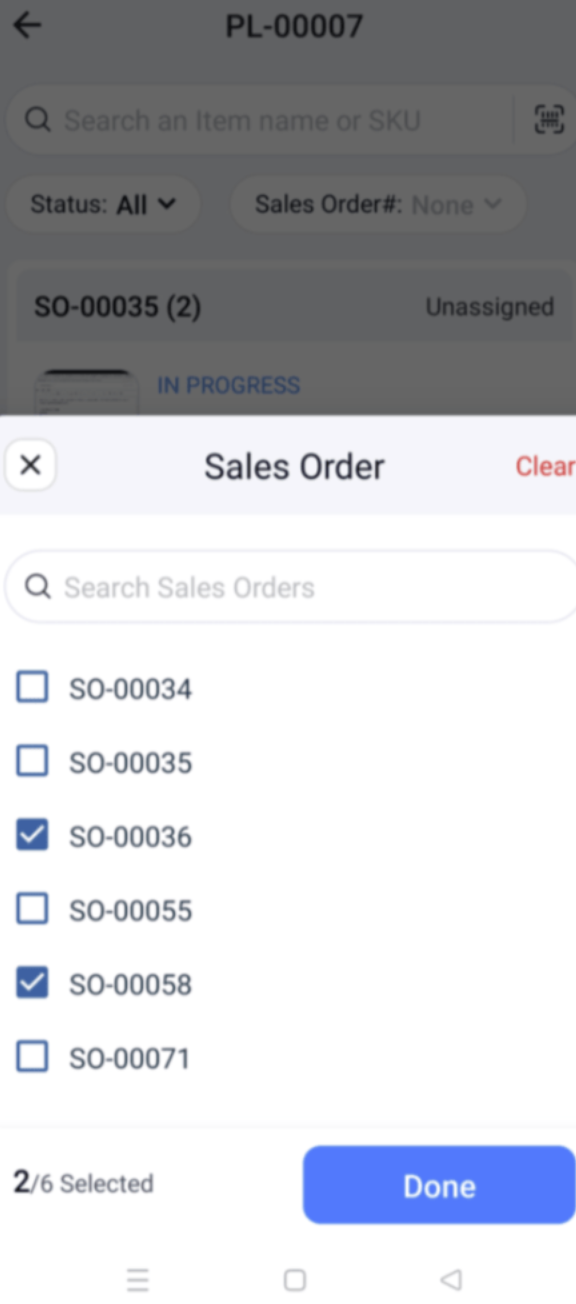
Multi Sales Orders in Picklists: Picklists now allow you to select multiple sales orders during creation, making it easier to pick items from multiple orders in a single picklist
-
Bin Location Details Report: View item-wise quantities across bins within a location using the Bin Location Details Report for improved inventory visibility.
iOS Specific Updates
-
Default Price List for Locations: Assign a default price list to each location, ensuring the appropriate pricing is applied automatically during transactions.
-
Multi-Dated Price Lists: Create and manage multiple price lists with different effective dates, allowing pricing changes to take effect automatically as scheduled.
That's a wrap for now! We hope these updates make your inventory management smoother and more powerful. If you have any questions or would like to learn more, feel free to reach out to us at support@zohoinventory.com. We'll be back soon with more updates from Zoho Inventory!
Best regards,
The Zoho Inventory Team.